
Fully released in Minecraft 1.20, Chiseled Bookshelves are a new type of Bookshelf in the world of Minecraft. They provide all new features that the traditional Bookshelves fail to offer.
This guide will cover everything you need to know about the Chiseled Bookshelf in Minecraft, including how it differs from the normal Bookshelf, the block’s direct item form and what you can do with it, and much more.
Everything The Chiseled Bookshelf Minecraft Has To Offer
The Chiseled Bookshelf in Minecraft is actually a bit different than the normal Bookshelf. Normal Bookshelves in Minecraft already come with Books inside of them, and you can’t actually interact with those Books. You know what you can interact with? Books in a Chiseled Bookshelf.

That’s right; you can use the Chiseled Bookshelf to store books you’ve either written or found while exploring a multiplayer world.
But before we talk about how to use the Chiseled Bookshelf, let’s break down how to craft it in the first place.
How To Craft The Chiseled Bookshelf In Minecraft
Crafting the Chiseled Bookshelf in Minecraft is simpler than the normal Bookshelf, mainly because the recipe doesn’t contain Books.
If you’d like to craft the Chiseled Bookshelf, place the following in the crafting grid of a Crafting Table:
- Three of any combination of Wooden Planks in the top three slots.
- Three of any combination of Wooden Slabs in the middle three slots.
- Three of any combination of Wooden Slabs in the bottom three slots.
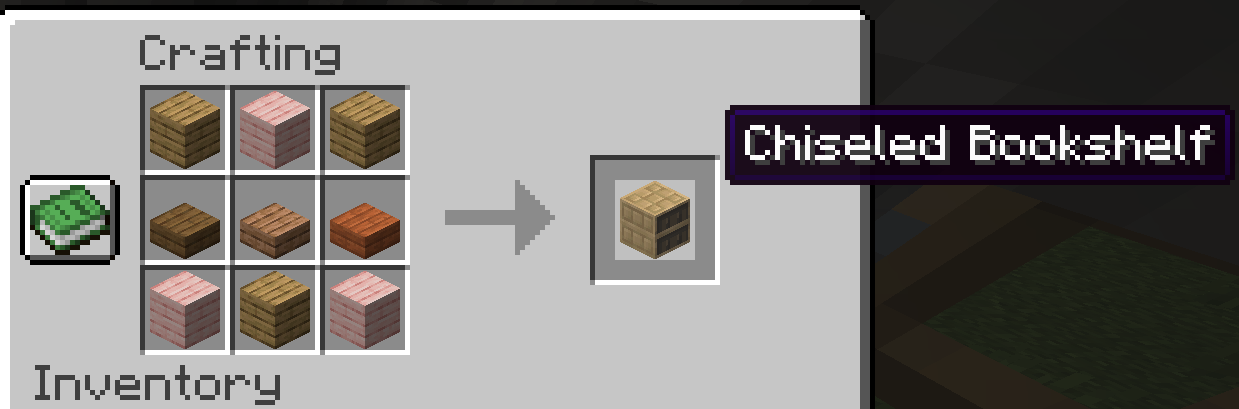
There are a few ways to utilize this block, so let’s get into them.
To Store Books
You can fill up to six slots in Chiseled Bookshelves, placing either Enchanted Books, Knowledge Books, Books and Quills, Written Books, or normal Books within them.

All you need to do to store a Book is to have it in your hand while using Chiseled Bookshelves. This will store the Book in the first empty slot available to it.
The block has multiple states. For example, the facing east block data differs from if the block is facing north. You can check all of this by viewing Minecraft’s code.
Redstone Signal Power
If you place a Redstone Comparator near Chiseled Bookshelves, it will send a signal to the last slot you interacted with. This can be slot one through slot six. If you haven’t interacted with any of the slots yet, the Comparator will output 0 instead of 1-6.
Also, the Observer block will know if someone (or something!) removes or adds a book to the Chiseled Bookshelf block.

Because Chiseled Bookshelves in Minecraft can interact with Redstone, they can also interact with Hoppers and Droppers. Hoppers have the ability to place or remove Books from the Chiseled Bookshelf, storing them in the Hopper’s inventory, while Droppers can insert blocks, as their name suggests.
When combining the Hoppers and Droppers with the Redstone Comparator, they will place a book in whichever slot is equal to the Comparator’s signal. For example, the Comparator producing signal “1” will react to the upper left slot on the Shelf’s top left-hand side. Signal “2” pairs with the upper middle slot, “3” with the upper right slot, “4” with the lower left slot, “5” with the lower middle slot, and “6” with the lower right slot.
These “slot tag” states are also called metadata bits. The metadata bits’ default value is 0. Also, if you enable subtitles using Minecraft’s accessibility options, the game will display insert subtitles and pickup subtitles based on which action you initiate.
Note Blocks
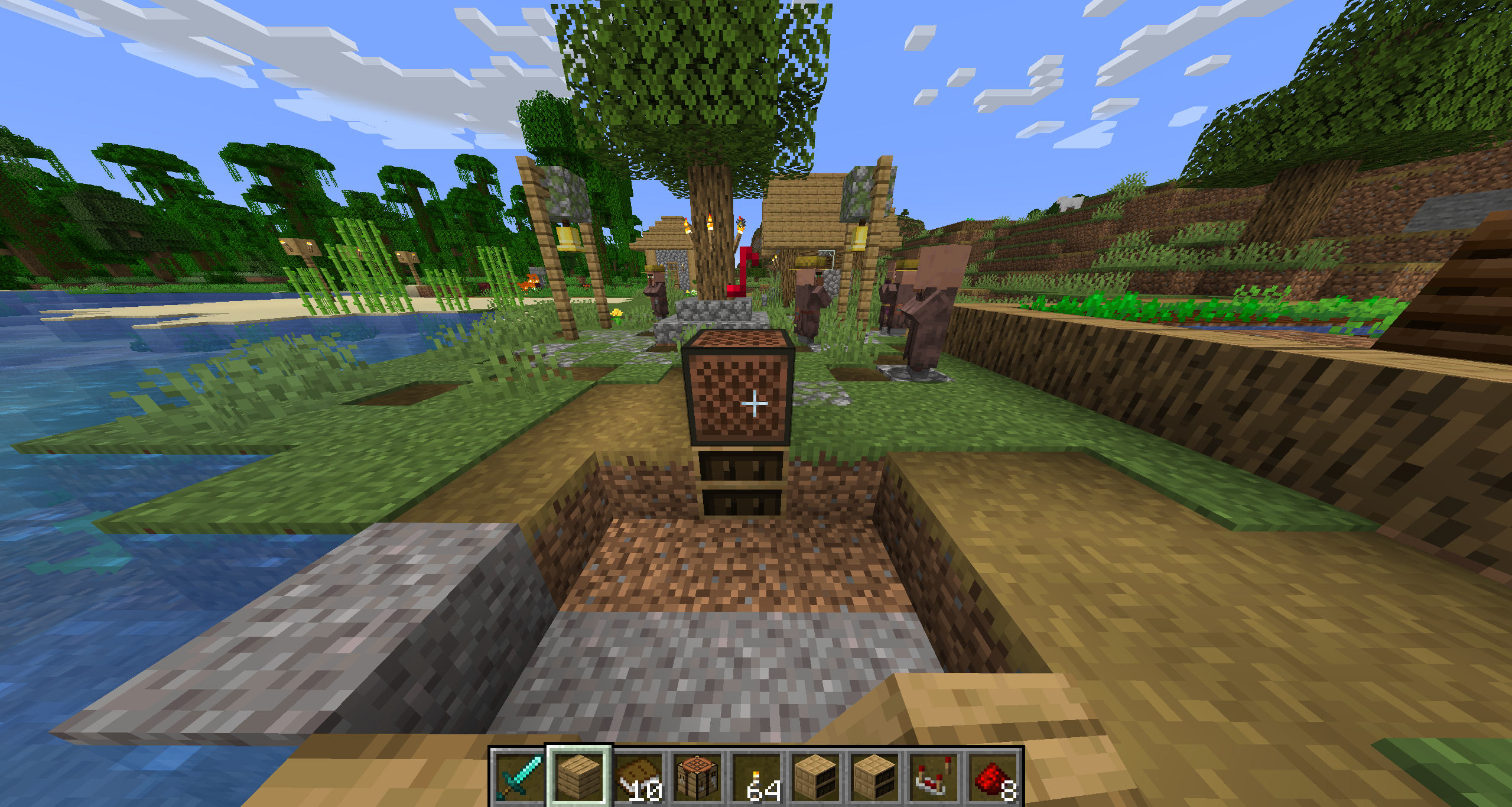
The Note Blocks Chiseled Bookshelves produce are a “bass” sound effect. As you may know, many special blocks like the Chiseled Bookshelf block produce a sound when they’re placed under a Note Block. You can combine these sounds to create different music in Minecraft.
Fuel
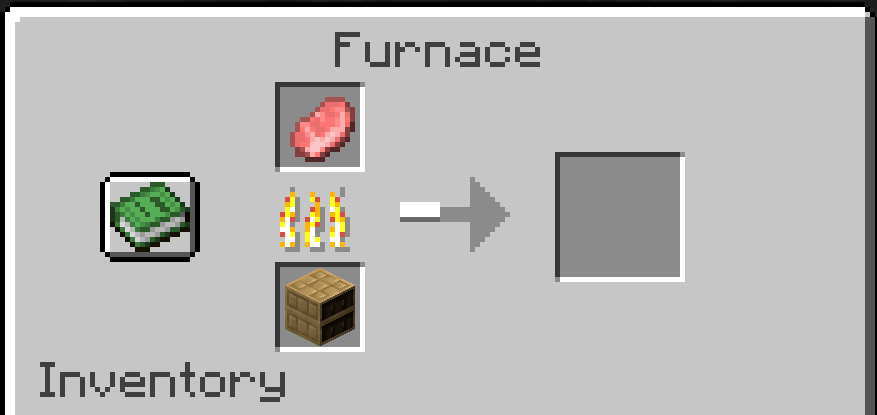
As with any other wooden block in Minecraft, you can fuel Chiseled Bookshelves in the Furnace to burn items.
Interestingly, the Chiseled Bookshelf block entity data does not boost the power of an Enchanting Table like a normal one would.
Otherwise, you can destroy Chiseled Bookshelves with any tool, but an Axe is best. The broken block will drop all of the books it is holding as separate items, of course. If you want a Chiseled Bookshelf pickup without breaking it, you must use a tool enchanted with Silk Touch, which allows you to break blocks as they are.

While you can craft Chiseled Bookshelves with various types of wood, it will only appear in the Oak wood format as of this writing.
What Else Can I Do With Chiseled Bookshelves?
There are a few creative ways to utilize Chiseled Bookshelves alongside their basic use.
Chiseled Bookshelf Designs
For one, you can place books inside Chiseled Bookshelves to create a pattern. This user created a heart pattern with the Chiseled Bookshelf textures.

Chiseled Bookshelf Door
Some players use Redstone to create a door with Chiseled Bookshelves. What this means is that if you place a book in a certain slot (1-6) and have a Redstone Comparator react to that signal, it can be used to activate a button or lever to open a door. Some might place the book in the first slot, while others use the power signal with a different number.
How Does The Chiseled Bookshelf Differ From Regular Bookshelves?
Regular Bookshelves are used to surround an Enchanting Table and give it more power. Unfortunately, you cannot do that with a Chiseled Bookshelf in Minecraft.

Also, the Chiseled variant has different wood sounds than the conventional Bookshelf. It also has a different block texture, different block NBT data, and different wood placing sounds. Also, the fall damage block sound here is a bit different from the normal one.
While they behave similarly on the surface, these blocks are clearly different in a few key ways, outside of just inserting Books.
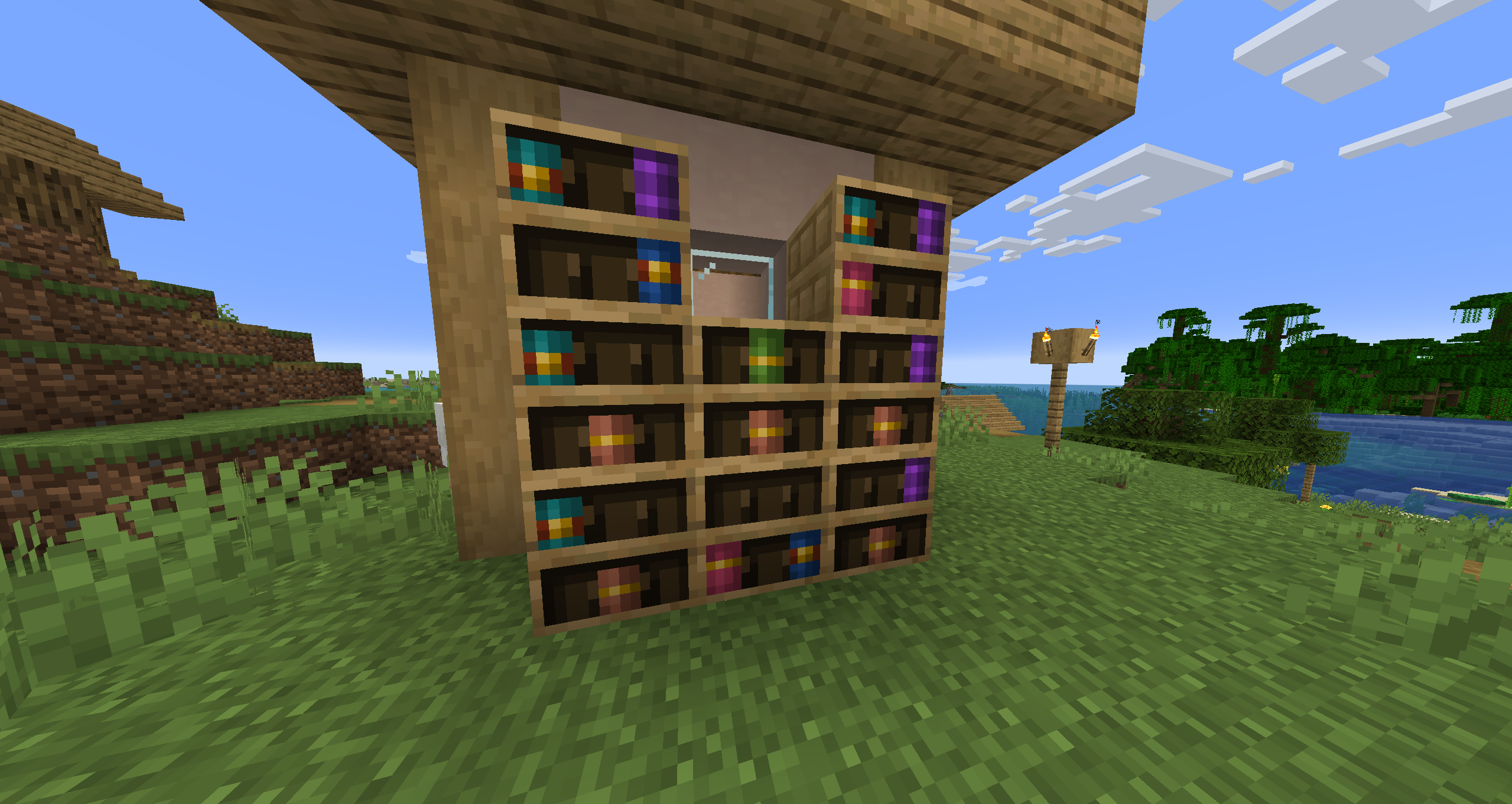
Now that you know the differences between Minecraft Chiseled Bookshelves and the conventional Bookshelves, why not jump into the game with some buddies and set up some extraordinary Redstone contraptions?
If you’re looking to play Minecraft with your friends, check out NameHero for a comprehensive server solution.
Our servers offer support for up to 32 players, with built-in DDOS protection alongside comprehensive backups. For more information on getting a NameHero server, click here.
NameHero specializes in delivering some of the very best in gaming server tech without breaking the bank. Every Minecraft server comes with DDR4-3200 RAM, NVMe storage, AMD EPYC CPUs, and more!
Already have a server? That’s okay, come hang out with us on Discord!

Max is a freelance writer with a love for gaming and technology. He’s always looking for the next big game to play and tinkers with tech in his remaining free time.
Leave a Reply