
Introduced at Minecraft Live 2025, the Vibrant Visuals Minecraft update is a big-time visual overhaul unlike anything the game has seen outside of mods.
This guide will go into everything there is to know about the Vibrant Visuals update, including what changes are being made and what’s going on at a technical level, as well as how to play this version of the game right now!
What Is The Vibrant Visuals Minecraft Update?
The Vibrant Visuals Update is a “visual graphics upgrade” that the game’s developers claim is their “vision for what Minecraft” looks like with modern visual technology.
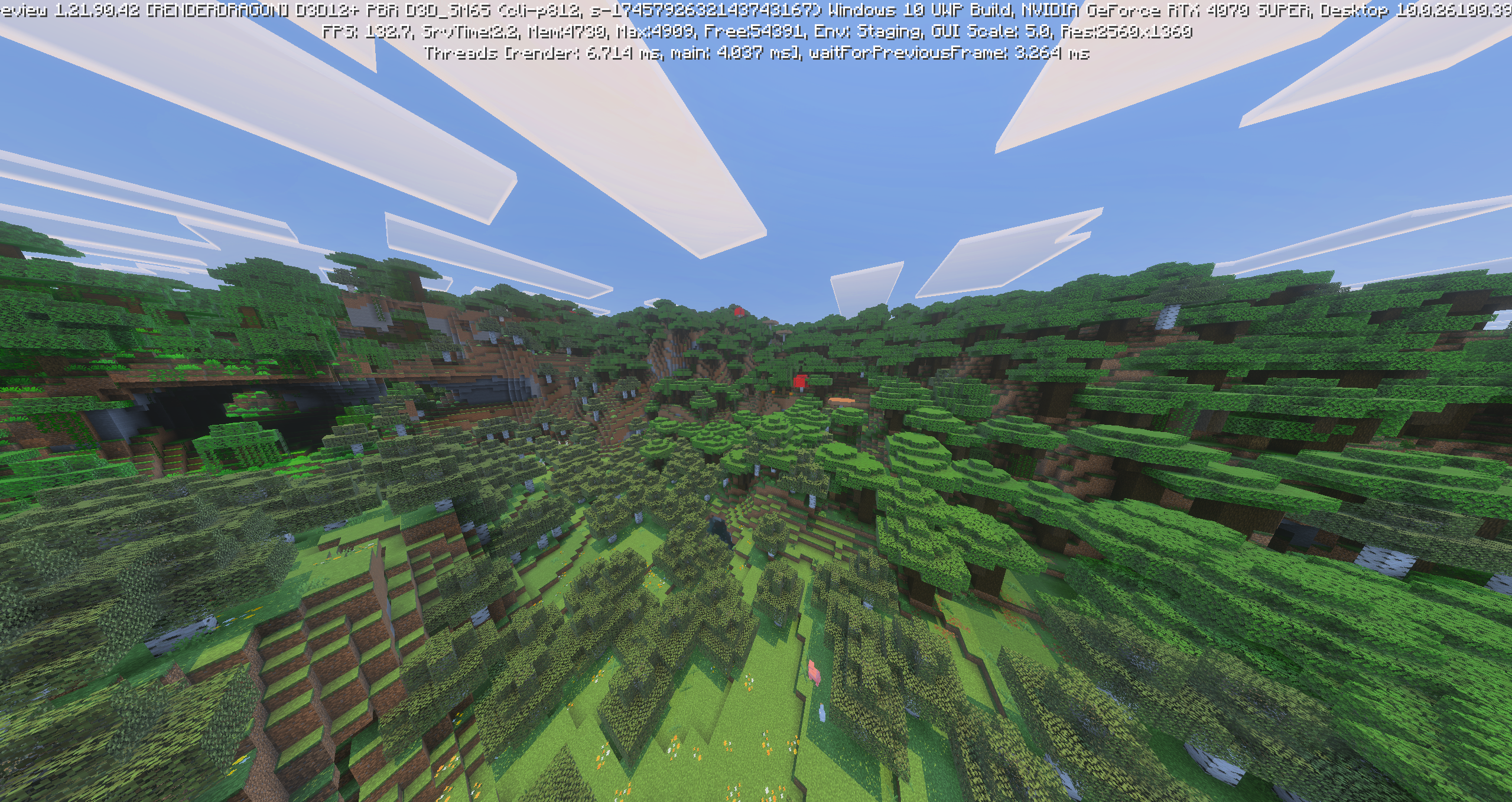
Improved visual elements include directional lighting, volumetric fog, screen space reflections, and more depth in the world, overall.
Let’s break down the features.
Lighting Updates
Directional lighting and volumetric lighting updates transform the way players see their worlds. For example, they’ll see the sun shine down onto the Overworld depending on where it is in the sky, with rays bursting down onto the ground, breaking through trees and water, amongst other improvements.
According to Mojang Studios, this update means you’ll see light shining through your glass windows, and it will cause reflections in the water, much like a visual overhaul mod would. It’s excellent.
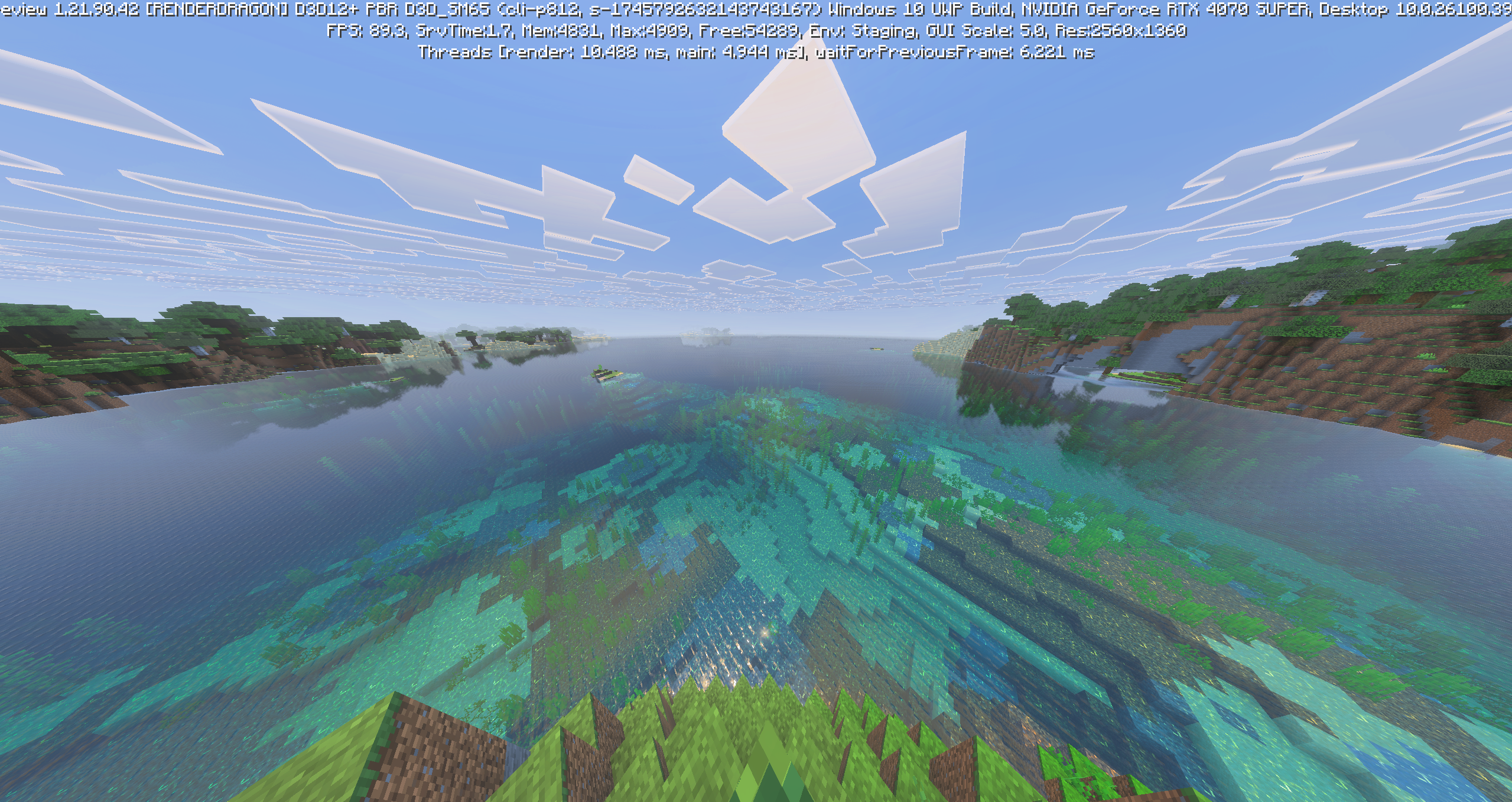
Finally, volumetric fog and subsurface scattering bring with a natural haze to certain areas, causing transparent blocks such as Leaves to glow. Prepare to see far more shadows as the game’s lighting goes into effect.
All of this said, Vibrant Visuals is purely a visual update. There aren’t any gameplay or mechanic changes here, meaning the actual play experience is unaffected.
Mob Visual Changes
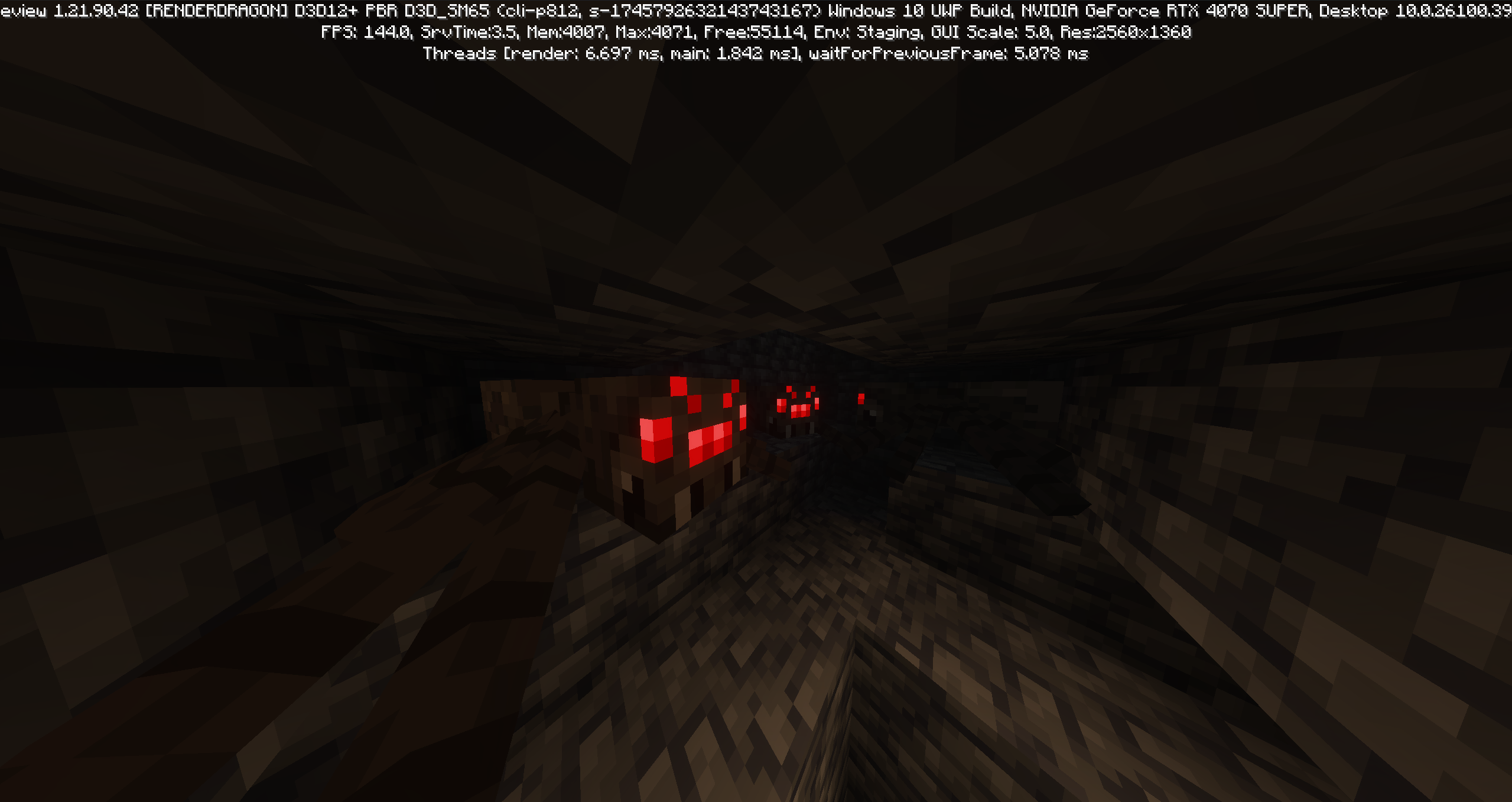
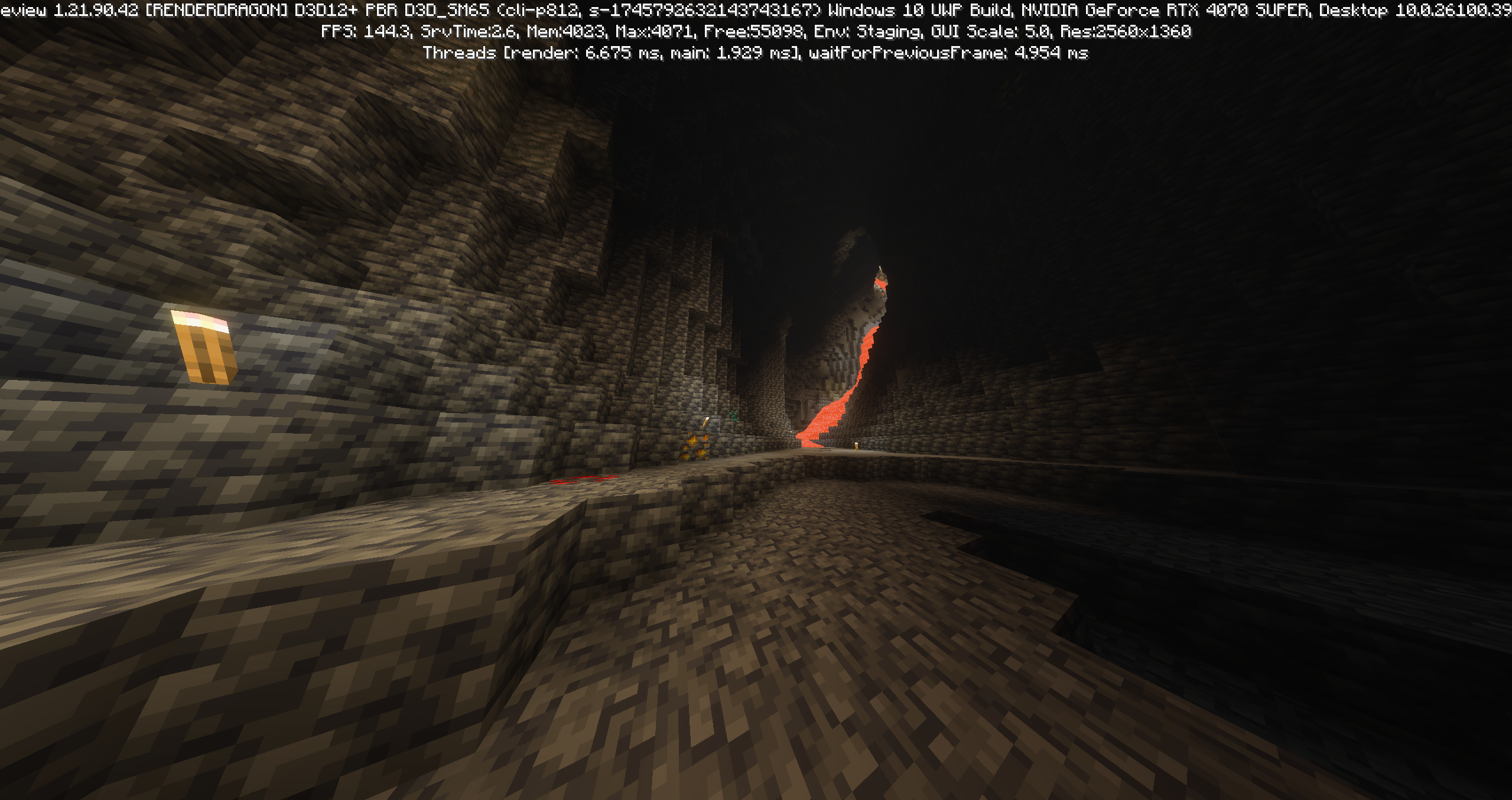
Due to the lighting adjustments, mobs and items will change as well. Spider eyes will glow in the dark, making them much scarier, while torches emit a sense of light previously only found in an Optifine textures overhaul.
More specifically, Sculk in the Deep Dark biomes will emit more surreal lighting, bringing with it a more ominous vibe than we’ve seen before. As Jasper Boerstra, the game’s art director, says, “it creates a real magical scene.”
How To Test Vibrant Visuals With Minecraft Bedrock Edition
As of this writing, Vibrant Visuals is only available within Minecraft: Bedrock Edition. Even then, it’s not available on all Bedrock Edition devices.
Right now, you can only play it by downloading Minecraft Preview and turning the update on from there.
How to Download Minecraft Preview
If you aren’t aware, Minecraft Preview is a separate app that allows you to test new updates before they go live. Of course, this means you may want to create a new world within the app.
If you have no problem with that, here’s how to play Minecraft Preview on PC.
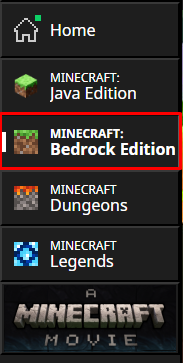
1. Open the Minecraft Launcher
Open the Minecraft Launcher and navigate to Bedrock Edition via the client’s left-hand menu.
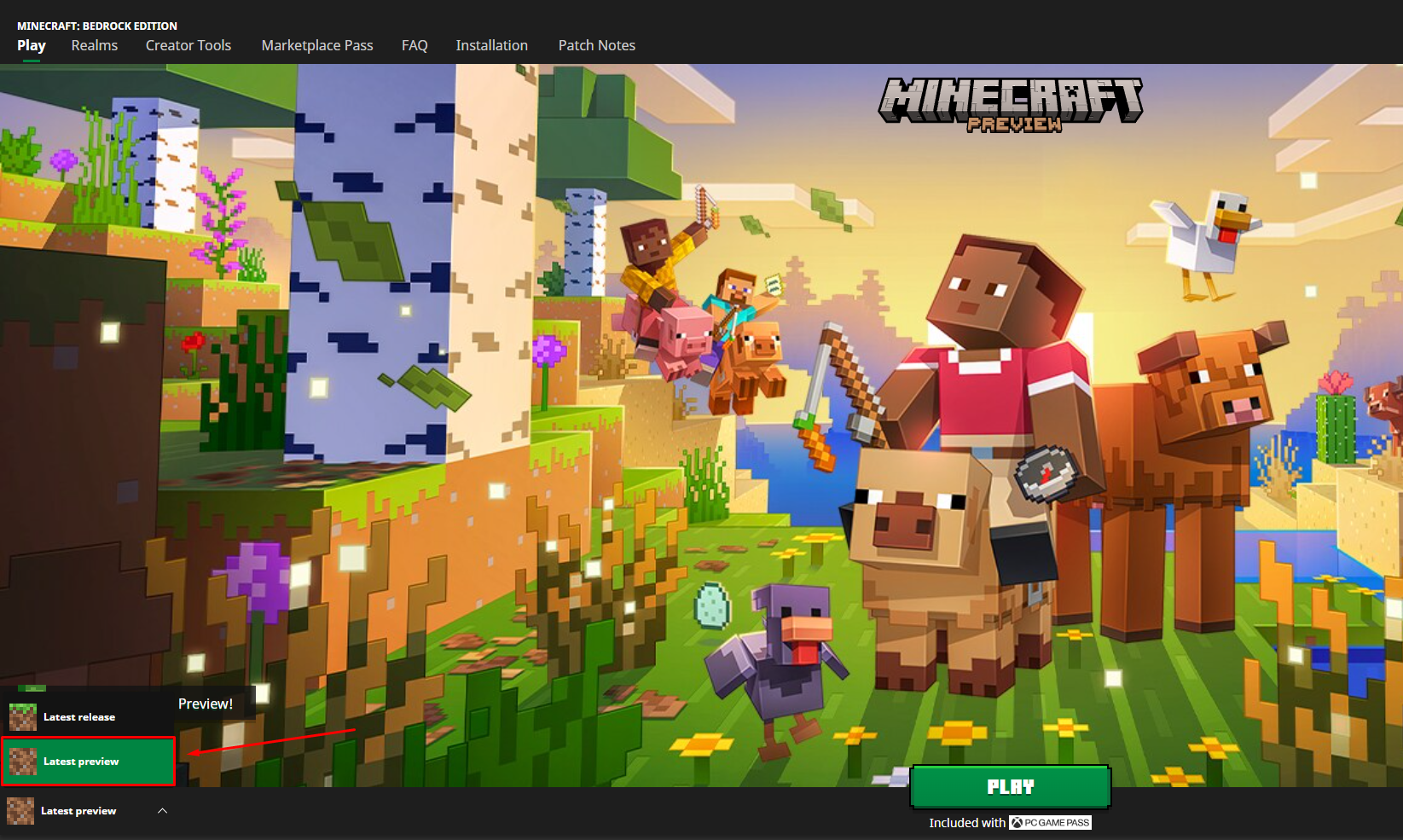
2. Select Latest Preview
With Bedrock selected, head to the drop-down menu on the bottom left-hand corner and click Latest Preview.
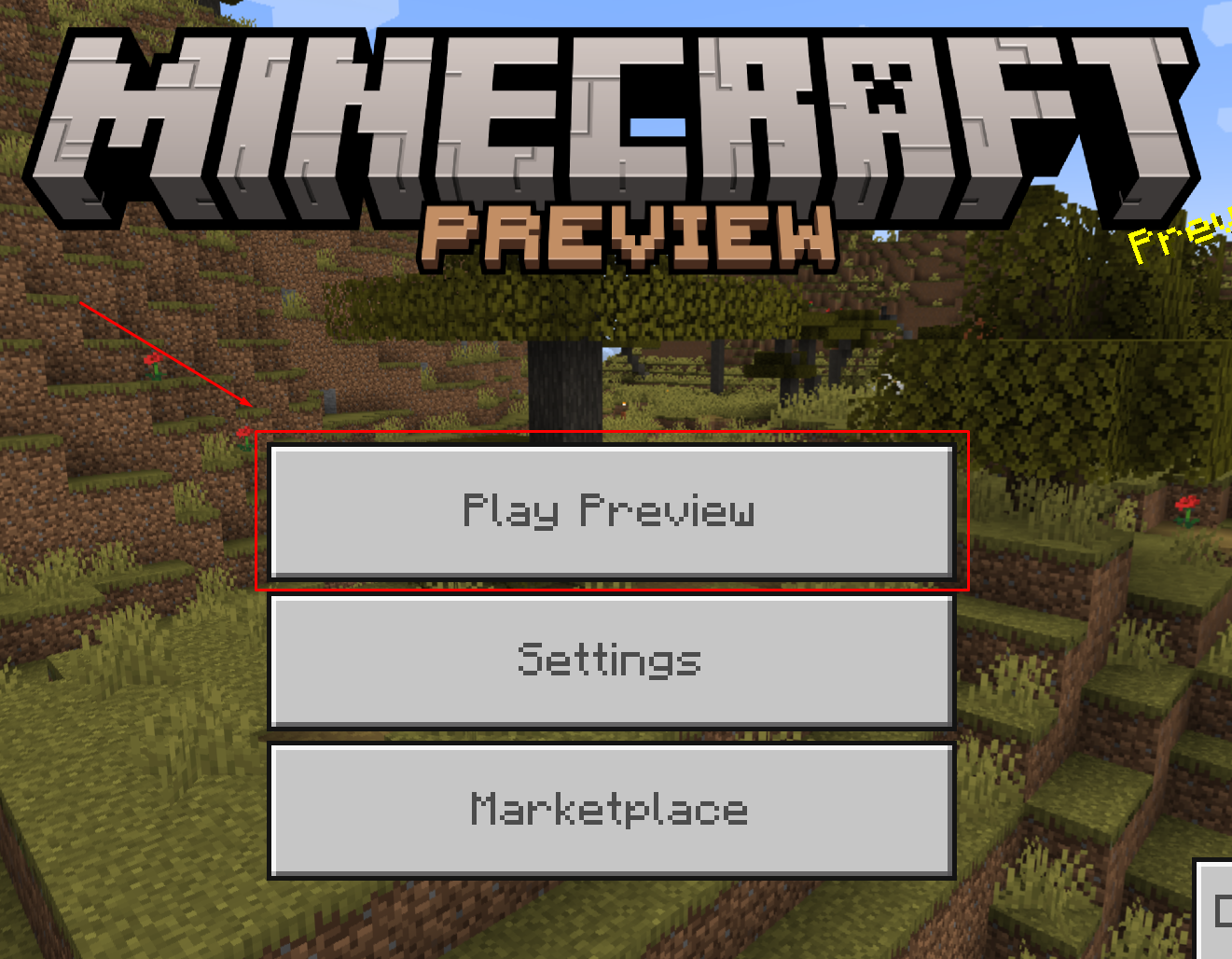
3. Toggle Vibrant Visuals On
Launch the game and sign in with your Microsoft Account. Then, click on Play Preview.
Then, select Create new world.
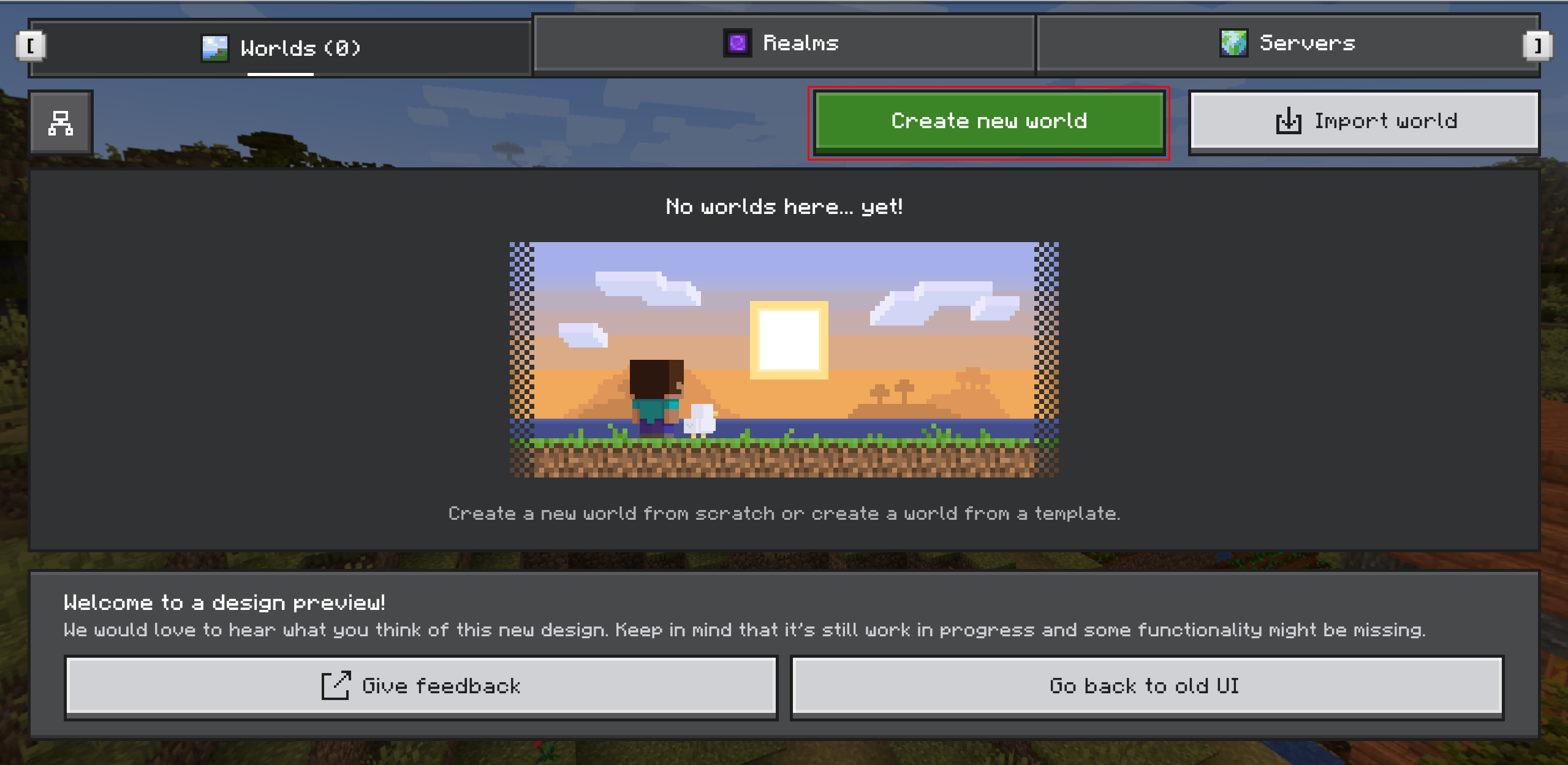
Create your world and head inside. Now, it’s time to enable the update.
In some cases, you might see the graphics upgrade automatically applied, but if you don’t, pause the game and navigate to the Settings menu.
From there, scroll down to the Video tab.
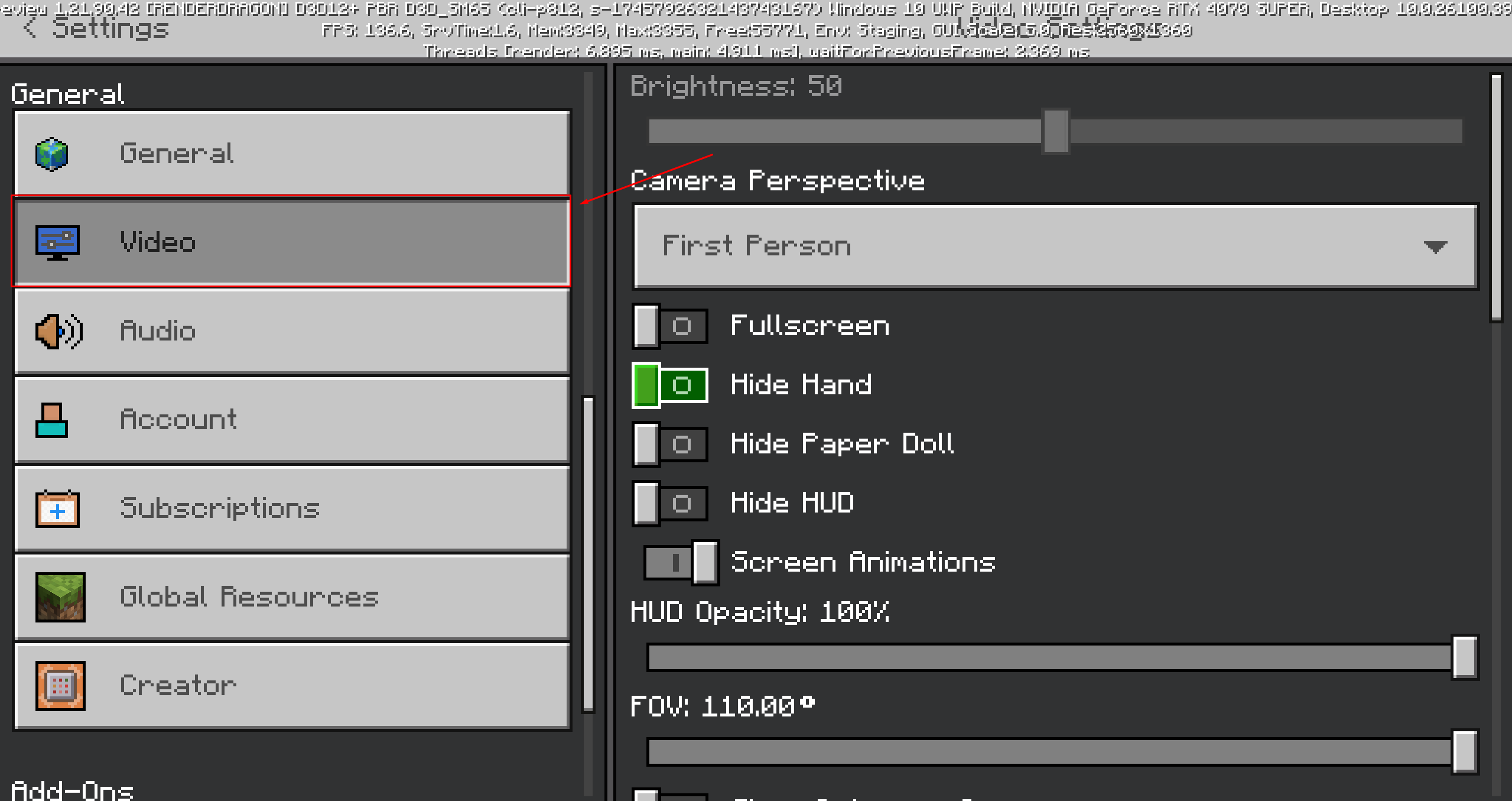
Now, click on the Graphics Mode dropdown menu and select Vibrant Visuals.
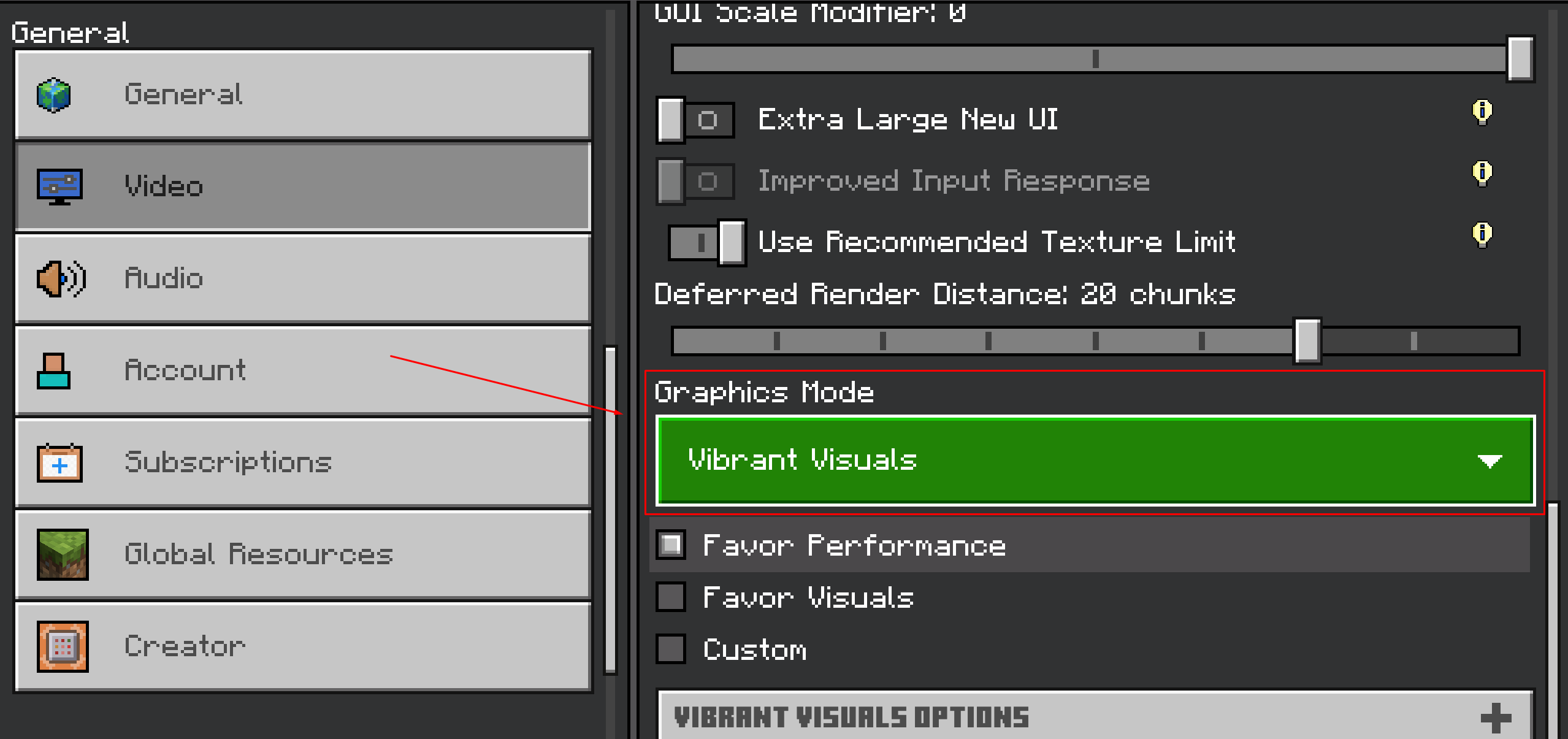
You can also choose to favor performance or favor visuals, depending on your device’s capabilities.
From there, you have additional relevant options to tweak like Shadow Quality, Clouds, Volumetric Fog Quality, Bloom, and so much more.
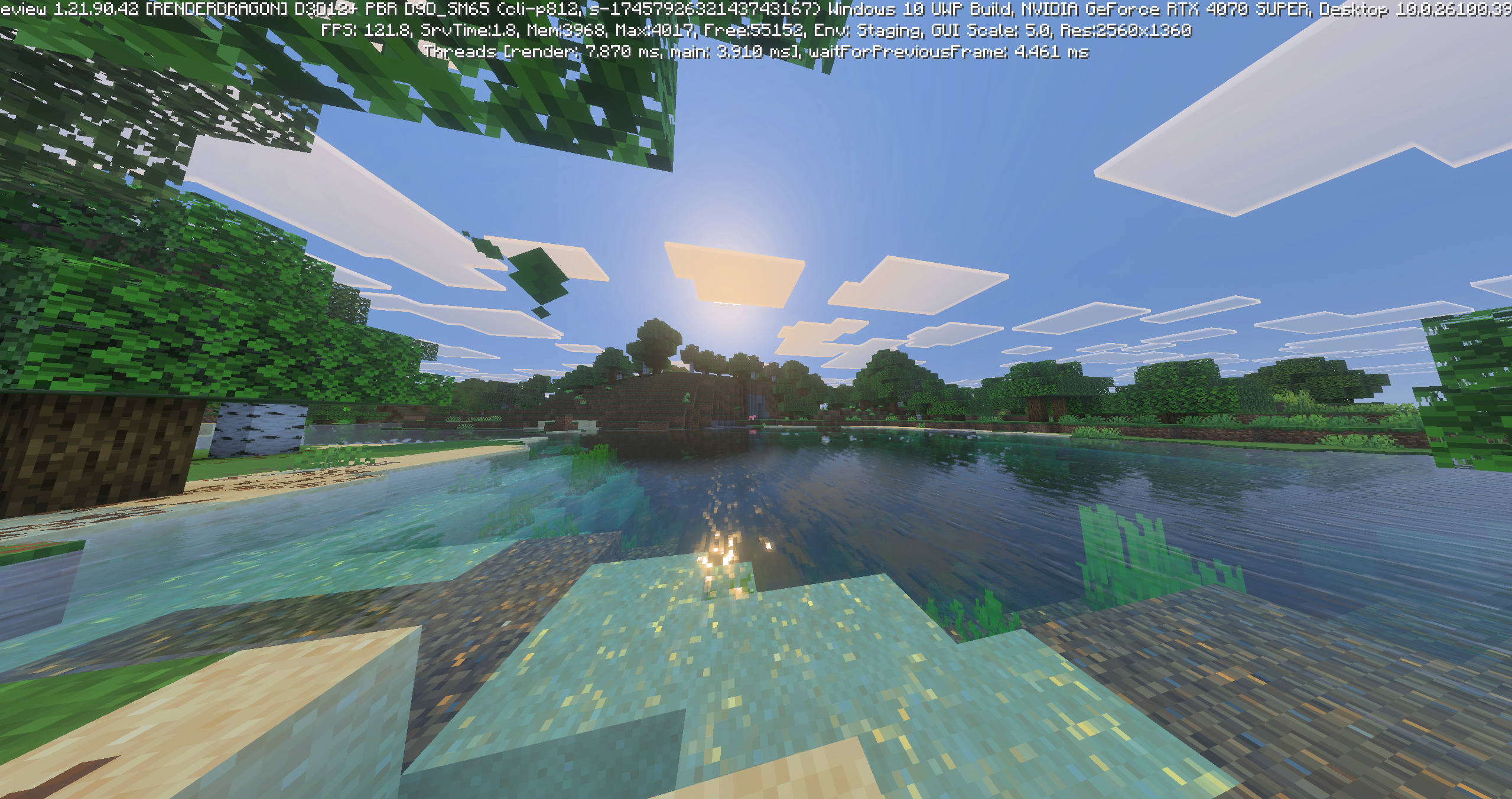
Congratulations, now you’re playing with the game’s new visuals! Eventually, these will be available in the normal version of the game, but right now you can only play them through Preview.
If you’d like to provide feedback to the Minecraft developers, use this link!
How To Play Vibrant Visuals With Minecraft Java Edition
Unfortunately, Vibrant Visuals is not available in Minecraft: Java Edition at this time. Instead, you must wait for a period of time before the features are available in Java.
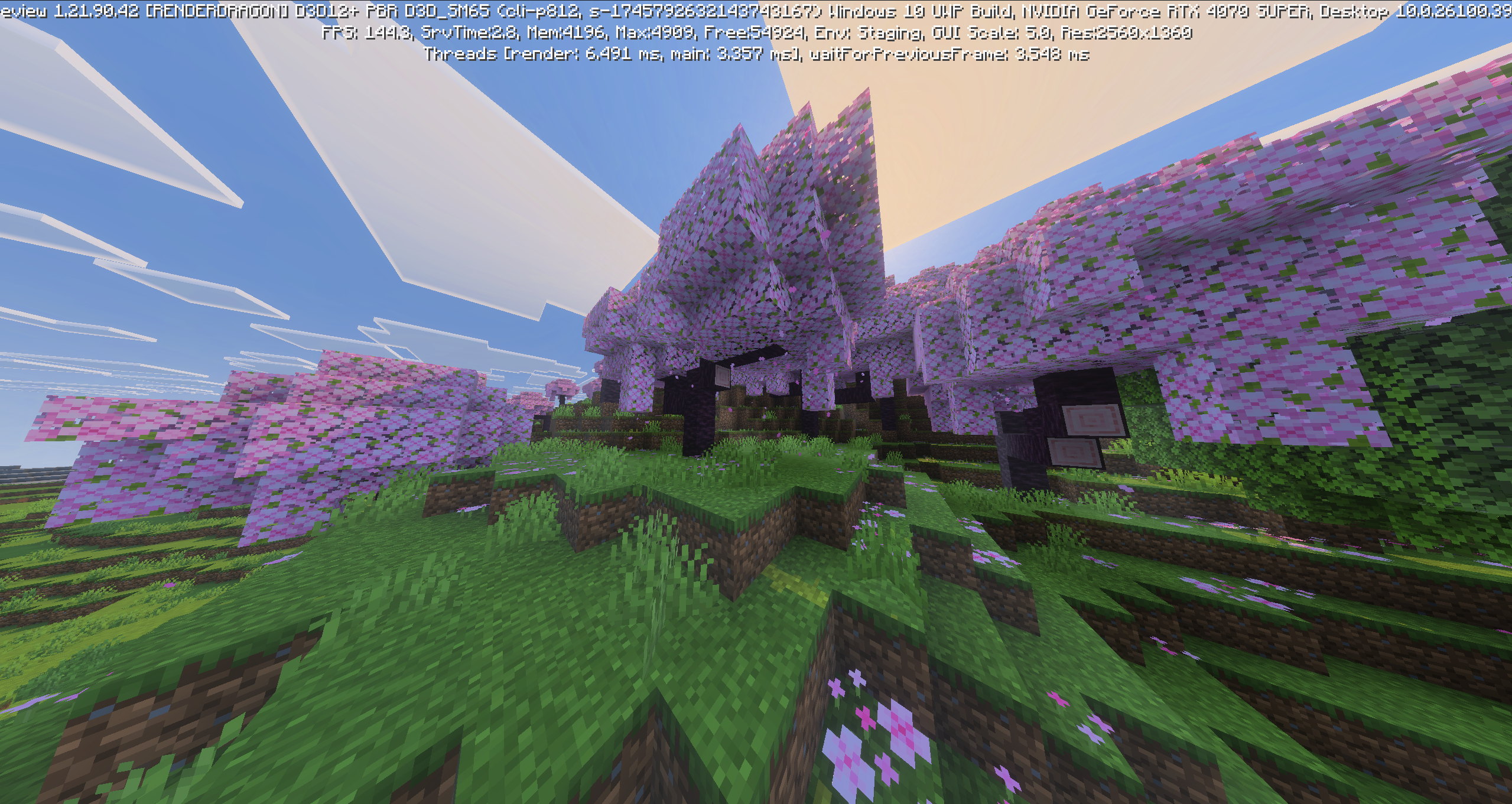
That said, these updates may be available sooner than you think. Instead of rolling out all of the features at once, Mojang Studios will be slowly implementing the update over time, so you’ll see Vibrant Visuals drip-fed into Java as time goes on.
Otherwise, the Vibrant Visuals update is quite flexible. Once it’s fully released, it will be backward compatible with existing worlds, so there’s no need to start a brand new one. On top of this, you’ll be able to play with friends who aren’t using the update, even if you are, so cross-platform play shouldn’t be affected.
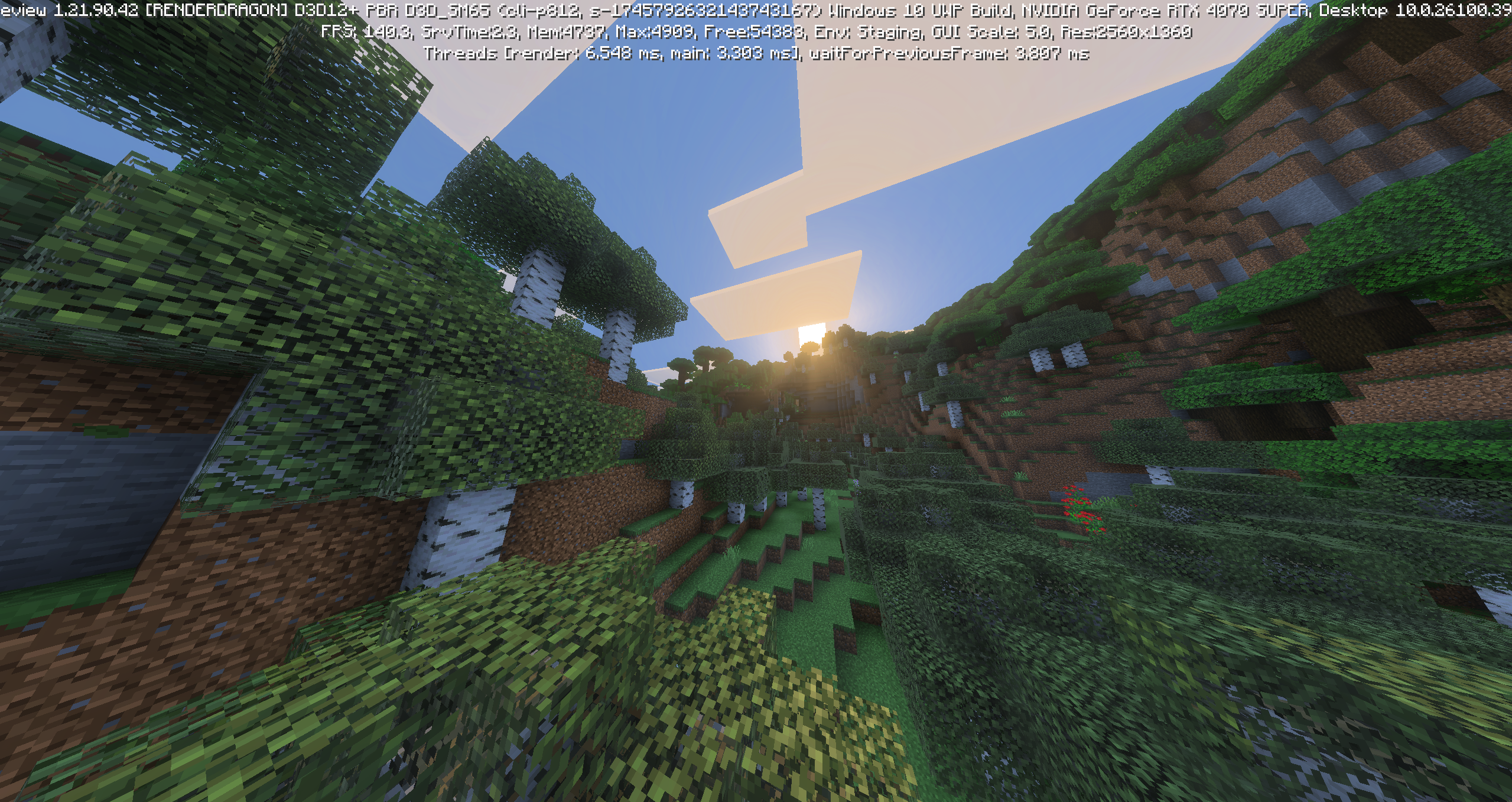
Even better, Minecraft creator partners have access to the Vibrant Visuals code, meaning that add-ons and other Marketplace offerings will start to take advantage of Vibrant Visuals as time goes on.
With Vibrant Visuals in mind, why not download Minecraft Preview to try out the update with your buddies? After you’re satiated, try out a Minecraft: Java Edition server for even more mod capabilities!
If you’re looking to play Minecraft with your friends, check out NameHero for a comprehensive server solution.
Our servers offer support for up to 32 players, with built-in DDOS protection alongside comprehensive backups. For more information on getting a NameHero server, click here.
NameHero specializes in delivering some of the very best in gaming server tech without breaking the bank. Every Minecraft server comes with DDR4-3200 RAM, NVMe storage, AMD EPYC CPUs, and more!
Already have a server? That’s okay, come hang out with us on Discord!

Max is a freelance writer with a love for gaming and technology. He’s always looking for the next big game to play and tinkers with tech in his remaining free time.
Leave a Reply