

Known to be quite an immersive zombie apocalypse survival game, Project Zomboid has been acclaimed in the gaming community and has received a lot of support from players globally. Fans and avid players have also taken the time to even improve the game with mods that elevate the playing experience with Project Zomboid.
From quality-of-life mods to gameplay overhauls, there are a variety of mods that can transform one’s gameplay experience. The survival aspect of the game can become more engaging, challenging, and/or even more fun. Additionally, having mods can add or lessen particular content, depending on your tastes.
On that note, we’ve prepared this guide on some of the best Project Zomboid Mods that you can try. We’ll be covering everything you need to know about the game’s mods, how to install them, and some of our top recommendations.
What are Project Zomboid Mods?
So first off, what are mods for Project Zomboid? Mods are player or user-created modifications that can improve or change the original version of a game (usually known as a vanilla game). You can pretty much customize your experience when playing Project Zomboid such as adding new or more weapons, having a variety of crafting options that are extended from the game’s default content, and more.
Mods can range from simple improvements to the game’s interface such as management of inventory, to expansive maps that can serve as new content you can try within the game. Some mods also change the mechanics’ difficulty in-game or improve accessibility, giving opportunities for players from different gameplay styles.
Mainly, you can download Project Zomboid Mods through the Steam Workshop. We’ll be discussing in the next part the different types of mods for Project Zomboid you can check out.
Different Types of Project Zomboid Mods

Project Zomboid has different types of mods that can enhance your game. We’ve listed some of the basic types of mods you’ll encounter when you’re looking for mods to download:
Quality of Life Mods
Seen in its namesake already, Quality of Life Mods make Project Zomboid easier and more convenient for you to play. The game’s user interface can be improved, and management of your inventory, and the general mechanics of your game and how you interact with it. This avoids the hassle of having to do tedious tasks in accomplishing things in-game.
Map Mods
Currently, there are four main starting locations to spawn in which are Muldraugh, Riverside, Rosewood, and West Point. Map mods can add to this, adding new towns, cities, and regions for players to explore. You could be introduced to more options for your environment.
Gameplay Overhaul Mods
In terms of Gameplay Overhaul Mods, the core mechanics of Project Zomboid are modified. You could be introduced to new melee weapons, skills, combat systems, and zombie behaviors. This makes playthroughs feel newer and more unique.
Realism Mods
If you’re looking for something to emulate a real-life zombie apocalypse, Realism Mods could help you there. Survival mechanics such as injuries, diseases, and weather can be modified through this type of mod. This can make your survival experience more intense and immersive.
Base Building Mods
Last are Base Building Mods. This type of mod adds expanded construction and crafting options for players, making more customizable bases by giving you additional furniture, walls, crafting stations, and more. It allows you and your fellow players to become more self-sufficient and efficient when creating a hideout in the apocalypse.
Why should I use Project Zomboid Mods?
Now that you have an idea about Project Zomboid, we can dive deeper into why you should use mods for the game. Well, mainly, mods for Project Zomboid enhance your game by adding new features, improving mechanics, and expanding how you play in general.

You don’t need to be a veteran to use mods as mods can be used by both newcomers and longtime players alike.
Moreover, mods also introduce fresh content to keep the game interesting to players over time. Giving the gaming community the power to create mods allows Project Zomboid to stay relevant. From new maps, weapons, vehicles, and other features, these can make players engaged with Project Zomboid despite the lack of official content updates.
How do I Install Mods for Project Zomboid?
If you’re convinced to finally use mods, you can then get to learning how to install mods for the game. The process is fairly easy, especially if you have a Steam account.
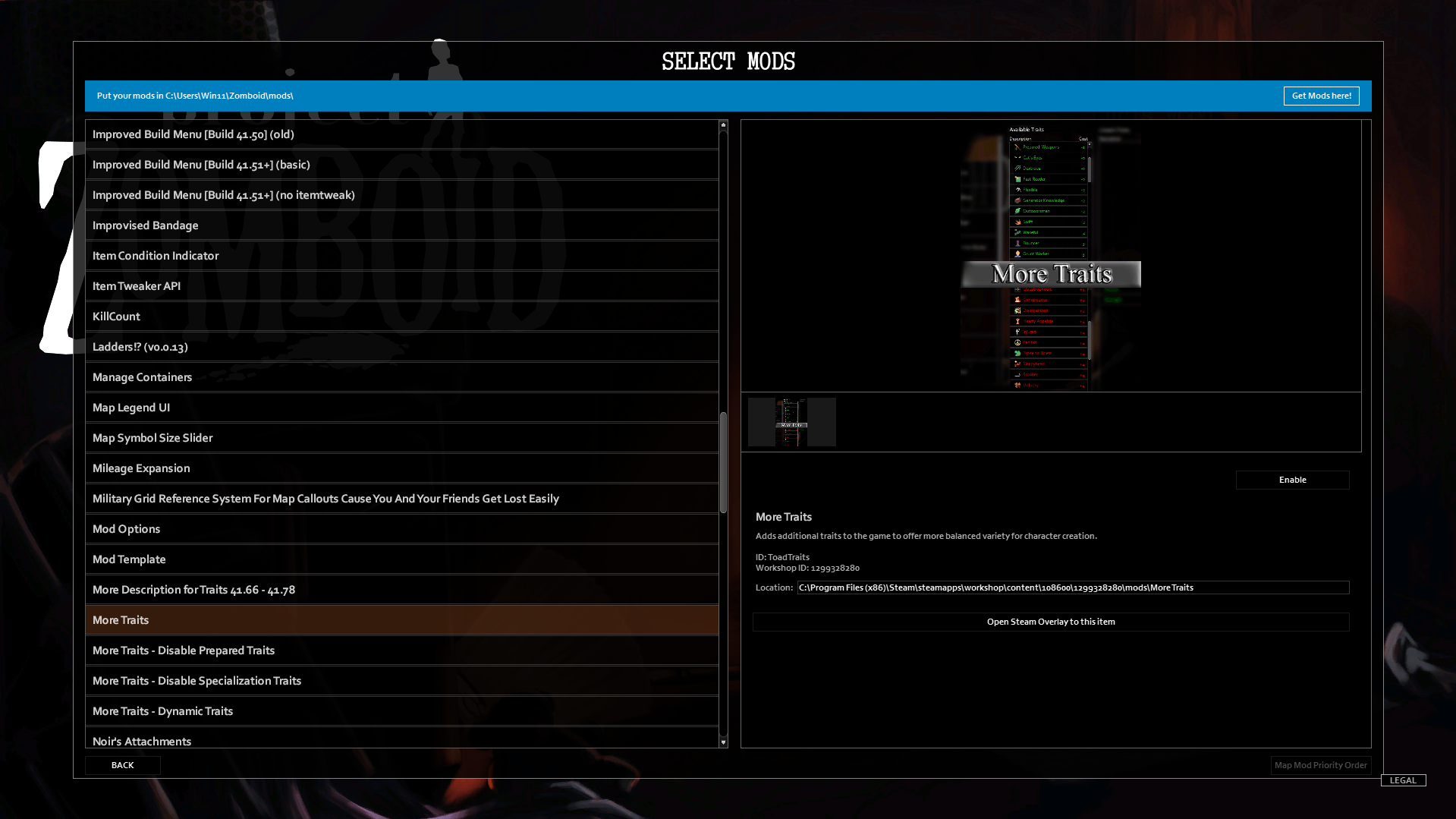
To install mods, first, you must launch Project Zomboid. Once you’ve launched the game, choose “Mods” from the Main Menu.
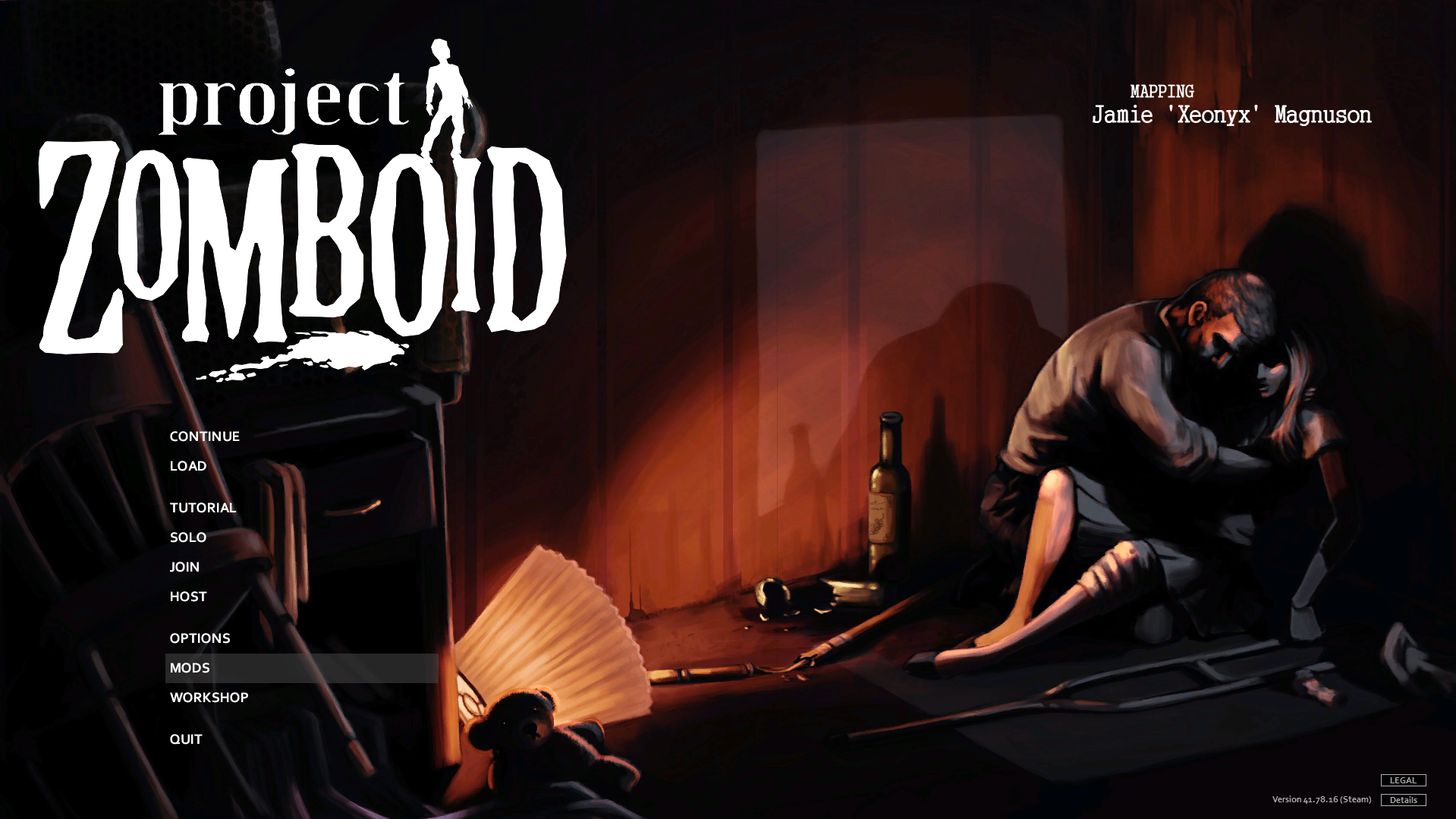
You’ll then be directed to a window that lists your installed mods if you have any.
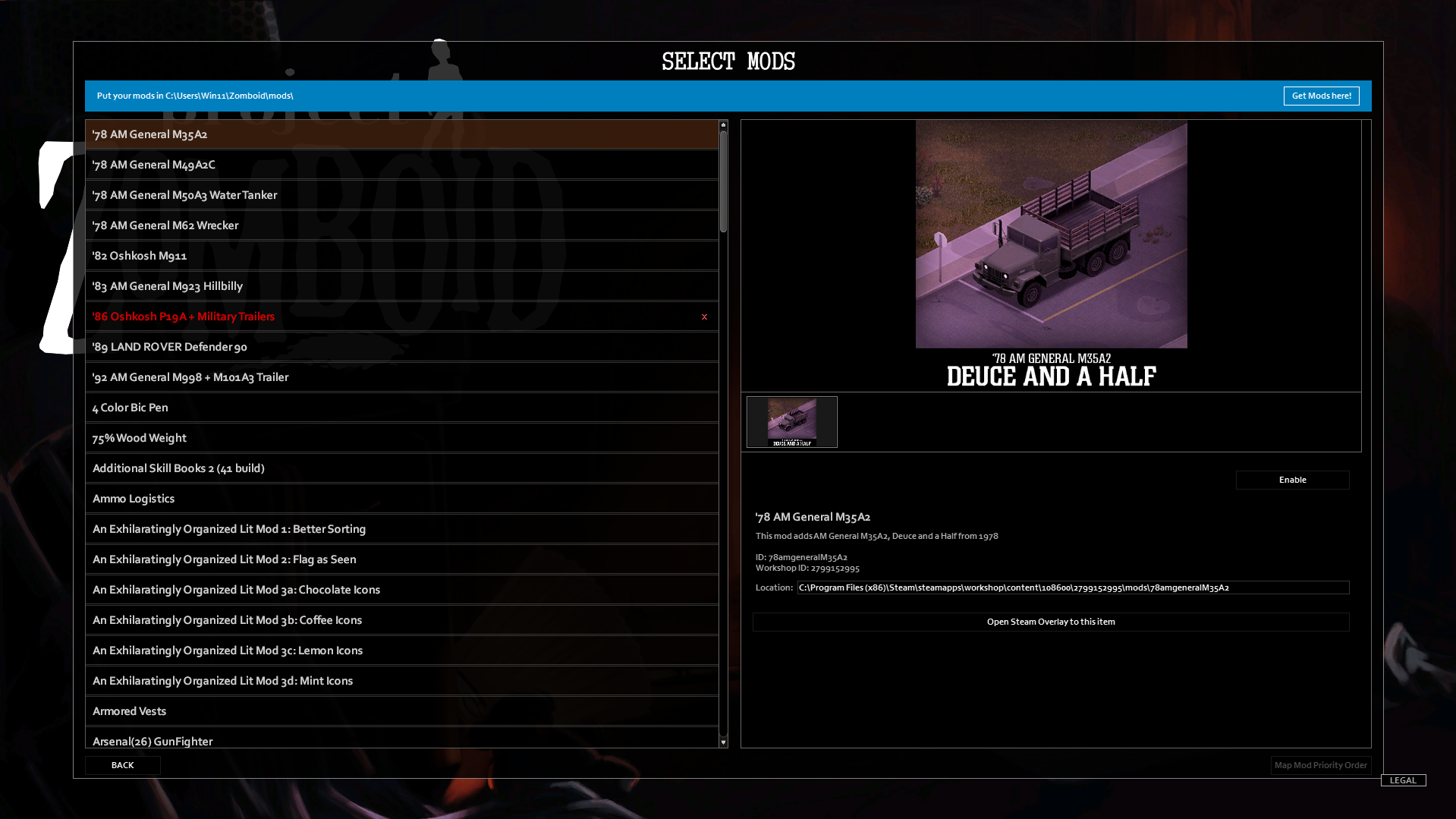
If you haven’t used mods before, your mod list should be blank.
To get mods, you can click the “Get Mods Here” option in the upper-right corner of the window.

Steam will automatically open the Project Zomboid Steam Workshop page (also known as Spiffo’s Workshop page) for you to browse through the mods available.
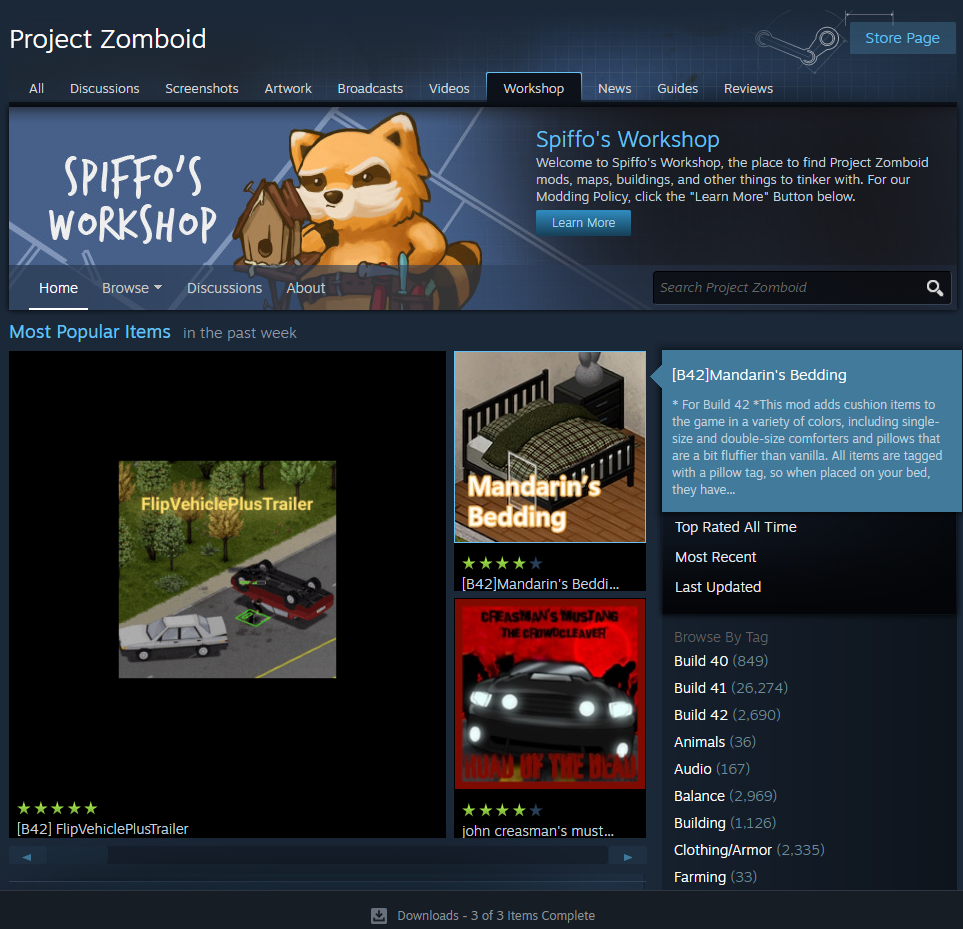
Simply browse through the mods you want to download and then click “Subscribe” to add that mod to your game.
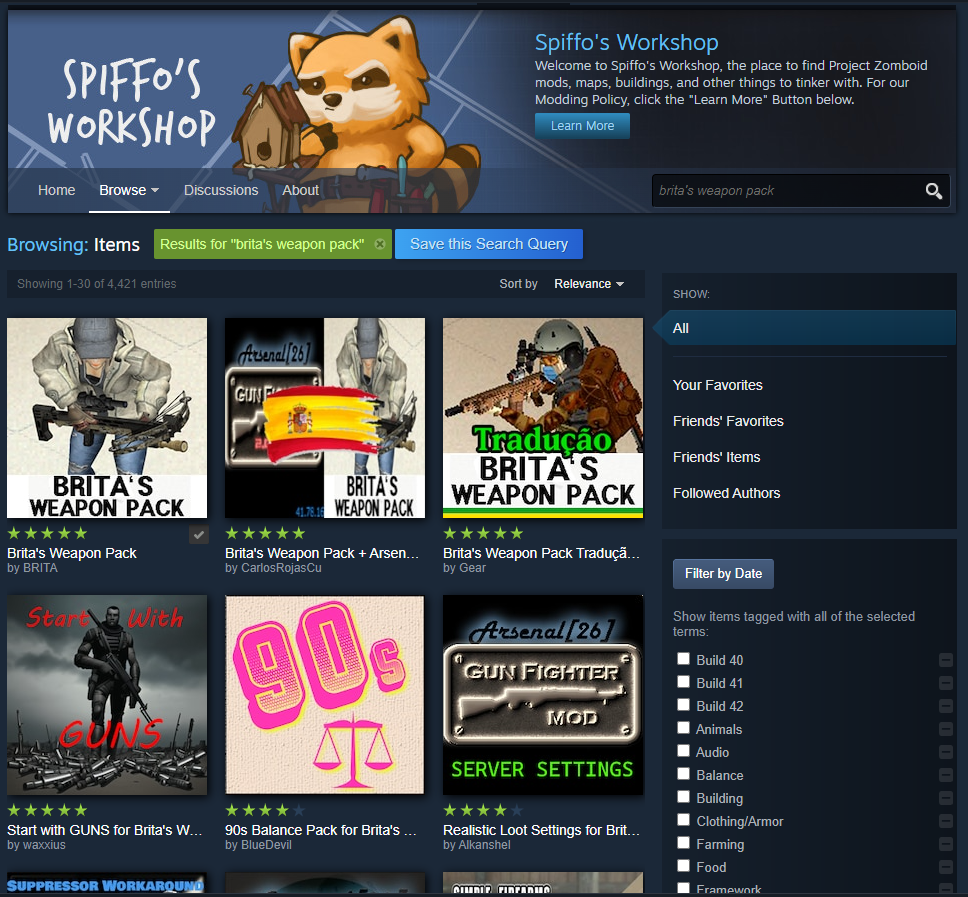
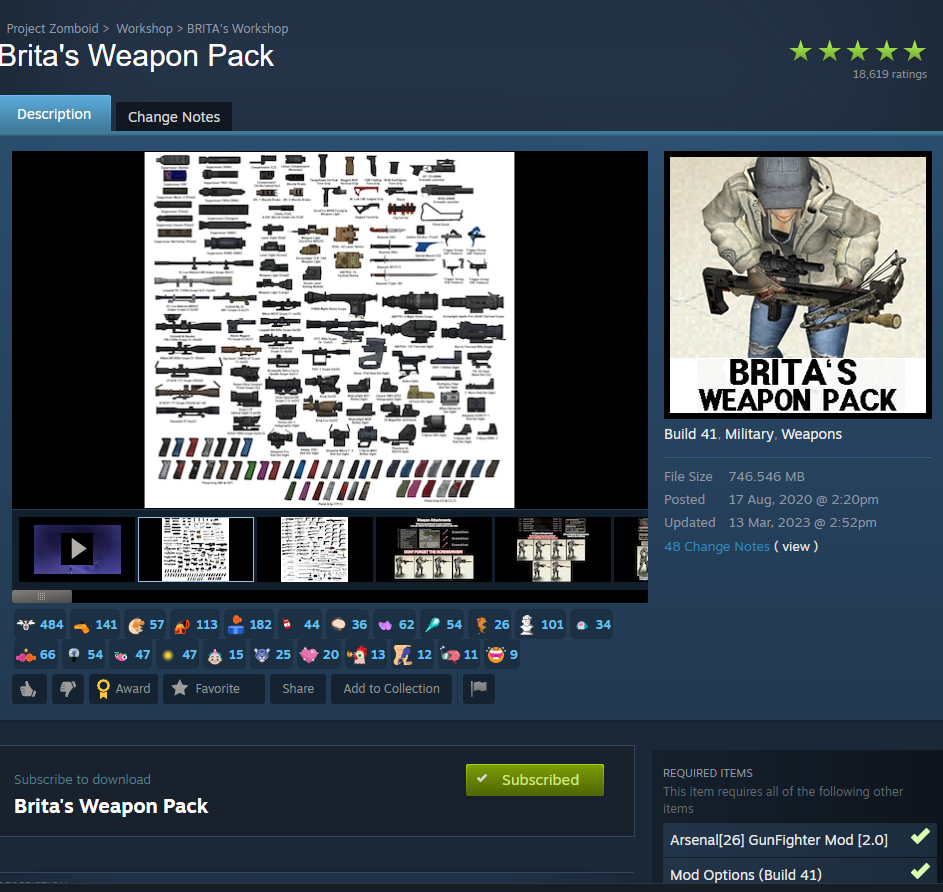
Be sure to read through each mod’s information to check if there are any additional requirements when installing it.
Once you’ve downloaded your mod, you can go back to Project Zomboid. It helps to relaunch the game before checking if the mod has appeared in the mod menu.
Simply click “Enable” on your chosen mod to activate it when you’re playing Project Zomboid.
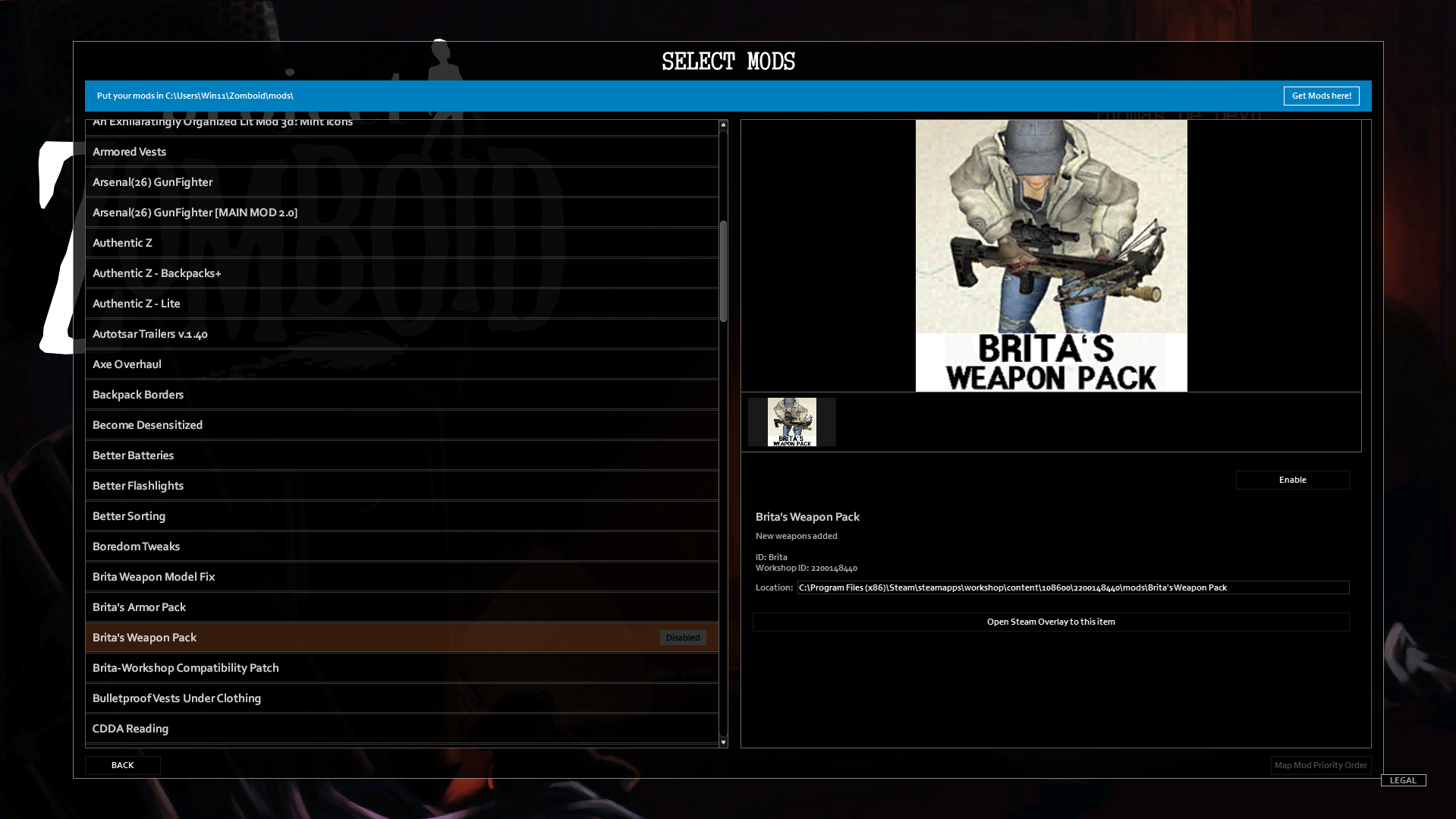
With that, you know how to install mods on the Project Zomboid game through the Steam Workshop.
8 Project Zomboid Mods to Improve Your Gameplay Experience
As you’ve learned how to install mods in Project Zomboid, you may be overwhelmed with the numerous mods modders have already created for the game. To make things easier for you, we’ve gathered some of the best mods you can try downloading to improve your gameplay experience in Project Zomboid.
Bigger Character Avatar

One of the most iconic Project Zomboid mods out there is Bigger Character Avatar created by Junpei. This simply improves a bigger 3D character avatar panel, information panel, and customize character screen within the game.
While the need for this mod might seem useless, it helps you see your avatar more clearly, especially when trying to look at your character’s detailed clothing, accessories, and equipped items. There aren’t any gameplay mechanics changed with this mod. Overall, it’s a subtle yet useful mod that beginners should try out.
Brita’s Weapon Pack
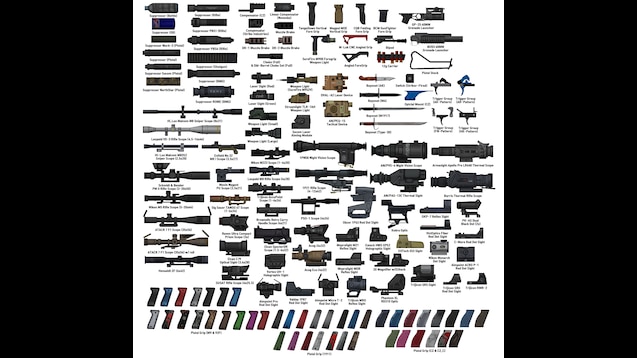
Next is Brita’s Weapon Pack. Project Zomboid is quite notable for its limited range of weapons and Brita’s Weapon Pack by BRITA and Arsenal [26] aims to solve this. You get to have more content in terms of realistic firearms, attachments, and other accessories to add to your arsenal.
The mod pretty much expands gunplay in the game, uses realistic gun models for added immersion, and even different ammo types and calibers. As a Gameplay Overhaul mod, you’ll be able to experiment further with the combat system in Project Zomboid.
Better Sorting
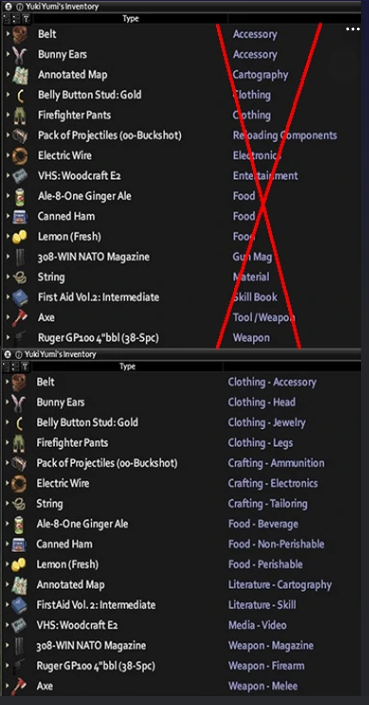
Produced by ChobitsCrazy, the Better Sorting mod is another Quality of Life improvement you can add to your game. It simply enhances inventory management by automating the categorization of your items and renaming them.
The mod makes it easier for you and your fellow players to find your food, weapons, supplies, and other essentials. You can pretty much cut down the time from simply finding your things and focusing on survival in Project Zomboid. It’s a perfect mod that works both in single-player and multiplayer where managing shared loot becomes important.
Definitive Zombies
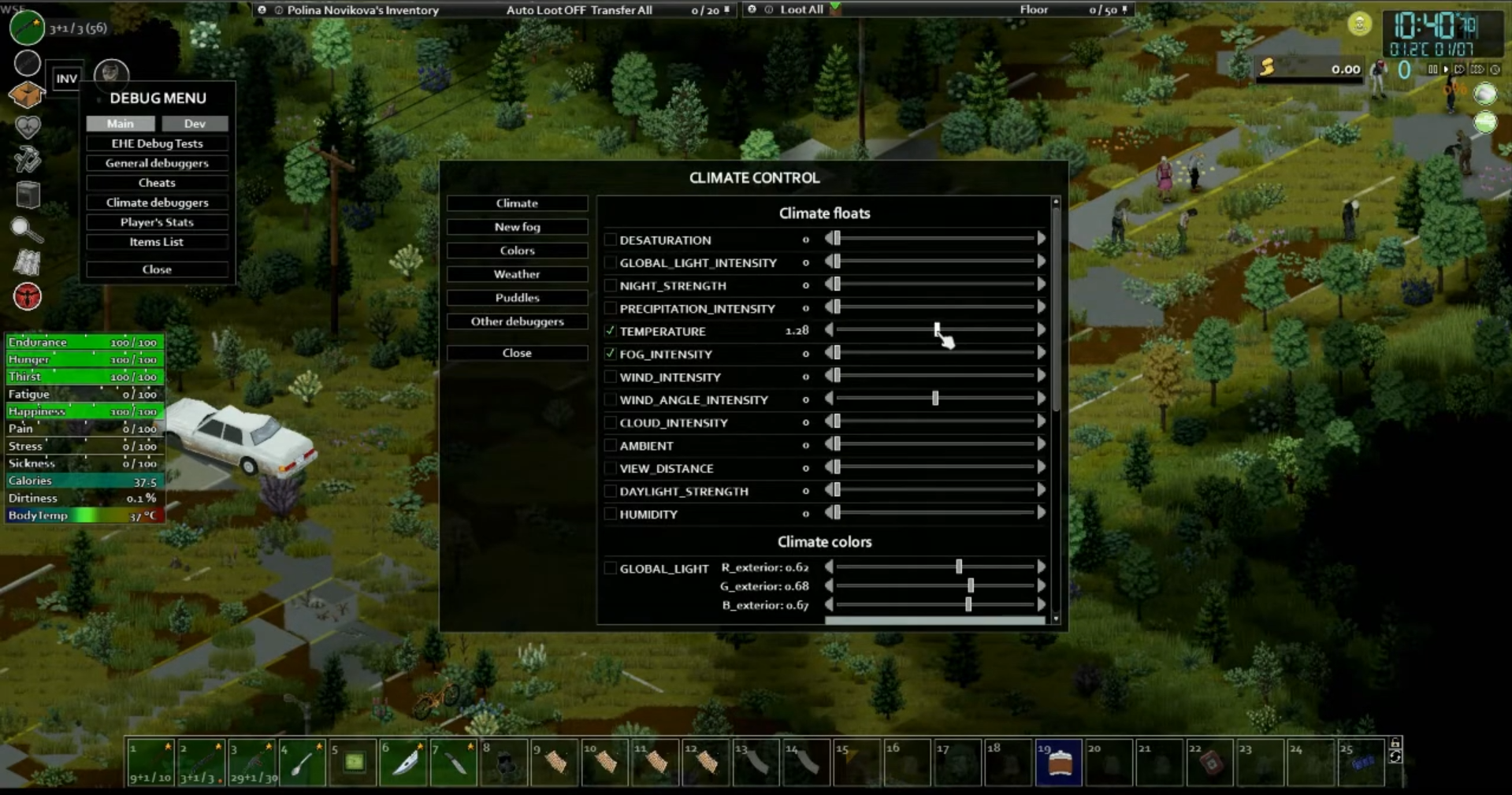
For a more intermediate mod, Definitive Zombies by Maku modifies the behavior of zombies in the game. Zombies will be able to react to climate conditions while still maintaining their regular zombie behavior and compatibility with other zombie-modifying mods.
Some examples of how this mod works are that the zombies’ senses will change with weather conditions such as fog reducing their sense of sight and memory and rain diminishing their hearing. Moreover, zombies can also experience decay over time.
Sapph’s Cooking
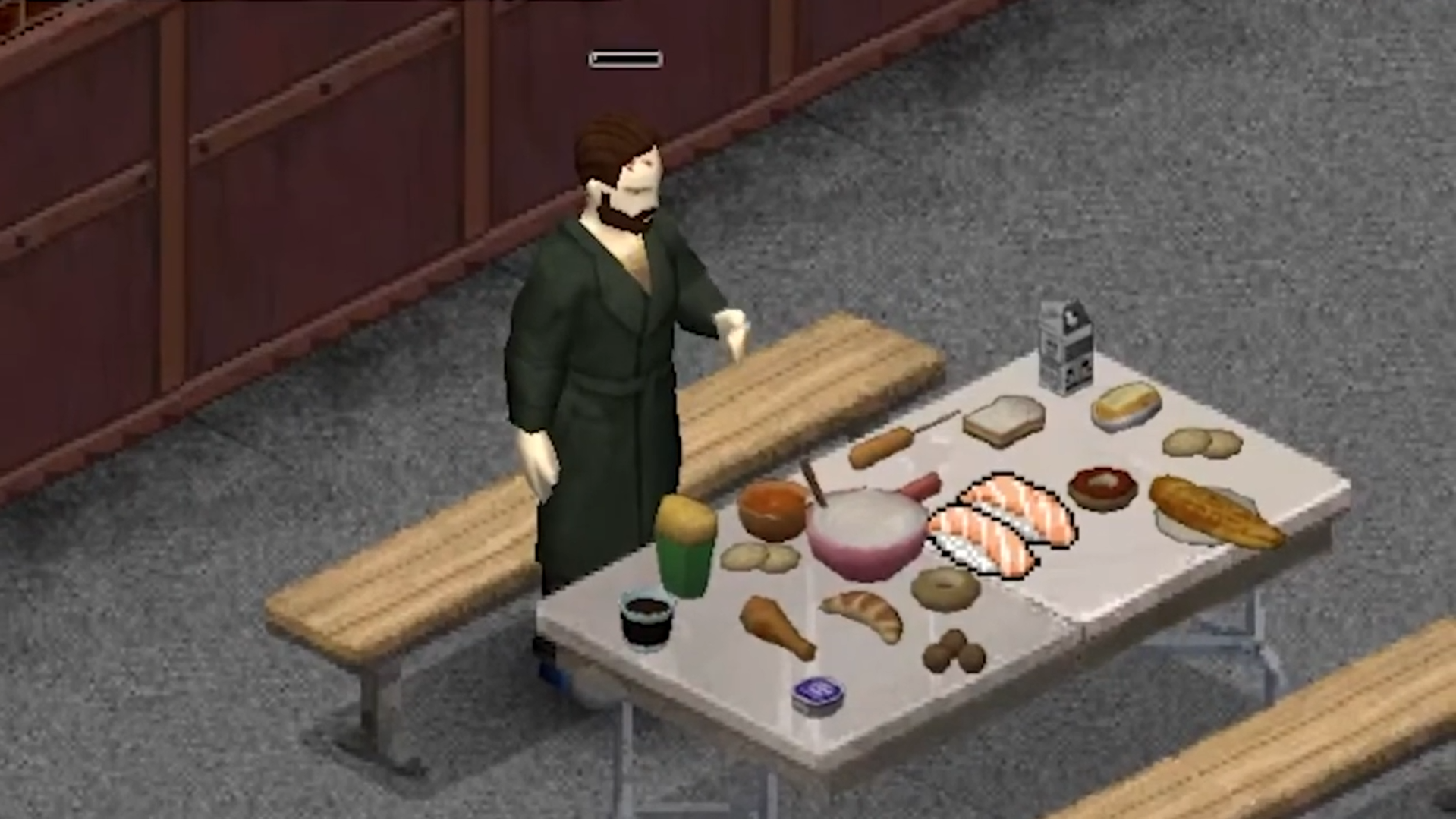
Another one of the best mods you can have in Project Zomboid is Sapph’s Cooking created by Sapph. The mod expands the vanilla options for the Cooking category in the game. This means you get more cooking recipes, weapons, and food-related item drops.
You get over 500 new food recipes, new items, and drinks, and even take on an enhanced cooking experience. This mod is perfect if you’re looking for more things to do within the game besides simply surviving a zombie apocalypse.
Bedford Falls

A top Map Mod you can try out is Bedford Falls. As a custom map mod for Project Zomboid, this mod adds a huge detailed fictional town to the game with new structures, loot locations, and survival challenges. Bedford Falls by ringod123 is also known to be one of the first major community-created maps for the game.
You’ll get lootable locations, and increased zombie spawns in main areas, and the map is easily integrated with Project Zomboid’s existing vanilla maps. This is perfect if you’ve run through all the other maps in the game and are looking for more adventure within the game.
Dynamic Traits Sauce Edition

Known to be one of the essential mods for Project Zomboid modded gameplay, Dynamic Traits Sauce Edition by Sauce and PepperCat brings a more extensive experience when it comes to traits that will rely on game actions and decisions. The mod builds upon the original Dynamic Traits Mod by PepperCat as new mechanics and refinements are introduced.
The mod has skill-based trait evolution dependent on your character’s growth and expertise. Moreover, you can monitor your health, get combat incentives, and see how your character’s mood changes which can influence your traits.
More Builds

Our final recommendation is the More Builds mod by ProjectSky. This mod expands the game’s current construction and crafting system. You’ll get more building options in terms of structures, furniture, and other decorative elements. Your in-game personalization becomes elevated through this mod.
Besides constructing new fixtures and items, you’ll also be able to make enhanced storage solutions such as different containers of counters, dressers, metal lockers, and crates. Moreover, you can use new materials and tools to craft your needed items. It’s also great to know that this mod has gone through several updates so it’s quite reliable.
When playing with mods in Project Zomboid, always remember to read the information about the mod such as its compatibilities, requirements, and how they work in-game. Doing so will help you avoid errors and issues when it comes to using mods in your game.
Additionally, the community has created a vast selection of content and surely you’ll find the right mods that you can tweak to your ideal playing experience. Take your time in browsing through mods and it helps to read reviews before deciding to subscribe to particular mods so you can see others’ experiences with a mod.
At the end of the day, the best Project Zomboid mods are the ones that you know to yourself you’ll have fun with and will efficiently maximize your playing experience. Dive into the modding scene and experiment with a variety of mod combinations. You’ll surely find a set of mods that will make playing Project Zomboid quite worthwhile.

Renee is a freelance writer with a passion for gaming and pop culture content. While she mainly writes about games, she also does graphic design and illustration work from time to time. With a passion for the creative arts, she blends her skills to tell stories across various mediums.
Good article and nice selection of mods. One thing to point out is that Bedford Falls is a really buggy map and most of PZ players will tell you that the best map mod out there is Raven Creek.
Thanks for the article though.