
If you’ve been playing Minecraft for some time, you’re certainly aware of its two main modes: Survival and Creative. The former is Minecraft’s typical mode, requiring you to, well, build and survive. Creative mode unleashes your creativity, providing you with unlimited blocks to build whatever your heart desires.
However, you may have noticed a third mode, Adventure Mode. This mode stands out from the others in a few key ways, and can present you with a wholly new Minecraft experience. This guide will detail everything you need to know about Minecraft Adventure Mode, including what it is, how to get Maps for it, and which Maps are good to start with.
What Is Minecraft Adventure Mode?
Minecraft Adventure Mode is a mode that restricts certain aspects of Minecraft that are usually available to you, like breaking and placing blocks at will.
Instead, Adventure Mode acts more as a Survival Mode in that you’re fighting enemies, exploring the world, and managing your hunger. You can also interact with Redstone tools like Levers or Buttons, as well as trade with Villagers and even craft items!
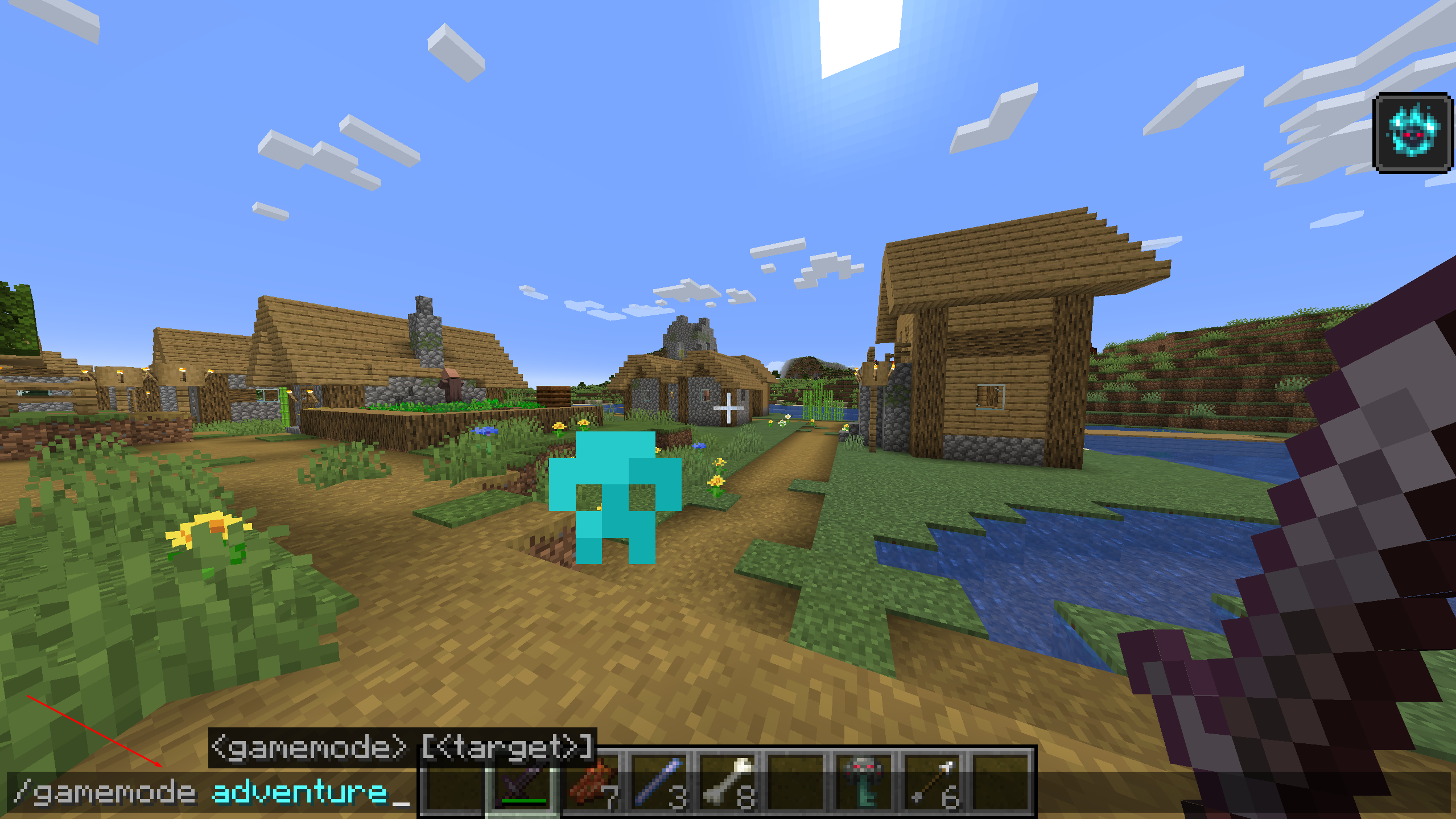
While this sounds limiting on the surface, Adventure Mode presents its own kind of fun.
You see, using in-game items like Maps, Signs, and Books, as well as (text) dialogue through Villagers, players build structures and stories in worlds called Adventure Maps.
What Are Minecraft Adventure Maps?
Minecraft Adventure Maps are created entirely by players and provide a fleshed-out storytelling experience for you to enjoy. That’s why you can’t break blocks in Adventure Mode, as that would ruin the experience that players are trying to create.
What’s the point of, say, building a parkour challenge or requiring you to find a Key in a dungeon if you can just break a block and bypass the creation? It would ruin the fun entirely.

Download this Harry Potter Adventure Map from Planet Minecraft.
Instead, progression often comes through quests delivered via books or Villagers. Completing quests will reward you with new items and crafting recipes, allowing you to continue the story. Adventure Maps often come with some very creative Maps for you to explore, and some even support multiple friends at once for a truly remarkable co-op journey.
All of this said, it’s important to look at Adventure Mode as a unique Minecraft experience rather than something that’s limiting you.
If this sounds appealing to you, let’s look at how to install Adventure Maps in Minecraft.
How To Install Minecraft Adventure Maps
This guide will show you how to install Adventure Maps for Minecraft: Java Edition.
1. Find an Adventure Map
The most important part of installing an Adventure Map is finding one. You can find Maps all over the internet, but a few recommended websites are MinecraftMaps.com, Planet Minecraft, or CurseForge.
This guide will use MinecraftMaps.com, but the steps should be similar for other websites.
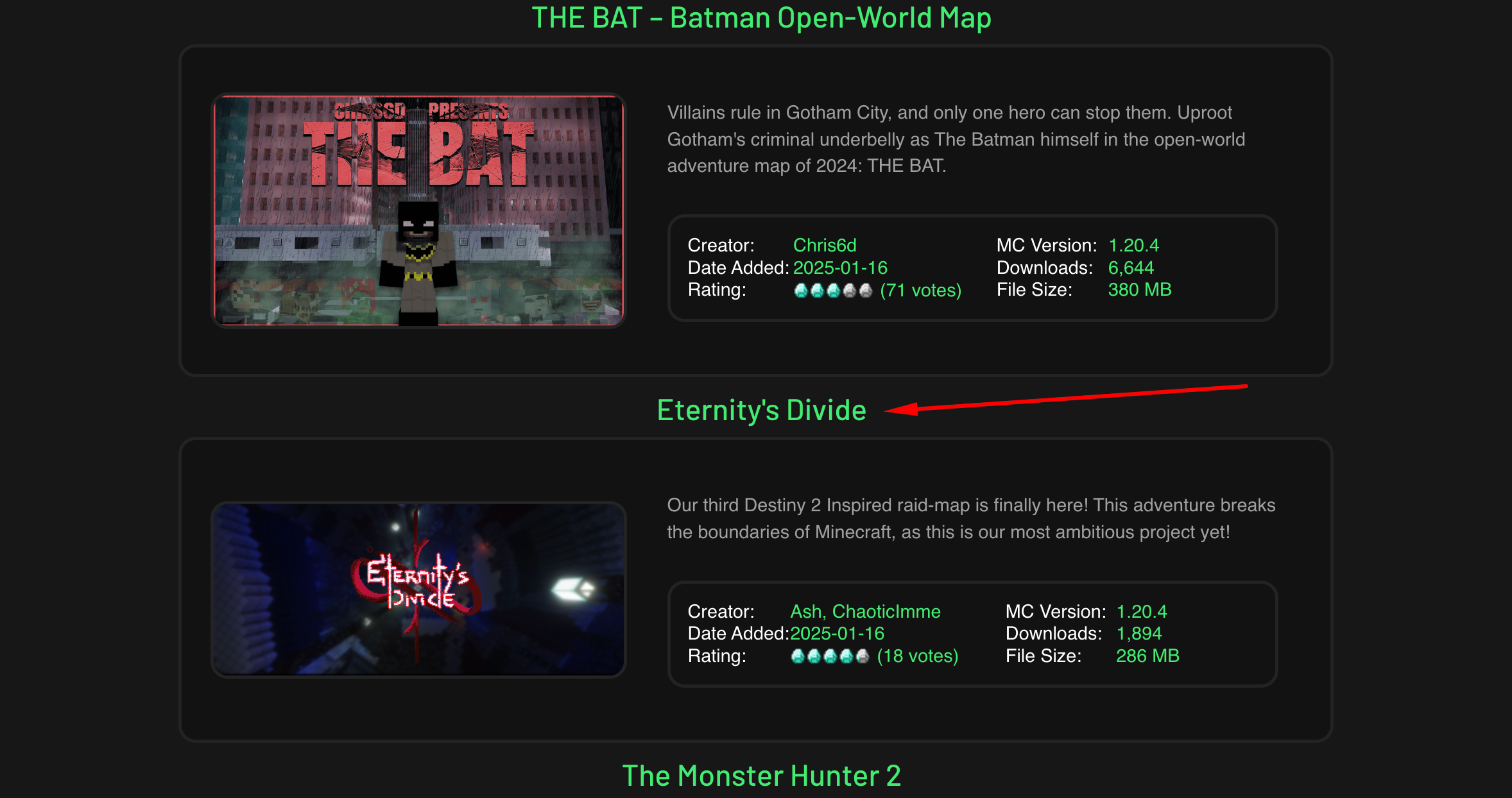
Find a Map on the list of Adventure Maps and click on it. We’re choosing the Eternity’s Divide Map.
2. Download the Map
Once you’re on the Adventure Map page, click on Download Map to start the installation process.
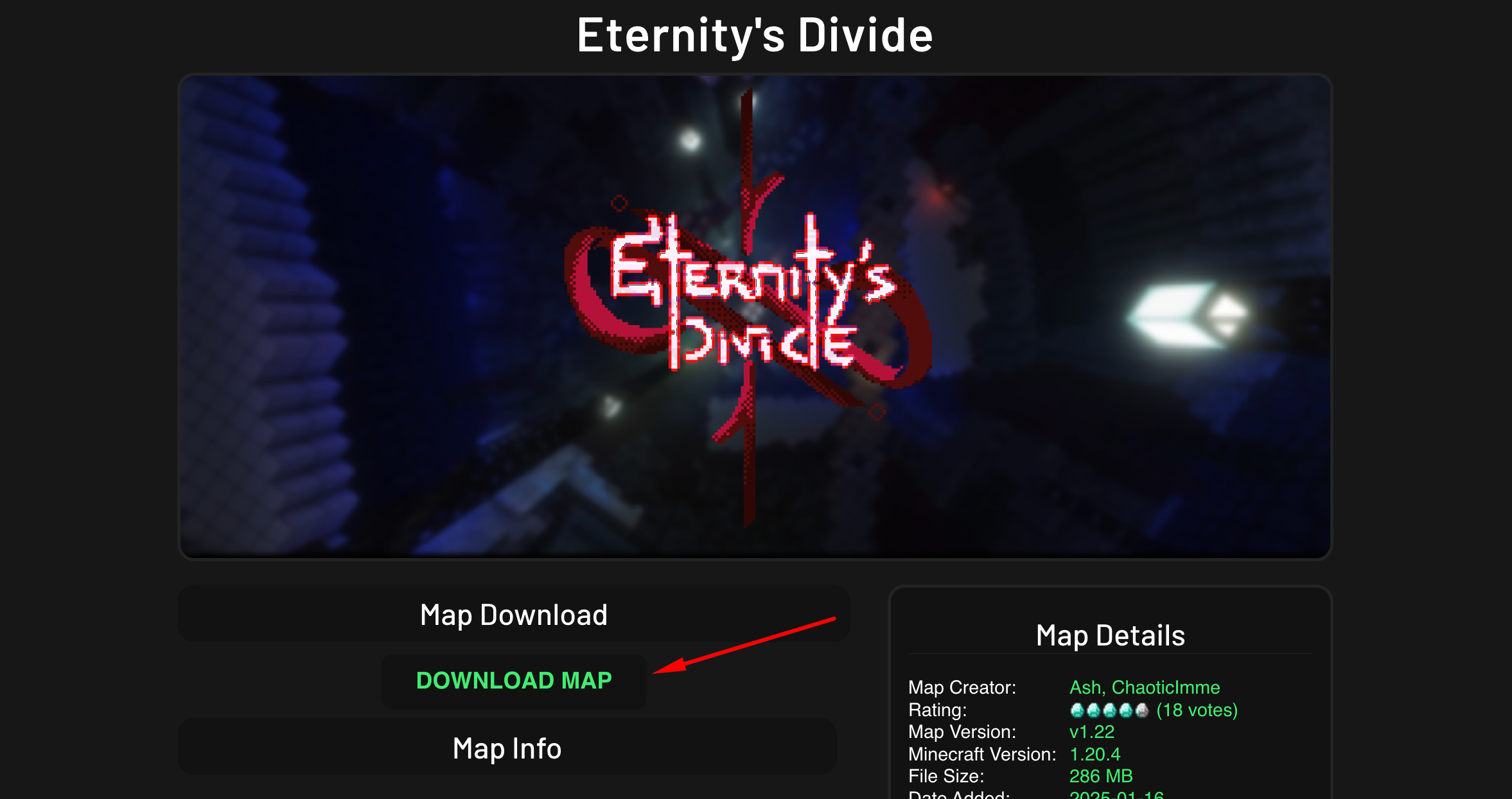
A pop-up will appear. Save the Map folder in an easily accessible spot on your computer.

3. Locate Your Minecraft Saves Folder
Next, you must locate your Minecraft “Saves” folder. Do this by clicking Start and typing Run into your Windows search bar. Then, click the Run program to open it.
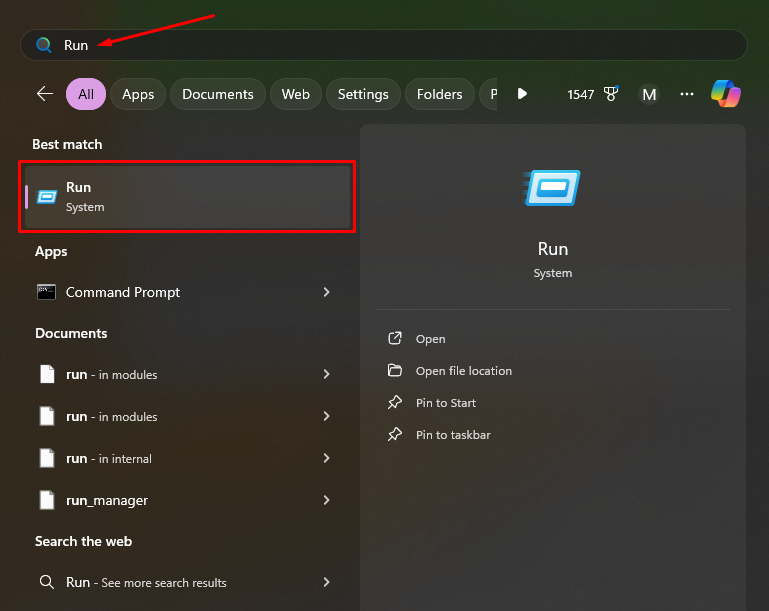
Once Run is open, type %appdata%\.minecraft\saves into the bar. Then click OK.
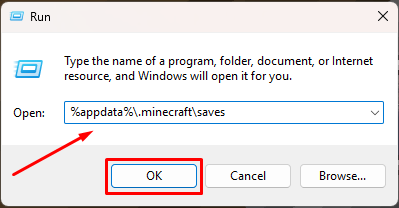
You’ll see a list of worlds you have saved in Minecraft: Java Edition. Keep this folder open.
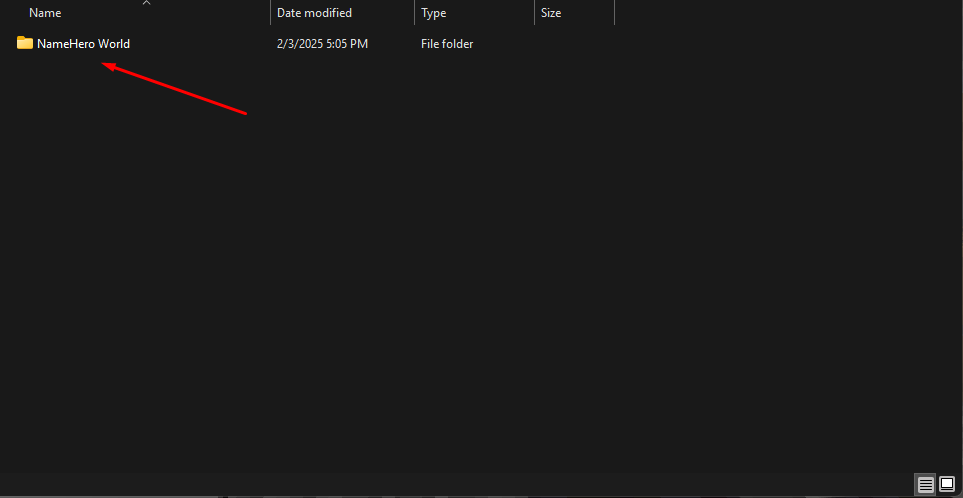
4. Extract the Adventure Map
Now, you must extract the Adventure Map to your World Saves folder. Doing so requires you to have WinRar or 7Zip installed. Please follow a guide from a reputable website to install this.
Once installed, drag the Adventure Map folder into your World Saves folder.

Right-click the Adventure Map folder and select Extract All.
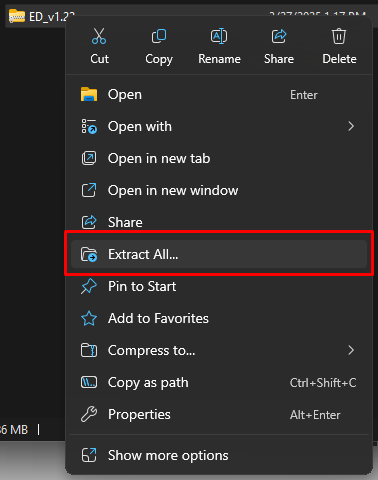
A pop-up will appear detailing where the file will be extracted. It should be your World Saves folder. Click Extract, and the process will start.
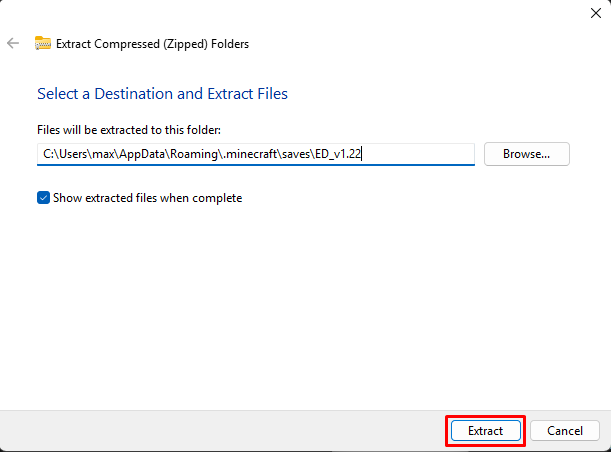
Once extracted, the Adventure Map should appear in your world list. Make sure you launch the map in Adventure Mode and everything should work properly.
Note: Some Maps may require you to download additional mods/mod launchers to run. Make sure to pay attention to this before you install the Map.
With all of this in mind, let’s look at some awesome Adventure Maps for you to start with.
Minecraft Adventure Map Downloads
Shadow Of The Skeleton King
The Shadow of the Skeleton King presents you with a challenging, scary castle to explore. It’s packed with rooms full of enemies and secrets to uncover, which are required for you to progress through the area.
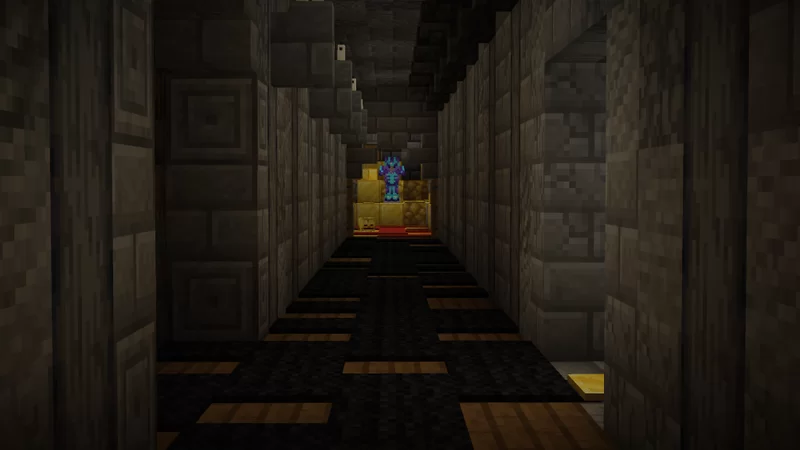
Eventually, you’ll come across the Skeleton King himself. The ultimate battle. From there, you’re faced with an ultimate choice — one that questions your connection to your human nature.
Access the Skeleton King map here.
Delta 2160
A stark contrast from the previous Adventure Map on this list, Delta 2160 is a Cyberpunk-themed adventure with a custom dialogue system, unique weapons, vehicles, and more.

Explore a futuristic city full of danger, master new weapons, and discover multiple endings in Delta 2160. The Map supports up to three players, meaning you can go on this journey with a team of your buddies.
Download the Delta 2160 map here.
Parkour Donut
For the sake of variety, let’s throw a parkour map in the mix. Parkour Donut is an excellent one divided into 20 sections for the ultimate variety.

Want to challenge your Minecraft movement skills? Download this Map for a true test and get an idea of just how good you are.
Now that you’re aware of everything there is to know about Minecraft Adventure Maps, why not find some that support you and your friends?
If you’re looking to play Minecraft with your friends, check out NameHero for a comprehensive server solution.
Our servers offer support for up to 32 players, with built-in DDOS protection alongside comprehensive backups. Plus, you can upload Adventure Maps to any server you’d like for complete access to them! For more information on getting a NameHero server, click here.
NameHero specializes in delivering some of the very best in gaming server tech without breaking the bank. Every Minecraft server comes with DDR4-3200 RAM, NVMe storage, AMD EPYC CPUs, and more!
Already have a server? That’s okay, come hang out with us on Discord!

Max is a freelance writer with a love for gaming and technology. He’s always looking for the next big game to play and tinkers with tech in his remaining free time.
Leave a Reply