

Minecraft has all sorts of reasons to celebrate! The game is still around and thriving all of these years later, getting consistent updates and having a larger than ever player base. There’s never been a better time to play Minecraft, and you can even celebrate in-game.
In case you weren’t aware, Minecraft Fireworks are a thing! You can use them to make all sorts of celebratory explosions. This guide will cover everything you need to know about how to make Fireworks in Minecraft.
How To Make A Firework In Minecraft
There are two main steps toward making a Firework in Minecraft.
Firework Star
The Firework Star is a vital part of the Firework creation process. A Firework Star decides the shape and color of a Firework, alongside its effect.
You can build a Firework Star in various ways, but no matter what, you need Gunpowder and a Dye color organized in the following way via Crafting Table. The Gunpowder serves as the Firework’s base, while the Dye color changes the explosion effect color.
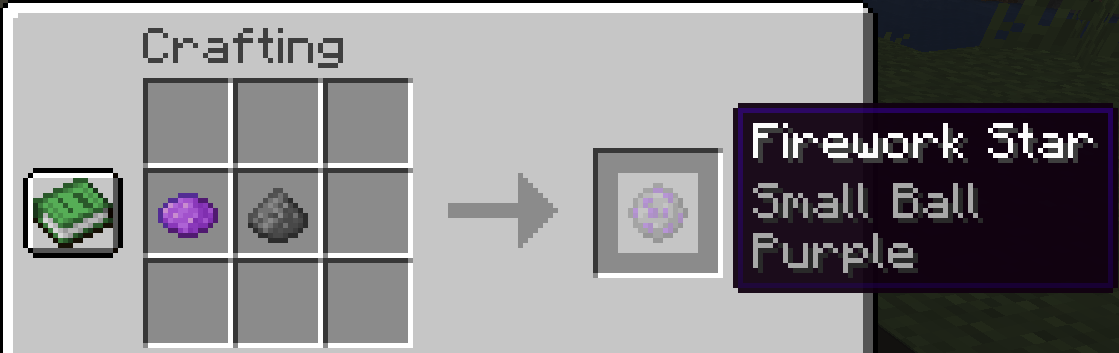
From there, you can add an item such as a monster head, a gold nugget, a feather, or a fire charge to create different types of Firework Star. Each of these item types adjusts the Firework Star’s explosion.
Monster Head
Any Monster Head will result in Firework Stars with a Creeper shaped explosion.
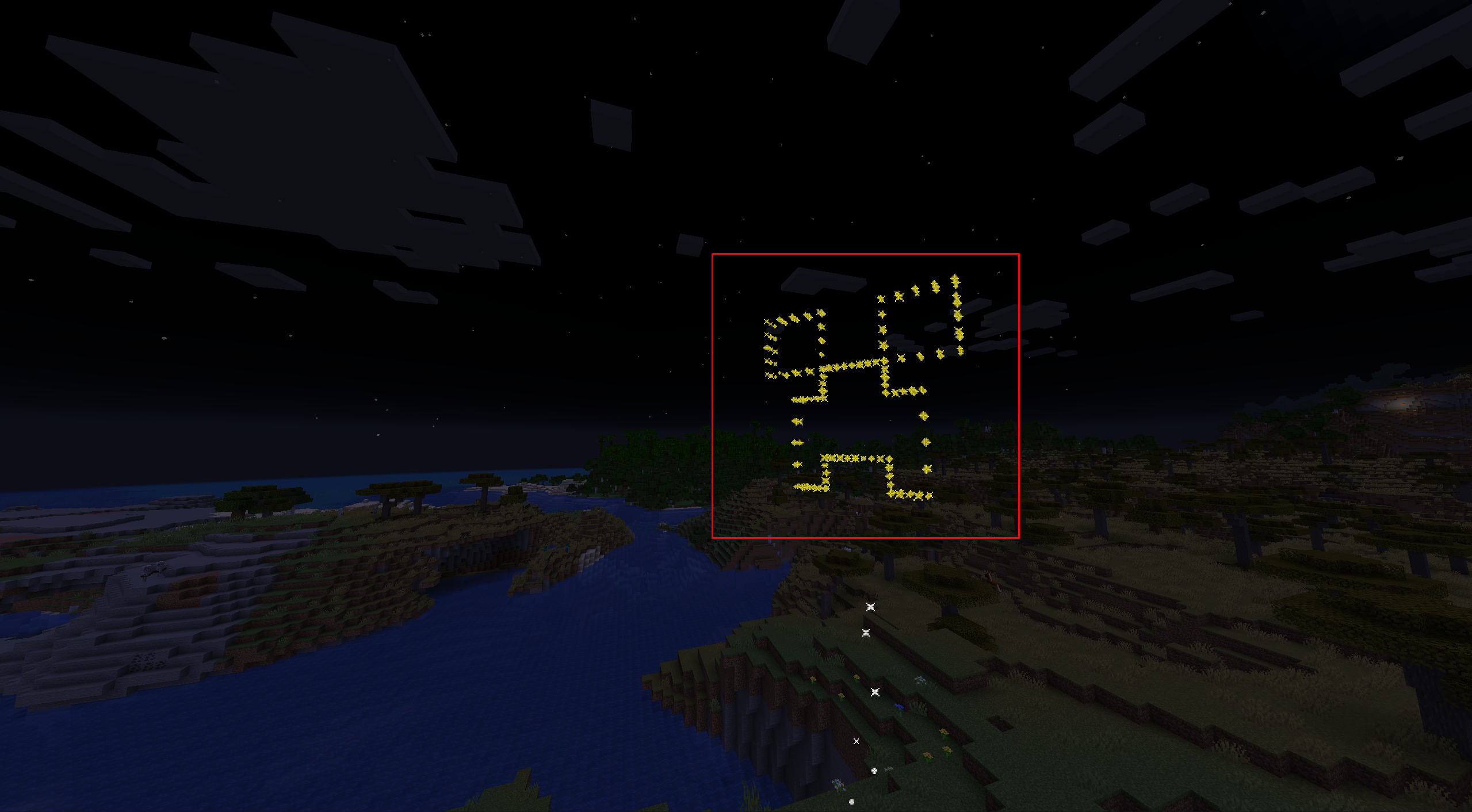
Gold Nugget
A Gold Nugget leads to a Star shaped explosion.
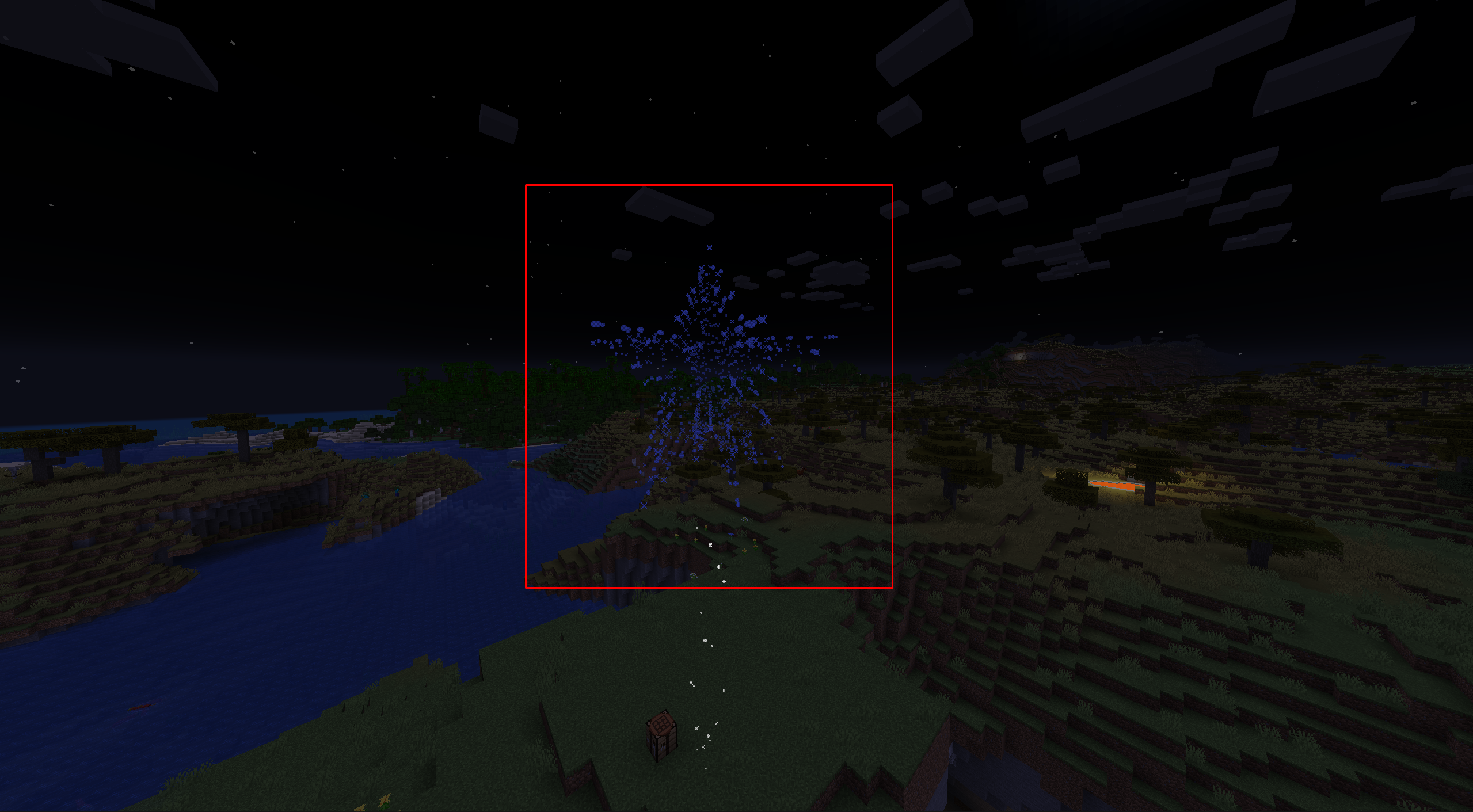
Feather
A Feather will result in a Burst explosion.
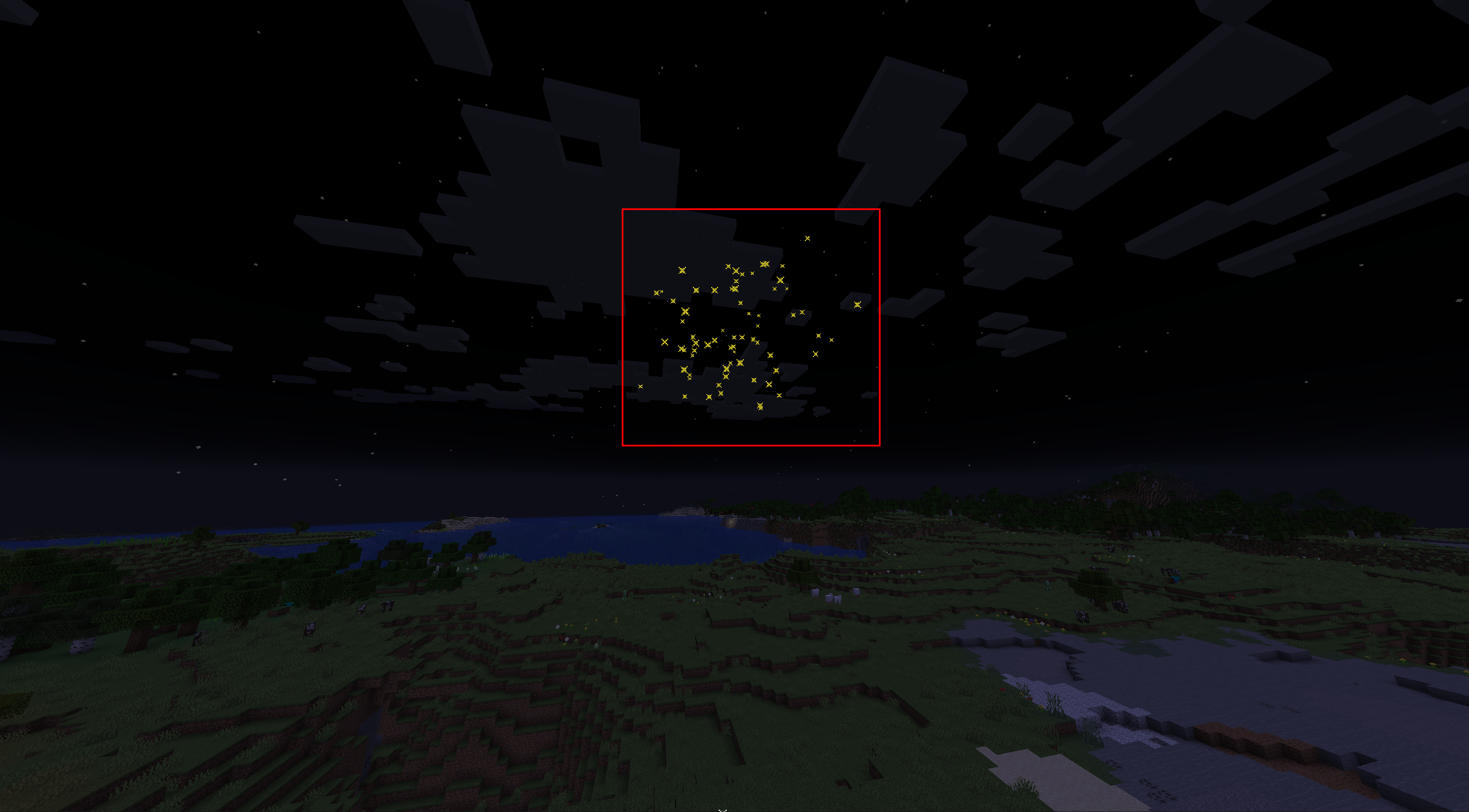
Fire Charge
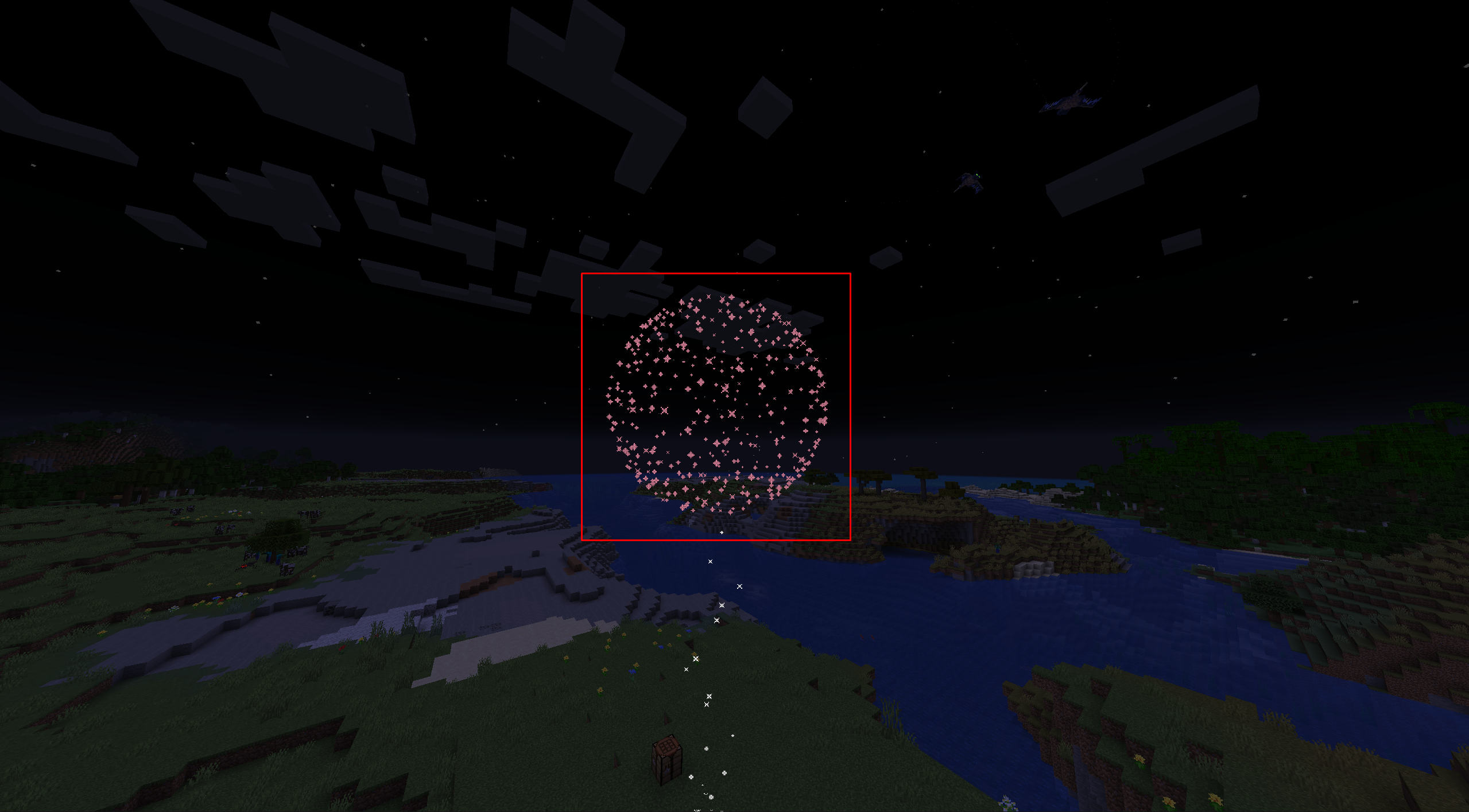
A Fire Charge will lead to a large round explosion.
Further Effects
You can also add Glowstone Dust or a Diamond (or both) to the formula to alter its trail effects.
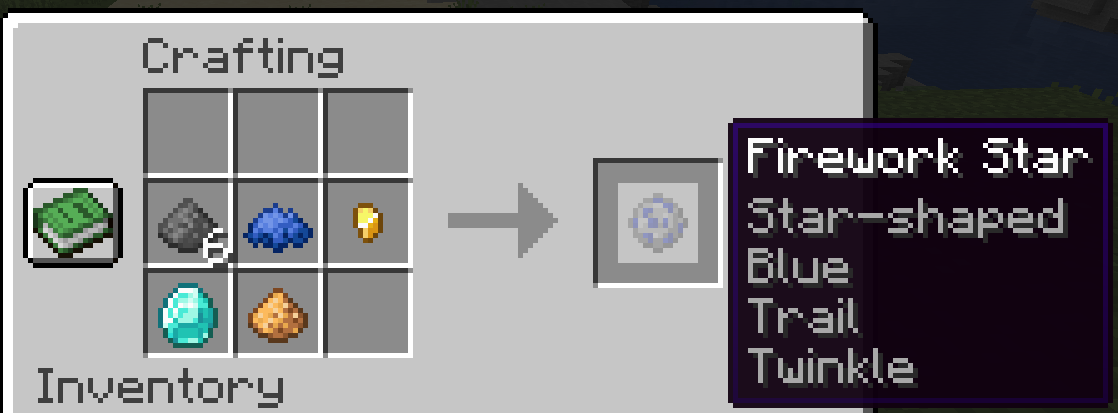
Glowstone Dust will add a crackle after a Firework blows up, a Diamond will add Star shaped effects, and combining the two gives a Firework Star both trail effects.
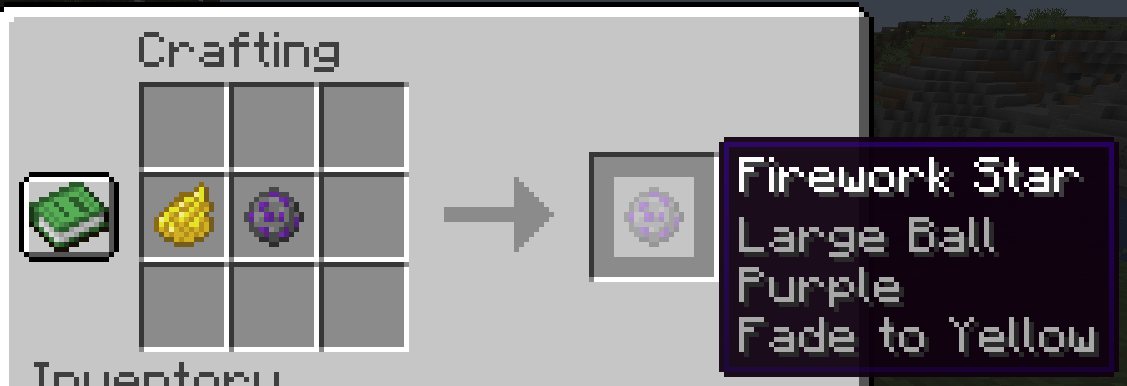
Finally, adding any Dye to the Firework Star via Crafting Table will give it fade effects.
Firework Rocket
To make a Firework Rocket, combine Paper and Gunpowder in the following order via a Crafting Table:
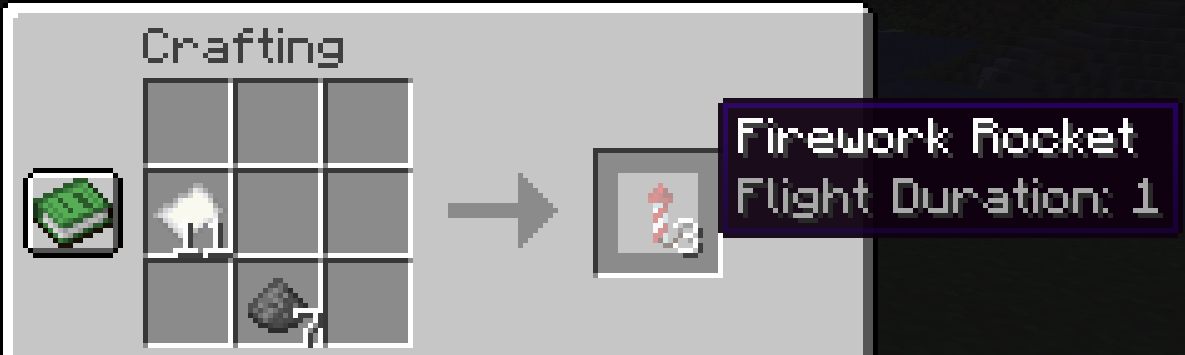
Add length to the Firework Rockets with Paper.
The more Paper you give to a Firework Rocket, the longer its flight duration.
How To Use Firework Rockets
You can utilize Minecraft Fireworks in quite a few ways.
Light It Off
Of course, there’s the obvious use of lighting off a Firework Rocket as usual. To light off a Firework Rocket, place it on a block.
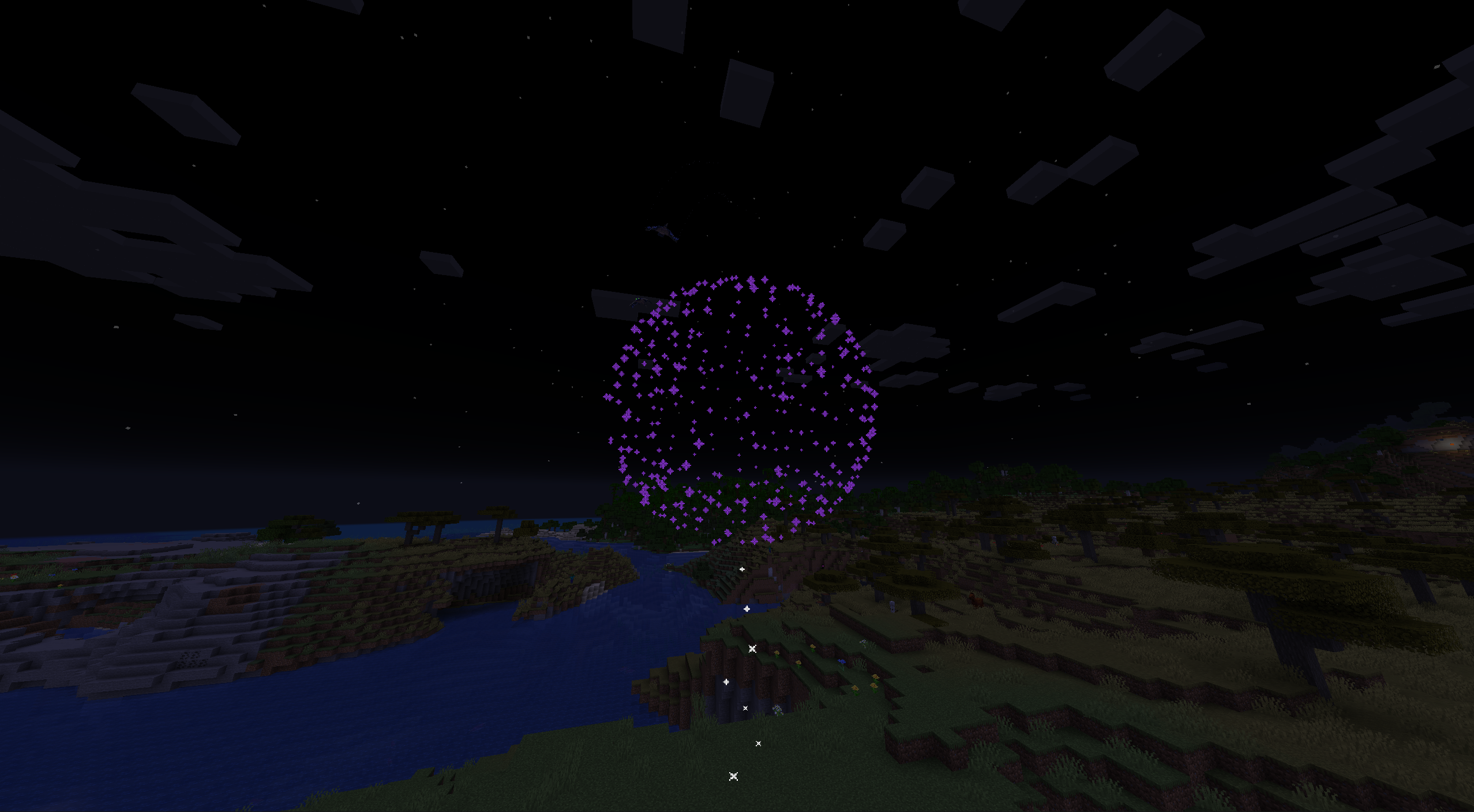
After launching a Firework Rocket, they’ll fly into the sky and will lean into other blocks before exploding, rather than flying up in a straight line.
These explosions do damage, and that damage carries through blocks. When you craft Fireworks, you can stack Firework Stars to increase the Firework damage. This explosion does not damage the Ender Dragon.
To increase Firework Rockets’ distance, give them more Gunpowder. The more Gunpowder you add, the further it will fly. The Gunpowder increases distance in the following tiers:
- 1 Gunpowder: 8-20 blocks.
- 2 Gunpowder: 18-34 blocks.
- 3 Gunpowder: 32 to 52 blocks.
You can also alter the movement of a Firework Rocket by launching it underwater or by nearby explosions. Even more interesting, a Firework Rocket can go through Portals.
Elytra Flying
The Elytra is a set of wings you can find in End Ships. These are scarce items, but they allow you to fly. You can extend that flight with Firework Rockets, giving the item a Speed Boost.
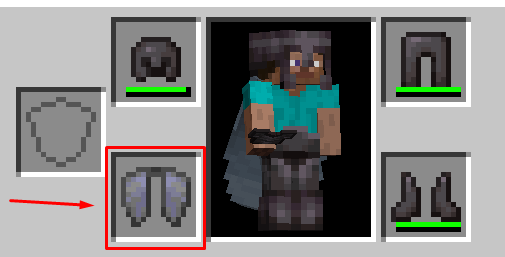
Interestingly, if a Firework Rocket you use when wearing an Elytra has a Firework Star in it, the resulting boom will damage the player.
How To Find An Elytra
You can only find Elytra while exploring an End City. End Cities are tall structures appearing on The End’s outskirts after defeating the Ender Dragon.
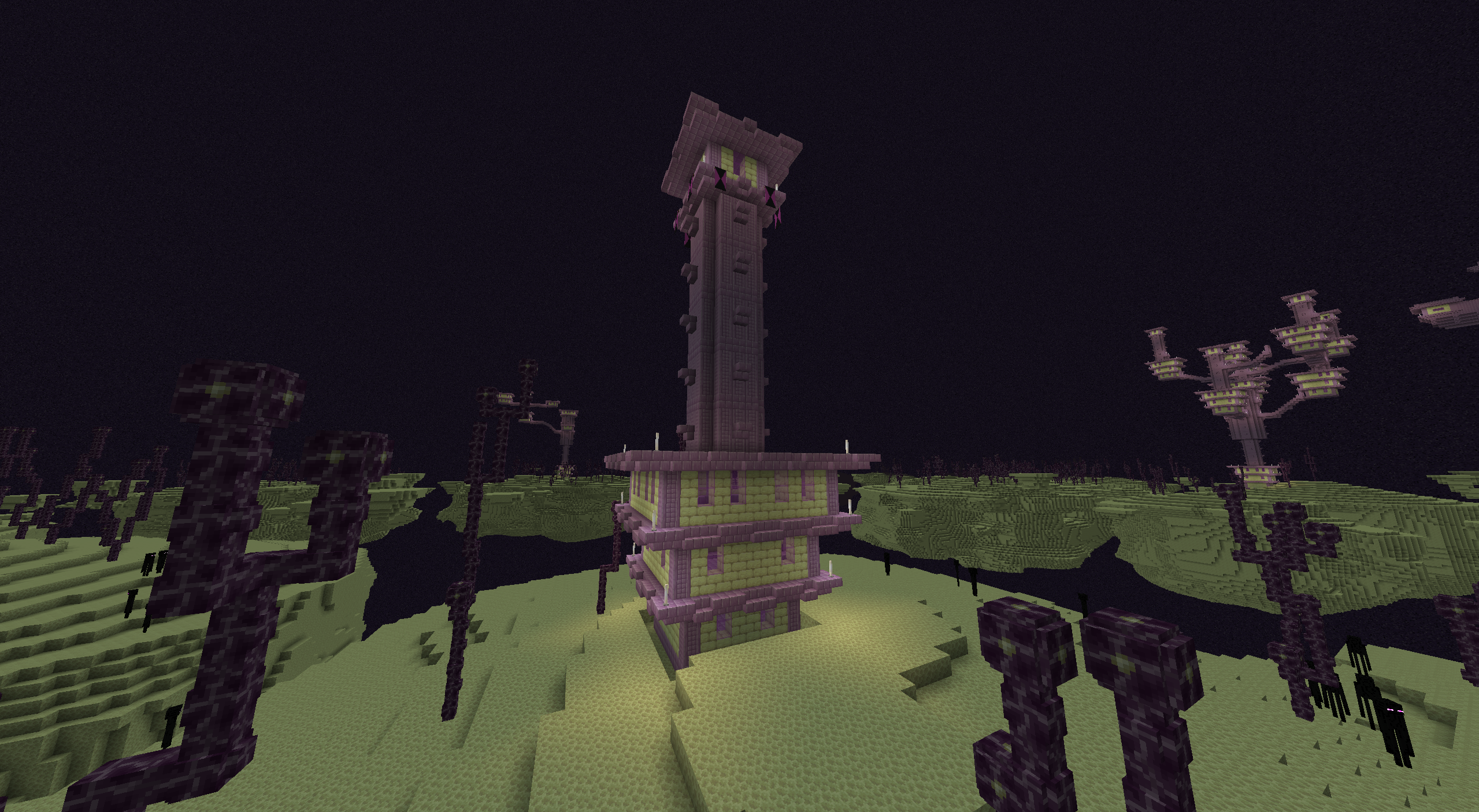
Some of Minecraft’s rarest items are within them, such as the Elytra. However, to find the Elytra, you must find an End Ship within the End City. Unfortunately, an End Ship only has a small chance of spawning whenever you find an End City.
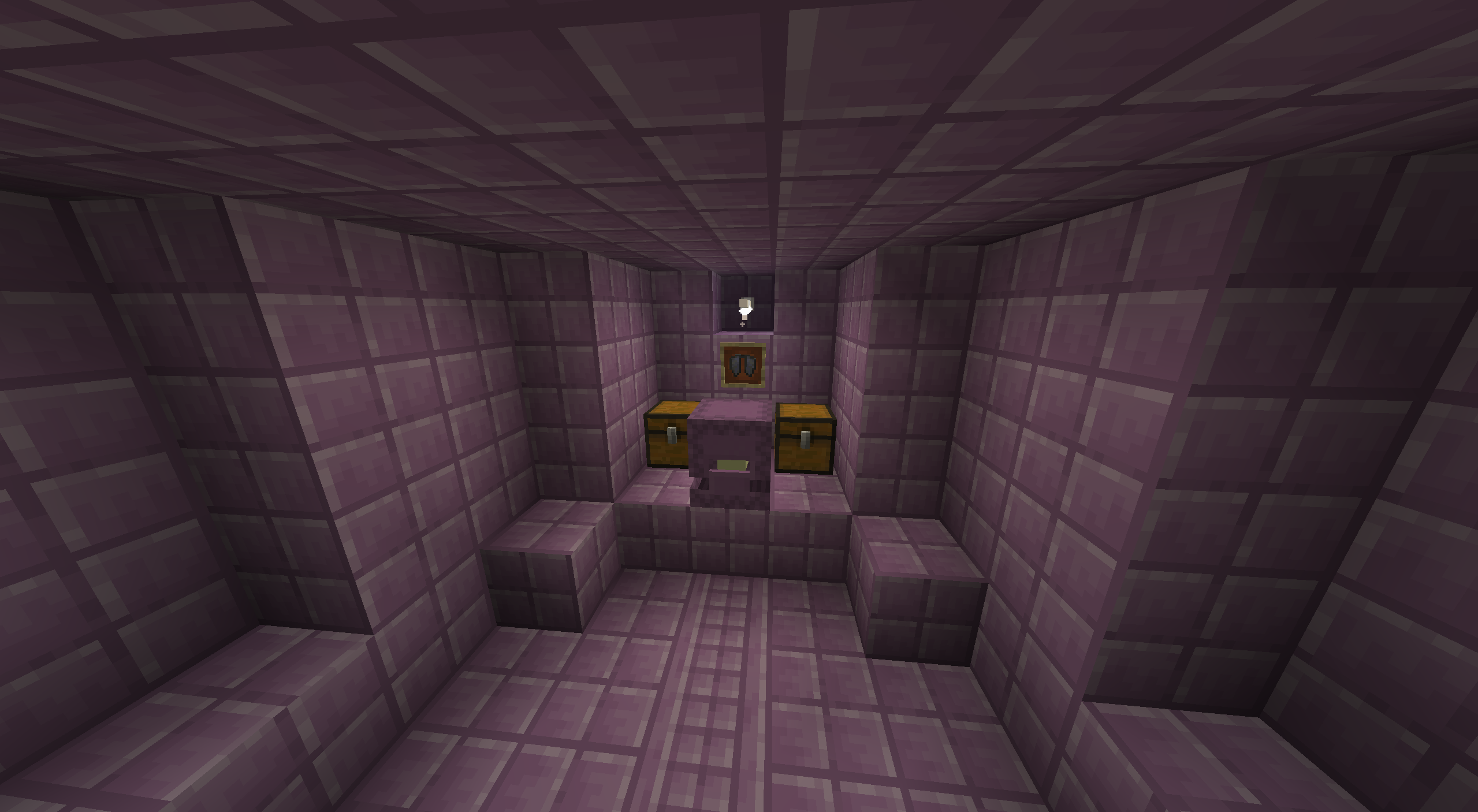
However, once you find the End Ship, you can fight off a Shulker to acquire the Elytra.
Also, if you save a village from a Pillager raid, the surviving Villagers will light off Firework Rockets in celebration.
Use Them As Ammo
You can also launch Firework Rockets with a Crossbow or a Dispenser. By using a Fireworks Rocket as ammo, it will do damage based on how many Firework Stars you used to craft it, assuming it has an explosion effect. Minecraft Fireworks without an effect will not do damage.
Otherwise, a Firework Star will explode immediately after hitting an enemy.
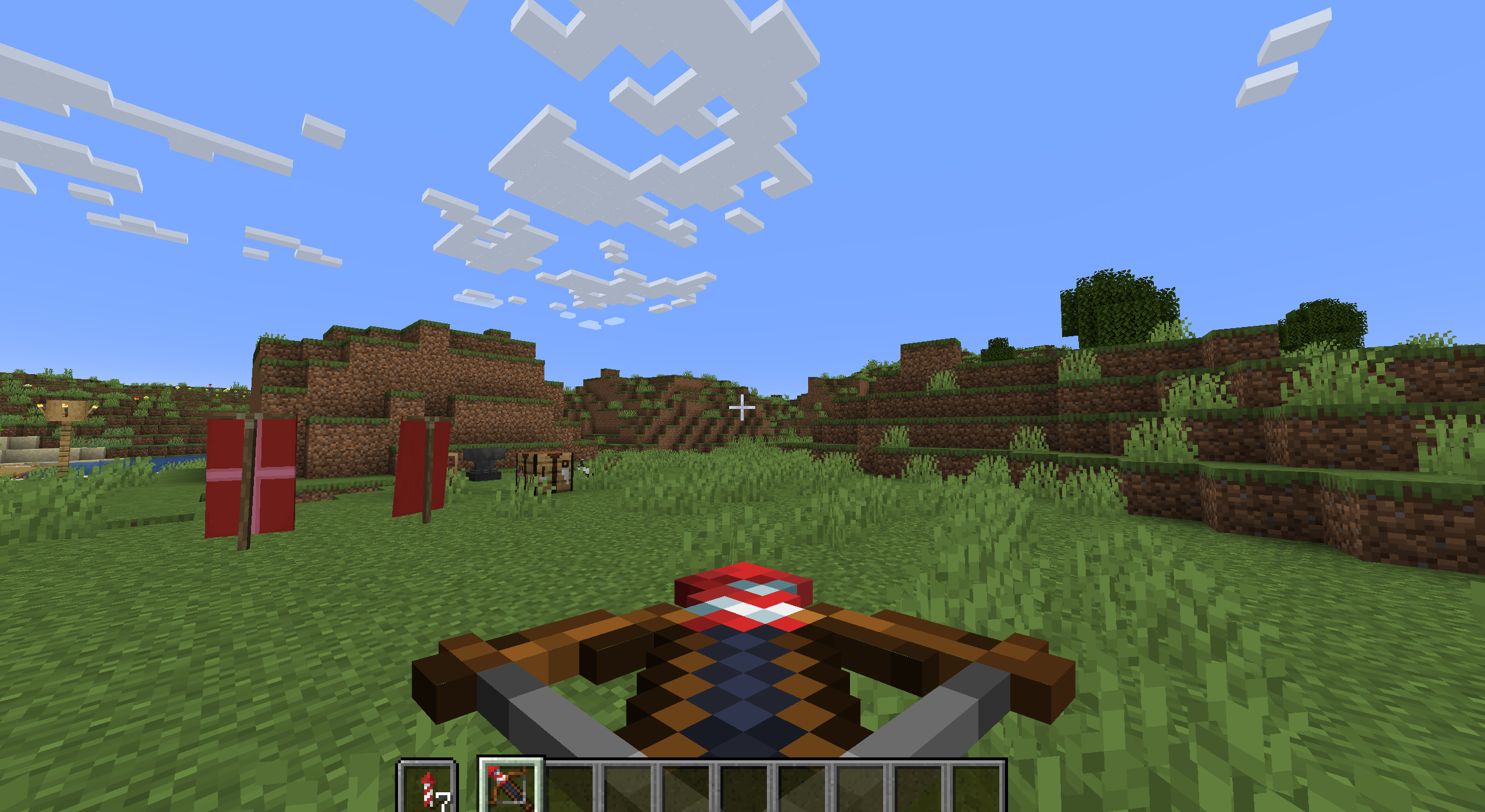
To use Minecraft Fireworks as ammo in a Crossbow, make sure the Firework is in your off hand and that you have no Arrows in your inventory. This will automatically use the Firework as ammo instead.
Now that you know everything there is to know about how to make Fireworks in Minecraft, why not join a server and cause chaos with your friends?
If you’ve been looking for a server to play Minecraft with your buddies, check out NameHero! We offer multiple server packages, supporting up to 32 players at our highest tier. All of our packages provide DDOS protection, comprehensive backups, and a 30-day money-back guarantee, removing any risk of trying us out. Check out this page for more information.

Max is a freelance writer with a love for gaming and technology. He’s always looking for the next big game to play and tinkers with tech in his remaining free time.
Leave a Reply