

Minecraft worlds are endless. Literally. They can go as far as your device will allow them. If you’ve been playing on a Minecraft world for a while, it only makes sense that you’d want to document it somehow. To track the many locations and structures you’ve built. Fortunately, Minecraft has a built-in method of doing so through its Maps.
This guide will cover everything you need to know about Maps, including how to make a Map in Minecraft, what to do with Empty Maps, step by step instructions on how to combine multiple Maps into a Map wall, and so much more.
What Is A Map In Minecraft?
A Map in Minecraft is precisely what it sounds like — a way to track your exploration through your Minecraft world.
After you use one, a Map covers a specific ground set. You can expand the extent of its coverage by leveling the Map, which we’ll discuss later.
How To Make A Map In Minecraft
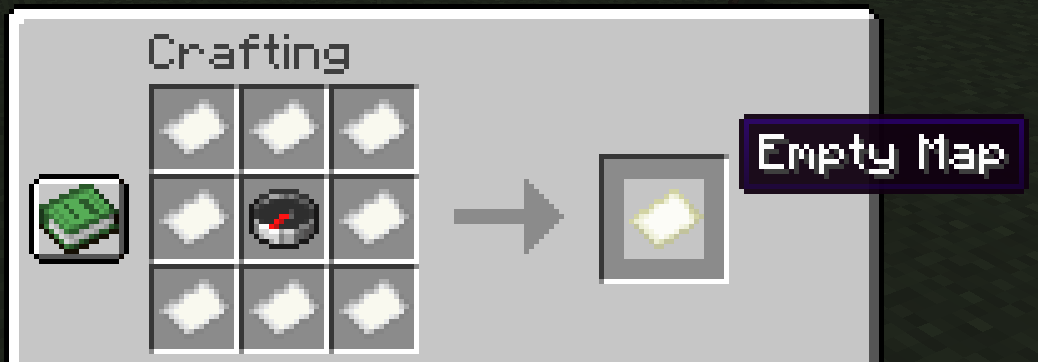
There are technically two types of Maps you can have. You can have an Empty Map or a Starting Map. Either way, you need a Crafting Table, eight pieces of Paper, and a Compass to start.
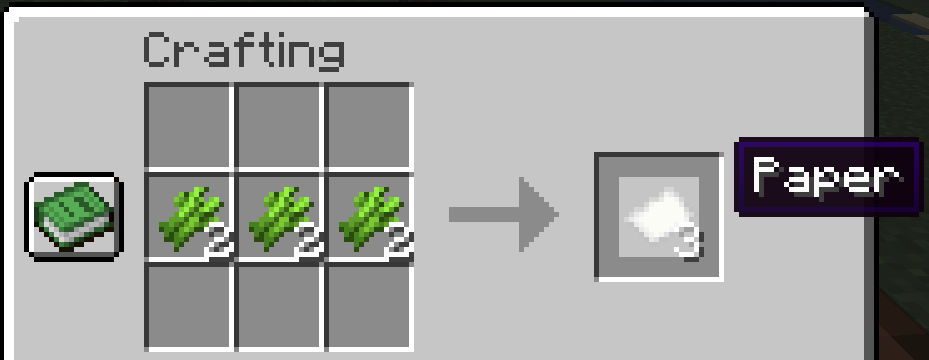
Paper
To make Paper, you must find Sugar Cane and turn it into the material via a Crafting Table. You can typically find Sugar Cane near water, breaking it up with a simple punch. We recommend you leave the bottom piece of each Sugar Cane so it can regrow, providing you with an unlimited source of Paper.
Compass
While you can sometimes find a Compass by trading with certain villagers, it’s faster to make one. To make a Compass, organize four Iron Ingots and one Redstone Dust as follows:
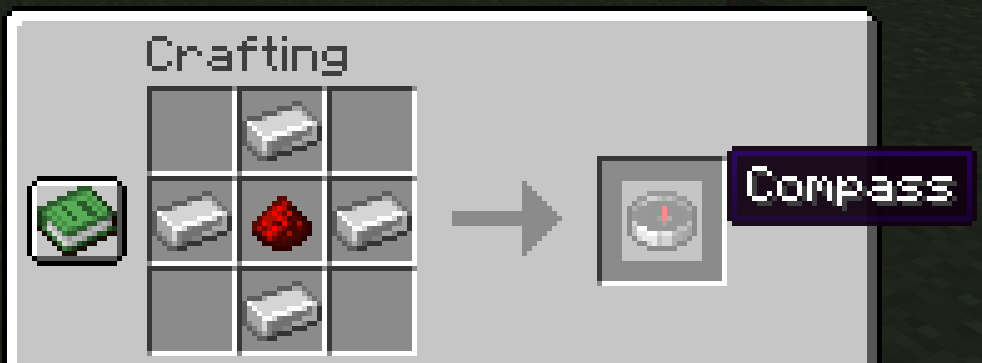
You can find Iron Ingots by mining Iron Ore and smelting it at a Furnace, while Redstone Dust drops from a Redstone block.
Once you have both items, organize them as follows:
Now, let’s get into the Map types.
Empty Map
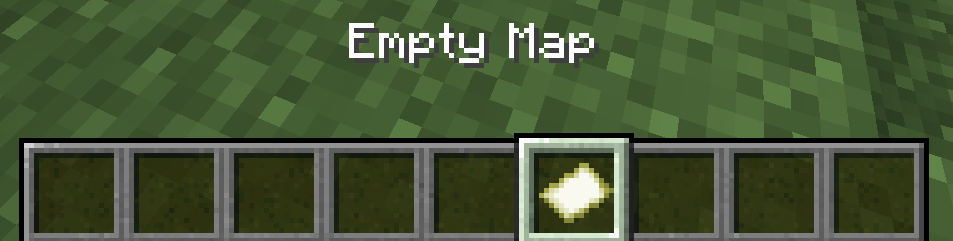
You always start with an Empty Map, which will remain this way until you right-click while holding the Map. This is also known as an Empty Locator Map in Minecraft Bedrock Edition.
Starting Map
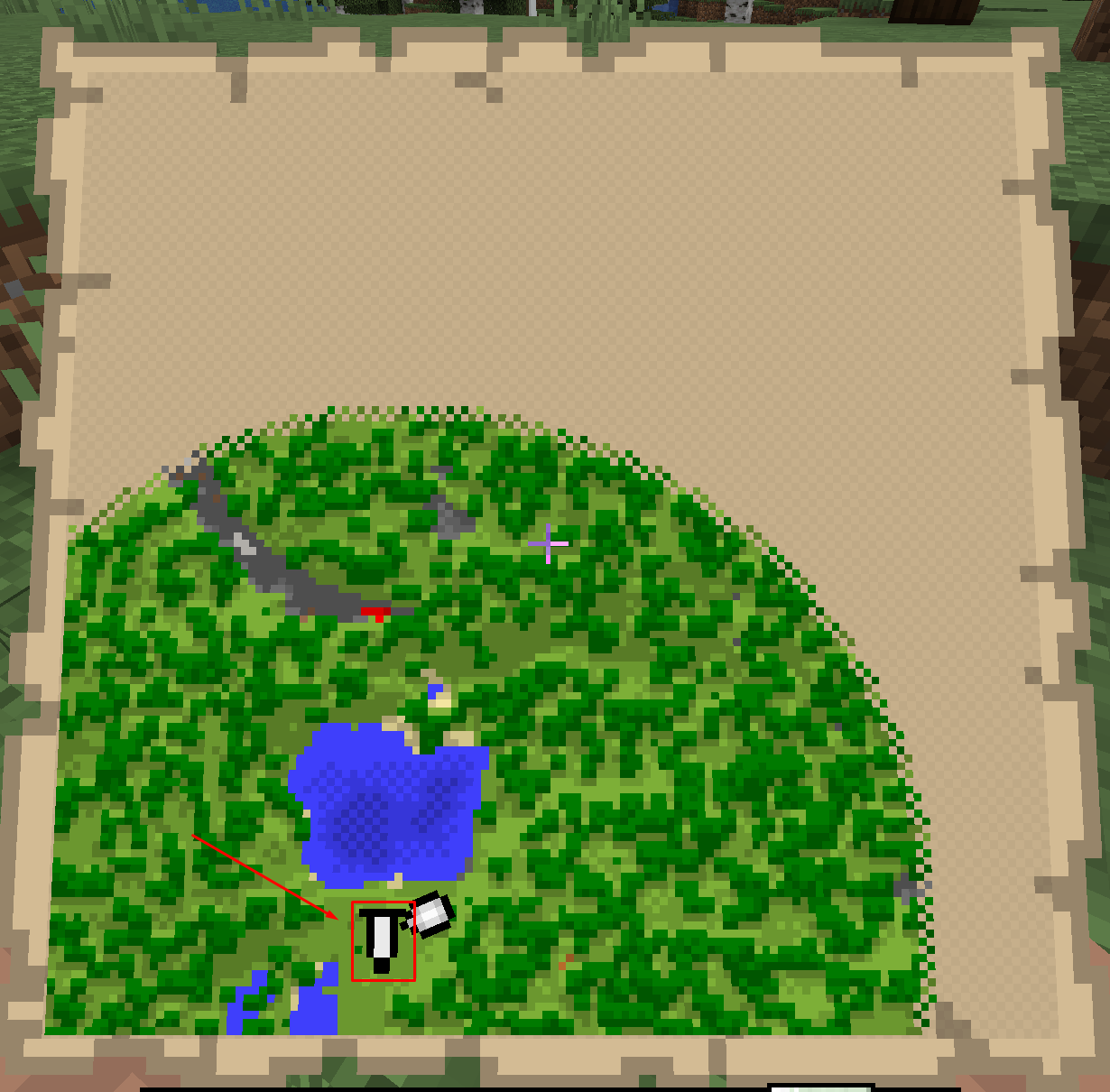
Once activated, your starting Map will capture 128×128 blocks. As you can see from the image below, Maps have a ton of detail and color. They’ll also update as you alter the world, including your bases and other creations.
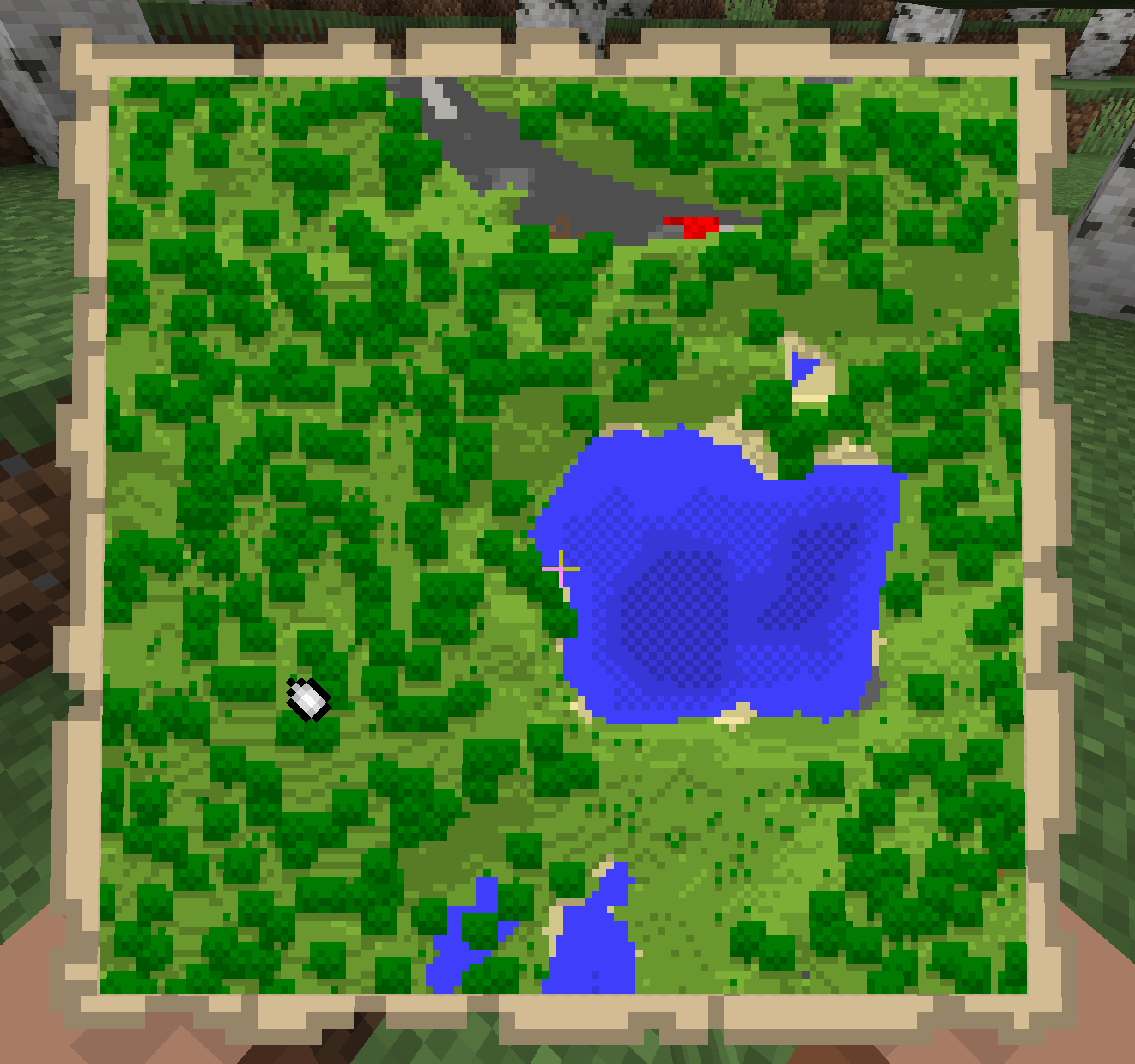
When you’re standing in the Map’s radius, it will represent that with a white dot. This white dot will move as you do and turn into a white dot on the edge of the Map if you leave its radius.
Explorer Map
There’s also something called an Explorer Map. You can find Explorer Maps by trading with the Cartographer Villager profession. This map type leads you to rare structures like Ocean Monuments and Woodland Mansions, among others.
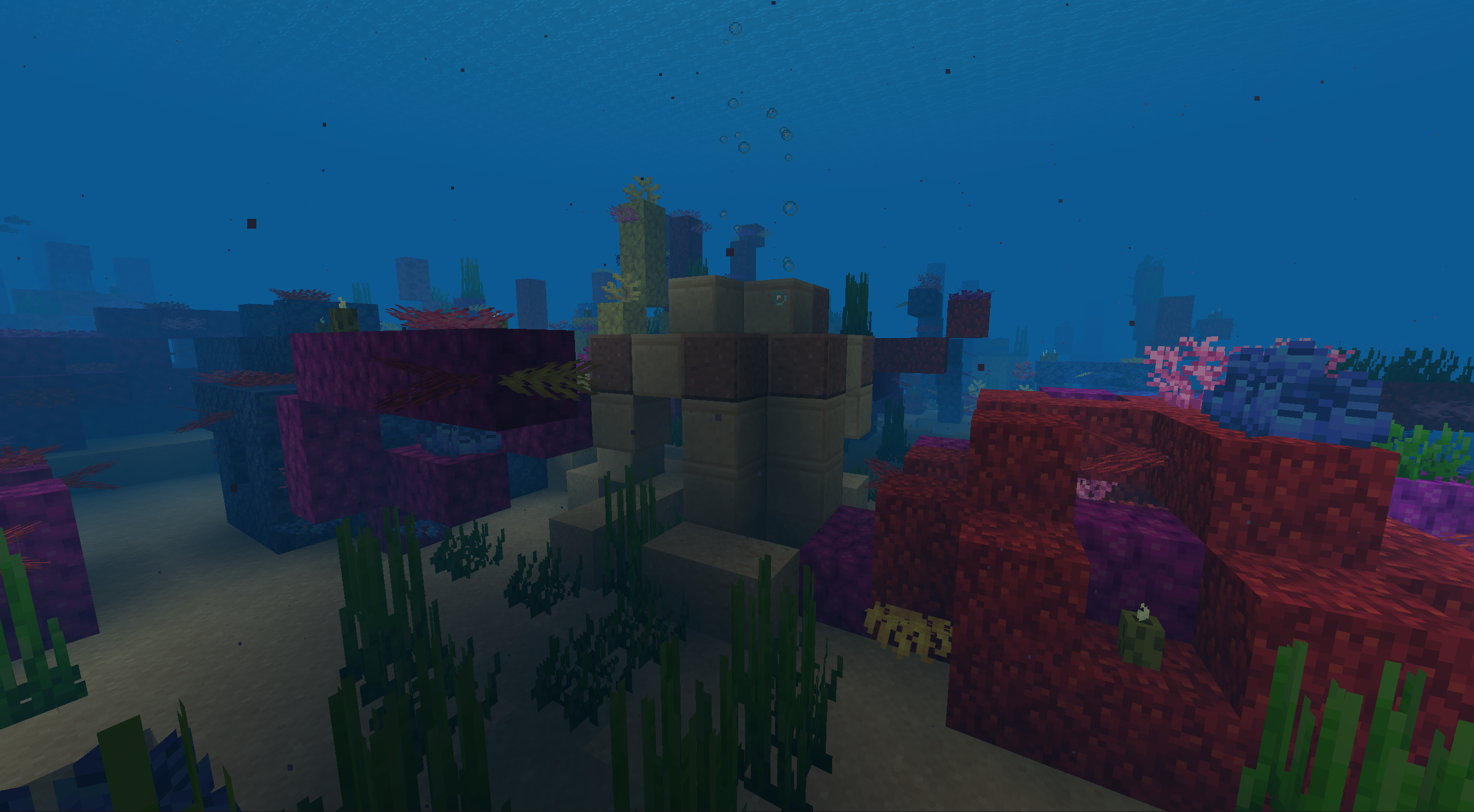
You can level up a map up to four times, expanding its radius with each one. Technically, leveling up a Map is equivalent to zooming it out. The higher a Map’s level, the more zoomed out it is.
The starting Map is technically a level zero Map. From there, let’s go over each level.
Level 0
A level zero Map covers 128×128 blocks, as mentioned previously.
Level 1
A level one Map is 256×256 blocks, effectively doubling level zero.
Level 2
A level two Map doubles level one’s blocks, becoming 512×512 blocks.
Level 3
A level three Map doubles the radius even further, expanding into 1024×1024 blocks.
Level 4
Finally, a level four Map becomes 2048×2048 blocks.
How do you level up a Map in the first place? Let’s get into it.
How To Level Up A Map In Minecraft
If you want to level up your Map in Minecraft, you’ll need a Cartography Table. Cartography Tables are made up of four Wooden Planks and two pieces of Paper, organized as follows in a Crafting Table:
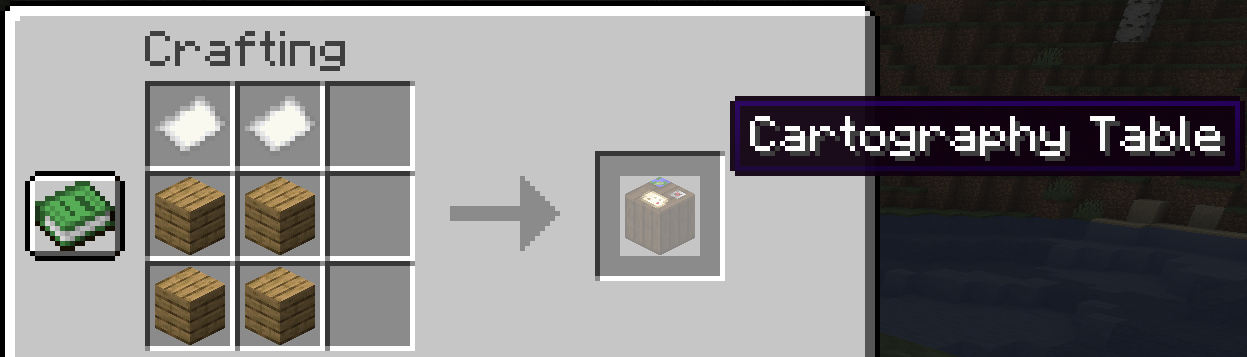
Once you place the Cartography Table, you can level up your Map with additional pieces of Paper.
Within the Table, simply combine your Map with one Paper for a level one Map. You can then level a Map to level two with pieces, level three with three, and level four with four sheets.
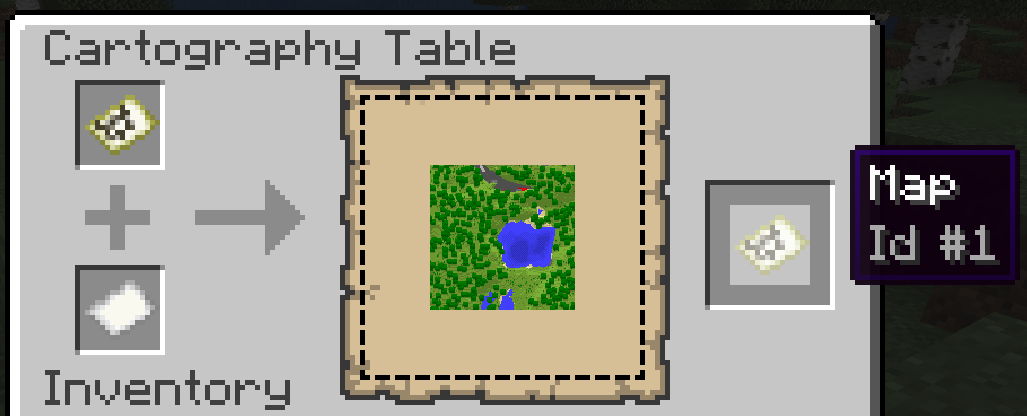
Keep in mind that a higher level results in more than an additionally zoomed out Map. Higher levels also mean seeing specific details like mountains, rivers, trees, pathways, and eventually even biomes.
You can also choose to level up a Map through a Crafting Table, but this is a much more expensive process. For instance, level one asks for eight pieces of Paper, level two is sixteen, level three is twenty-four, and level four is thirty-two.
How To Mark Locations On A Map
In Minecraft Java Edition, you can mark locations on a Map by placing down a Banner and using the Map on it. From then onward, this Map marker will remain, allowing you to look back at the various locations you’ve marked.
How To Build A Map Wall
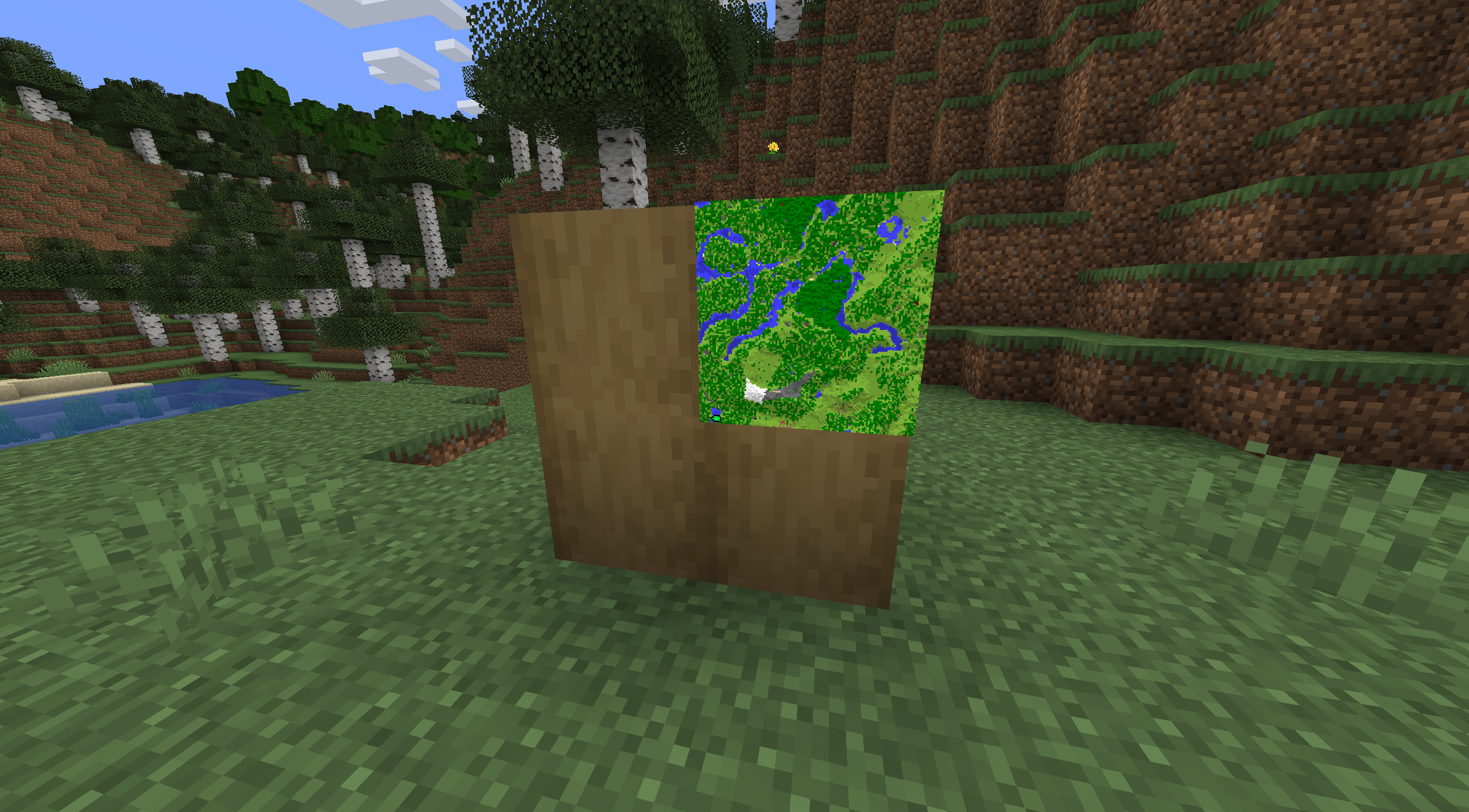
Some players enjoy building giant Map Walls, allowing them to view their explorations on a large scale.
To do this, you must create Item Frames — one for each Map you want on the Map Wall.
Making an Item Frame requires eight Sticks and one Leather, organized as follows:
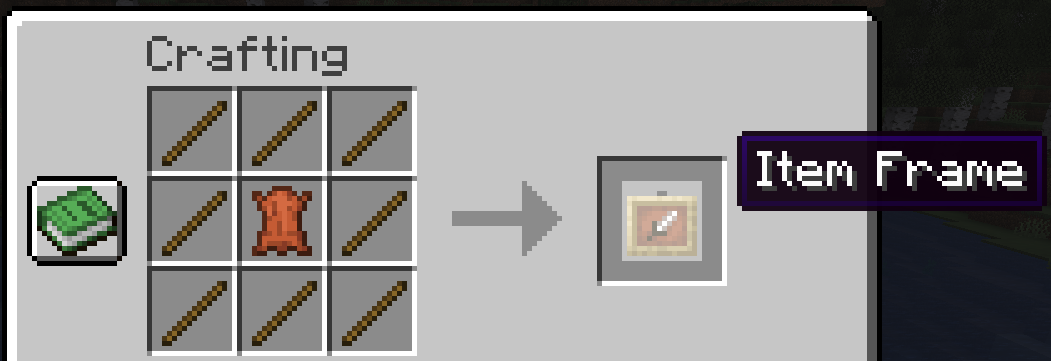
Once it’s made, you can place the Item Frames on a wall and interact with them while holding a Map. But before putting the Map into the Item Frame, make sure you activate it and explore enough to fill the Map out.
Now that you’re aware of how to make a Map in Minecraft, you can create the biggest world Minecraft has ever seen! Even better is documenting your world with friends!
If you’re looking to play Minecraft online with your friends, NameHero has you covered. Our Minecraft server packages support up to 50 players, support up to seven layers of DDOS protection, and even offer a 72-hour money-back guarantee so you can try them at no risk.
For more information on NameHero servers, check out this page.

Max is a freelance writer with a love for gaming and technology. He’s always looking for the next big game to play and tinkers with tech in his remaining free time.
Leave a Reply