
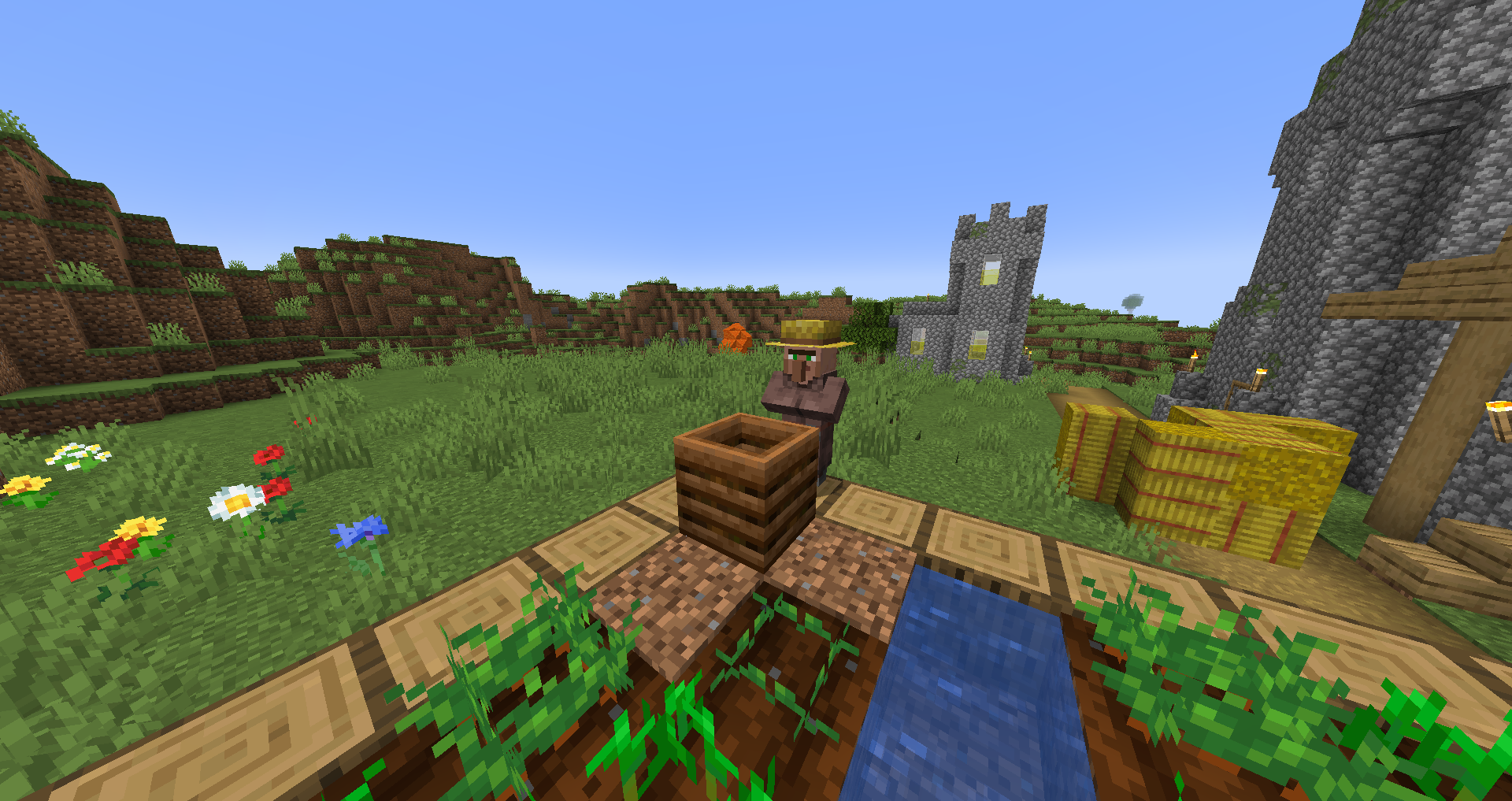
For players who farm in Minecraft or are only interested in planting crops specifically, bone meal is an essential tool for them to grow their crops instantly. However, bone meal is crafted from bones, and for players who like to play on peaceful mode or aren’t good at fighting skeletons, a lack of bone meal makes it difficult for them to improve their farm. Fortunately, Mojang added composters in 1.14 which provides players with other ways to obtain bone meal. This guide will show you how to make a composter in Minecraft and how to use it.
Crafting a Minecraft Composter Block
Items Needed:

- 7 wooden slabs (any type of wood)
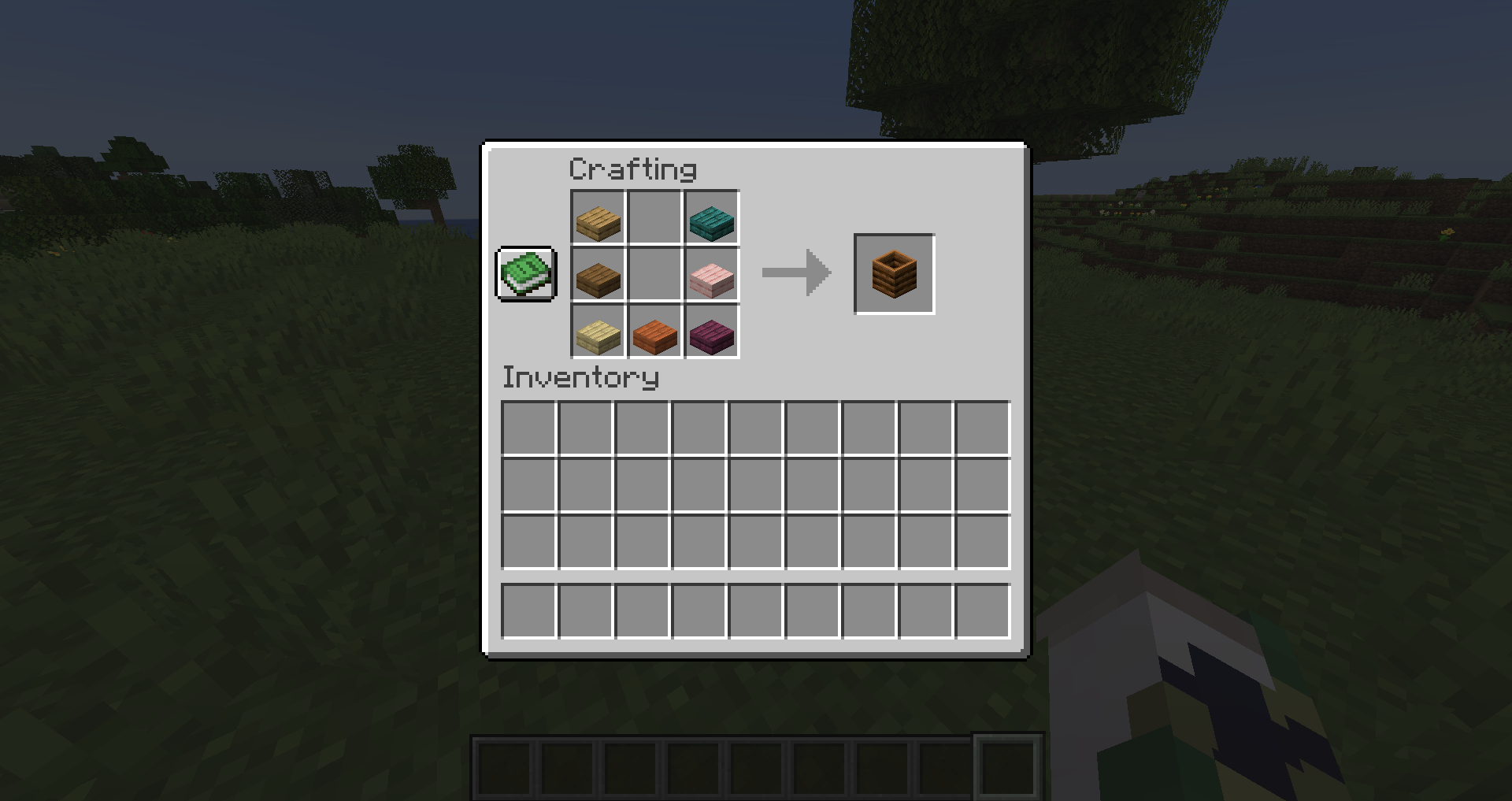
In both Java Edition and Bedrock Edition, you use 7 wooden slabs and craft them into a U shape on the crafting table. You can use any type of wood, and mixing the types of wood together doesn’t affect the craft.
How to Use a Composter
The main use of a composter block is to help players generate the only composter item available: bone meal. The composting process is very easy; players must achieve 8 compost levels/layers before they can retrieve their bone meal. You can gain compost layers by adding compostable items to the composter block.
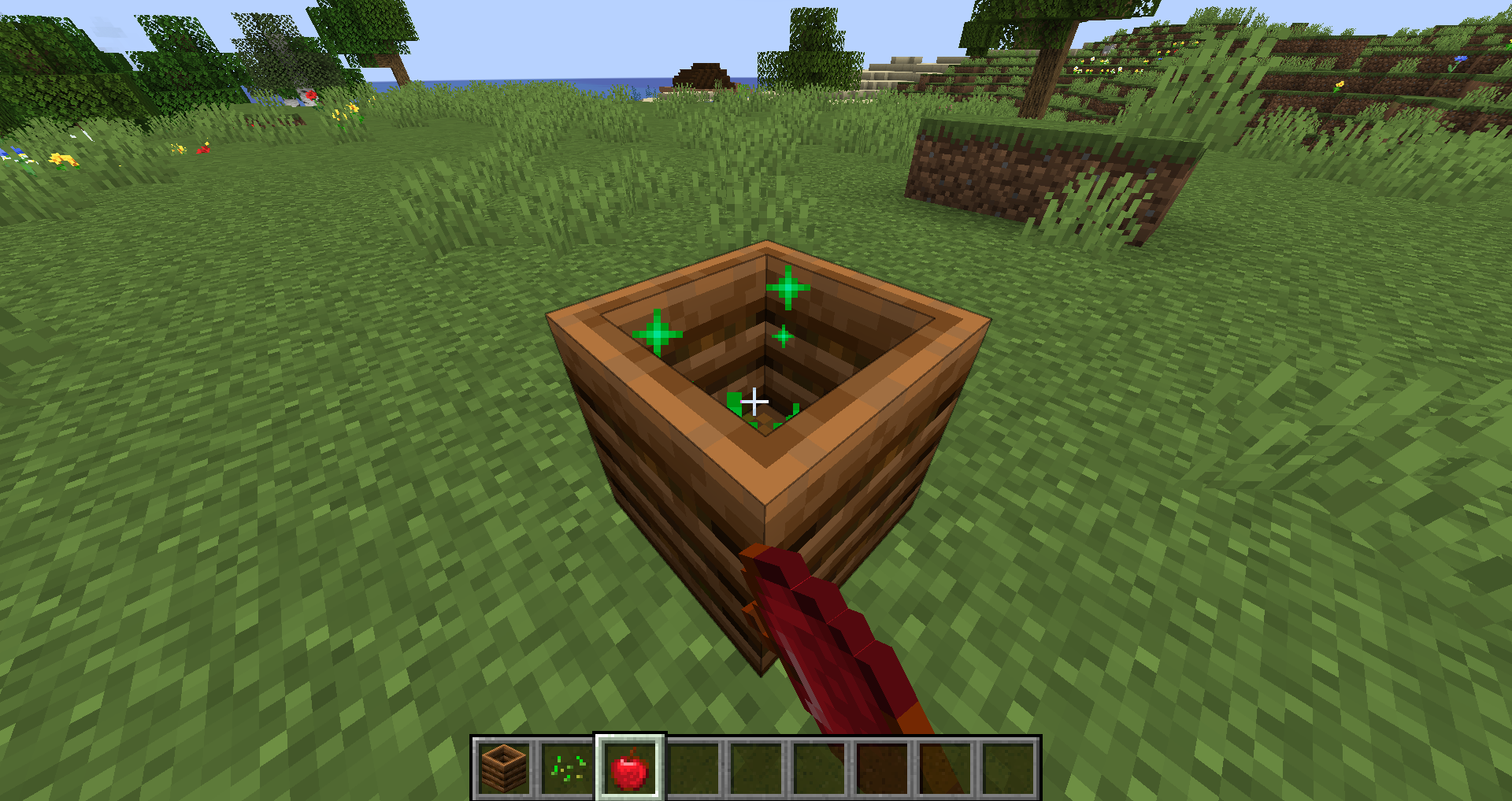
There are many compostable items, but I recommend gathering biological material such as seeds and plants since they are the easiest to acquire. To add an item into the composter, all you have to do is hold the item you want to put into the composter in your hand and right click the composter to put compost inside.
Knowing How Each Item Works
Keep in mind that each compost item added into the composter has a different composting chance. If the composter is an emptied block, then the chances of getting the first layer is 100% no matter the item. However, after the first layer, each compostable item will have different percentages. The higher the percentage, the more compost ability the item has. When you put an item in and your composter’s fullness increases, there will be green particles that appear inside the composter to indicate that you have used an item. Green particles, however, do not guarantee that you filled a layer.
Below are items you can put into composter blocks and the average number of items needed to get one bone meal:
Items with 30% chance of giving you one composter layer:
- Beetroot Seeds, Dried Kelp, Glow Berries, Grass Block (Bedrock only), Hanging Roots, Kelp, Leaves, Mangrove Propagule, Melon Seeds, Moss Carpet, Pink Petals, Pitcher Pod, Pumpkin Seeds, Saplings, Seagrass, Short Grass, Small Dripleaf, Sweet Berries, Torchflower Seeds, Wheat Seeds
*Average items needed to complete compost: 21
Items with 50% chance of giving you one composter layer:
- Cactus, Dried Kelp Block, Flowering Azalea Leaves, Glow Lichen, Melon Slices, Nether Sprouts, Sugar Cane, Tall Grass, Twisting Vines, Vines, Weeping Vines
*Average items needed to complete compost: 13
Items with 65% chance of giving you one composter layer:
- Apple, Azalea, Beetroot, Big Dripleaf, Carrot, Cocoa beans, Fern, Flowers, Fungi, Large fern, Lily pad, Melon, Moss Block, Mushroom, Mushroom Stem, Nether Wart, Potato, Pumpkins, Crimson Roots, Warped Roots, Sea Pickle, Shroomlight
*Average items needed to complete compost: 10.23
Items with 85% chance of giving you one composter layer:
- Baked Potato, Bread, Cookie, Flowering Azalea, Hay Bale, Mushroom Block, Nether Wart Block, Pitcher plant, Torchflower, Warped Wart Block
*Average items needed to complete compost: 8.06
Items with 100% chance of giving you one composter layer:
- Cake, Pumpkin Pie
*Average items needed to complete compost: 7
When the Composter is Full
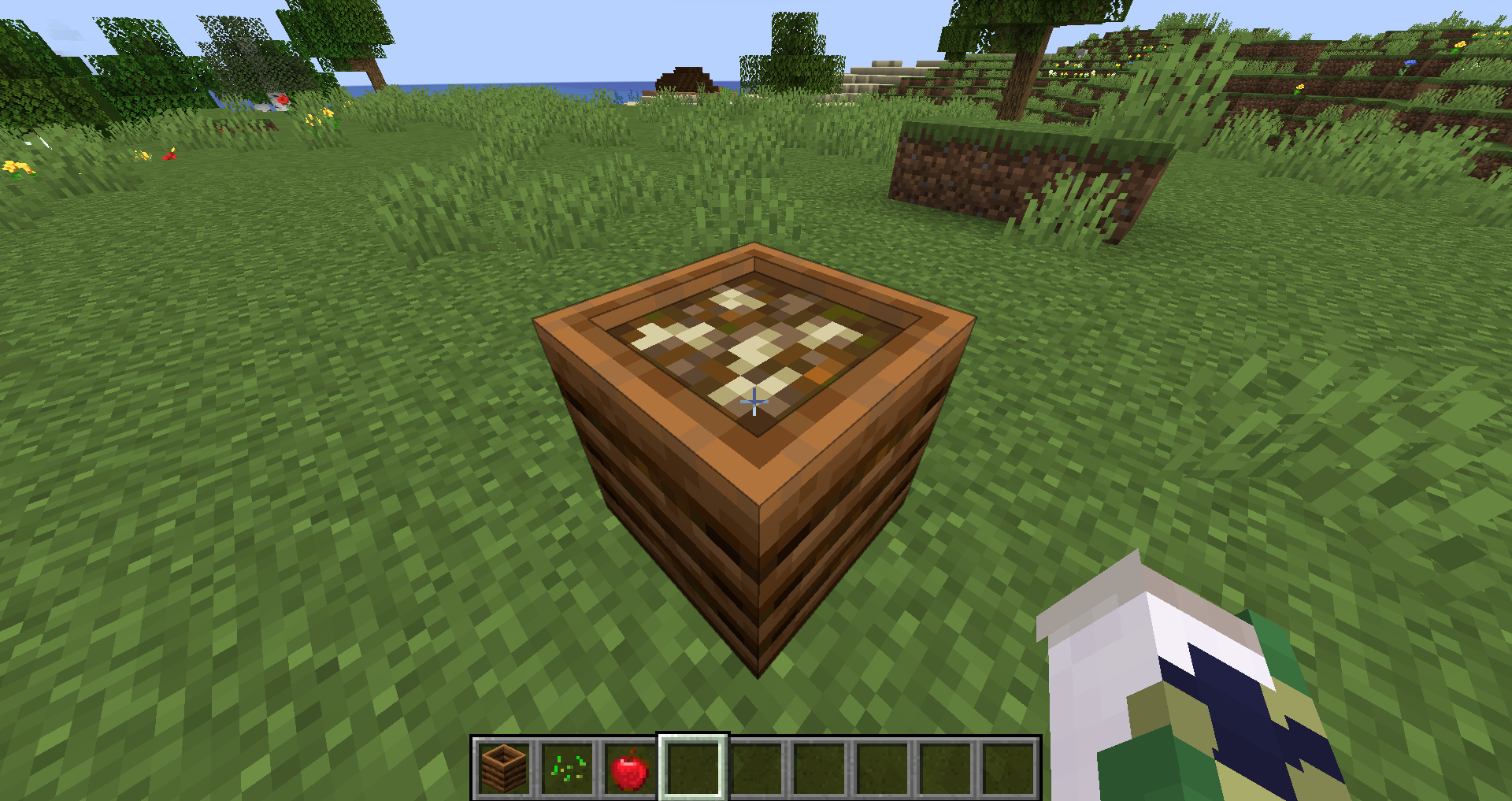
After the composter reaches the 7th layer, there will be a few seconds before the compost texture changes. There will be a clear change in the compost’s appearance indicating that the composter generated a bone meal and has reached the 8th layer of compost. When that happens, all you have to do is right click the composter and the composter pushes out a bone meal. After you collect the bone meal, all the compost in the composter will disappear and your composter will have an empty interior again.
Composter and Redstone
Making an Automatic Composter Farm
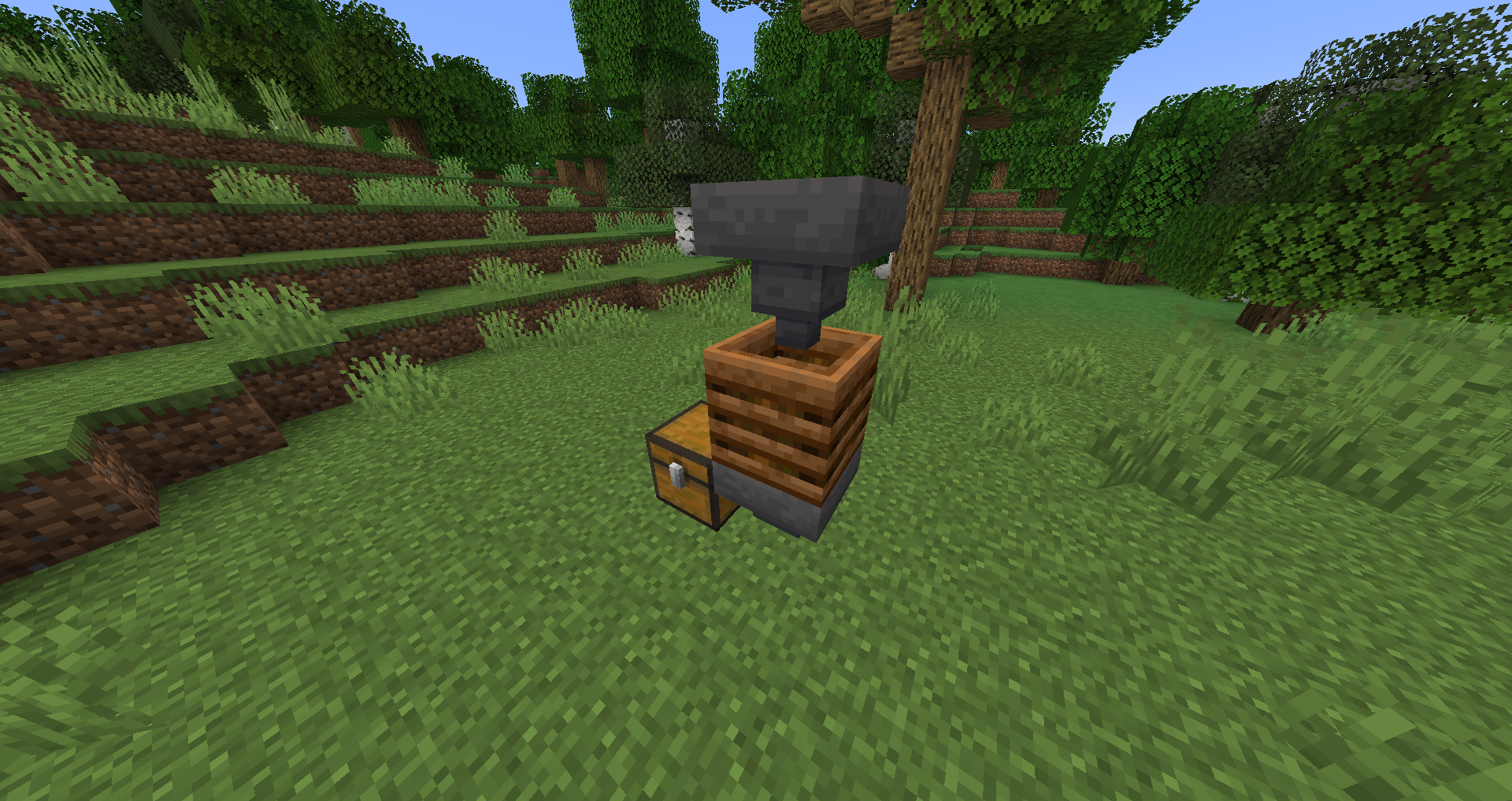
Items Needed:
- 2x Hoppers or 1x Hopper/1x Dropper
- 1x Composter
- 1x Chest (optional)
If you don’t want to add items into the composter by yourself, you can create a machine that will automatically do it for you. If you have a hopper directly above it or a dropper facing downward directly towards it, the composter pulls any compostable items and turns it into compost. The composter will then send the finished bone meal product when it reaches the 8th layer into the hopper below it. If you have a chest connected to the bottom hopper, the hopper will transfer it to the chest. Make sure that the hoppers are on the top and bottom of the composter and not the sides or the machine won’t work. All you have to do now is put the compostable item into the hopper or dropper to start the machine.
Composter and Redstone Comparator
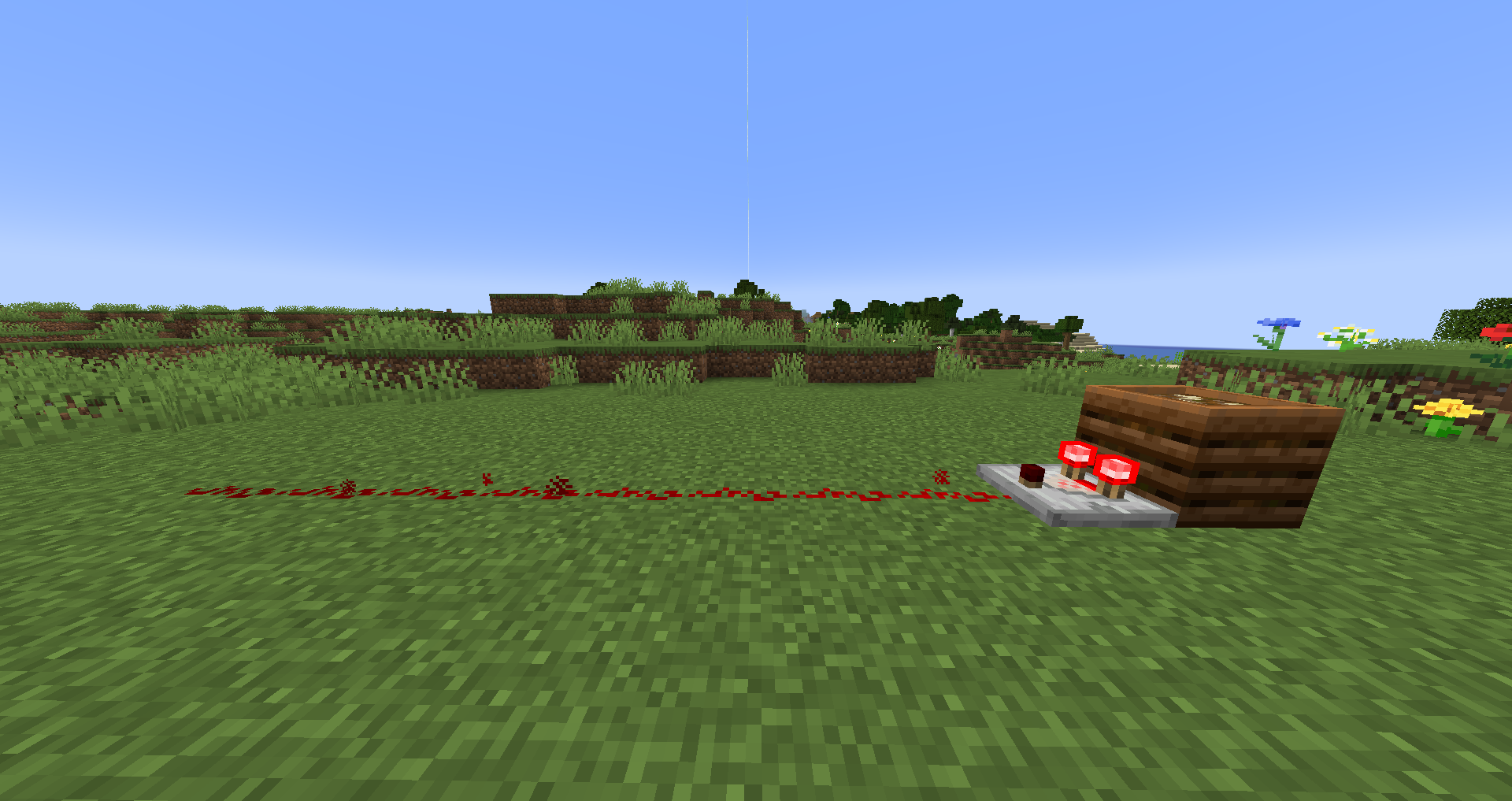
Composters are able to power redstone components, allowing you to create machines with composter blocks. While a composter doesn’t directly give power to the redstone dust like redstone torches do, you can connect the composter to a redstone comparator. Then, the redstone comparator outputs the power generated from the composter.
The comparator signal strength correlates with how full the composter is. If you have a partially filled composter, the amount of signal you get is how many layers of compost you have (e.g. 1 layer is 1 signal strength, 2 layer is 2 signal strength etc.). The max amount of signal strength you can get from a composter is 8 and it happens when you reach the layer where you can collect the bone meal.
If you want to add a delay of when you want the signal to be received, an item block between the composter and comparator temporarily blocks composters and delays the power from reaching the redstone component.
Composter and Villagers
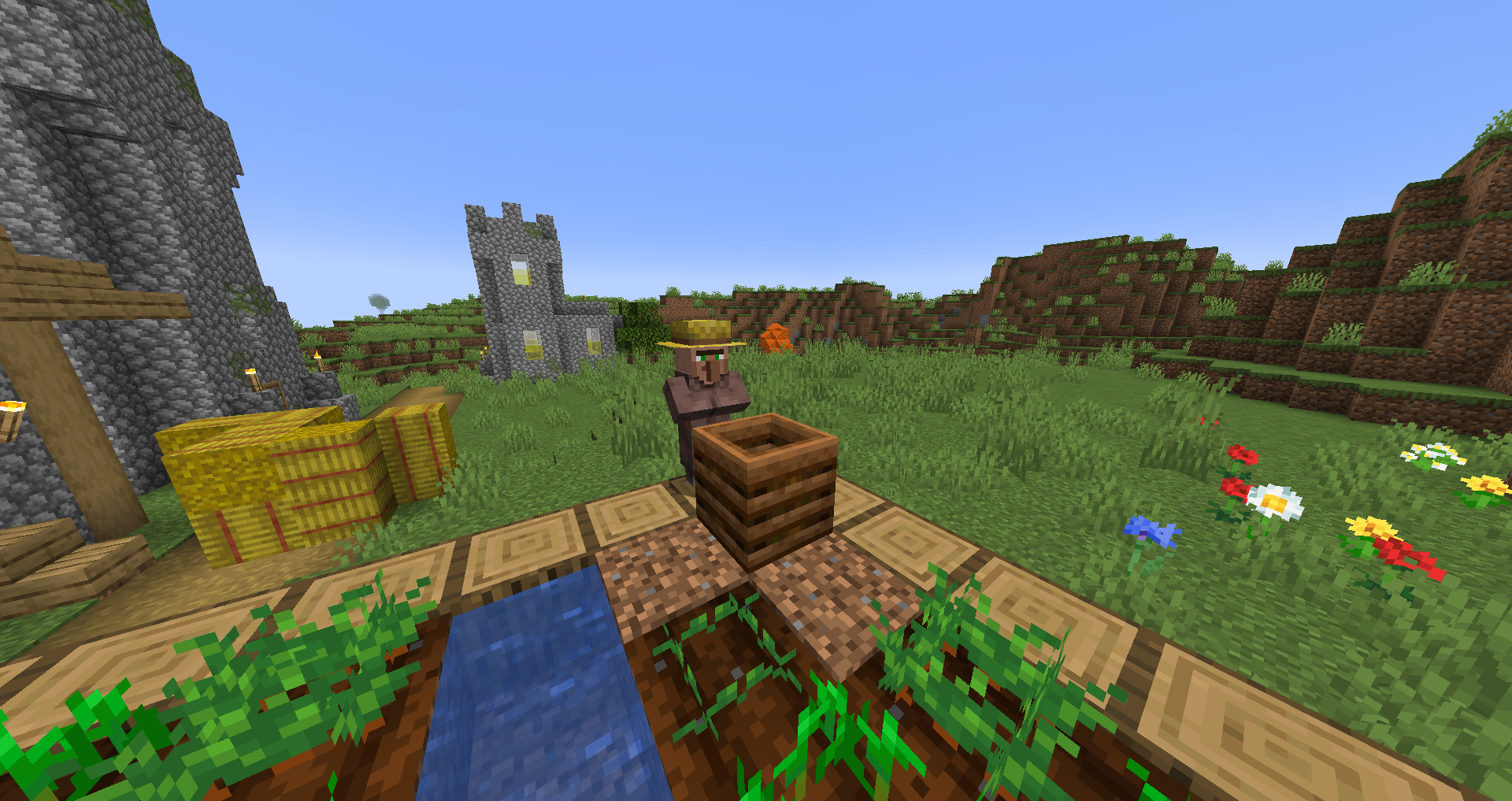
If you place a composter next to a jobless villager, they will claim the composter as a job and gain the Farmer profession. Farmers are useful in trading for resources that you need, and they are also helpful with keeping the farm running.
Farmer villagers are able to collect and replant crops. They also put crops into the composter to create bone meal and use it meal to fertilize newly planted crops. If you give the farmer seeds and collect the fully grown plants, you can have a system where the villager works for you.

Alex is a gaming enthusiast with a passion in content creation and social media. In his free time,
he enjoys playing golf, building keyboards, and cooking.
Leave a Reply