


When you create a Palworld server, you have the option to customize most of the game settings. That includes the length of the day/night cycle, the capture rate for pals, and more. This gives you full control over the experience on your server, but you’ll need to understand what each setting does.
Note that these settings will only affect the difficulty and size of the server. Graphics settings will be set by each player within the server. You can configure these options by accessing the Custom Settings option while setting up a new server or by modifying the world’s settings at a later date.
In this article, we’ll go over each of the settings you can configure when setting up a new Palworld server and explain what they do. Let’s get to it!
- How to Access Palworld’s Custom Settings
- Palworld Settings Explained (One by One)
- Day and Night Time Speed
- EXP Rate
- Pal Capture Rate
- Pal Appearance Rate
- Damage to and From Pals Multiplier
- Pal Hunger and Stamina Depletion Rate
- Pal Health Regeneration Rates
- Damage from Player Multiplier
- Damage to Player Multiplier
- Player Hunger and Stamina Depletion Rate
- Player Auto Health Regeneration Rate
- Player Sleep Health Regeneration Rate
- Damage to Structure Multiplier
- Structure Deterioration Rate
- Maximum Number of Dropped Items in a World
- Gatherable Items Multiplier
- Gatherable Objects Health Multiplier
- Gatherable Objects Respawn Interval
- Dropped Items Multiplier
- Time (h) to Incubate Massive Egg
- Enable Raid Events
- Death Penalty
- Max Number of Guilds
- Max Pals Working at Base
- How to Optimize Palworld Performance
- Conclusion
- Come Hang Or Give NameHero Game Servers A Try!
How to Access Palworld’s Custom Settings
Before we dive into the most important Palworld settings, let’s quickly go over how you can access them.
Palworld’s main menu gives you access to an Options screen. Inside that screen, you’ll find settings for the game’s graphics, sounds, and controls.
If you want to change how the game itself plays, you’ll need to access a different settings menu. When you select the option to start a game, Palworld will ask if you want to use an existing save or create a whole new world to explore:
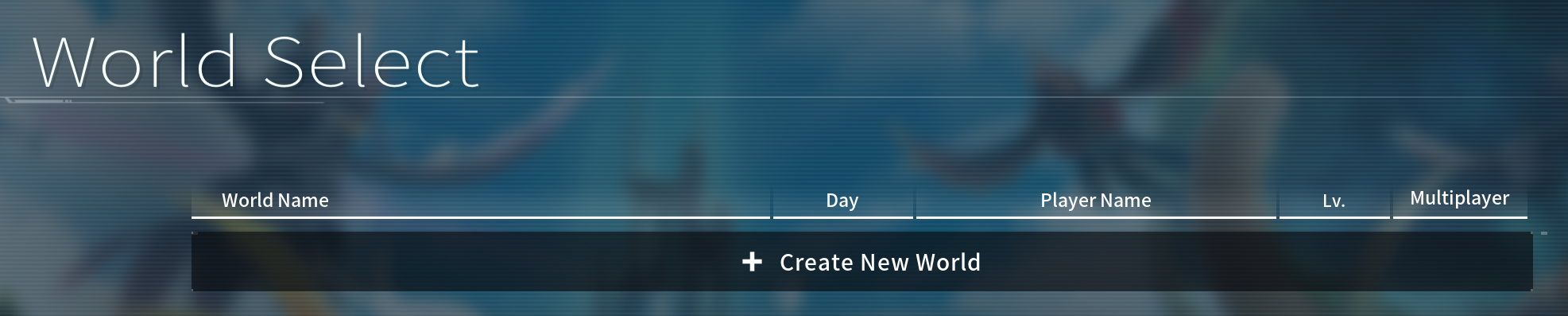
Click on Create New World and set a name for the world. Once you do that, you’ll be able to configure the world.
Palworld enables you to do this by modifying the game difficulty or using custom settings:
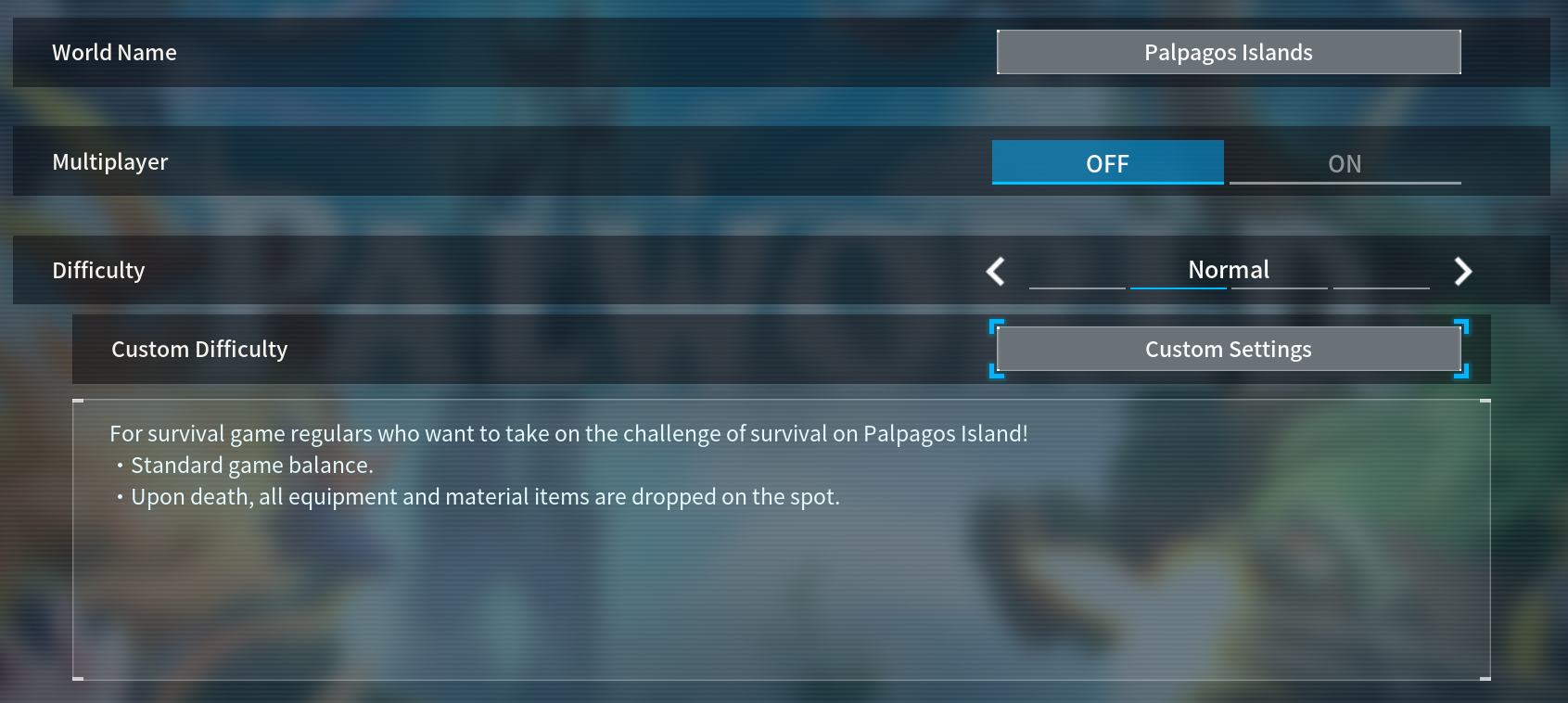
Here, you can click on Custom Settings. This will open a screen with a large number of gameplay and difficulty settings for the save:
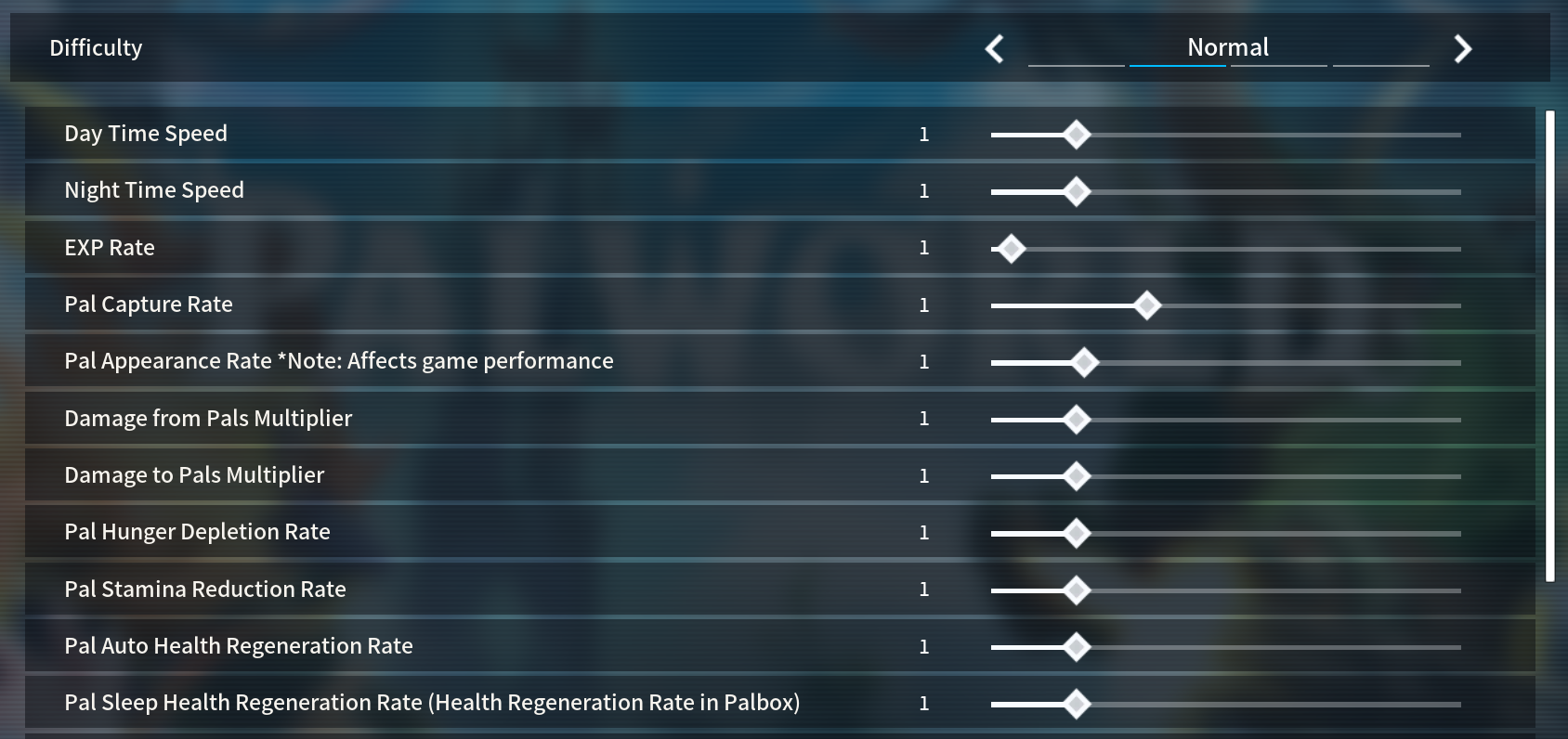
That screen is what we’ll focus on in this article.
The number of available Palworld settings for each world can be staggering. Changing these settings for an existing game can also lead to errors, so it’s best to take some time to learn what each option does.
Palworld Settings Explained (One by One)
You can configure over two dozen world settings for a Palworld game, including options such as the pal capture rate or the pal appearance rate. With that in mind, we’re going to guide you through each setting, explain what it does, and offer recommendations.
That said, a lot of these settings come down to personal preference. It’s up to you whether you want to play with a higher difficulty level or configure all the settings to make your Palworld experience easier.
Day and Night Time Speed
You can use these settings to set the length of in-game days and nights. For example, you can make days longer and nights shorter if you don’t want to wait around for daylight in-game.
EXP Rate
This setting governs how much EXP you get from defeating enemies. You can increase the default rate up to 20x or reduce EXP rate if you want to make it harder to level up characters.
Pal Capture Rate
This determines how difficult it is to capture pals. With a higher rate, you’ll have an easier time capturing pals even with weaker pal spheres or without weakening them too much.
Pal Appearance Rate
This setting determines how many pals spawn in-world in different areas. A lower multiplier means fewer pals and vice versa. Note that increasing the appearance rate can impact server performance.
Damage to and From Pals Multiplier
You can use this setting to determine how much damage you inflict to wild pals (and how much damage you take from them). Lowering this setting can decrease the overall game difficulty.
Pal Hunger and Stamina Depletion Rate
Depending on your configuration, pals will get hungry or tired faster. Reducing the pal hunger depletion rate or the stamina depletion rate will make it so pals can go longer between meals or rest.
Pal Health Regeneration Rates
By default, pals will regenerate health slowly, which can force you to use other pals in the meantime. This setting controls the rate at which they regenerate.
Damage from Player Multiplier
This is one of the most important settings for a Palworld multiplayer game. It determines how much damage your character inflicts to other players in the world.
Damage to Player Multiplier
This is the inverse of the previous setting. With this multiplier, you can control how much damage your character takes during combat.
Player Hunger and Stamina Depletion Rate
Player characters can get hungry and tired in Palworld, the same as pals. This setting can help you configure how often this happens in case you want to make surviving in Palworld more or less challenging.
Player Auto Health Regeneration Rate
Players auto-regenerate health in Palworld. By default, this happens slowly to force you to use healing items. You can increase or decrease this rate in the settings screen.
Player Sleep Health Regeneration Rate
When you go to sleep in Palworld, your health regenerates faster. With this setting, you can control how fast it regenerates, which might be needed if you lengthen or shorten the night cycle.
Damage to Structure Multiplier
You can use pals or weapons to damage structures in Palworld. This setting can make it easier or harder to destroy bases.
Structure Deterioration Rate
By default, any structures you build outside the base radius will deteriorate over time. You can use this setting to disable that mechanic or make it more punishing depending on your preferences.
Maximum Number of Dropped Items in a World
Items in the ground in Palworld disappear after a while. They can also disappear if you have too many items on the ground and try to drop new ones. In that case, the server will despawn the oldest items.
By default, Palworld supports up to 3,000 dropped items in the world. Increasing the maximum number of dropped items can affect game performance if you come close to the limit.
Gatherable Items Multiplier
This setting governs how many resources you get from chopping trees, mining ore and coal, and other gathering mechanics. A higher multiplier means less time spent gathering resources for crafting and buildings.
Gatherable Objects Health Multiplier
This setting controls how long it takes to gather items from different sources, such as trees and mines. Lower health makes the items “break” faster.
Gatherable Objects Respawn Interval
Most gathering sources on the map will respawn after a while. With the gatherable objects health multiplier setting, you can control how often these elements respawn to make gathering easier.
Dropped Items Multiplier
Pals give you items and/or materials when you defeat them in the game. This multiplier controls how many items you get on average when this happens.
Time (h) to Incubate Massive Egg
You can breed pals to get eggs that you can incubate and hatch. You can also find eggs randomly in the wild within the world. The time to incubate massive egg setting controls the rate at which eggs hatch in the incubator. Despite the setting name, this setting applies to eggs of all sizes, from normal to huge.
Enable Raid Events
When you play Palworld, your base will occasionally receive raids from NPCs. But if you don’t want to enable raid events, you can disable this setting.
Death Penalty
By default, all items drop to the ground when you die in Palworld. When you respawn, you can pick up these items.
This setting includes options for configuring which items drop upon death. You can choose to disable drops, disable equipment drops only, and drop both pals and items.
Max Number of Guilds
This setting controls the maximum number of guilds in the game. More guilds typically means more players, which can impact game performance.
Max Pals Working at Base
By default, Palworld limits the number of pals you can have working on base to 15. This can affect how fast you can gather resources and build structures. If you want more pals on base, you can increase (up to 20 pals). But, you can also decrease this number.
How to Optimize Palworld Performance
Several of the Palworld settings have a direct impact on server performance. Some of the most important overall options are the following:
- Pal appearance rate
- Maximum number of dropped items in a world
- Max number of guilds
- Max pals working at base
In a nutshell, settings that control the number of pals and items that appear in the game can negatively impact performance. That said, if you use a well-optimized Palworld dedicated server, you shouldn’t run into too many performance issues.
Note that other settings, such as graphics options, are controlled locally. Your graphics settings won’t impact performance for other players, but they can impact yours depending on your computer’s specs.
The biggest determination when it comes to Palworld performance is the number of players connected to the game. Large player groups will require more hardware resources and that’s something NameHero can help with.
NameHero offers dedicated Palworld servers that vary depending on the number of players you want to support:
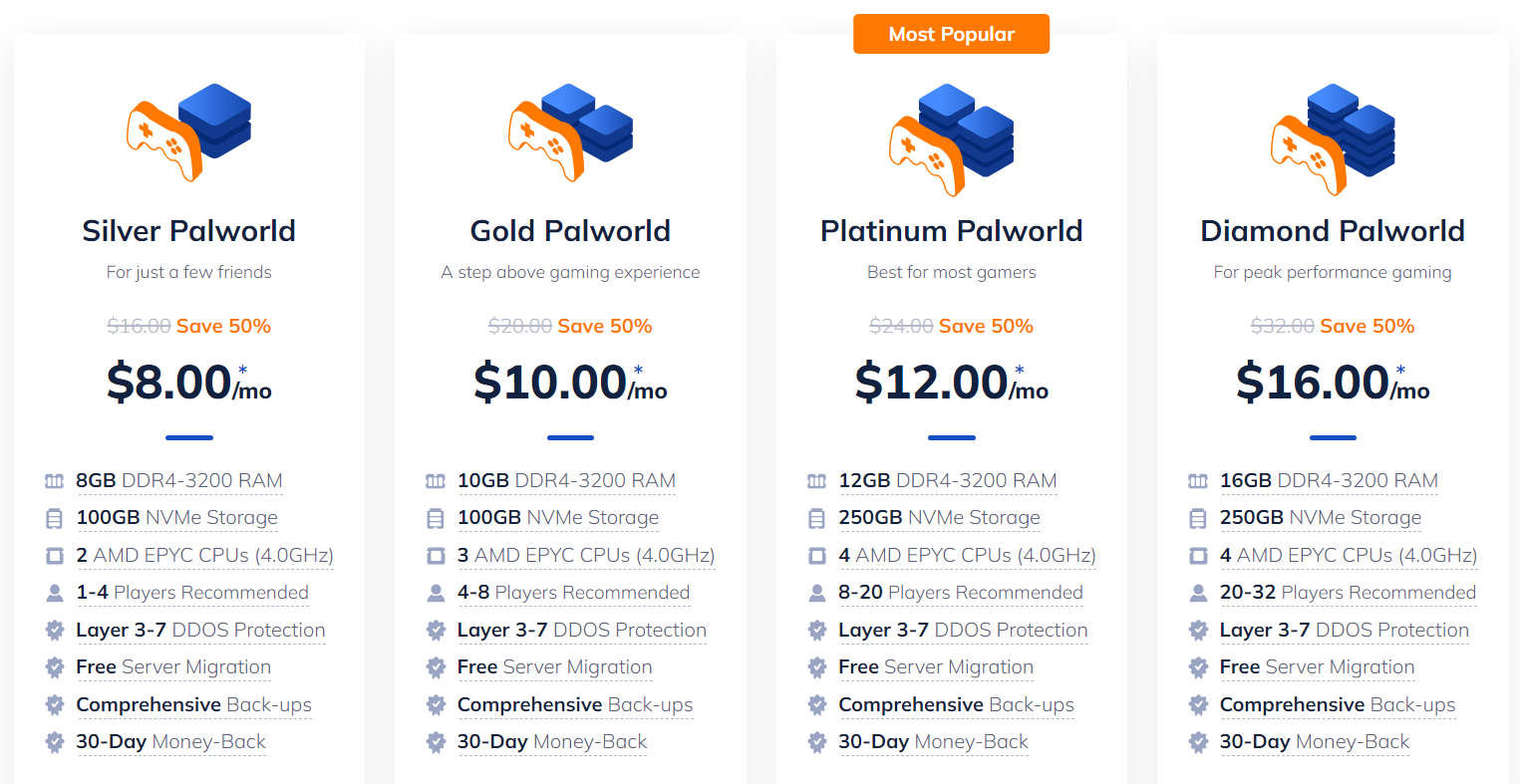
Our Palworld servers include an automatic installer. We set up the server software for you so all you need to do is connect via the IP address and port. Or, if you already have a server, we provide a free migration process.
Each plan also comes with managed backups, real-time monitoring, and Distributed Denial of Service (DDoS) protection. Plus, you’ll get access to an advanced gaming panel where you can monitor server resources and access files.
Conclusion
In Palworld, you get full control over the experience your server provides. You can configure the Palworld settings to make it harder to level up, catch pals more easily, set items to respawn faster, and much more.
All of these settings are accessible in-game during the server setup process, but you can also modify them at any point afterward. Each setting allows you to define the exact experience you want to provide for players. Plus, there are graphic settings available to enhance performance.
Come Hang Or Give NameHero Game Servers A Try!
NameHero specializes in delivering some of the very best in gaming server tech without breaking the bank. DDR4-3200 RAM, NVMe storage, AMD EPYC CPU’s and more come with every Palworld server!
Already have a server? That’s okay, come hang out with us on Discord!
What about the second dropped items multiplier where the numbers run well into the 100s?