


Website migration might not seem ideal, but sometimes it’s inevitable. For instance, you might need to change your domain for a rebrand, or your site may have outgrown its shared hosting server. When you find yourself in one of these situations, you’ll likely need a website migration checklist.
That’s because website migration can be tricky. If you’re not careful, your website could spend a lot of time offline, which could negatively impact the user experience and damage your reputation. Or, your site could lose its well-earned status in search engine rankings.
In this post, we’ll discuss when you should consider a site migration project. Then, we’ll walk you through the ultimate migration checklist. Finally, we’ll show you the simplest way to avoid the most tedious parts of the website migration process. Let’s get to it!
Rather have someone do this for you? Contact a member of our NameHero support team and they’d be happy to help post purchase.
- When Should You Consider Website Migration?
- The Ultimate Website Migration Checklist (8 Steps)
- 1. Audit Your Website and Create a Migration Plan
- 2. Create an SEO Migration Checklist
- 3. Put Your Site in Maintenance Mode and Make a Complete Backup
- 4. Get Your New Hosting Credentials
- 5. Disable Plugins and Third-Party Software That May Cause Issues
- 6. Migrate Your Site Files and Database
- 7. Configure Your New Website
- 8. Set Up Redirects and Address Any SEO Concerns
- Get Free Website Migration Services with NameHero
- Conclusion
When Should You Consider Website Migration?
Before we walk you through the site migration process, let’s talk about when it makes sense to migrate your website. You’ll want to consider this carefully, as site migrations can be time-consuming.
First of all, website migration refers to multiple scenarios. It can involve changing a domain name, moving to a new server (or web host), or transferring a website to a new Content Management System (CMS) like WordPress.
With that in mind, here are a few circumstances where you might want to embark on a migration project:
- Your online business is undergoing a rebrand. If you want to give your website a rebrand, that might involve changing its domain name. In that case, you’ll likely need to migrate your site to the new domain.
- Your website has outgrown your hosting provider. Some budget web hosts may only offer shared hosting plans or packages with limited resources. If your website has grown since its inception, you may need to consider switching to a new host. Otherwise, your site’s performance may suffer.
- You need to overhaul your website’s structure. Sometimes a website needs to be revamped to accommodate its evolving needs. In this case, you may want to transfer it to a new CMS or ecommerce platform. This way, you can completely rebuild your site structure in a way that is better suited to your current needs.
These are some of the most common situations that may require you to consider the website migration process.
The Ultimate Website Migration Checklist (8 Steps)
Now, let’s dive into our site migration checklist!
1. Audit Your Website and Create a Migration Plan
If you’re considering a migration project for a smaller website, moving over all your content and data shouldn’t be too complicated. However, for medium and larger sites, the migration process can be a huge undertaking.
Therefore, you’ll want to begin with a thorough audit of your entire website. Make sure to take stock of all the posts, pages, and products that you’ll need to move over.
Similarly, assess any third-party software you’re currently using and how it will impact the site migration.
Depending on the type of website migration you’ll be doing, you might need to consider what content will need to be completely redone. For example, if you’re moving to an entirely new CMS, there may be compatibility issues that prevent you from transferring your page designs.
Once you’ve audited your website and have a sense of the bigger picture, create a migration plan with a timeline. This should aim to minimally interrupt the user experience for your site visitors.
2. Create an SEO Migration Checklist
If your website has been around for a long time, you’ll also need to consider how migrating to a new site will impact its performance in search engines.
Without proper preparation, all the pages on your new site will lose the status they achieved previously, which can negatively impact your organic search traffic in a significant way.
So, whether you have a Search Engine Optimization (SEO) strategy or not, it’s a good idea to create an SEO migration checklist at this point. If you’re not sure how to do this, you can consult these guides on how to run an SEO audit and how to preserve SEO when changing your domain.
3. Put Your Site in Maintenance Mode and Make a Complete Backup
Once you’ve audited your website and created your SEO migration checklist, you’re ready to begin moving your site.
So, the next step is to put your website in maintenance mode. This way, visitors will know that it’s “under construction” and that it will be back soon.
If your current site is built with WordPress, you can use a simple page builder tool to design a “coming soon” page and then put your site in maintenance mode. SeedProd is a popular option:

After your website is in maintenance mode, you’ll need to create a complete backup of its files, databases, and content. Again, with WordPress, you can use a plugin like UpdraftPlus:

When you’ve made a full copy of your website, make sure to save it in a secure location.
4. Get Your New Hosting Credentials
As we discussed, many site migrations involve moving to a new web host. If that’s the case, you’ll need to find out your new hosting credentials.
Typically, you’ll create this username and password when you sign up for your new hosting plan. If you haven’t already chosen a new web host, you might want to consider NameHero web hosting:

With NameHero, you get free migration services with every plan (more on this later), so you won’t even need to worry about moving your website – the team will handle it for you!
5. Disable Plugins and Third-Party Software That May Cause Issues
If you’re using any plugins or third-party software, some of them can potentially interfere with the site migration process. So, you’ll need to disable them before you proceed.
In particular, caching and redirection plugins can cause major problems. Similarly, any active firewalls can block the necessary requests for website migration.
6. Migrate Your Site Files and Database
Next, you’re ready to migrate your site files and database.
How you do this will depend on your unique circumstances and web host. So, you’ll want to consult with your host on the details of your website migration strategy.
If you have experience with website management, you may want to manually migrate your site files and databases using the File Transfer Protocol (FTP).
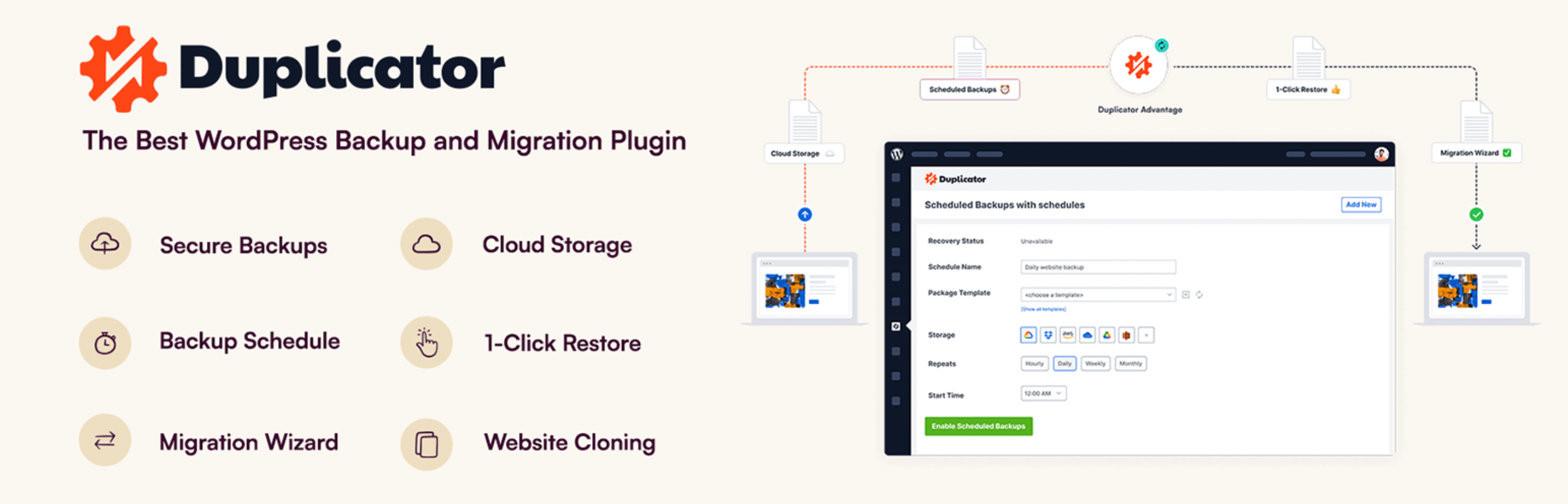
Meanwhile, with WordPress, you can use a migration plugin like Duplicator:
Alternatively, you may decide to opt for a website migration service offered by your new host.
7. Configure Your New Website
Next, you’ll need to configure your new website. Completing this step requires some knowledge of domain management.
If you’re migrating your site manually, you’ll need to point your new domain to the new host.
You’ll also need to update your nameserver and website records in the Domain Name System (DNS). Many hosting providers will do this for you.
8. Set Up Redirects and Address Any SEO Concerns
Without proper preparation, site migration can have a big impact on how your pages perform in search engine rankings. So, you’ll want to set up the necessary page redirects and go over your SEO migration checklist again (refer to step two).
In this SEO audit of your new site, you’ll want to check for broken links, update your old URL structure, check meta tags, etc.
After a successful site migration, you’ll also want to ensure that search engine bots are able to properly crawl your site. To verify this, you may want to use Google Search Console.
Get Free Website Migration Services with NameHero
As you have seen, website migration is a complex process. With this in mind, you might want to avoid it altogether – especially if you lack the necessary technical skills.
In that case, you may want to consider a web host like NameHero:

On top of fast and secure web hosting, NameHero offers free migration services with all plans. That means you won’t have to stress about whether you’re capable of completing a successful website migration.
What’s more, with NameHero, you’ll get free SSL certificates, high-speed caching, and a 30-day money-back guarantee. Plus, you can register your new domain with NameHero and manage every aspect of your website in one place.
Conclusion
Website migrations of any size can be tricky, especially if you don’t have experience managing or configuring site files, databases, and DNS records. Therefore, you’ll want to take your time preparing for it and carefully follow a site migration checklist.
To get started, create a migration plan, put your site in maintenance mode, and make a backup. You’ll also need to disable any software that might cause issues during migration. Finally, migrate your site files and database, update your nameserver and DNS records, and set up redirects. If all that sounds too complicated, you can opt for a web host like NameHero, which provides free migration services.
Do you have any questions about this website migration checklist? Ask us in the comments section!

Sophia is a staff writer at WordCandy.co, where she produces quality blog content for WordPress plugin and theme developers, hosting providers, website development and design agencies, and other online businesses.
Leave a Reply