
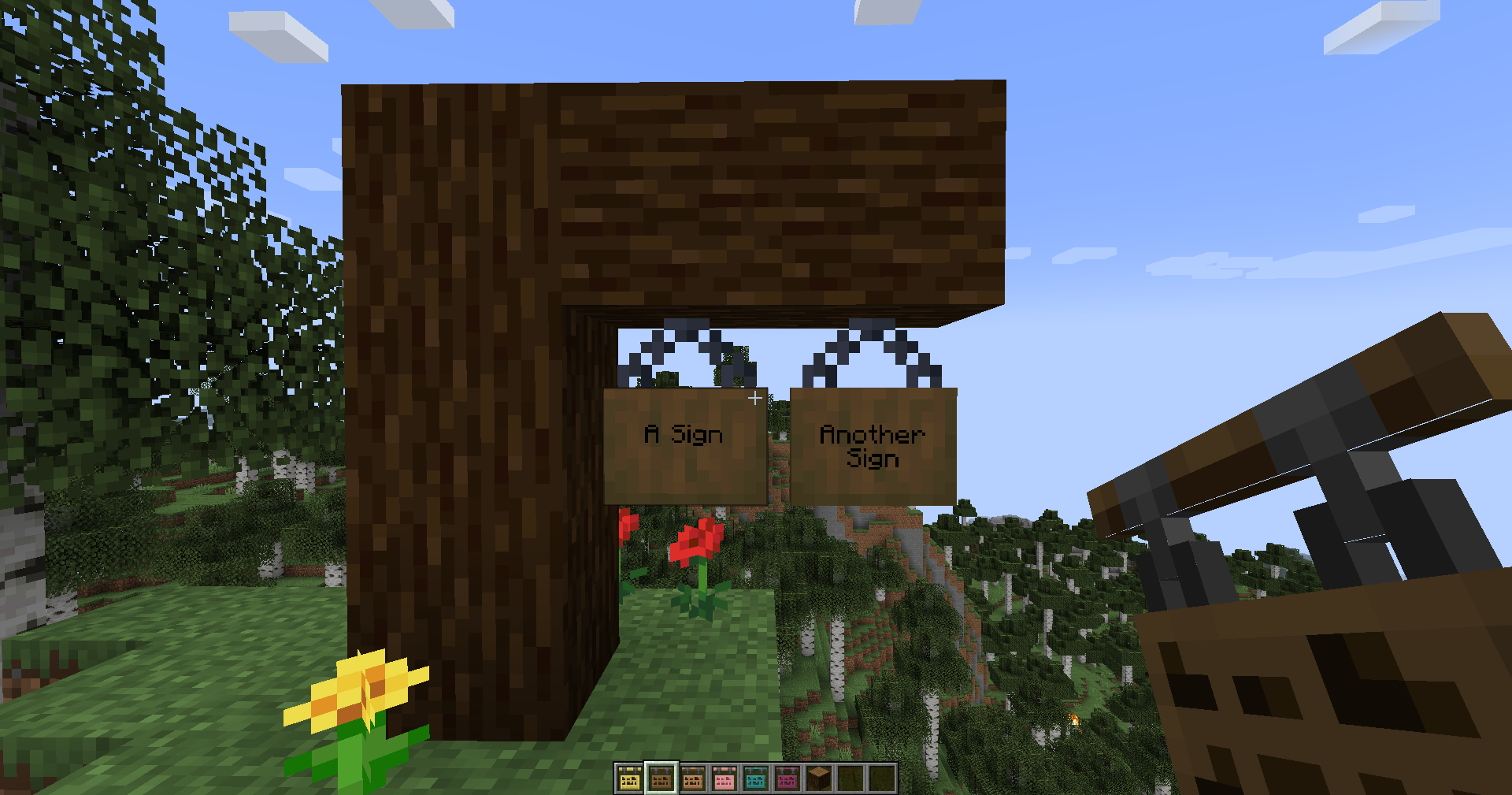
In Minecraft, players have a ton of freedom to create pretty much anything they desire. From complex contraptions to simple gardens, anything is possible in the game. But with the vast range of items and blocks you can use, things can become hard to navigate in Minecraft and you’d often use Signs to label things and decorate your builds. In line with that, the recently added Hanging Signs can give you more creative freedom and flexibility in designing your builds as they can blend seamlessly with any design you come up with.
Mainly created from Stripped Logs and Chains, Minecraft Hanging Signs take a bit more resources to make. However, they’re worth the extra effort due to their versatility. You can place them pretty much anywhere and you can customize them in any way you want with Dyes and Glow Ink Sacs.
Knowing these features, you may be considering learning how to make Hanging Signs. We’ve compiled the essential information you need to know all about Hanging Signs, their different types, placements, uses, and crafting Hanging Signs themselves. Plus, we’ve thrown in some tips and tricks for making and using them.
What are Hanging Signs?
Hanging Signs are variants of regular Signs in Minecraft. They serve the same purpose of displaying text on its surface. However, what makes them unique is that they are supported by Chains and Brackets. Additionally, its text can also be customized with Dyes and Glow Ink Sacs. However, if you want the text of the Hanging Sign to be uneditable, you can use a Honeycomb to wax it.
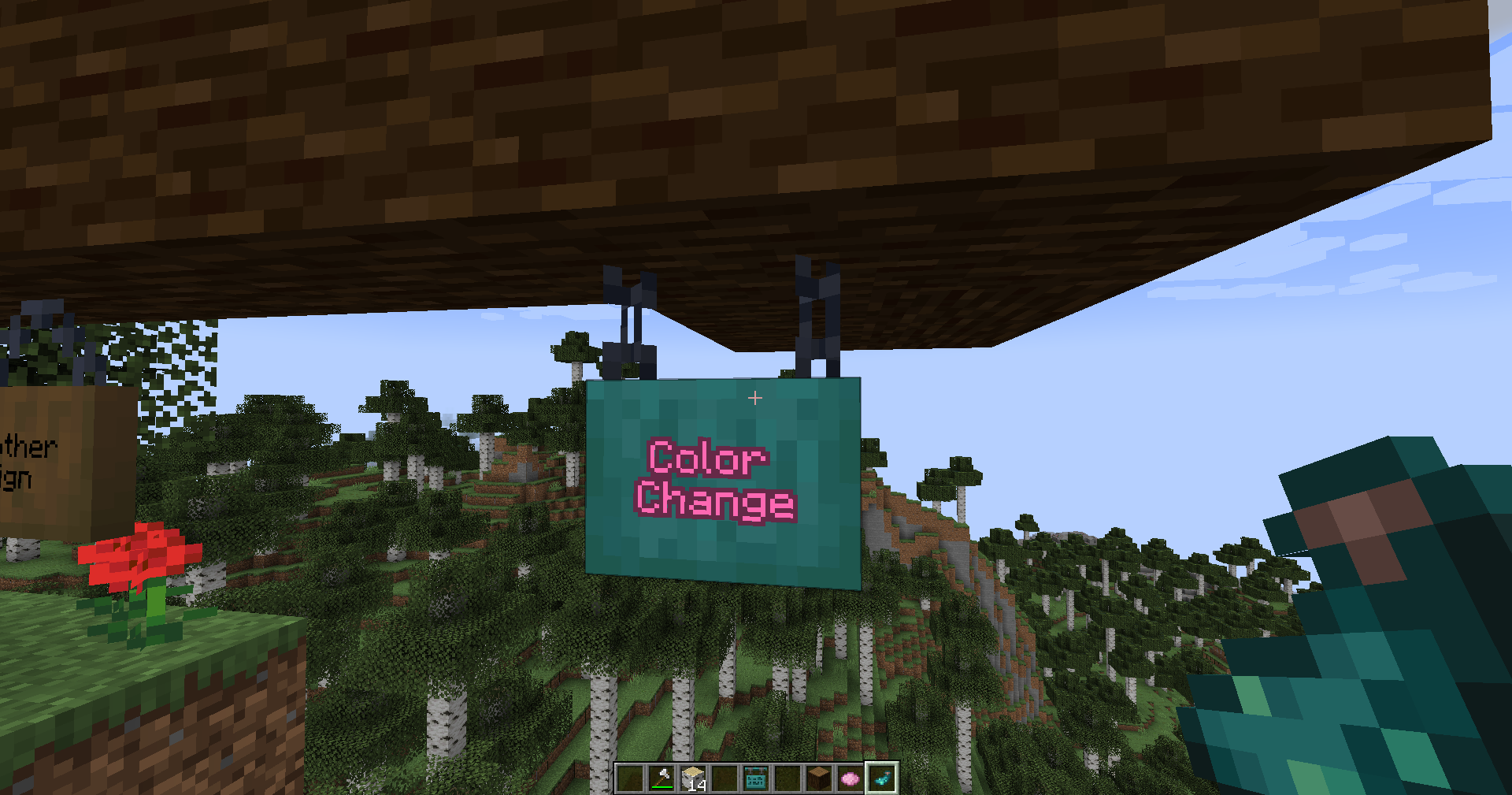
Additionally, when you craft Hanging Signs, you use a lot of materials, especially Iron. Another stark difference between Hanging Signs to normal signs is that they can use up to four lines with the former type having only three. You can also break the Hanging Sign with pretty much anything but the Axe is the most efficient tool you can use.
These types of signs have been introduced in the 1.20 update of the game. While regular signs are placed on the ground being propped up by a stick or placed on a wall, Hanging Signs are suspended from their chains, allowing them to hang on different blocks. This is likened to classic shop signs that would hang on the walls of buildings, adding some form of aesthetic to businesses.
There are a variety of Hanging Sign colors that match the existing wood block types in Minecraft. Moreover, they can be placed in a variety of angles similar to regular Signs themselves.
Different Wood Block Types of Hanging Signs
Currently, there are 12 Stripped Types of Hanging Signs.
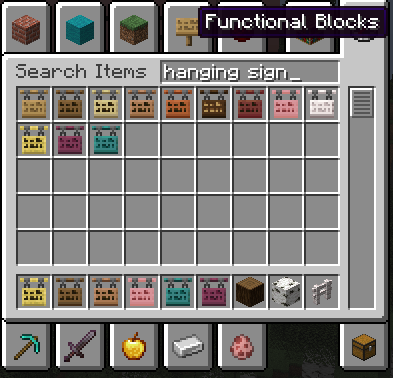
Each of these corresponds to a wood block type that you may already be familiar with in Minecraft:
- Acacia Hanging Sign
- Bamboo Hanging Sign
- Birch Hanging Sign
- Cherry Hanging Sign
- Crimson Hanging Sign
- Dark Oak Hanging Sign
- Jungle Hanging Sign
- Mangrove Hanging Sign
- Oak Hanging Sign
- Spruce Hanging Sign
- Pale Wood Hanging Sign
- Warped Hanging Sign
Different Hanging Sign Placements
Next, in terms of Hanging Sign Placements, there are three different ways you can place these.
First is putting a Hanging Sign on a block’s side. This will generate the bracket for the sign to support itself.

Another placement is putting the Hanging Sign at the bottom of the block. The chains will generate and they’ll be parallel as your sign is hanging.
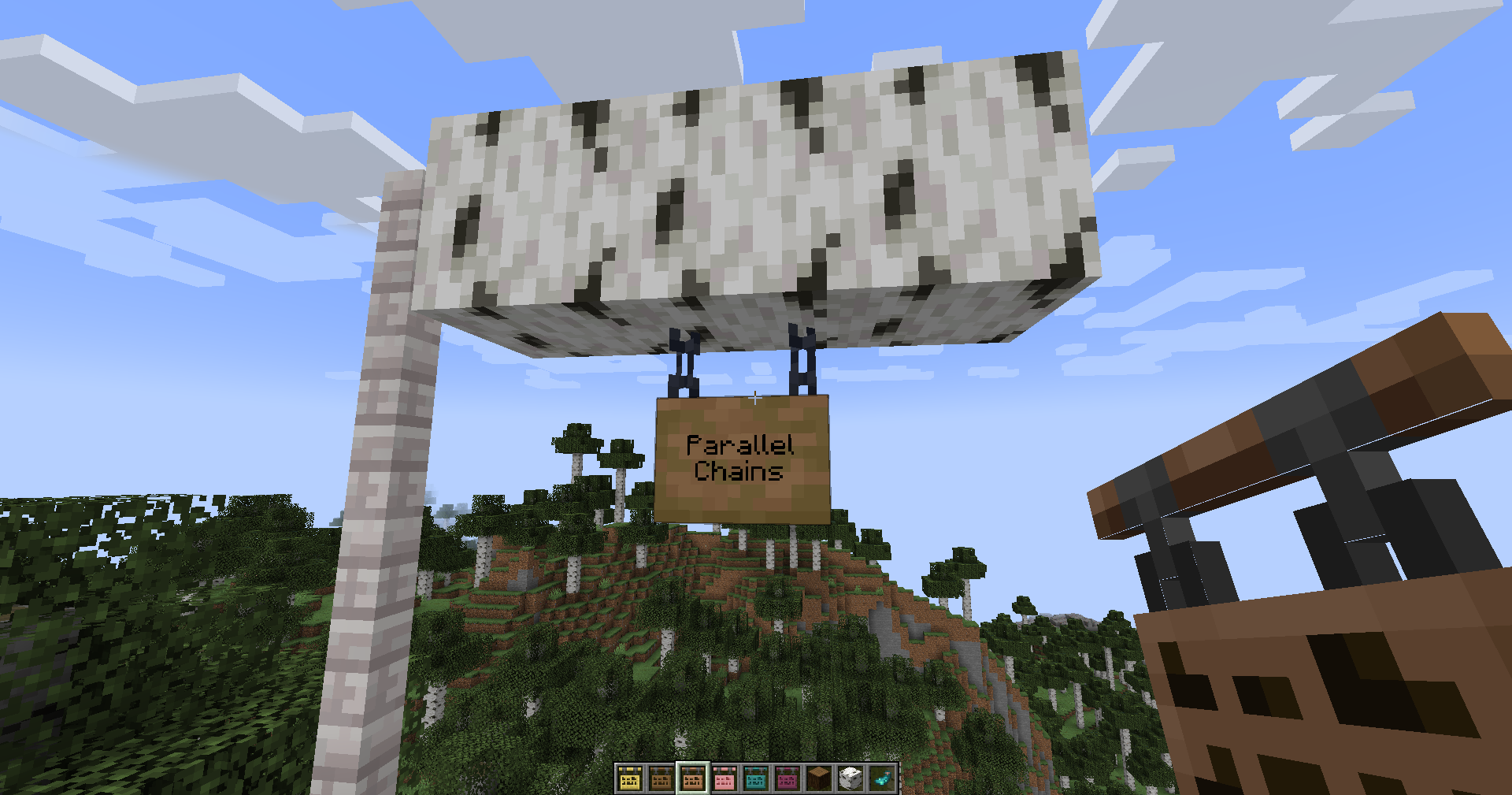
This only works when there are other blocks surrounding the sides of your chosen block to place the Hanging Sign.
Lastly, Hanging Signs can be placed under narrow blocks. A chain will generate in an upward direction for this, like an arrow.
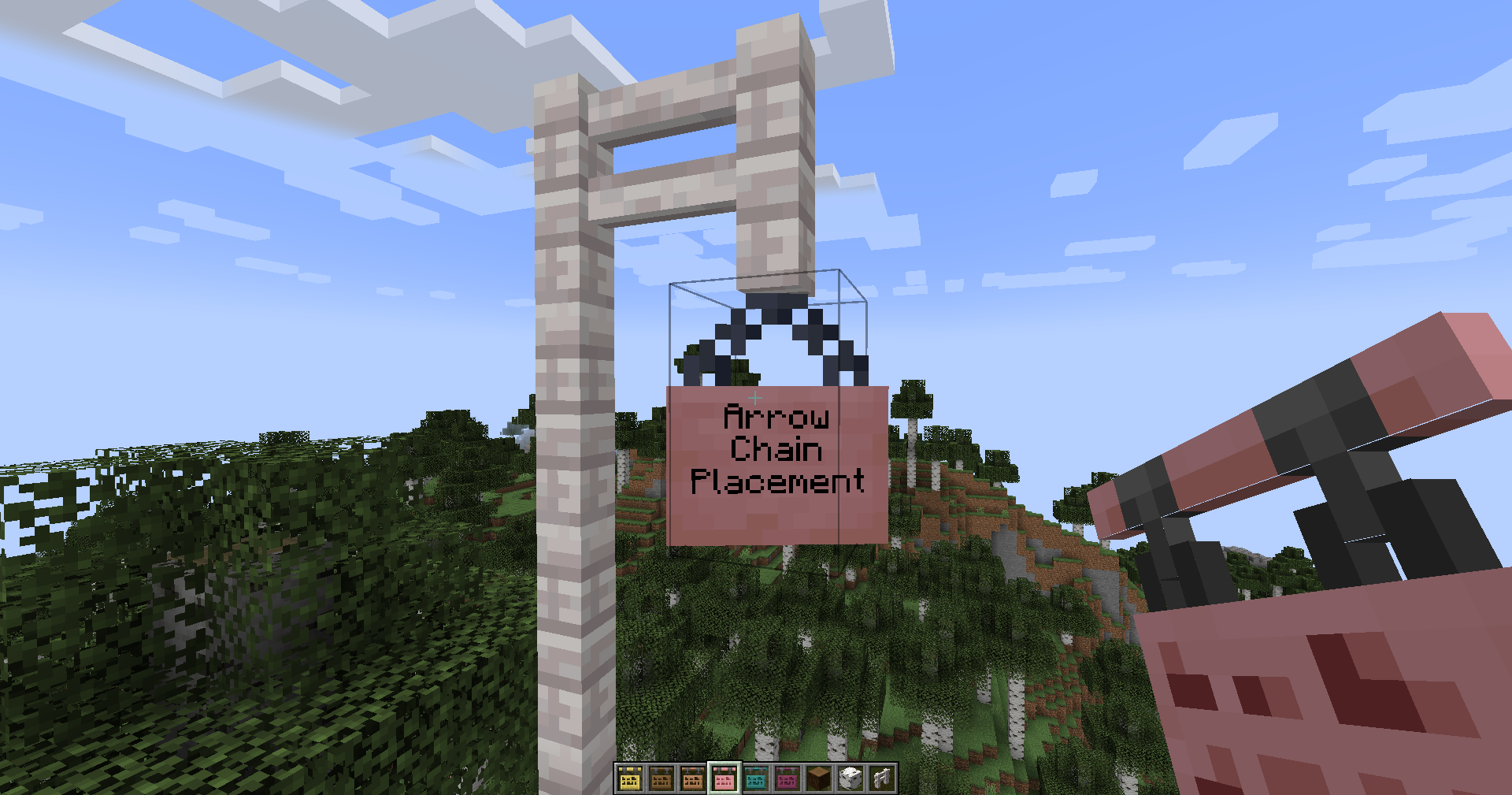
The chains of the Hanging Sign will meet together at its top ends. Do keep in mind that this type of placement has 16 different directions of placement you can use.
Uses for Hanging Signs in Minecraft
After familiarizing yourself with Hanging Signs and their different types, it’s time to learn more about the uses of these. As you know, Hanging Signs are signs that display text. However, they have more applications than just that.
Informational Signages
One of the typical uses of Hanging Signs is using them to give information to fellow players or even yourself. You can add these signs on buildings, streets, roads, entrances, and other locations that dictate rules, instructions, or directions.
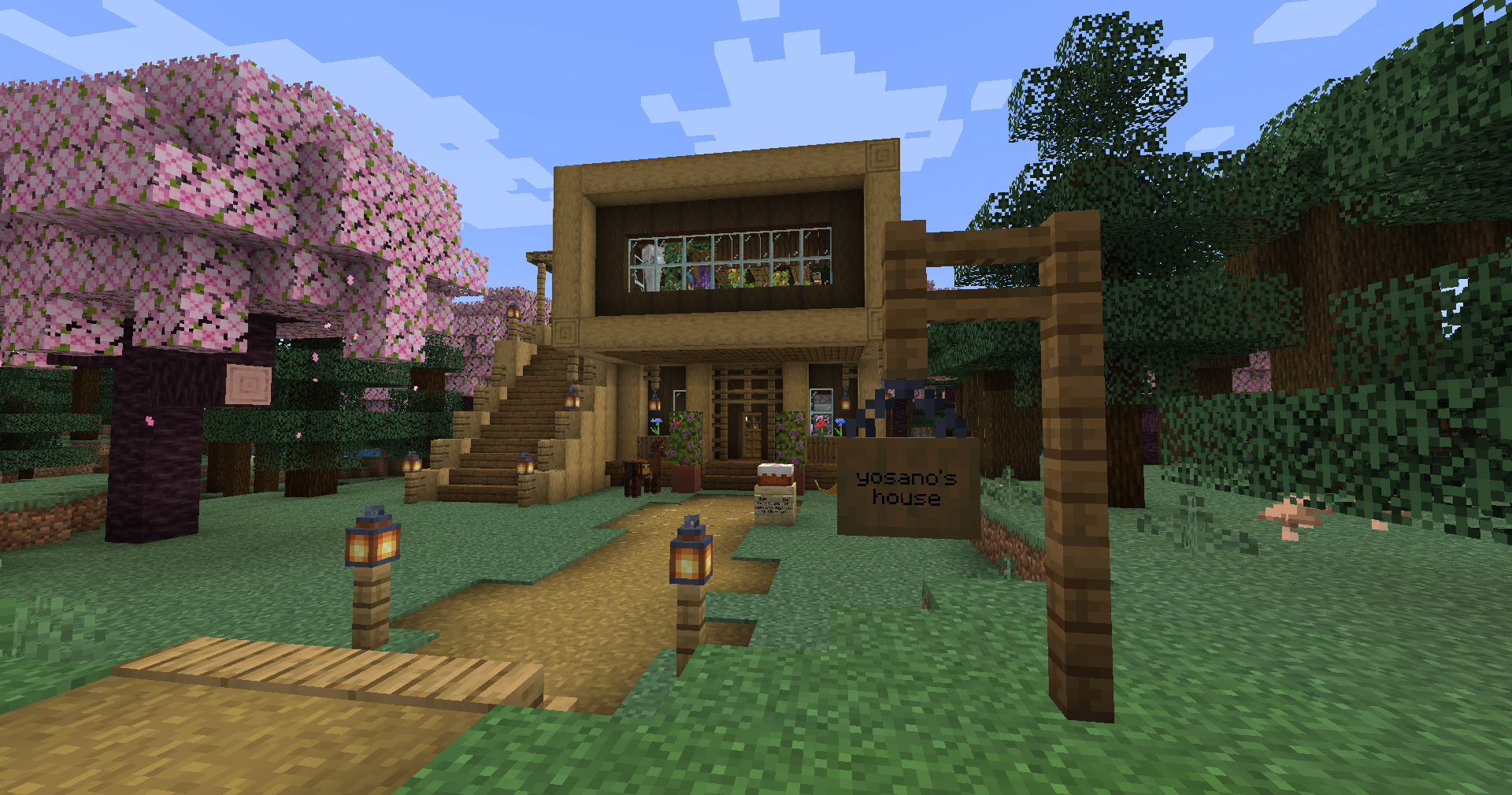
This becomes very useful especially when playing on multiplayer servers as you and your fellow players will easily find your way around your locations.
Additionally, Hanging Signs are quite useful if you plan to create adventure maps in Minecraft. If you’ve played on adventure maps you’d see how signs can display details of quests, hints, and even dialogue.
Labeling Tool
In line with the context of information, Hanging Signs are also very useful for labeling things. You can use them to label storage and structures such as chests, farms, animal pens, enchantment rooms, and more.
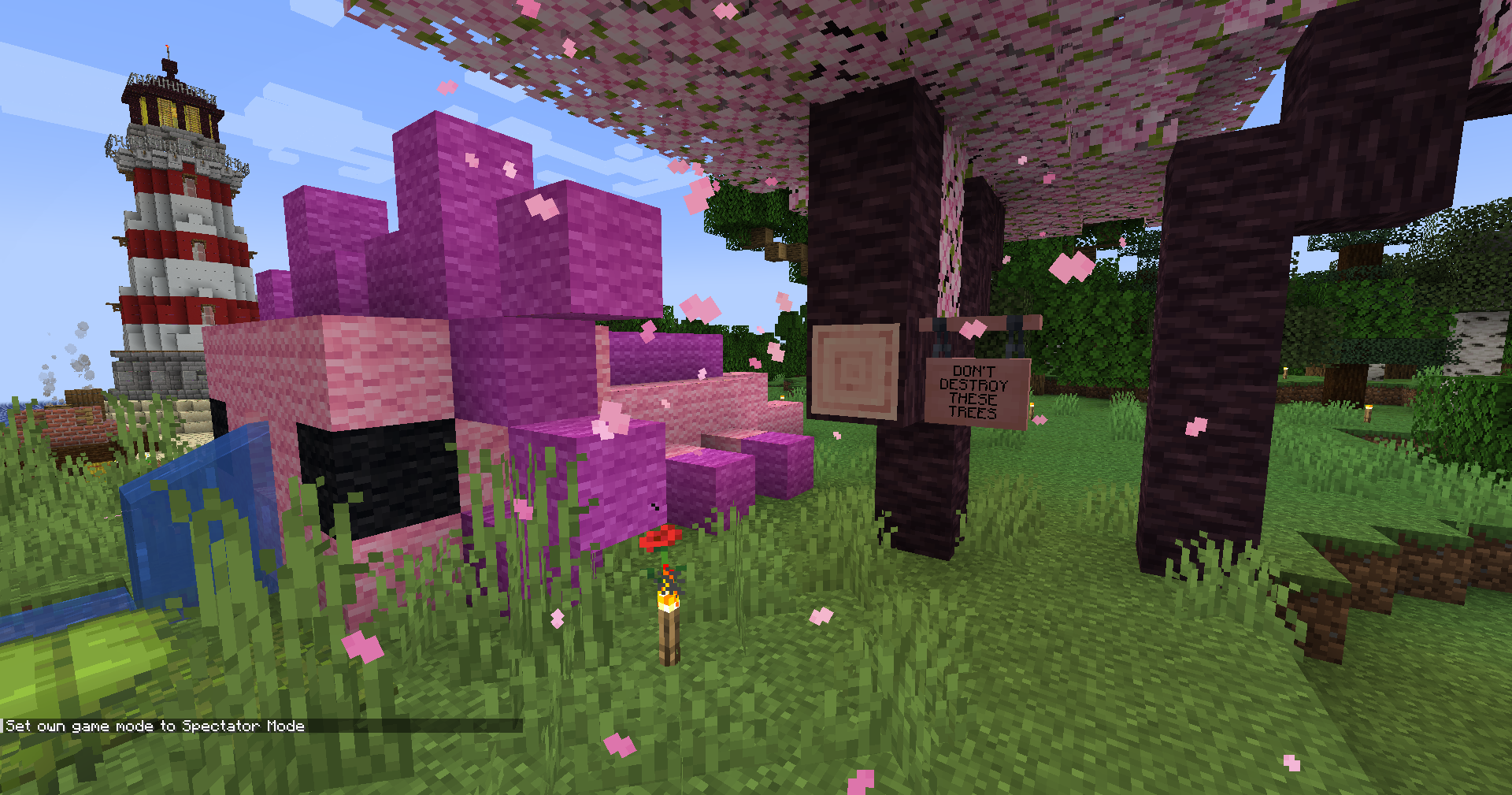
As Hanging Signs can be hung on blocks, this saves space and can create better aesthetics in terms of labeling. It would be easier to find what you need and you don’t even have to go through the hassle of pressing “Shift + Right-Click” just to place a sign on a chest.
Decorations for Creative Builds
Speaking of aesthetics, Hanging Signs can add accents to your creative builds.
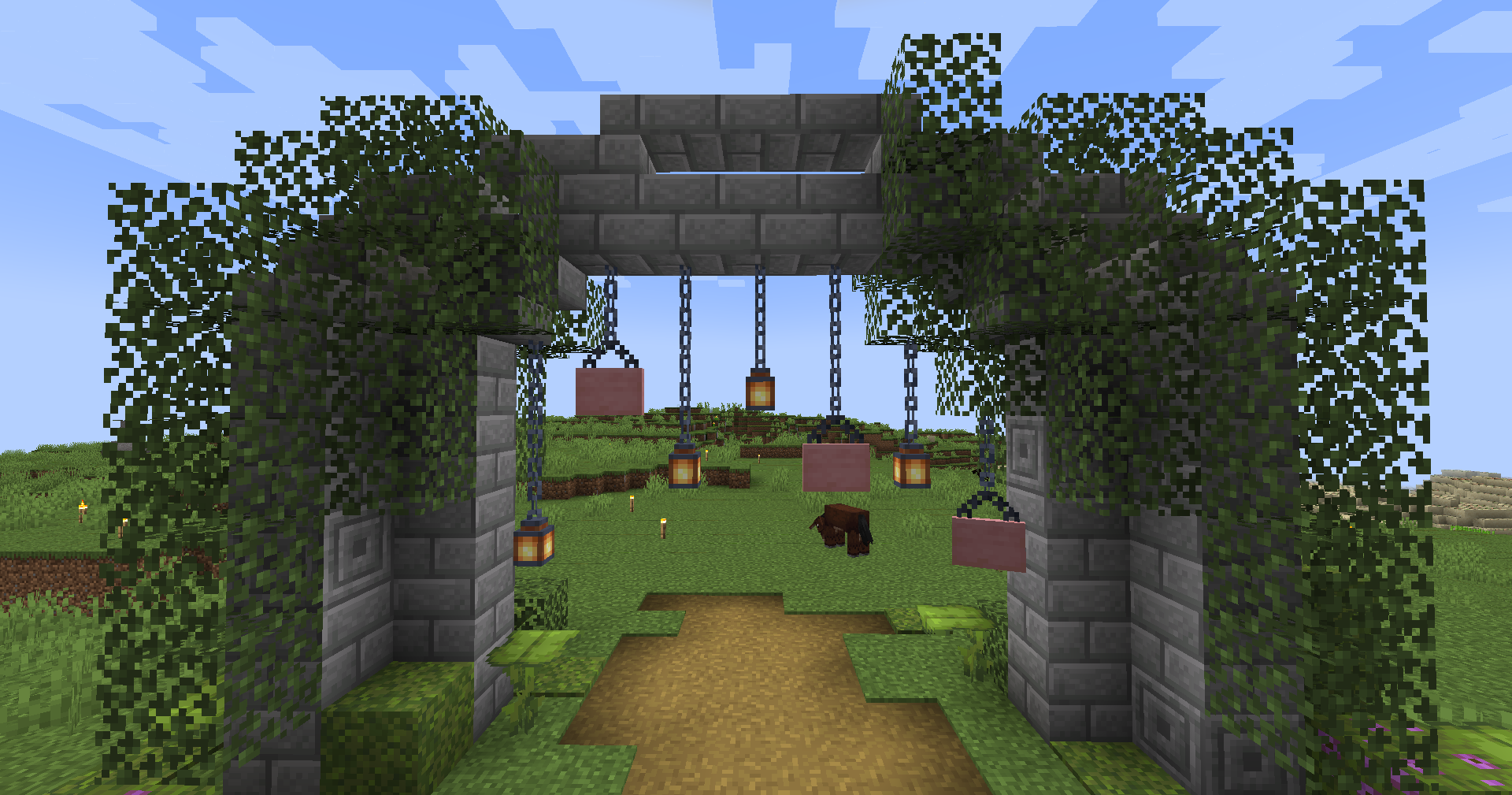
From shop signs to banners, or small decorative details, Hanging Signs can fit almost anywhere. They’re great for poster-like content, artistic patterns when stacked upon each other, and more. You can make rustic designs or neon-style marquees with a combination of Dyes and Glow Ink Sacs.
Similarly, you can arrange Hanging Signs to simulate curtains, bulletin boards, or even tapestries. These pretty much add more personality to any creative build. The possibilities are endless and it’s really up to you how you’ll use these Hanging Signs creatively and maximize them to their full potential. Just experiment with different styles and combinations.
Roleplaying Purposes
Then we have roleplaying purposes. If you love lore and worldbuilding, Hanging Signs can enhance your RPG server’s immersion.
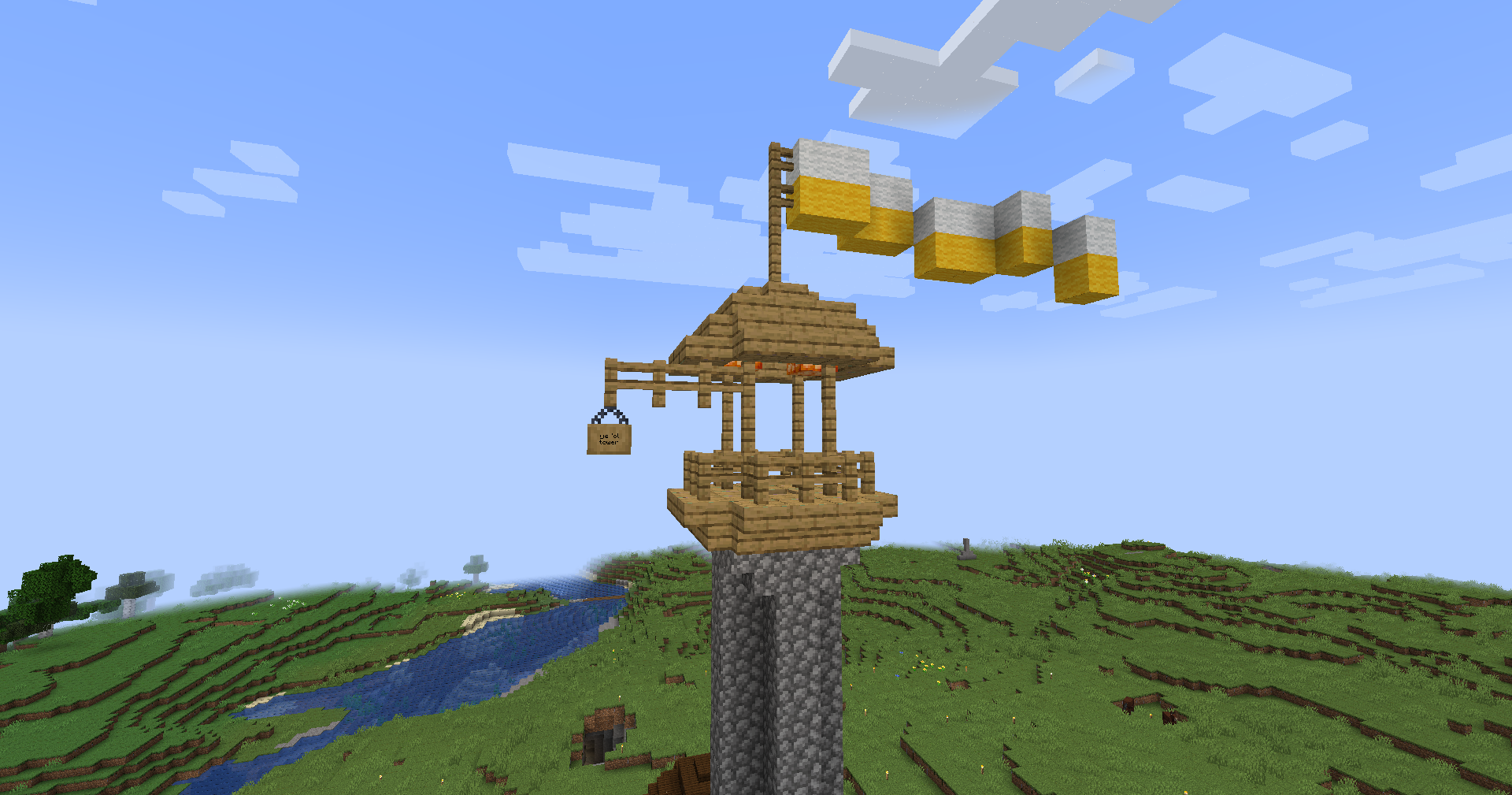
These signs can act as messages, advertisements, or even notices. From bulletin boards to posters, these can create a lively atmosphere that will make you and your friends feel you’re in your fantasy world. On the other hand, these signs can mimic mysterious warnings in horror-themed places.
Whether it’s for quest-based gameplay, city roleplay, or adding a bit more thrill to your gameplay, Hanging Signs can create that atmosphere you need to make you and your fellow players feel that you’re all part of the virtual world you’ve all built together. Any small detail can bring your roleplaying server to life.
How do I craft Hanging Signs?
When it comes to crafting Hanging Signs, all you need are a Crafting Table, two,o Iron Chains, and Six Stripped Logs. This can also be in the form of Stripped Bamboo to create Bamboo Wood Hanging Signs.
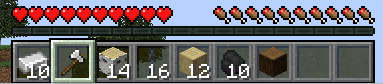
Step #1: Gathering the Materials
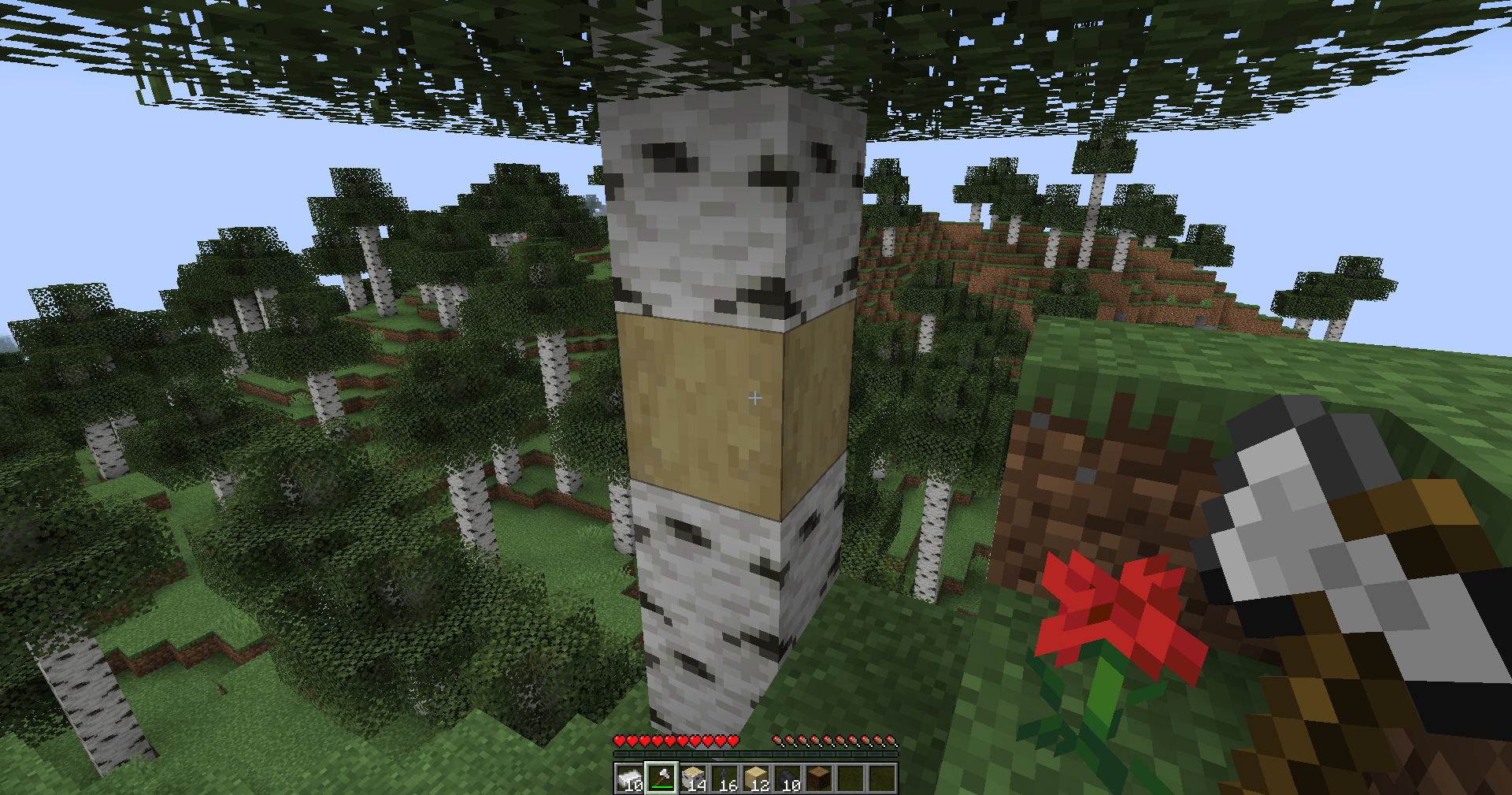
To get the Stripped Log Blocks, you’ll have to use your Axe on a Wood Log. You won’t break the log, instead, you’ll strip it by pressing “Right-Click” on the Wood Log. You’ll find that the Log will have changed its shade lightly and its texture will become smoother.
Crafting Iron Chains
The next step is crafting Iron Chains. You’ll need Iron Ingots for this which can be taken naturally from Iron Ore. You could also find Iron Ingots in the form of killing Iron Golems in villages or finding them in Chests.
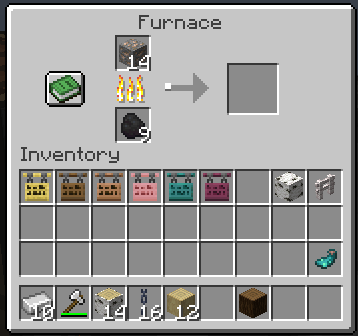
If you’re trying to make Iron Chains from Iron Ore Blocks, simply smelt them in a Furnace which will render you an Iron Ingot. It’s best to have several Iron Ingots for the next step.
Once you have your Iron Ingots, add this to your Crafting Table. One Iron Ingot will give you nine Iron Nuggets.
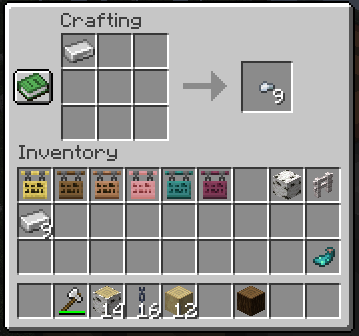
You’ll be using a combination of Iron Nuggets and Iron Ingots to craft your Chains.
As you’ve prepared your Iron Nuggets and Ingots, simply craft as many Chains as you need. The crafting recipe for this involves one Iron Nugget added to the top middle slot of the crafting grid and one added to the bottom middle slot of the crafting grid. Then, add an Iron Ingot on the middle of the grid. This will create your chain.
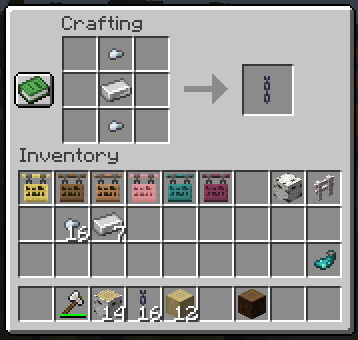
Step #2: Placing Chains on the Crafting Table
With your Chains on hand, you can then place them on your Crafting Table. You can put one chain at the upper left and upper right corners of the crafting grid.
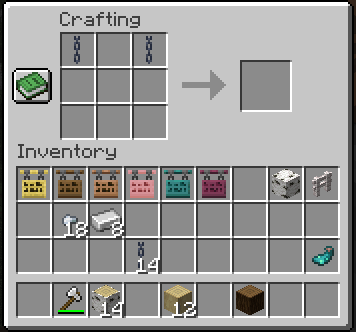
Step #3: Place your Stripped Logs or Bamboo on the Crafting Table
After placing the chains, you can then put your Stripped Logs or Bamboo on the bottom two rows of the crafting grid.
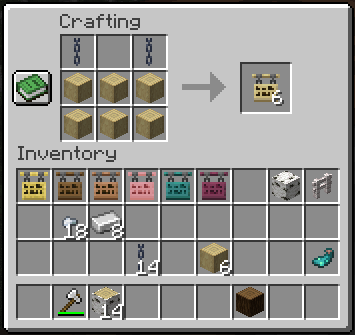
If placing all of these seems a bit tedious, you can also refer to the pre-made crafting recipe on the left-hand side of your Crafting Table.
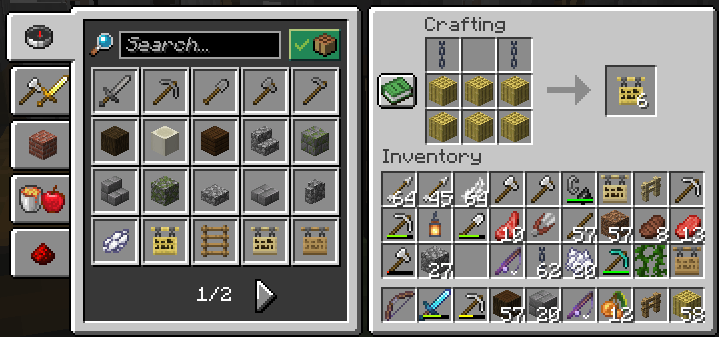
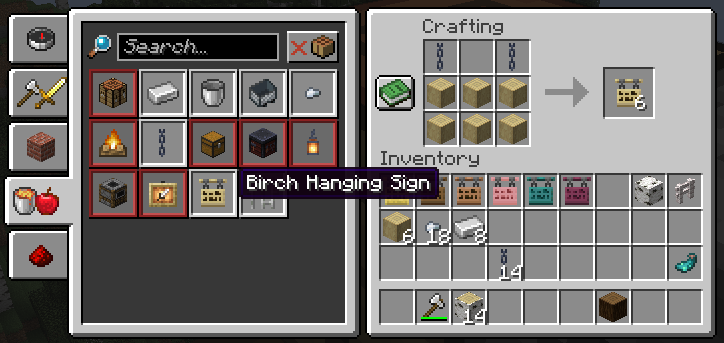
One layout of the Hanging Sign will give you six Hanging Signs. With that, you nomake how to making a Hanging Sign and start using it in any way you please.
How do I place Hanging Signs?
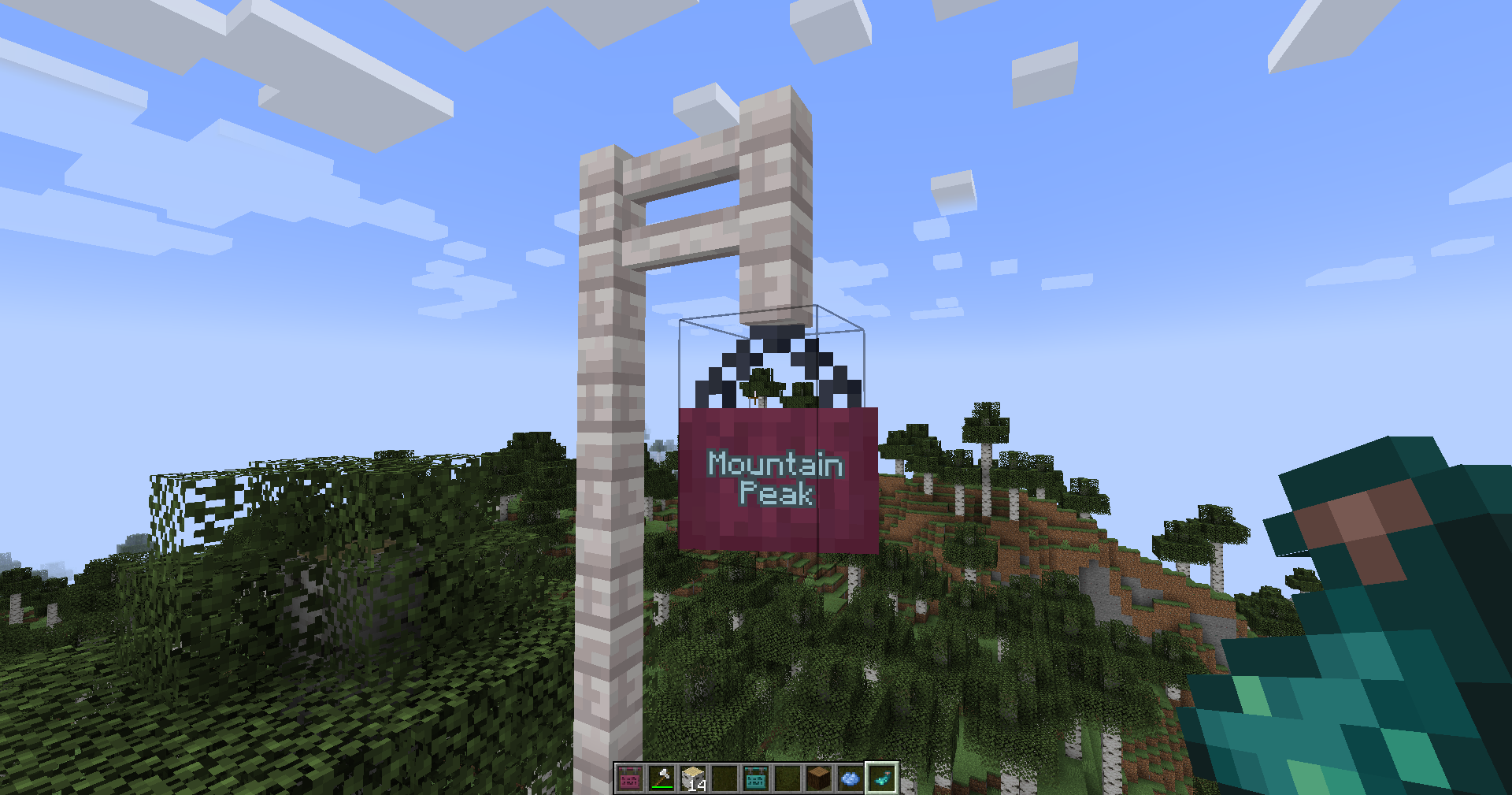
When it comes to placing Hanging Signs, consider how you want the sign to face when you or other people pass by it. Do you want to immediately see it from your player character’s eye level? Or would you rather let people look up to it? Ask yourself these questions before placing your Hanging Sign.
As you add your Hanging Signs to your hotbar, simply select it and then right-click to place it on the bottom of a block or side of a surface. How the chains will hang your Hanging Sign will depend on your placement as mentioned earlier. You can even consider stacking multiple Hanging Signs on each other.
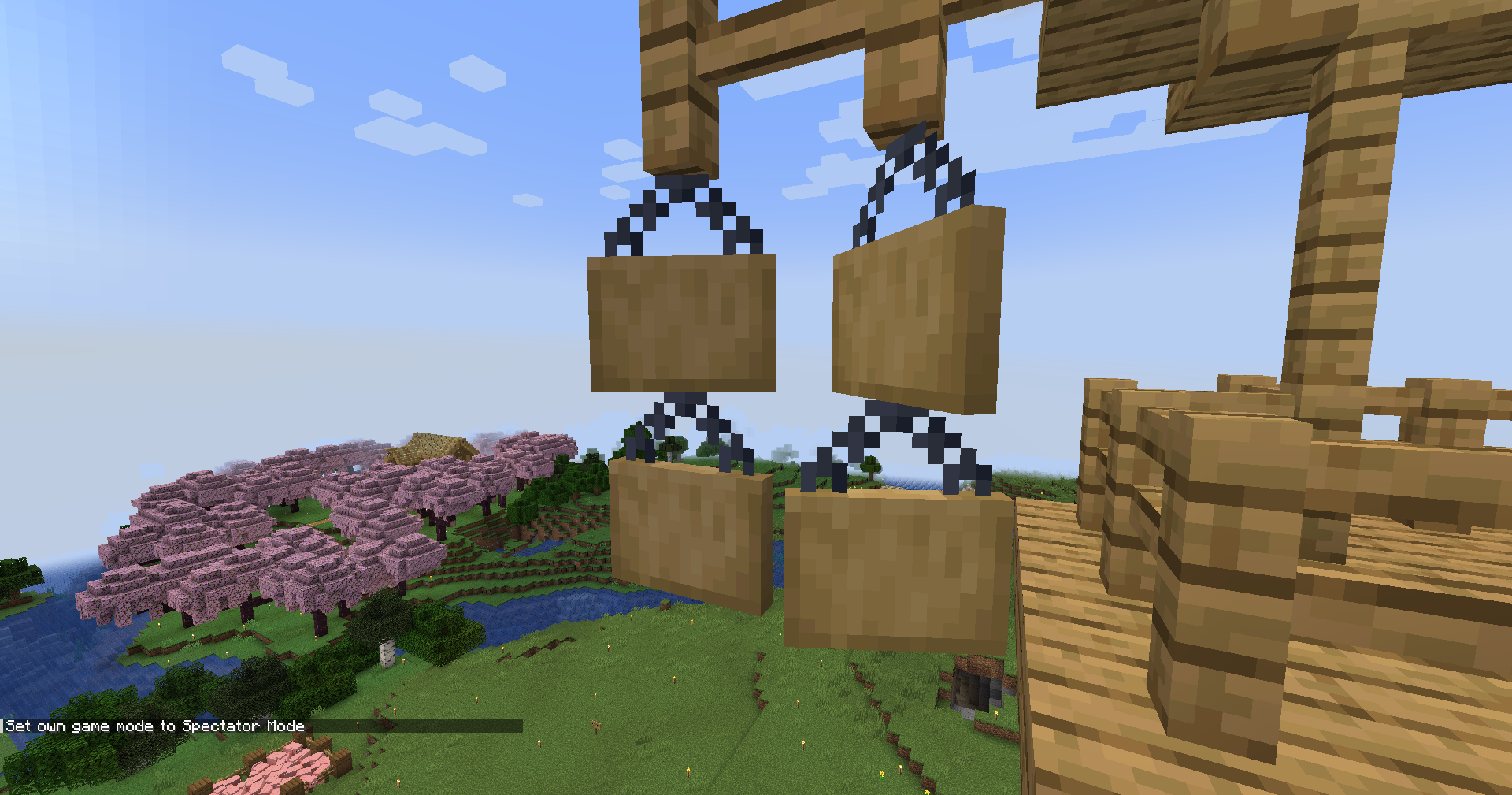
Don’t forget to also place the information you plan to have displayed on your sign. It will become a tedious process to having to break and re-placing your Hanging Sign on your intended block or surface.
Tips and Tricks for Crafting and Using Hanging Signs
All in all, learning how to craft Hanging Signs requires a bit more time, effort, and materials in comparison to regular Signs. But the lengths you go to produce these are worth it. Be sure to always have an Axe on hand to create Stripped Logs of your chosen wood type for your Hanging Signs. Moreover, stock up on Iron as well to create your Iron Chains easily.
In terms of placing Hanging Signs, consider their purpose and how you want people to see them. The Hanging Sign could generate a self-supporting bracket when placed on the sides of a block or fence. To ensure your signs are readable, be sure to use contrasting colors from the Hanging Sign’s natural color and your colored text. This becomes effective when used well in appropriate environments such as adding Glow Ink Sacs if you want your signs to light up in the dark.
It pretty much depends on how you want to decorate your Hanging Signs and use them effectively. Take your time in choosing the right wood for your Hanging Signs and the text you’ll use due to the character limit. At the end of the day, Hanging Signs are more than just a way to display text, they’re both decorative and functional items that can enhance your Minecraft builds in unique ways.

Renee is a freelance writer with a passion for gaming and pop culture content. While she mainly writes about games, she also does graphic design and illustration work from time to time. With a passion for the creative arts, she blends her skills to tell stories across various mediums.
Leave a Reply