


With large, randomly generated infinite worlds, it is quite easy to get lost in Minecraft. If you happen to go exploring, you could find yourself lost in maze-like caves or stranded in a desert with no real clue of which way home is. At times like this, it is always useful to have tools to point you in the right direction. You may want a map or to look out for landmarks to make your way back to where you started.
In real life, many who are lost like to look towards their handy compass to point them in the direction of civilization. In Minecraft, you can craft and use a similarly named item, but it does not work exactly like the real-world equivalent, though it can be used to make a map to reveal the entire area around you. There is no real north direction for the compass to point to, but it can still be very useful. Here is how you can make a compass in Minecraft and how to use it.
How to make a compass in Minecraft
To craft a compass in Minecraft, you will need four iron ingots and one redstone dust. When you have those ingredients, craft or interact with your nearest crafting table. On the crafting grid, place your redstone dust in the center slot. The iron ingots go in the top center, middle left, middle right, and bottom center slots. When placed properly, you can move the completed compass into your inventory.
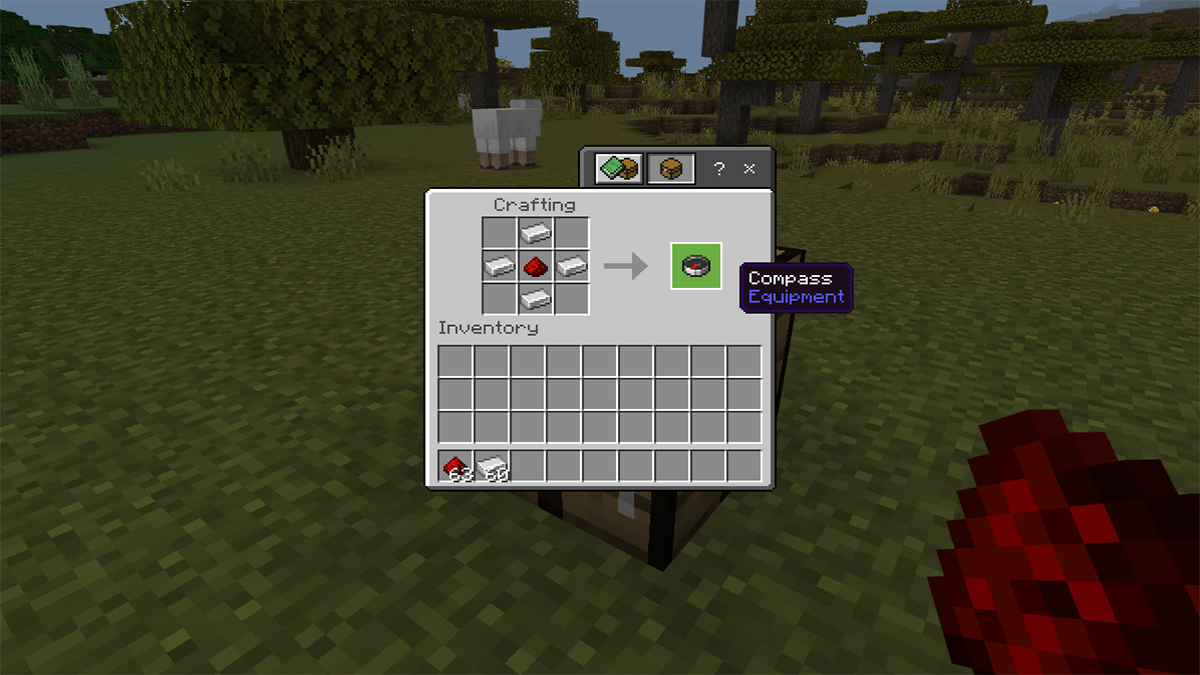
Outside of making your own compass, you can also potentially find them in chests found in shipwrecks, ancient cities, strongholds, or villages. Expert librarian villagers will also sell them for four emeralds.
How to get iron ingots in Minecraft
Iron ingots are one of the more commonly used items in crafting. While you can find it in chests in various structures and biomes, you can find iron ore blocks to break down with a pickaxe of at least stone quality. Pick up the raw iron that drops from the iron ore block and smelt it in a furnace to turn it into an iron ingot.
How to get redstone dust in Minecraft
Redstone dust is found when you break down a redstone ore block with a pickaxe of iron quality or higher. Unlike other ore, you do not need to smelt it in a furnace to use it. Redstone ore can be found between Y levels -64 through 15. It is more frequent the lower you go.
What does the compass do in Minecraft?
When you first make a normal compass in Minecraft, all it can do is point toward your world spawn point (the location where you first started the world). If you built a home base near the original spawn point, this can be very helpful, but if you’ve done any wandering whatsoever, that’s not helpful. With that in mind, you may want to find a lodestone for it. With a lodestone, you can change the location your compass points to so you can always be lead back to that spot. Just right click (or use L2, LT, ZL on consoles) to make a lodestone compass.
What does a lodestone do in Minecraft?
When used with a lodestone, the compass point will be directed to that lodestone as long as it remains in that spot. Using a lodestone in The End or Nether will also allow your compass to point to it there, where normally, the compass would spin indefinitely.
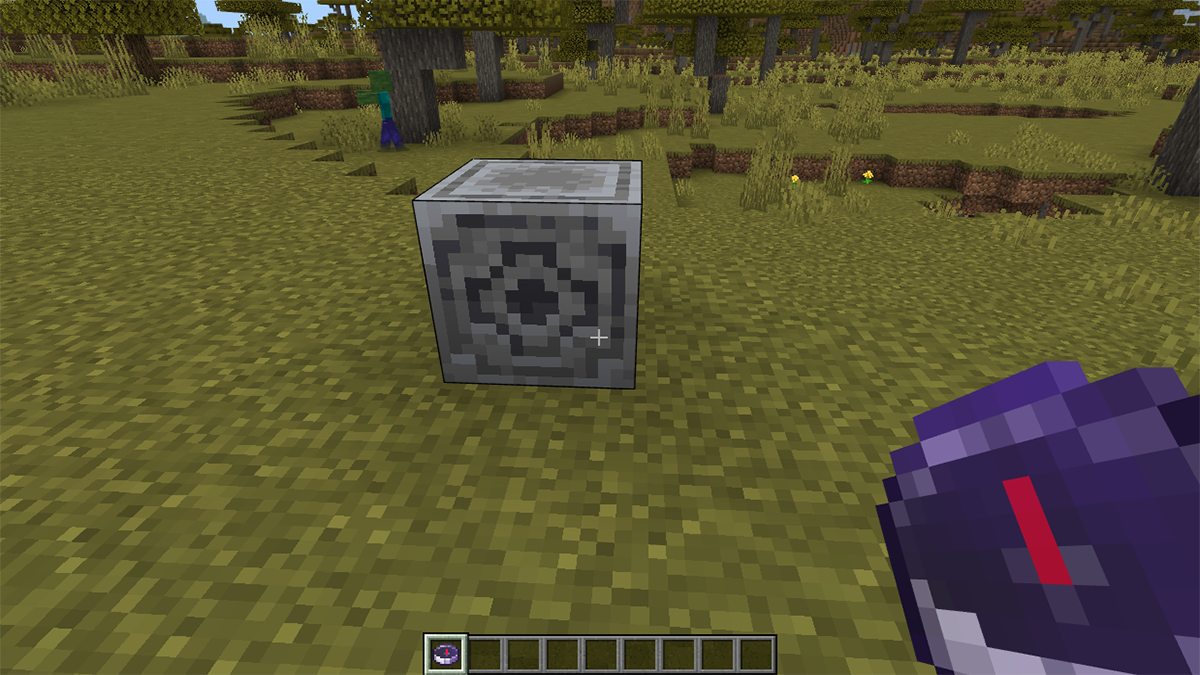
After interacting with the lodestone while your compass is in your hand, it will light up like it is enchanted and will be changed to the lodestone compass.
How to get a lodestone in Minecraft
There are two ways to get a lodestone. First, you can find them in chests within bastion remnants in the Nether. You can find a bastion remnant in any Nether biome besides the basalt delta.
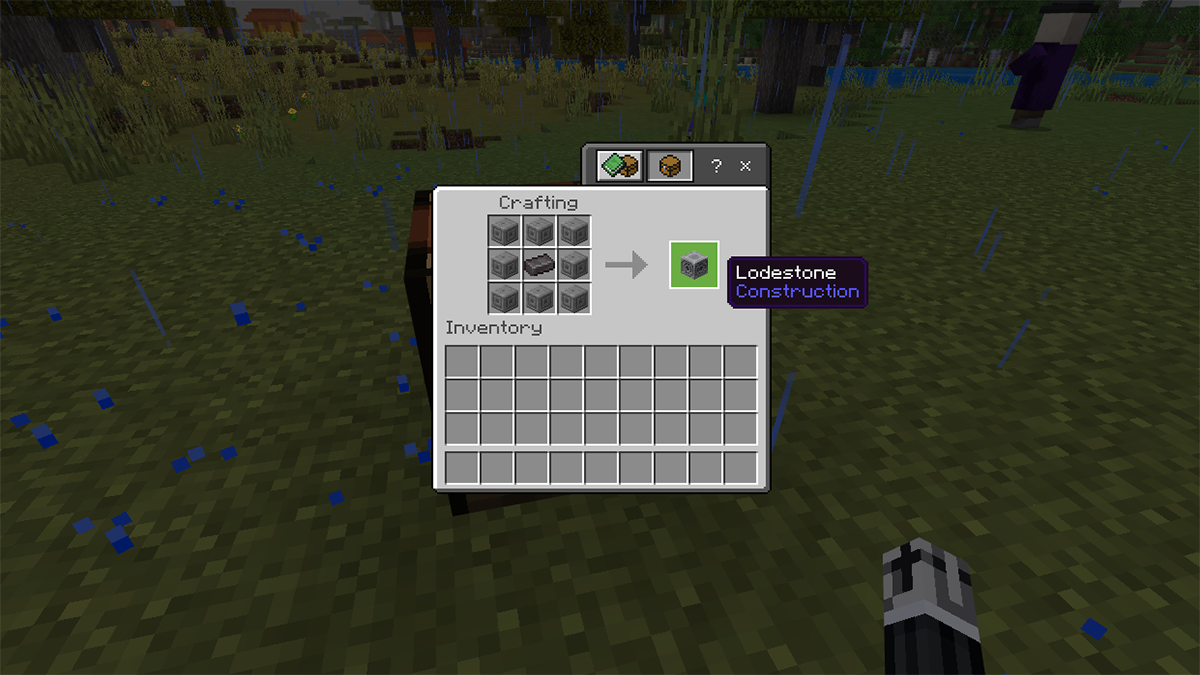
You can also craft your own lodestone, but it will require a particularly rare and valuable resource. Crafting a lodestone requires one netherite ingot and eight chiseled stone bricks. The crafting recipe requires the netherite ingot to be in the center with all chiseled stone Bricks surrounding it. Move it to your inventory when done.
How to get netherite ingot in Minecraft
Netherite ingot is crafted by combining four gold ingots and four netherite scraps. It doesn’t matter the order in which you put these items in. The gold ingots are found by smelting raw gold found in gold ore, but the netherite scrap is a little harder to come across.
While searching the Nether, you will need to come across ancient debris blocks. These are very rare and will not be generated if exposed to air. When you come across it, break it with a diamond pick axe. The ancient debris will fall by itself. You then need to smelt it in a furnace to get two netherite scraps from it.
You can potentially find netherite ingots in chests within a bastion remnant.
How to get chiseled stone bricks in Minecraft
Chiseled stone bricks can be crafted by taking two stone brick slabs to a crafting table. Place one in the center and one directly below it to make the chiseled variant.

If you have a stonecutter, you can use that to turn stone into chiseled stone bricks directly.

What else can a compass be used for in Minecraft?
We’ve gone over how a compass can point you in the direction of the world spawn or a lodestone block, but it can also be used to craft a few other items.
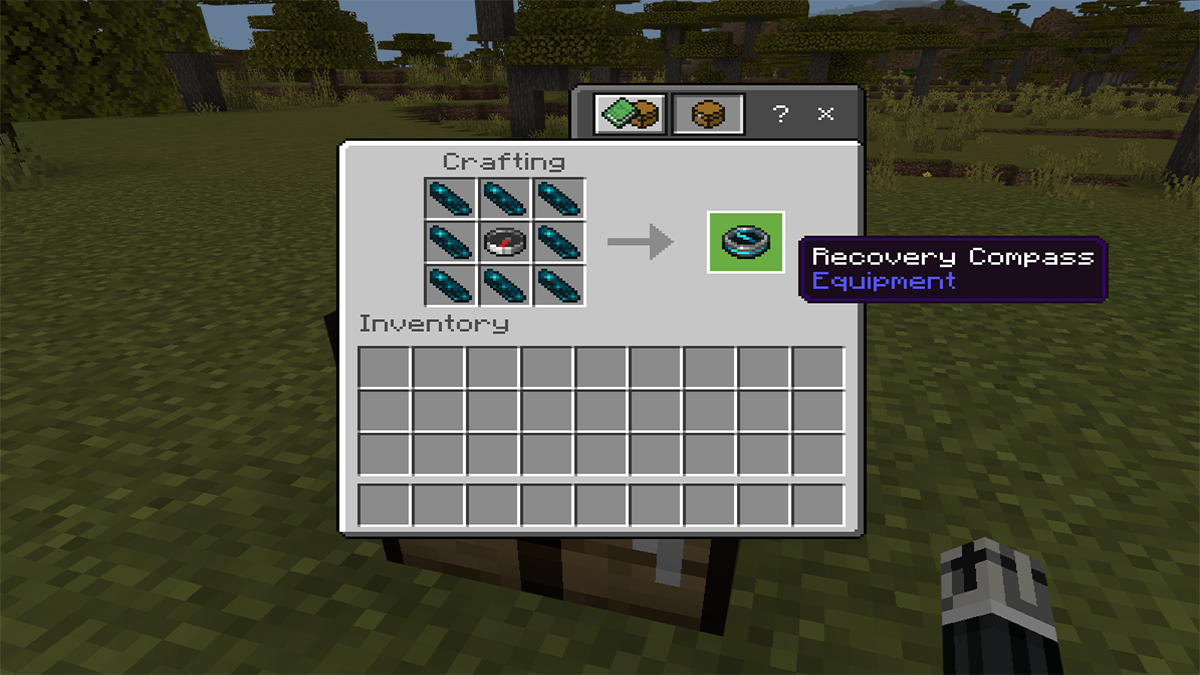
· To make a recovery compass that will point to the last location you died to help find your dropped items, you will need to go to a crafting table, place the compass in the center, and surround it with eight echo shards.
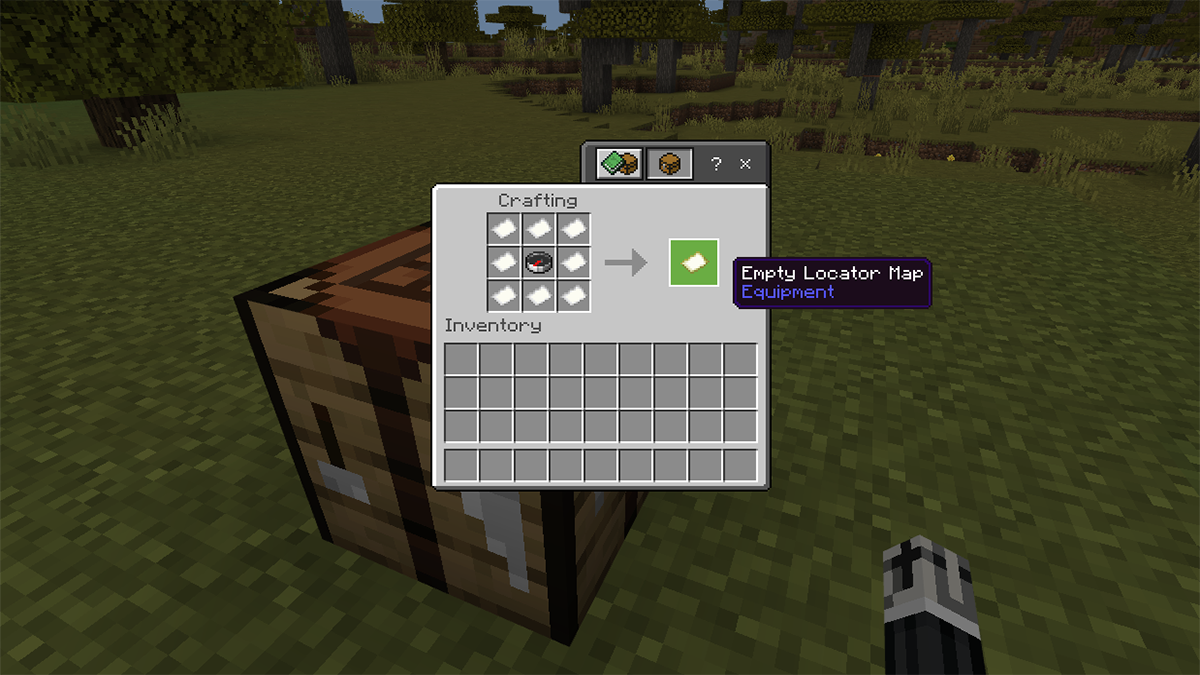
· You can also make a map by putting a compass in the middle of the crafting table and surrounding it with eight pieces of paper. In Bedrock Edition, if you have a map that was made from only paper, you can combine it with the compass to add your location to the map.

John has been writing about video games for the better part of a decade. He enjoys a wide variety of games as long as it is fun, has good movement, or implements something interesting in its story. He co-founded the indie media site Game Sandwich and is always looking for the next big gaming adventure to capture his imagination.
Leave a Reply