
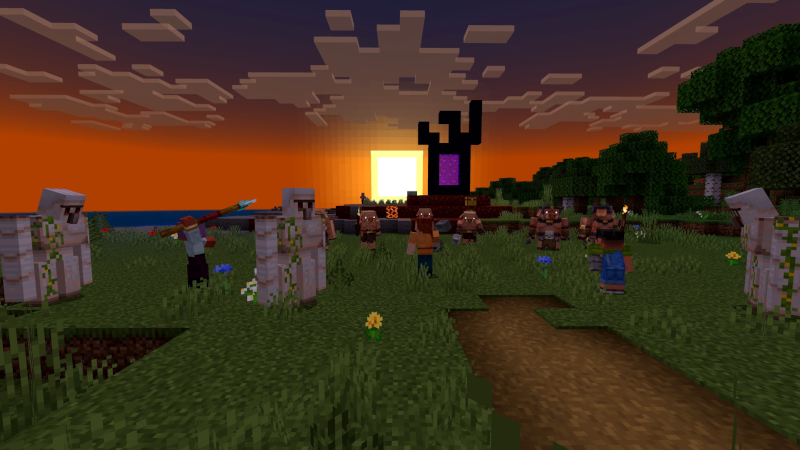
Minecraft Bedrock has grown in popularity recently due to its fun features and good performance. From its accessibility across various platforms to unique content you can add to the game, the Bedrock Edition of Minecraft is worth having. Speaking of unique content, mods and add-ons can further enhance gameplay, introduce new features, and offer fresh ways to experience Minecraft.
There are mods that make your gameplay experience smoother and more dynamic. On the other hand, some mods add the latest features and content not part of vanilla Minecraft. Mods and add-ons created by the Minecraft community can pretty much change up how you play and make you fall in love with Minecraft all over again.
If you’re curious to know more about some of the best mods to use for the Bedrock Edition of Minecraft, you’ve come to the right place. We’ve compiled essential information on Minecraft Bedrock mods, add-ons, how to install them, and our recommended mods you should try.
What are mods for Minecraft Bedrock Edition?
While you may already be familiar with Minecraft Bedrock, mods may be something that you aren’t all too familiar with yet. Mods are basically “modifications” that are added to games. These can change or add new content to a game, such as how mechanics work, items, structures, behaviors, and the like.
For the Bedrock Edition of Minecraft, mods are more structured and limited. This is due to the mobile nature of some platform versions of Minecraft, and they need flexible mods that work within that limited capacity. In comparison, the Java Edition of Minecraft is more powerful and can completely alter the game’s code, allowing huge changes, which is why the Java Edition is on PC platforms.
Despite the limitations of Bedrock, however, mods can still give you a wide variety of creative enhancements for the game. At present, Minecraft players have access to a huge collection of high-quality mods without even having to use third-party launchers or other complicated installation processes.
Is there a difference between mods and add-ons?
Mods are pretty much a general term across both Minecraft Java Edition and Bedrock Edition. However, you might also wonder why there’s content called “add-ons.”
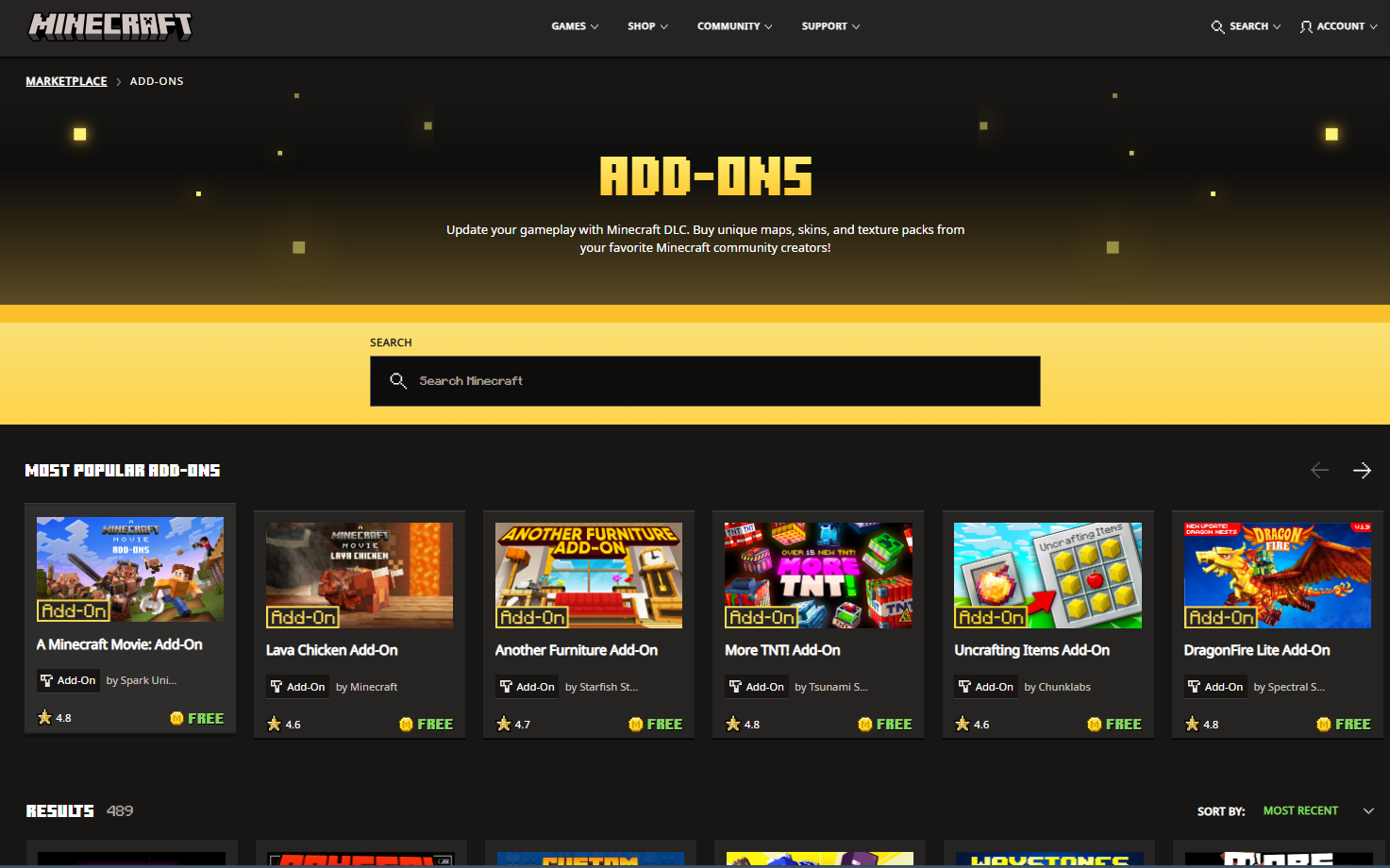
Add-ons are basically what Bedrock mods are referred to. You’ll often find the word “add-ons” used on the Minecraft Marketplace. Similarly, add-ons are more officially recognized by Mojang itself, so they’re also more reliable in that sense.
Whether you call them mods or add-ons, it doesn’t matter that much. However, if you plan to download additional content from the Minecraft Marketplace, it’s best to refer to them as add-ons themselves.
Why should I use Minecraft Bedrock Edition mods?
Using mods in Minecraft Bedrock can change up a normal game of Minecraft. You get to play with new blocks, new mobs, and pretty much experience a different kind of Minecraft world. While vanilla Minecraft is the way to play things, it doesn’t hurt to try modded Minecraft once in a while.
Improved gaming experience
Firstly, you get an improved gaming experience with mods. Mod packs can introduce new mechanics, textures, animations, and other stuff to make playing Minecraft more exciting. It will give you more opportunities to explore Minecraft as a whole and customize it as you please. This includes dynamic lighting, skins, and other stuff to make your playthroughs more immersive.
Fun content for expansive gameplay
Next is fun content. Mods can give you new mobs, weapons, tools, blocks, and other things that can change how you approach creativity in Minecraft. The smallest details, such as crafting recipes, building furniture, tackling bosses, and how you develop your world, can be changed with mods. You won’t feel the game becoming repetitive as mods can add new challenges and environments for you and your friends to explore.
Security and safety
A lot of mods from Minecraft Bedrock come from the official Minecraft Marketplace. Add-ons are usually screened in a review process by Mojang. This reduces the risk of virus-risk codes, inappropriate content, creating a safer environment for players. Additionally, you wouldn’t have many issues with downloading and installing third-party modding tools that Java Edition mods usually require.
How do I Install Mods for Minecraft Bedrock Edition?
Now that you have an idea about Minecraft mods, you’re probably wondering how to install them. Third-party-created mods are installed differently from add-ons. We’ll be detailing these in different sections below.
Installing third-party-created mods
To install mods from third-party creators, you’ll have to download mods from third-party websites such as MCPEDL, CurseForge, and 9Minecraft. Ensure that the mod you plan to download is supported for Minecraft Bedrock. In this example, we’ll use the True Weapons mod.
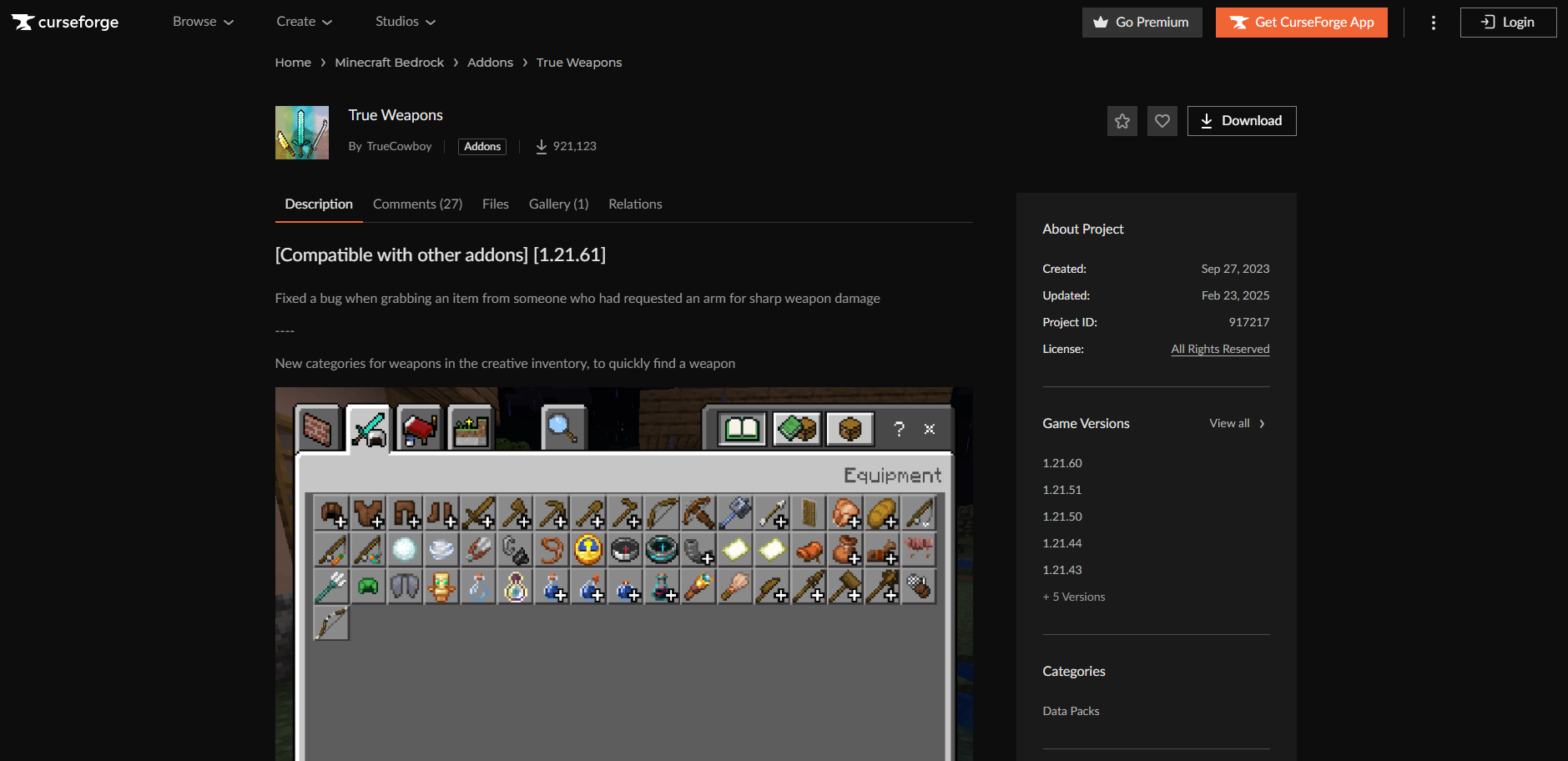
Afterwards, download your chosen mod. The mods you aim to install will have direct download links for you to click on.

Once you’ve finished downloading the mod, you’ll have to find this within your device’s files.

Double-click on the mod file, as this will automatically open the Bedrock version of Minecraft to import the mod.
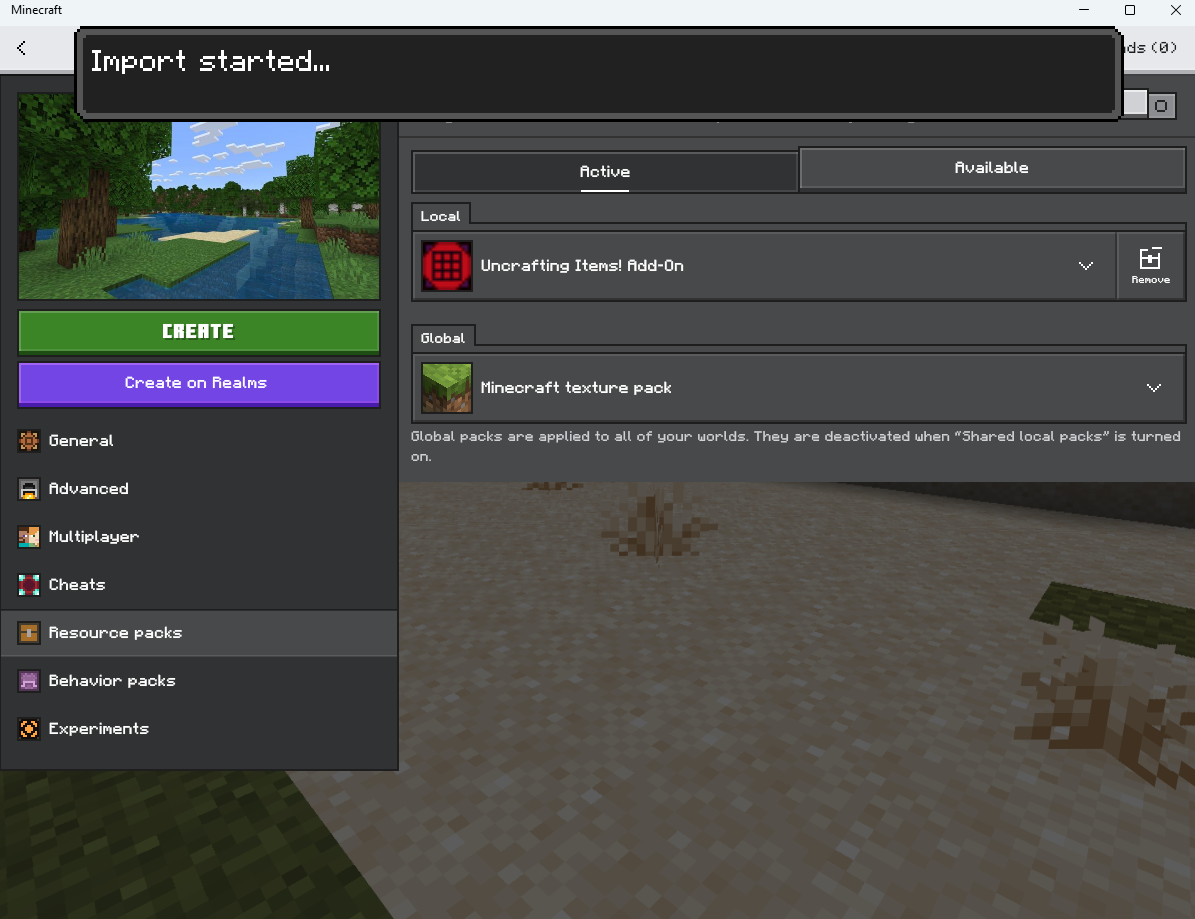
As you’ve successfully imported your mods, you can decide when to enable a mod when playing.
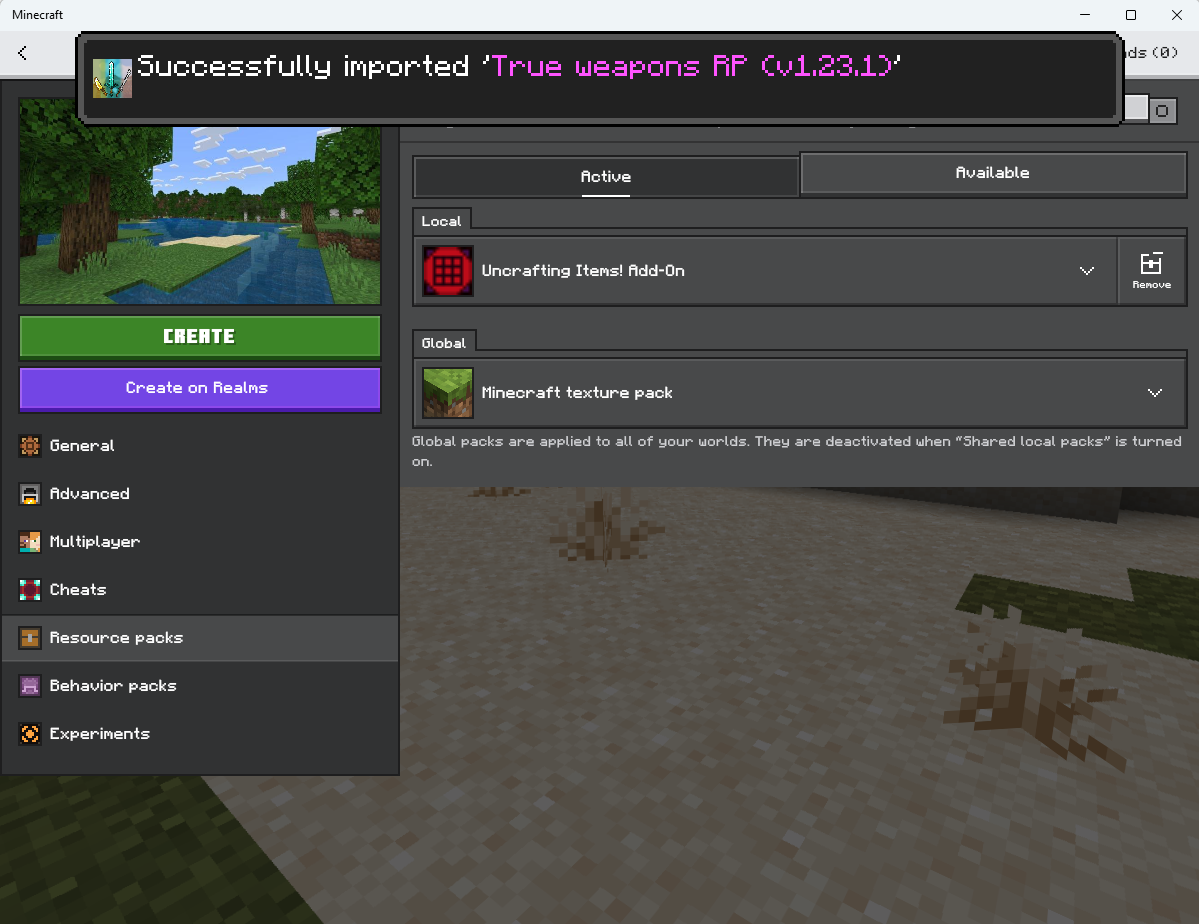
Under the Resource Packs settings of your game, you’ll find the list of mods or packs you can activate and are available for you to use.
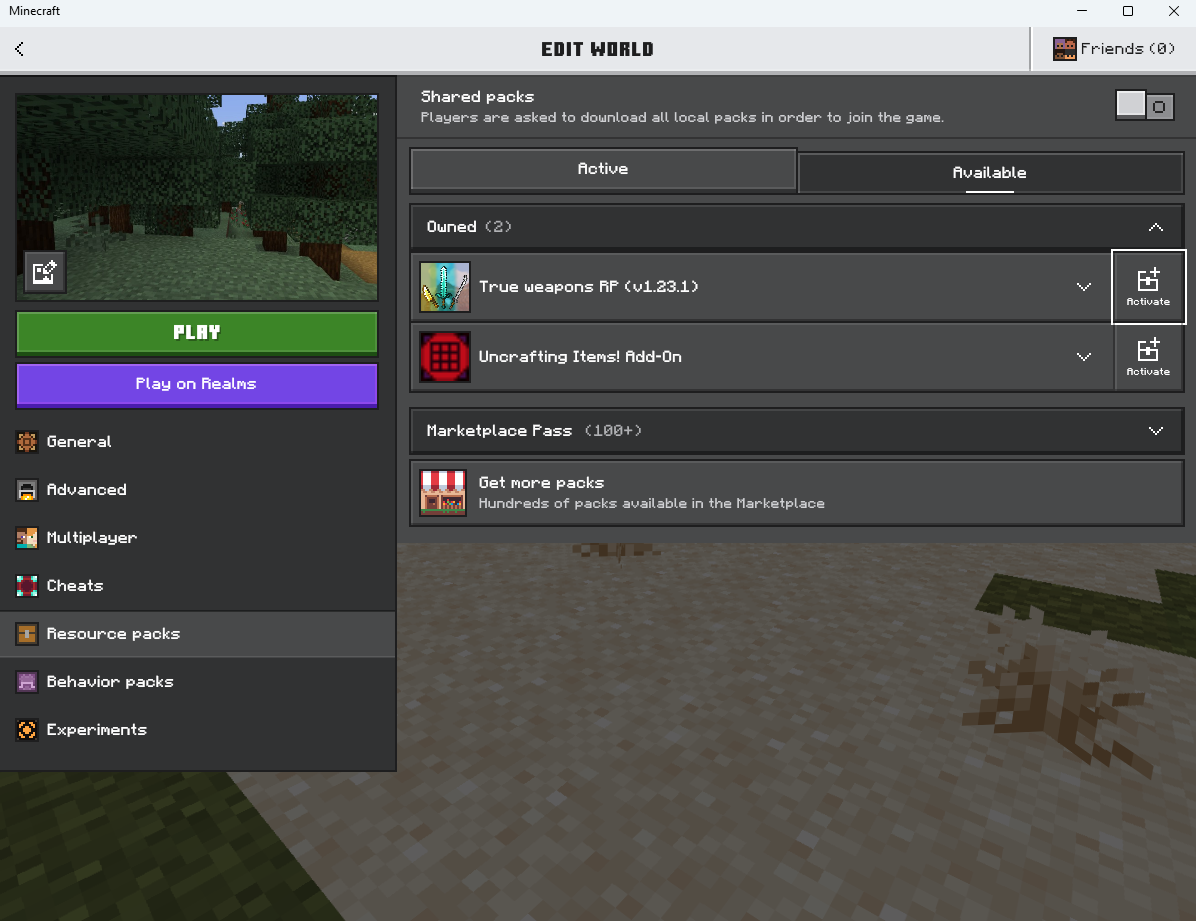
At this point, you’ve learned how to install third-party-created mods for Minecraft.
Installing Minecraft Marketplace add-ons
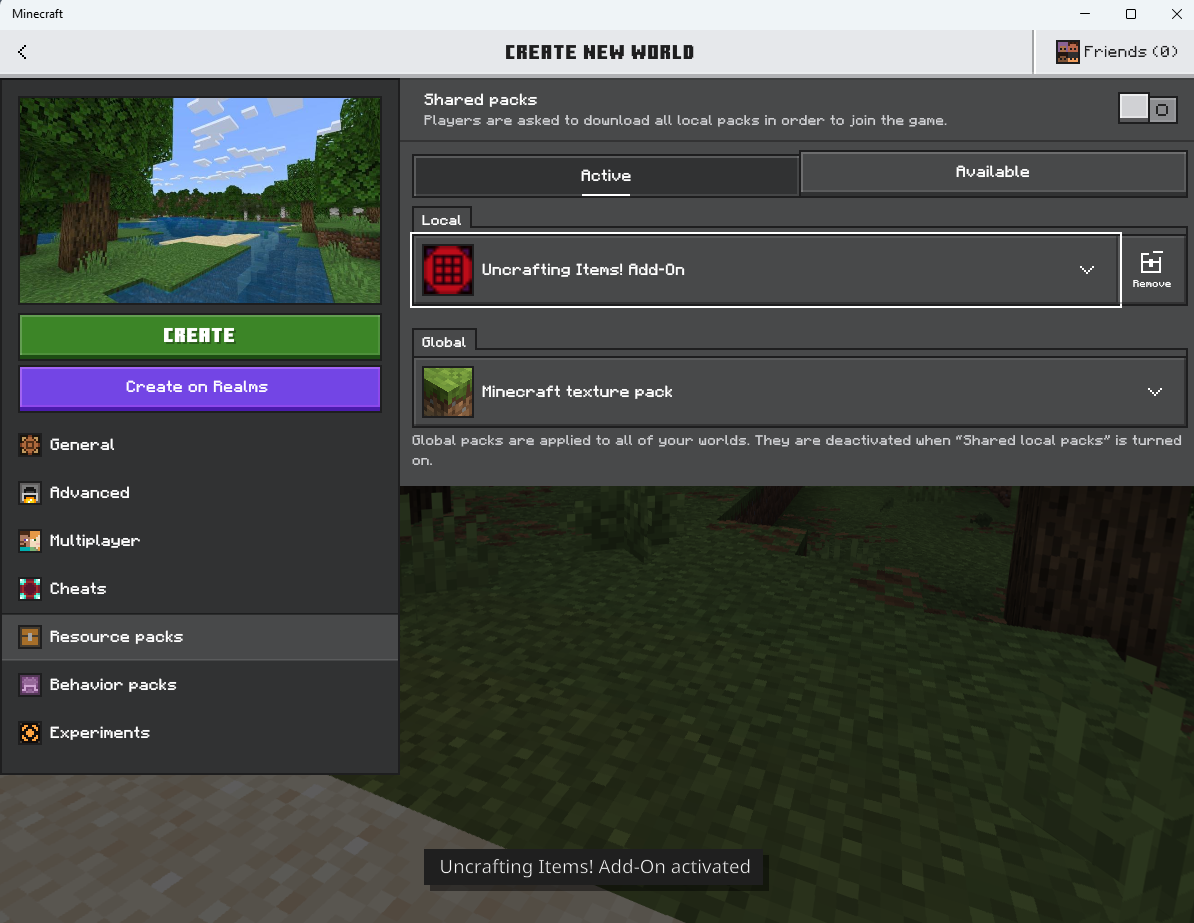
If you want to install mods from Minecraft’s Marketplace, the steps to do this are simpler. Head to the Minecraft Marketplace and find the add-on you want for your game. This example uses the Uncrafting Items add-on.
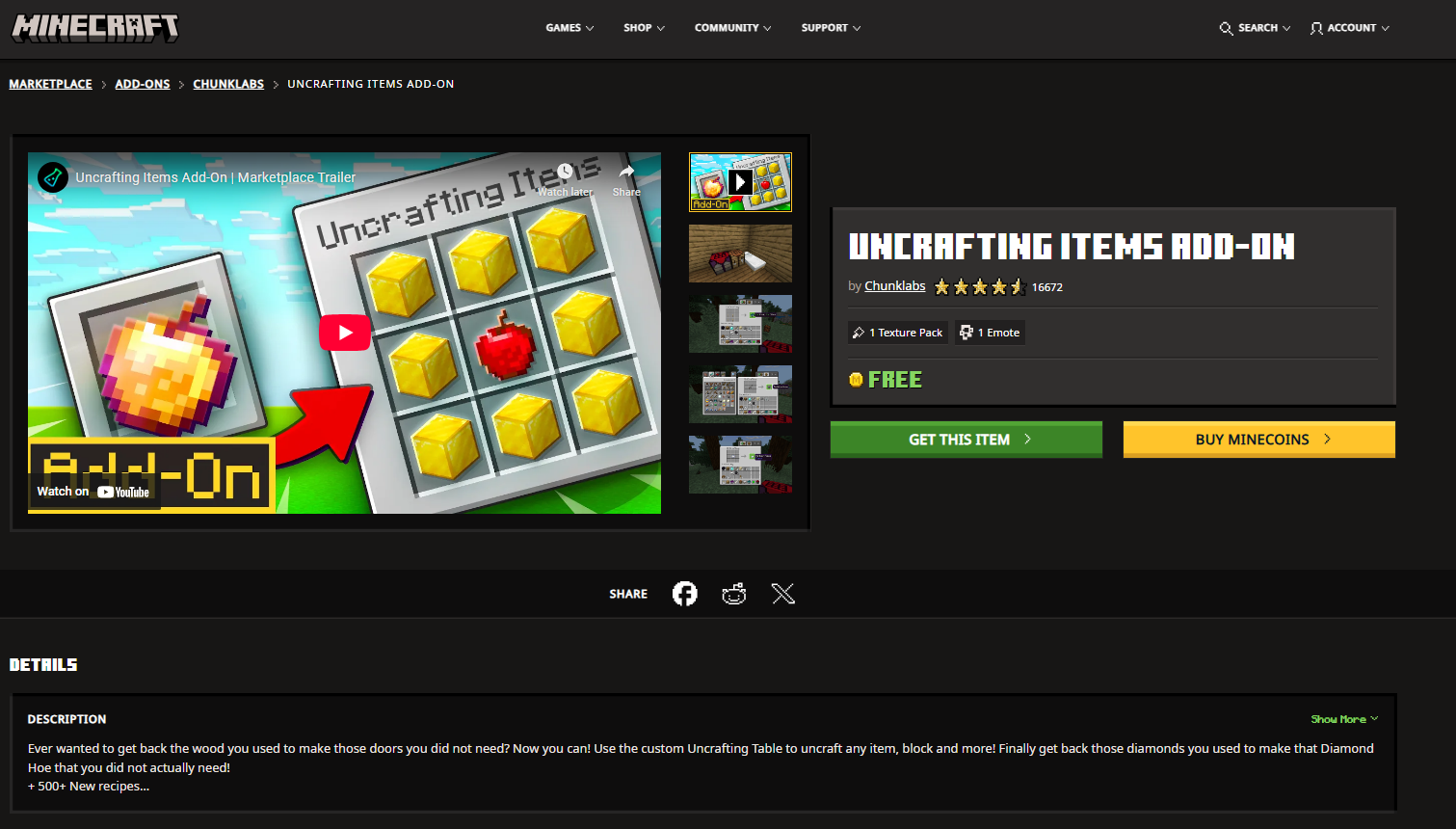
Once you’re on the add-on’s page. You’ll find a button that says “Get this item.” This will automatically open your Bedrock Edition of Minecraft to purchase the mod.
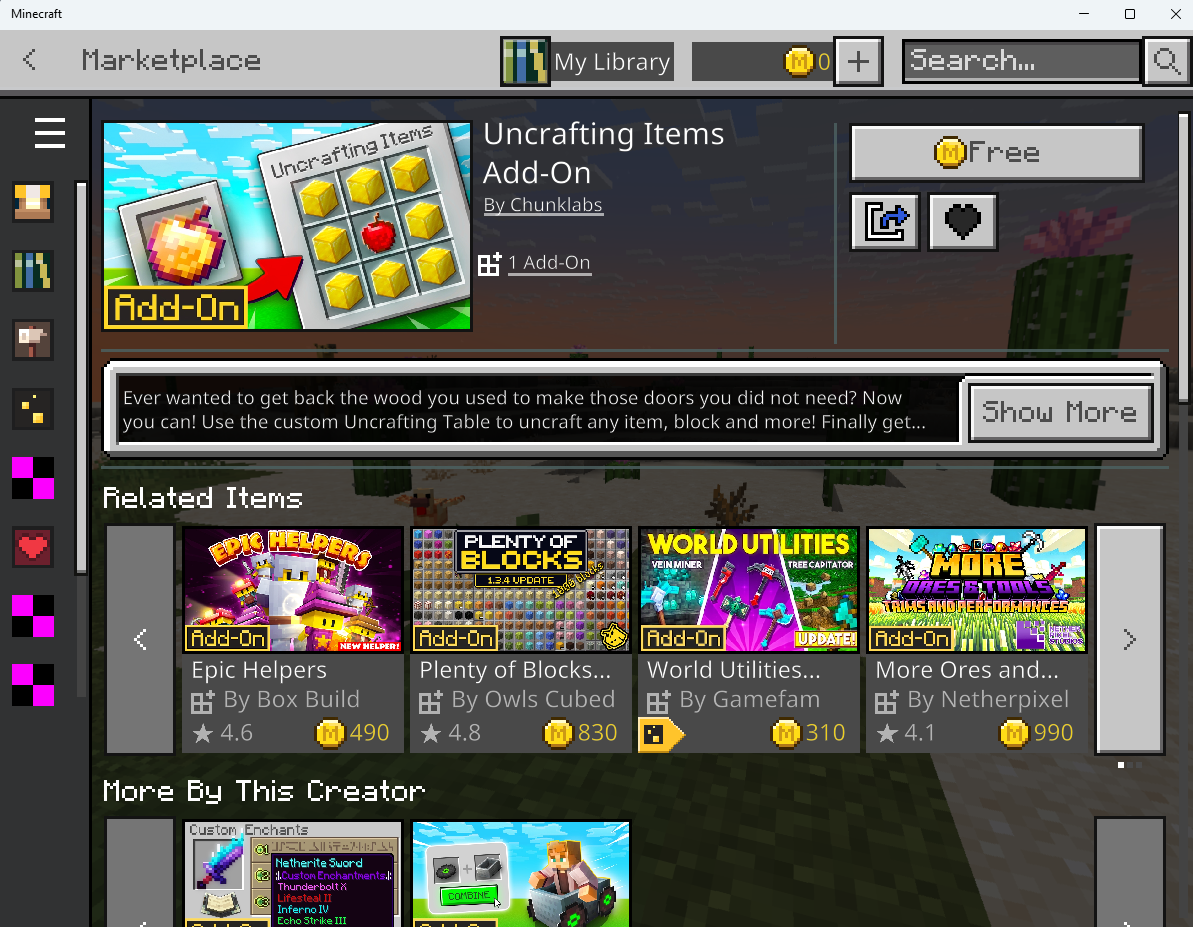
Some add-ons may require you to purchase coins that are bought with real-world money online. But there are free add-ons too if you know where to look.
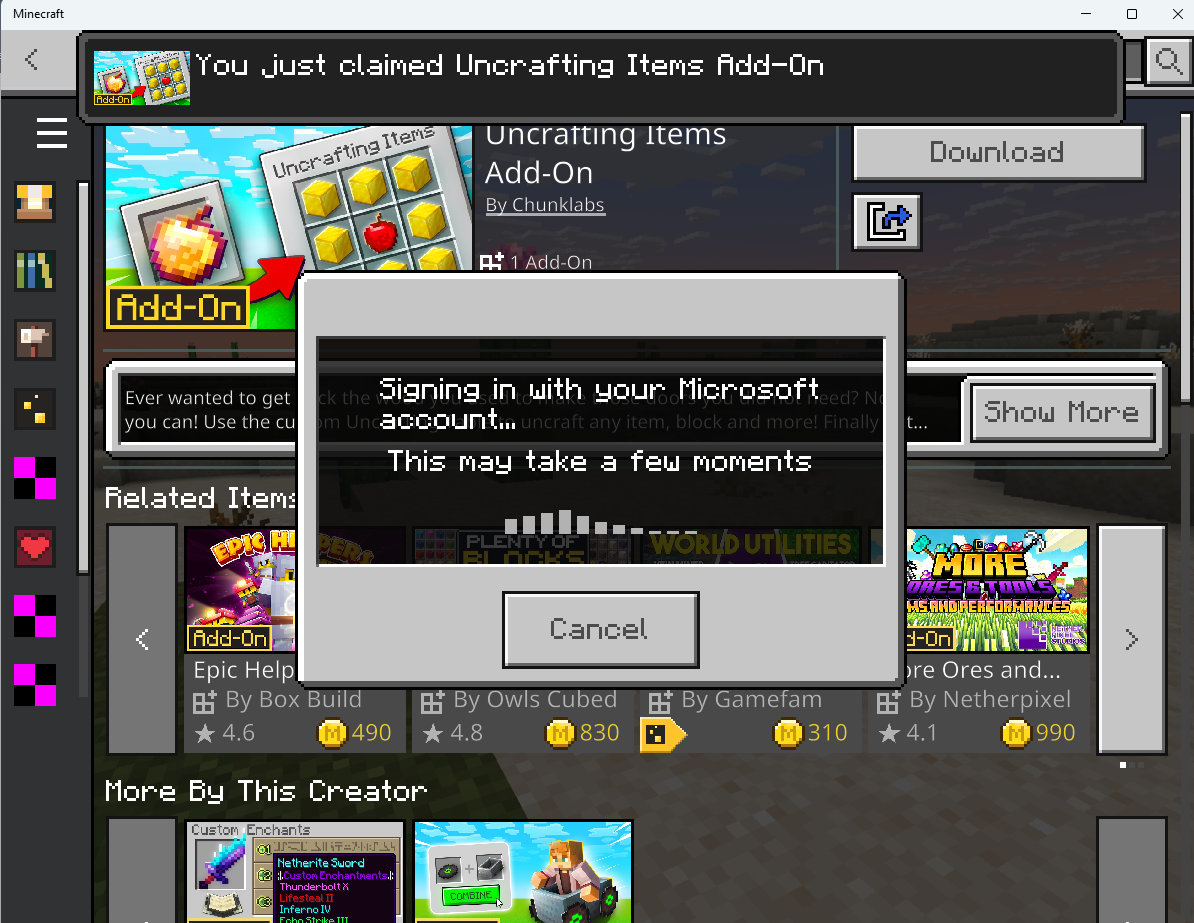
After buying your add-on, you can then download it and add it to Minecraft Bedrock.
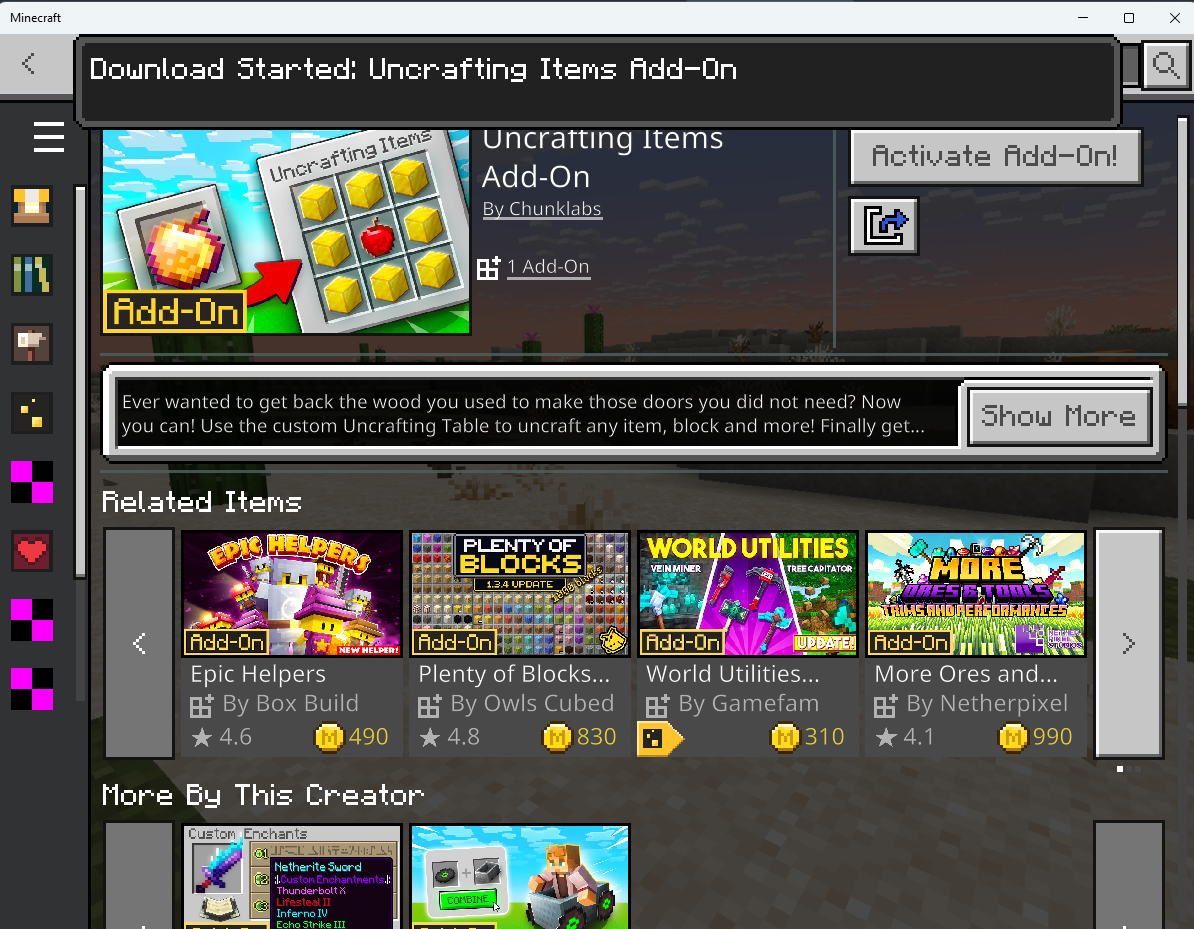
You might have to wait a few minutes as some add-ons have large file sizes due to the amount of content.
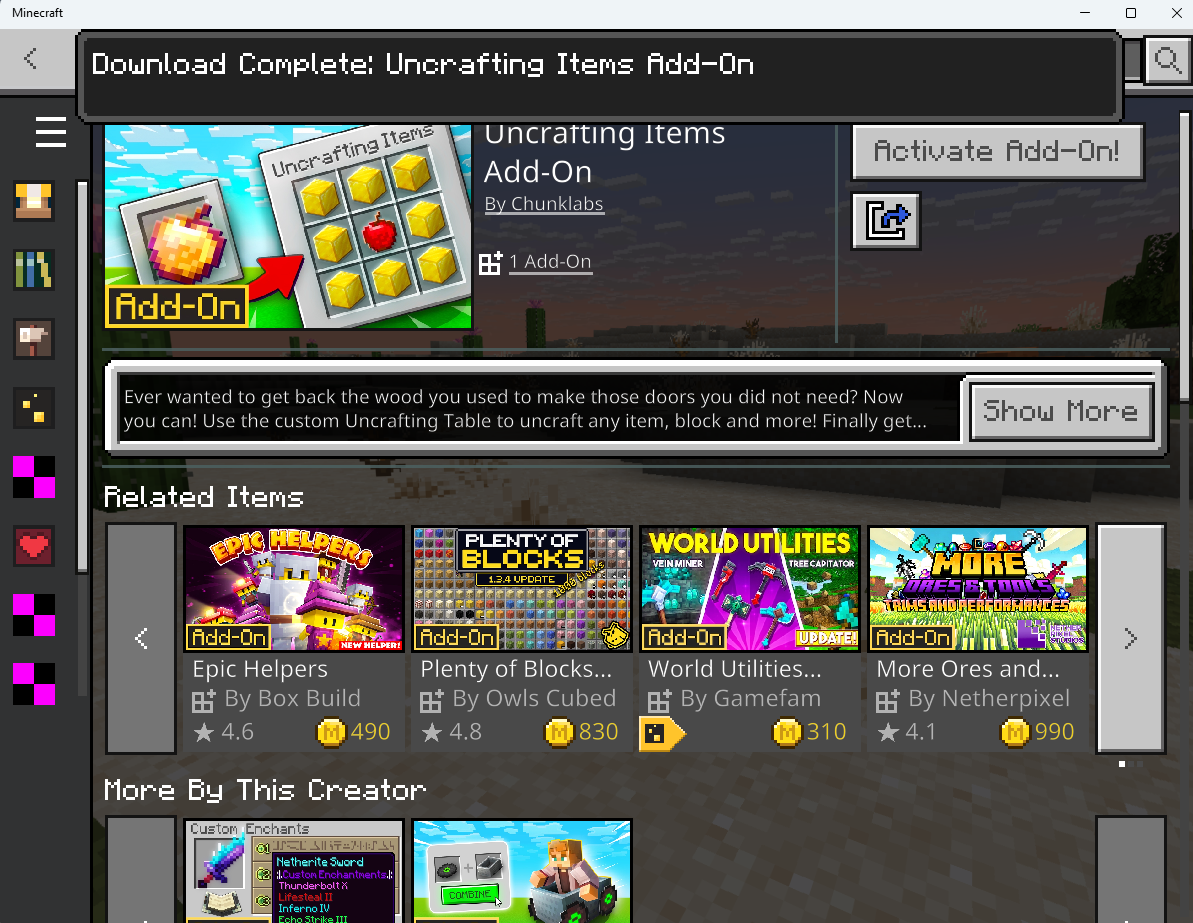
Just like with third-party-created mods, you can simply add your add-ons to the “Activate” tab of your Resource Pack settings of the game and start playing.
The 7 Cool Minecraft Mods Bedrock Edition Players Should Try
As you’ve learned about mods for Bedrock and how to install them, you might be looking for mods to start with. There are so many mods created by the Minecraft community, and it can be overwhelming to choose among the numerous mods people have created. In line with that, we’ve made this list of what we think are some of the best Minecraft Bedrock mods you should try. Feel free to also check out our list of fun-filled Minecraft Education mods and add-ons while you’re at it.
Strat’s Food Expansion Mod
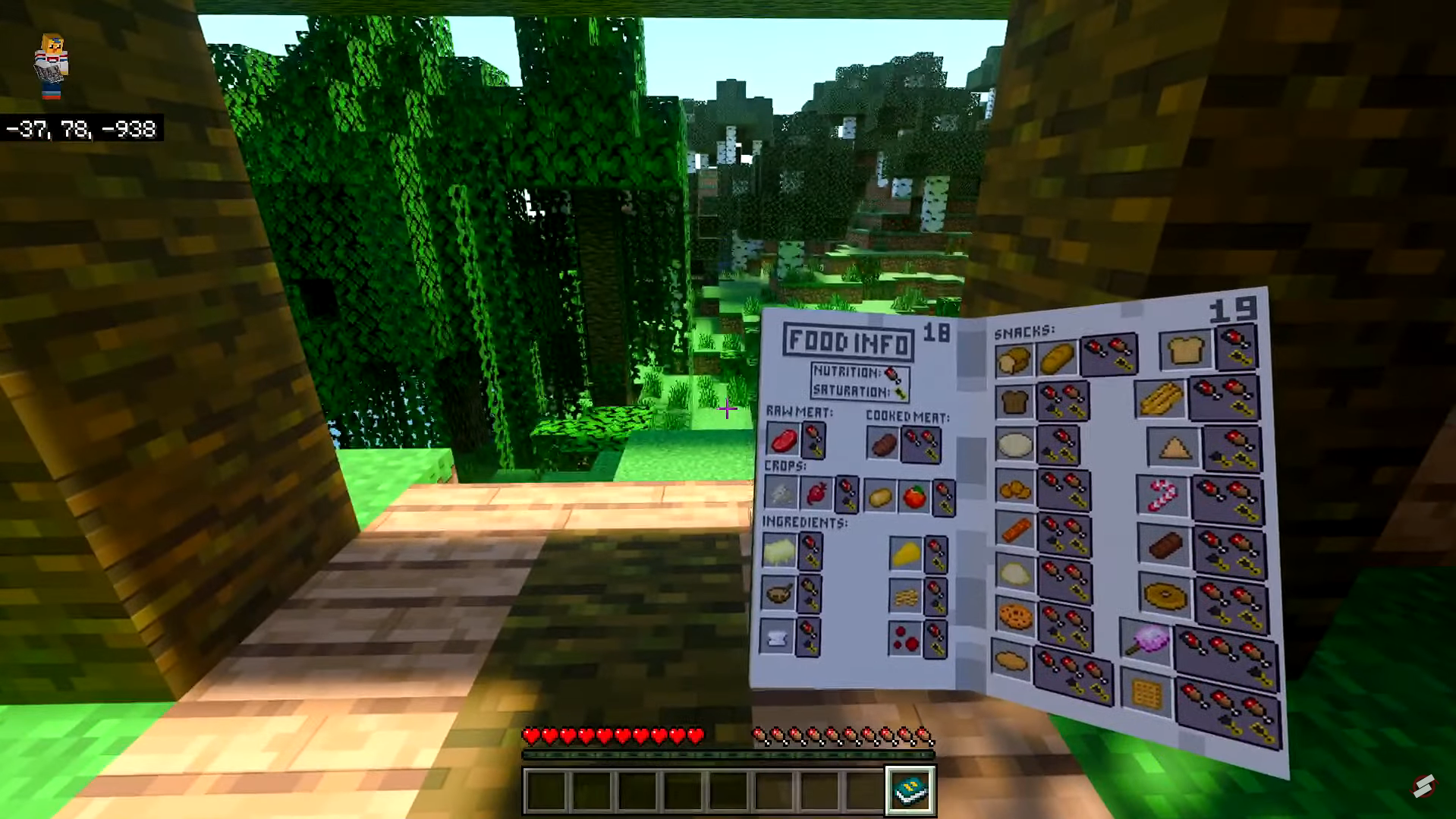
In Strat’s Food Expansion Mod, you get to unlock and craft new food within Minecraft. It pretty much expands the existing roster of food you’re familiar with in Minecraft. So, expect new crafting recipes, more progression, and unique food stats.
You can find out more about this mod on Stratospheer’s YouTube channel, where they detail the full guide of the mod. In terms of downloading the mod, you can mainly find it on MCPEDL.
True Weapons Mod
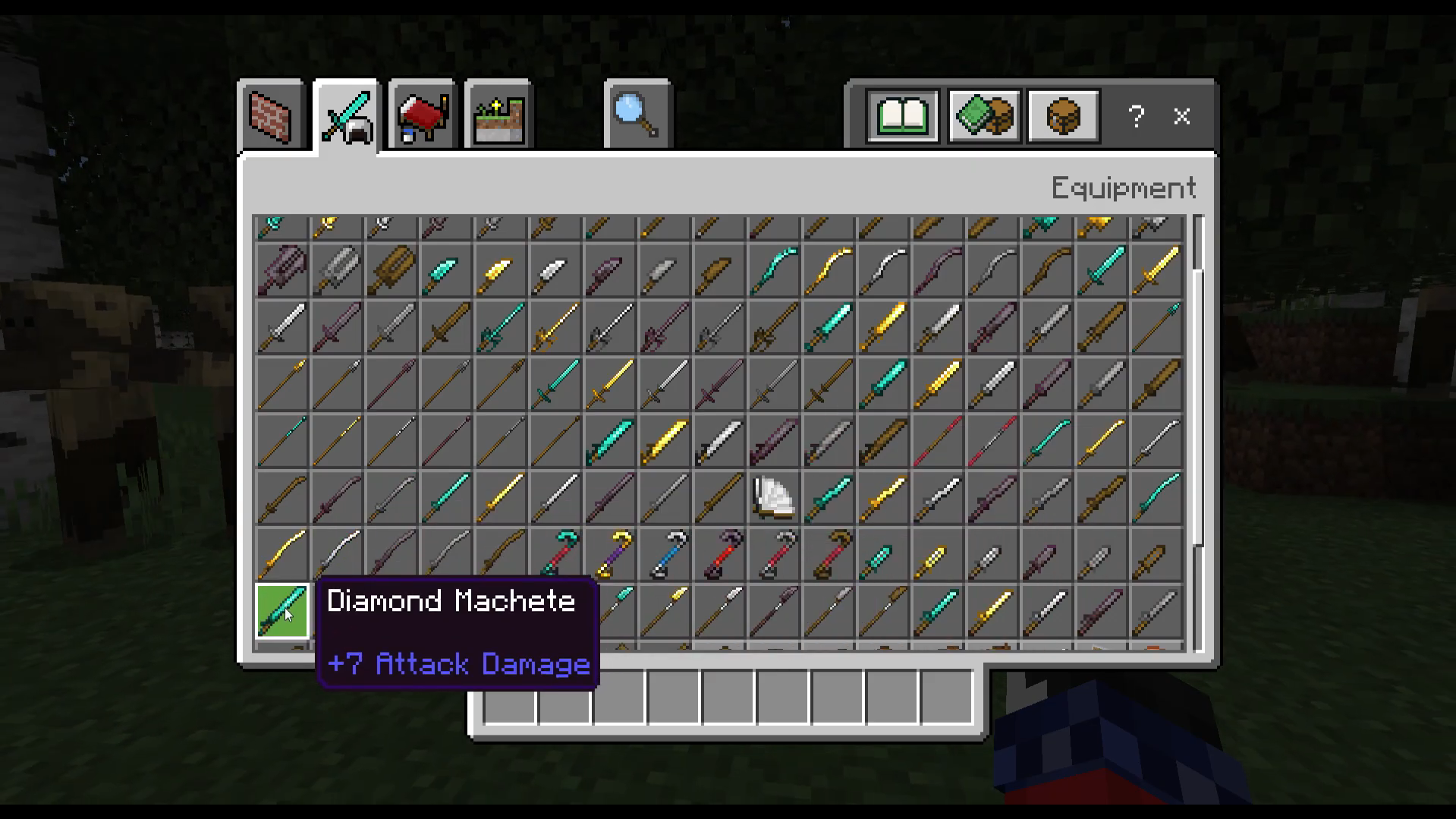
Created by TrueCowboy, the True Weapons mod adds new weapons from different materials. Moreover, these weapons have various abilities according to their type. So think of knives, katanas, long swords, barbed maces, bearded axes, and more. The limits are endless when it comes to combat in Minecraft with this mod.
The mod can be found on CurseForge for download, and it even has videos for bleeding tests and cooldown tests of the weapons on TrueCowboy’s YouTube channel. TrueCowboy also has a Discord server you can check out for updates, fixes, and if you need some help with the mod.
Abandoned & Ruin Structures Mod
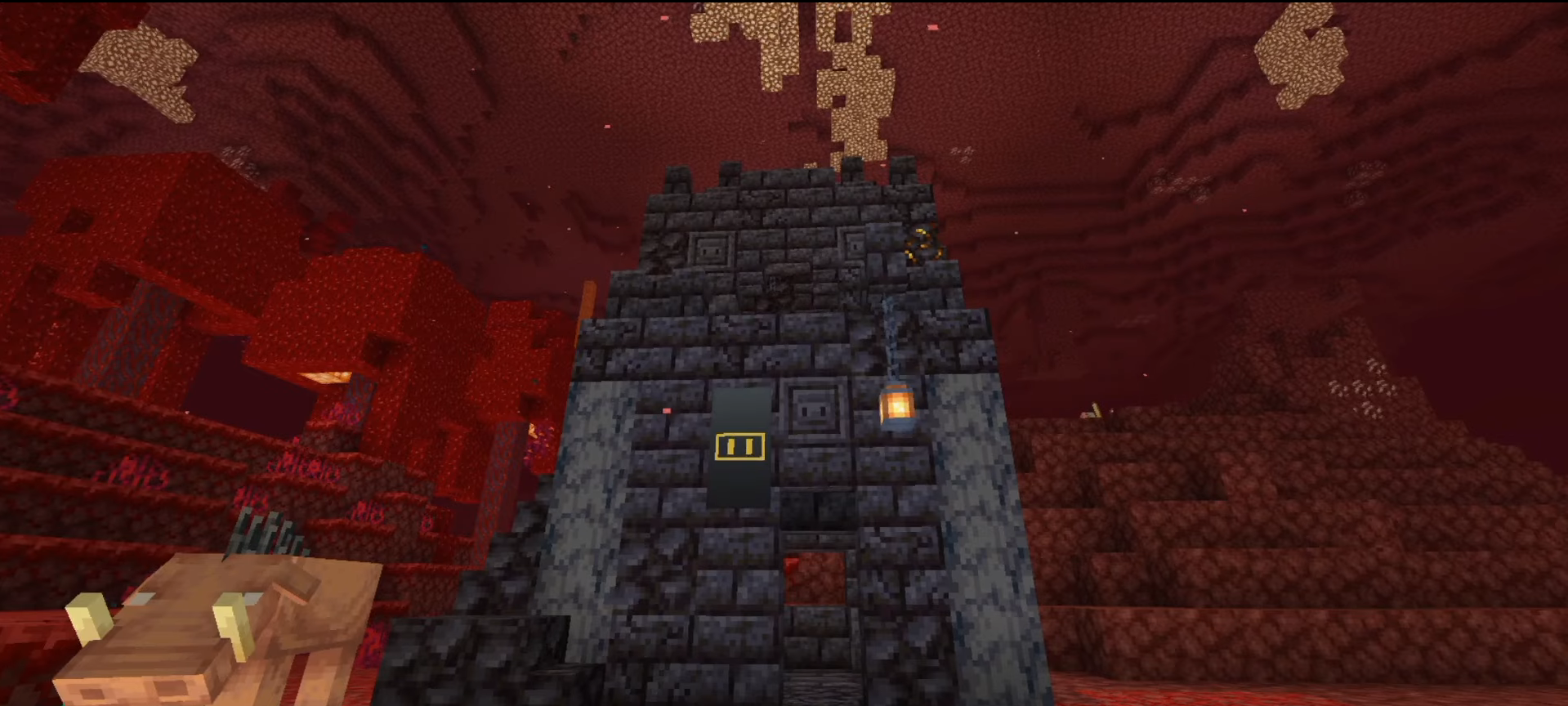
If you’re looking for something that doesn’t change much of vanilla Minecraft and just enhances it, you might want to consider the Abandoned & Ruin Structures mod by NicoTheKid. The mod generates new structures, like abandoned dungeons and ruined houses, within the game. The structures can be generated in specific bioemes, and some structures have different generation rates.
You can find out more about this mod on NicoTheKid’s video introduction of the mod on their YouTube channel. In terms of downloading the mod, you can find it on CurseForge, MCPEDL, and ModBay.
Dynamic Light Mod
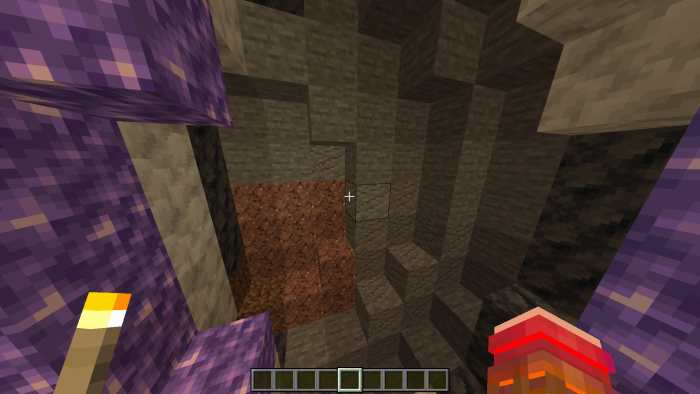
On Minecraft Java, you’ve probably heard of dynamic lighting with Optifine. But did you know you can also have this feature on Bedrock, too? The Dynamic Light mod by Sodvic does just that, making light sources emit realistic lighting dynamics in-game. It makes adventuring more realistic and fun.
The mod can be downloaded on ModBay, and it is regularly updated, so it’s quite reliable. There’s also a CurseForge download link if you’d prefer to download it there.
Secret Doors Add-on

In terms of Minecraft Marketplace add-ons, one unique mod you should try is Secret Doors by Red Eagle Studios. This is a pack that adds thousands of craftable Secret Door variations to your Minecraft world. You’ll be able to create doors players won’t easily notice. There are a ton of different texture variations of these secret doors, and even the ability to add secret passwords.
While the add-on is found on Minecraft’s Marketplace, you do have to pay 660 Minecoins to purchase it. However, this purchase is worth it if you plan to build secret bases, play hide-and-seek with your friends, and more.
A Minecraft Movie: Add-On
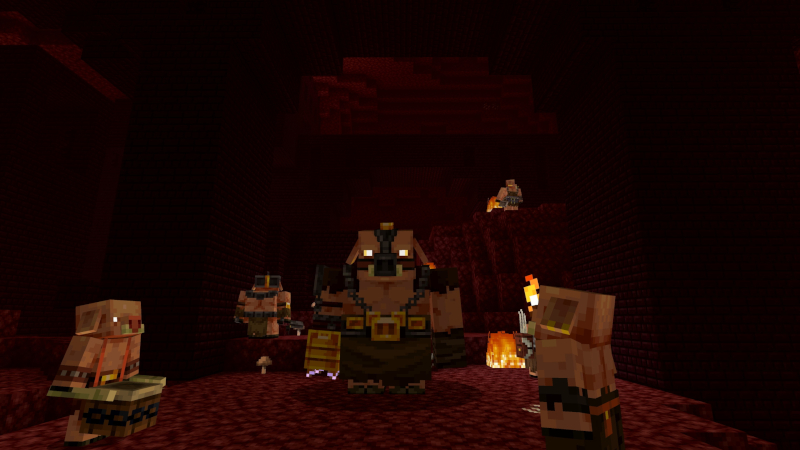
One of the most recently added yet popular add-ons is the A Minecraft Movie by Spark Universe. This add-on is inspired by the live-action Minecraft movie released earlier this year. You get to equip iconic weapons seen in the movie, such as the potato launcher, buck-chuckets, and then face villains such as the Piglin General, the Great Hog, and more.
The add-on is completely free on the Marketplace, so it’s worth checking out and trying, especially if you want to experience the movie itself in-game.
Uncrafting Items Add-On
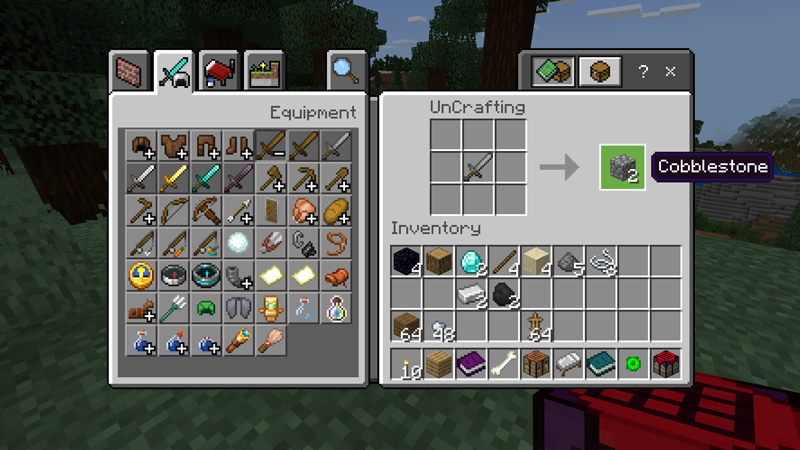
An underrated yet very useful mod you should try is the Uncrafting Items add-on. While you can “uncraft” things such as Iron, Gold, and Diamond Blocks, Hay Bales, and other similar items in vanilla Minecraft, you can’t do this for tools, enchanted items, and even food items. This add-on makes this possible. You can get back the materials you used and repurpose them. Plus, the mod even gives you new recipes, special items, and secret recipes to try.
This add-on is also free on the Minecraft Marketplace. Created by Chunklabs, the add-on also has a Marketplace trailer you can check out on YouTube. You get to have a glimpse of all the main features that come with Uncrafting Items.
With that, modders for Minecraft Bedrock have become more and more creative over the years. You can enjoy mods in single-player mode or even with your friends. The game and its community go above and beyond to give players a fun experience when playing the game.
Overall, feel free to explore various mods from different sources. However, be careful as some mods may not be compatible or may put your device at risk. Have fun and experiment moderately to find the best ways to play Minecraft.

Renee is a freelance writer with a passion for gaming and pop culture content. While she mainly writes about games, she also does graphic design and illustration work from time to time. With a passion for the creative arts, she blends her skills to tell stories across various mediums.
Leave a Reply