
Hytale’s early access is now officially nearing, and a lot of players are already getting ready for the January 13, 2026, release. Pre-orders are opened now, and one of the most vital things that players can do sooner is to get their Hytale username. Since usernames are unique and allotted on a first-come, first-served basis, reserving your favorite name as early as possible guarantees that your in-game character will be secured before the release.
This guide explains exactly how the Hytale username reservation system works, how to reserve a name, and what rules you should be aware of before choosing one.
Prefer To Watch Instead Of Read? Check Out Our New Video!
Can You Reserve a Hytale Username?
Yes, Hytale allows players to reserve usernames before early access begins. There are currently two ways a username can be reserved.
Some players received a one-time username reservation token. These tokens were emailed to users who previously signed up for the Hytale beta or subscribed to official Hytale or Hypixel newsletters. Each token can be used once to reserve a username ahead of purchasing the game.
Players who did not receive a token can still reserve their username by pre-purchasing Hytale. Once the game is pre-ordered, a username can be selected and locked to the account.
How to Reserve a Hytale Username
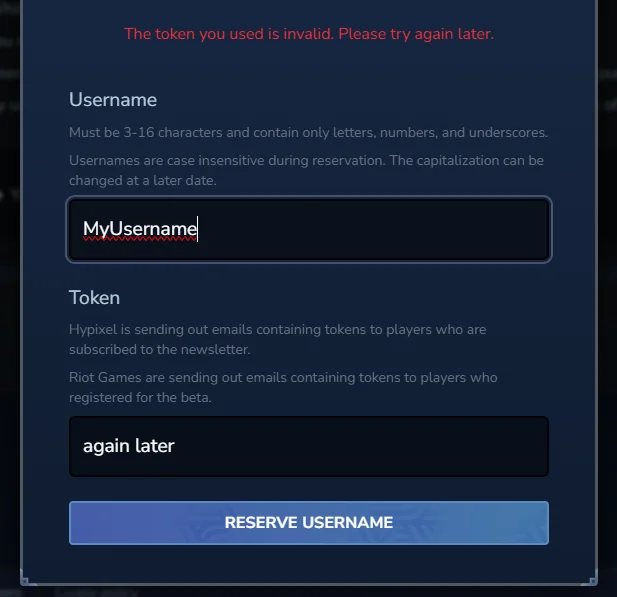
Using a Username Reservation Token
If you received a reservation token by email, follow these steps:
- Log in to your official Hytale account.
- Navigate to your account dashboard.
- Locate the username reservation section.
- Enter your desired username.
- Apply your single-use reservation token.
- Confirm the reservation.
At this stage, the username is reserved but not yet applied to a game profile. The name must still be assigned after pre-purchase to become active.
Reserving a Username Through Pre-Purchase
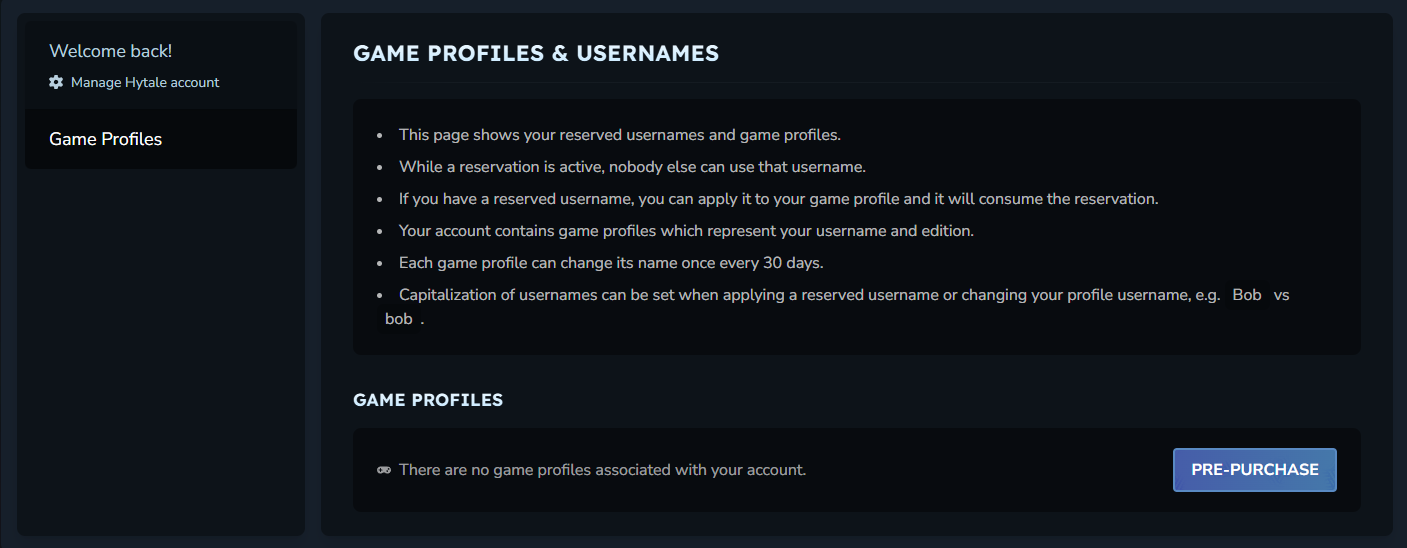
If you did not receive a reservation token, you can reserve your username during the pre-purchase process.
- Pre-purchase Hytale using your Hytale account.
- A temporary username will be automatically assigned.
- You will be prompted to select a permanent username once purchase is complete.
Once confirmed, the username becomes locked to your account.
How to Set or Change Your Hytale Username
After pre-purchasing the game, you can set or update your username through your account settings.
Setting Your Username After Purchase
- Log in to your Hytale account.
- Click Account in the top-right corner.
- Select Game Profiles from the left-hand menu.
- Find the profile with the temporary username.
- Click Change Username.
- Enter your reserved name or a new available name.
- Confirm the change.
Once confirmed, the username is permanently attached to your game profile.
Hytale Username Rules and Limitations
Before choosing a name, it is important to understand the official restrictions.
Username Format Requirements
- Usernames must be between 3 and 16 characters.
- Only letters, numbers, and underscores are allowed.
- Spaces and special characters are not permitted.
Name Change Cooldown
- Usernames can only be changed once every 30 days.
- Capitalization changes do not trigger the cooldown.
Reservation Ownership
- A reserved username is not officially yours until it is applied to a game profile after pre-purchase.
- Reserved names that are never applied may eventually become available again.
Terms of Service Enforcement
Hytale has laid down strict rules and it is not acceptable to reserve usernames for the above-mentioned purposes, such as resale, trading, ransom, or even blocking other players from using the name. Any username that is obtained for abuse or malicious purposes can be taken back by the developers without prior notice.
How to Change Username Capitalization
If you want to adjust how your username is capitalized, you can do so without waiting for the cooldown period.

Changing Capitalization Only
- Log in to your Hytale account.
- Navigate to Game Profiles.
- Locate your username.
- Click Change Capitalization.
- Adjust the letter casing.
- Save the changes.
This update only affects how the name appears and does not count as a full username change.
Final Thoughts
One of the most effective ways to get ready for the January 13, 2026, early access launch is to reserve your Hytale username in advance. It does not matter if you have a reservation token, or you simply want to redeem your name by purchasing it beforehand, either way, a prompt action will guarantee you the username of your choice. The very moment your username is confirmed, you are all set to enter Hytale and even create your own Hytale server to construct worlds, mingle with pals and personalize your journey right from the first day.
Looking to start your Hytale adventures? Check out our affordable Hytale Server Hosting

Hunter is the Gaming Server Specialist at NameHero with a passion for gaming and technology with years of experience in the gaming industry. In his free time you can find him playing the latest trending games.
With a passion for gaming and technology, Hunter, the Gaming Server Specialist at NameHero, brings years of experience in the gaming industry. Previously, he ran his own gaming company with over 800 customers, demonstrating his expertise in delivering high-quality gaming products. In his free time, you can find him playing the latest trending games.
Leave a Reply