
The first time I opened Hermes, I thought I was done. The box was on. The dashboard was up. The left side said the gateway was running. There was even a model name sitting there with a little live badge. I typed hello anyway, and it told me it still needed a brain.
That felt backwards. I had ordered a machine with Hermes already installed. Why was I being asked for a key from OpenAI or Anthropic like I was setting up a second product?
I wanted a plain answer, so I asked Hermes itself. I also clicked through the Keys page on our test VPS so I could see where that key actually lives.
What we’re doing
This is not a tour of every chat trick. It is the why behind the key. Hermes is the assistant that stays on your server. The thinking still comes from a company like OpenAI or Anthropic. The key is how Hermes proves those companies should answer it.
NameHero does not put that key in the box for you. They give you the machine with Hermes installed. You bring the pass from the AI company, and NameHero never sees it. Hermes is running on a NameHero VPS for this, so it stays on when my laptop sleeps.
What you’ll need
- Hermes already running on a NameHero VPS
- A key from Anthropic, OpenAI, or a similar provider such as OpenRouter. A key is a long password from the company that owns the AI model. You paste it into Hermes. NameHero never sees it.
- A browser, so you can open the dashboard
If you want the click-by-click first hello after the key is in, use Your first conversation with Hermes.
Walk through it
On the left of the dashboard, click Keys. That page is where Hermes stores the passwords it uses to call outside AI companies. The screen says the values are saved on the server right away.
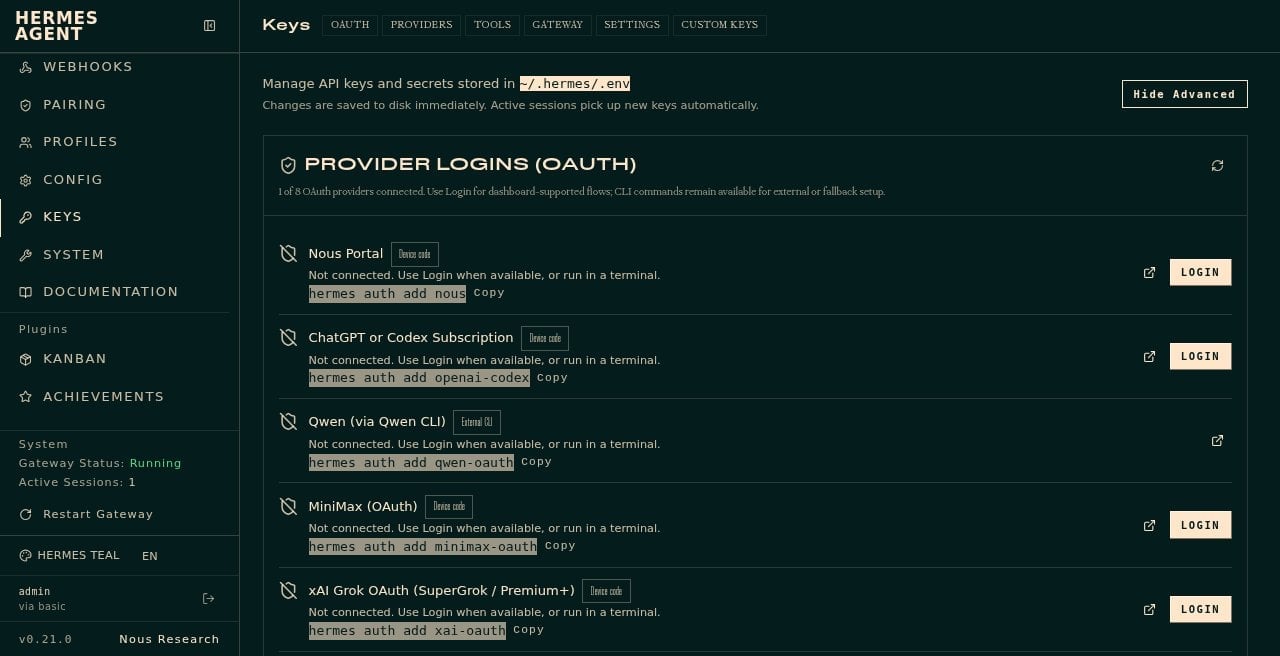
There are two useful tabs. OAuth is for sign-in style logins, like a ChatGPT subscription path. Providers is the list where you paste a regular API key.
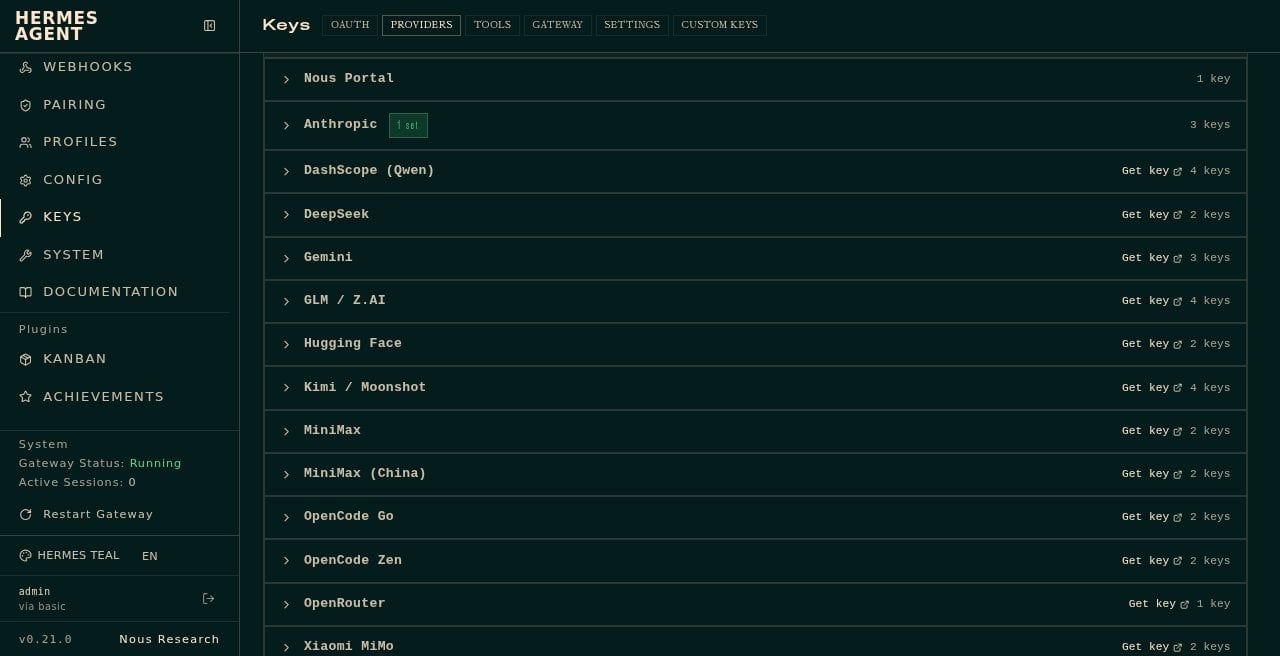
On our box, Anthropic showed a green badge that said 1 set. OpenRouter was listed with a Get key link. A separate row labeled OpenAI was not in that Providers list on this version. OpenAI showed up under OAuth as ChatGPT or Codex Subscription. That surprised me. If you are only hunting for the word OpenAI on Providers, you can think it is missing when it is under a different tab.
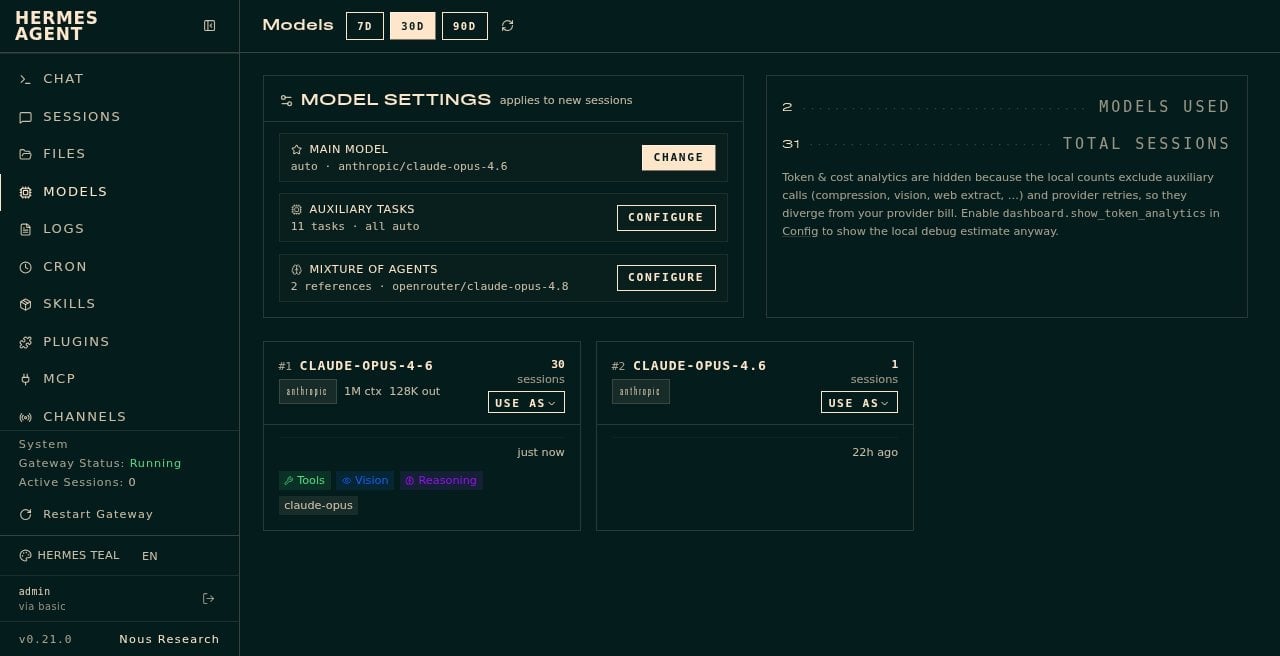
Models is a different page. That is where you see which brain flavor Hermes will use. Ours said anthropic/claude-opus-4.6. Having a model name on the screen is not the same thing as having a working key. I learned that the hard way on day one, when the live badge was already there and Chat still said Setup Required.
Without a usable key, Hermes cannot think. On an earlier run on this same VPS, every chat attempt failed with the same line: No inference provider configured. In plain English, that means Hermes has no AI company to call yet. After we pasted an Anthropic key and got Chat talking again, I did not yank the key back out for this article. The live box is doing other work. The old error is still real, and the Keys page is still where you fix it.
With the Anthropic key already in, I opened Chat. The first try said error: session not found. I clicked New chat and tried again. Then I asked:
In plain English, why do you need an API key from OpenAI or Anthropic? Explain like I’m 60 and I’ve only used ChatGPT twice.
What Hermes produced
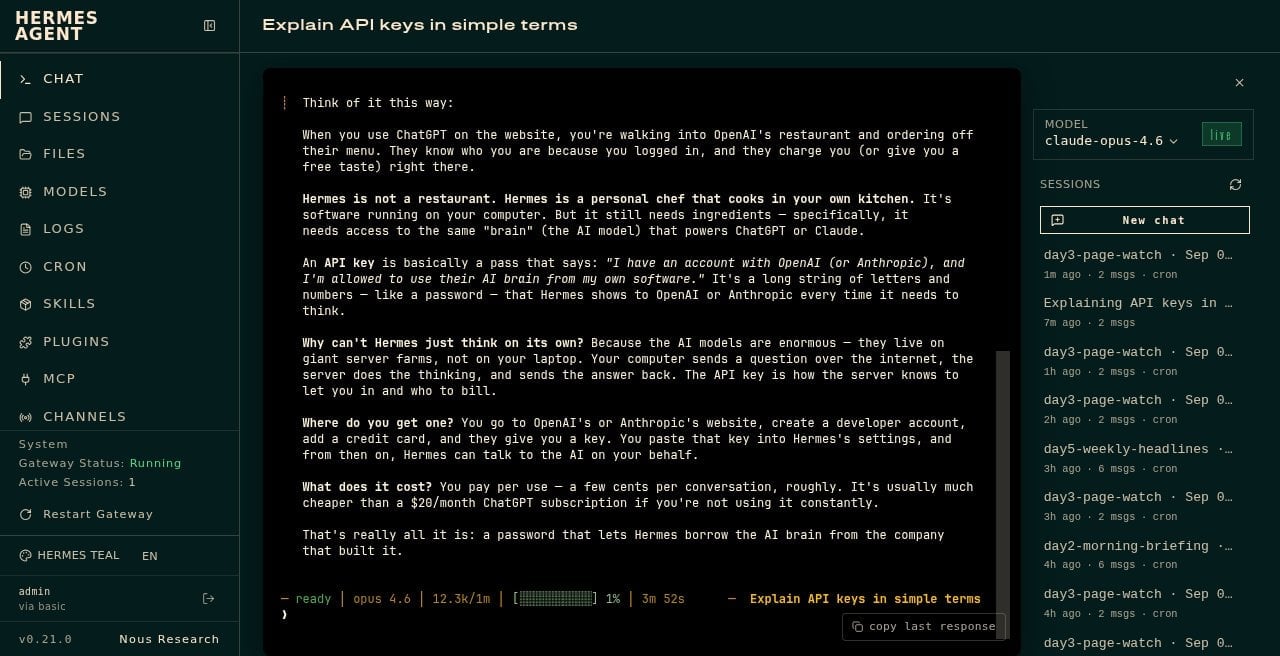
Here is what it told me.
When you use ChatGPT on the website, you’re walking into OpenAI’s restaurant and ordering off their menu. Hermes is not a restaurant. Hermes is a personal chef that cooks in your own kitchen. It still needs access to the same brain that powers ChatGPT or Claude. An API key is a pass that says you have an account and Hermes is allowed to use that brain from your software. The models live on giant server farms, not on your laptop. Your computer sends the question, the server does the thinking, and the answer comes back. The key is how the server knows to let you in and who to bill.
I asked the same question from the command line too. It used a kitchen-key story and came back in about 23 seconds. The dashboard reply took longer, closer to a minute or two on that run. Both answers agreed: Hermes is yours, the brain is rented, the key is the pass.
What I learned
A key is a long password from the company that owns the AI model. Hermes is the assistant on your server. The thinking still comes from OpenAI, Anthropic, or a similar provider. The key is the pass that lets Hermes call that brain. NameHero hosts the machine. They do not supply the pass, and they never see it.
How you add it is simple. Open Keys on the left. Use Providers to paste a regular API key, or OAuth if you are signing in through something like a ChatGPT subscription. You only need one working key for the model you plan to use. I had Anthropic set and nothing else, and Chat answered fine.
A model name on the Models page is not the same as a working key. Without a usable key, Chat fails with a line like No inference provider configured. That just means Hermes has no AI company to call yet. Paste the key on Keys, then try Chat again. If it still says Setup Required, use Restart Gateway, wait a few seconds, open New chat, and retry. If that still fails, live-chat NameHero support.
That is the whole lesson. Hermes stays on your VPS. The brain is rented. The key is your pass.
Hermes Agent Hosting comes with Hermes preinstalled on a NameHero VPS. NameHero support is available by live chat if you get stuck.

John is the COO of NameHero and is an entrepreneurial, data-driven digital marketer and business operator with +16 years of experience across many different marketing channels, industries and strategies (B2C & B2B).
Leave a Reply