
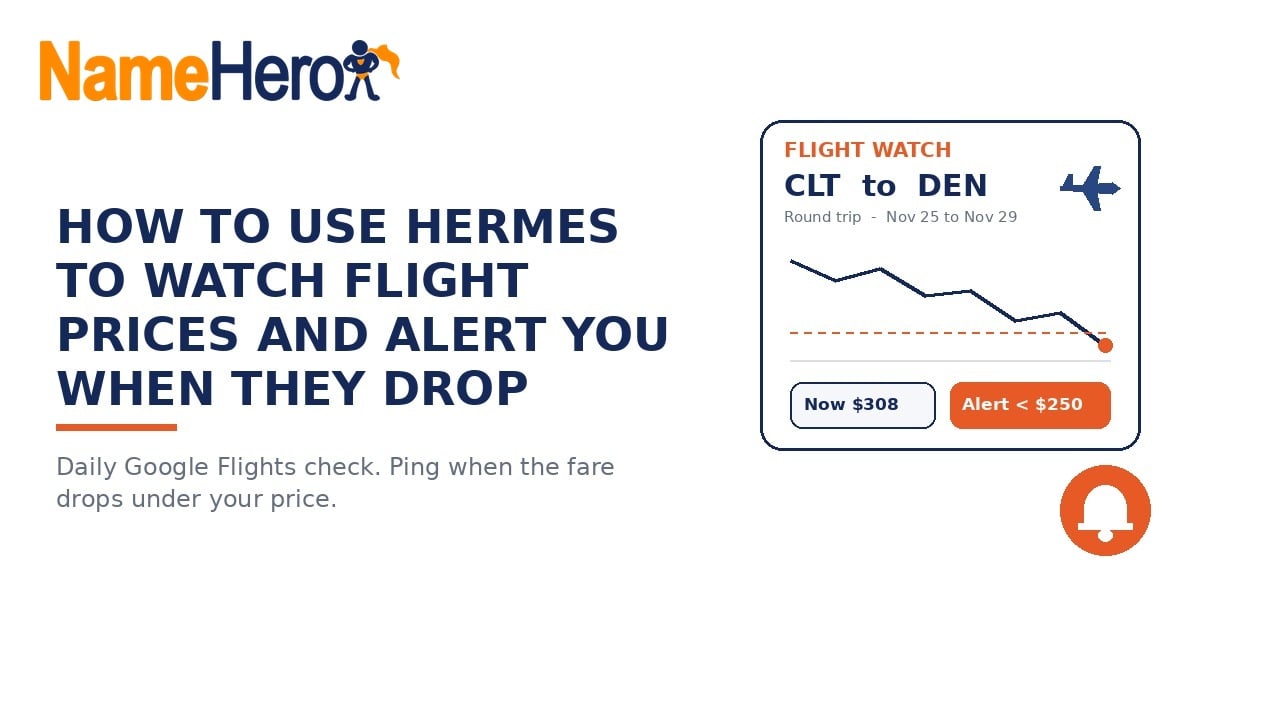
Here’s another thing that my Hermes agent helps me with…
I’m looking at Charlotte to Denver over Thanksgiving, leaving Wednesday, November 25 and coming back Sunday, November 29. When I checked Google Flights the cheapest round trip was $308, and I’d rather not open that page every morning to see if it moved. Handing that check to Hermes takes a few minutes, and then I only hear about it when the price actually gets good.
In this walkthrough I ask Hermes to check that route once a day and message me if the round trip total drops under $250. Sometimes you can get Google to do this for you but I’d rather have a neutral third party tell me.
Hermes is running on a NameHero VPS for this so it’s always going to do what I ask, whether my laptop is shut or not.
What we’re doing
We’re setting up a price watch on one flight search: one route, one set of dates, one traveler. Hermes reads the Google Flights results for that search on a schedule, compares the cheapest round trip total against the number you gave it, and only messages you when it’s under.
If you read How To Use Hermes To Watch When Restaurant Reservations Open, this is the same notify-only habit. The difference is what Hermes is watching for. There it was a table showing up. Here it’s a price falling below a line you draw.
Google Flights does have its own Track prices switch that emails you updates when Google thinks prices are low. With Hermes you pick the exact number, the ping goes to the chat you already use, and you can add your own rules, like nonstop only or a carry-on included.
What you’ll need
- Hermes already running on a NameHero VPS, with a working AI key so it can think. If you are still on the first hello, start with Your first conversation with Hermes. If the chat says it needs a brain, see Why does Hermes need a key from OpenAI or Anthropic?.
- Your route and dates. Airport codes help (CLT is Charlotte, DEN is Denver), but city names work too.
- A price you’d be happy to pay. Look at Google Flights once yourself first so your number is realistic.
- Somewhere for the ping to land: the Hermes dashboard, or Telegram or WhatsApp if you’ve connected one.
Ask Hermes first
You don’t need to set up the schedule by hand. Paste something like this into Hermes:
Watch Google Flights for a round trip from Charlotte (CLT) to Denver (DEN), leaving Wednesday, November 25, 2026 and returning Sunday, November 29, 2026, 1 adult, economy. Check once a day. If the cheapest round trip total drops under $250, message me right away with the price, airline, times, and the Google Flights link. Stay quiet when it is $250 or more. Do not book, hold, or select any flight. Notify only.
Hermes comes with a built-in price monitor skill made for this kind of job, and flights are one of the examples it’s written for. The skill is built to do one live check first so it knows what the page looks like today, then put a daily job on Hermes’ scheduler. After that, the quiet days are the point. You only hear from it when the number is under your line.
Walk through it
Here’s the search I’m watching on Google Flights. On Monday, October 5, 2026, the cheapest round trip was $308 on Frontier, nonstop, leaving Charlotte at 6:00 AM. Google also said prices were “currently typical” and that the cheapest time to book is “usually now, until Nov 11.” I set my alert at $250, about 19% under today’s low, so the ping means something when it comes. Thanksgiving fares may never get that low. If it never pings, you book at a normal price like you would have anyway.
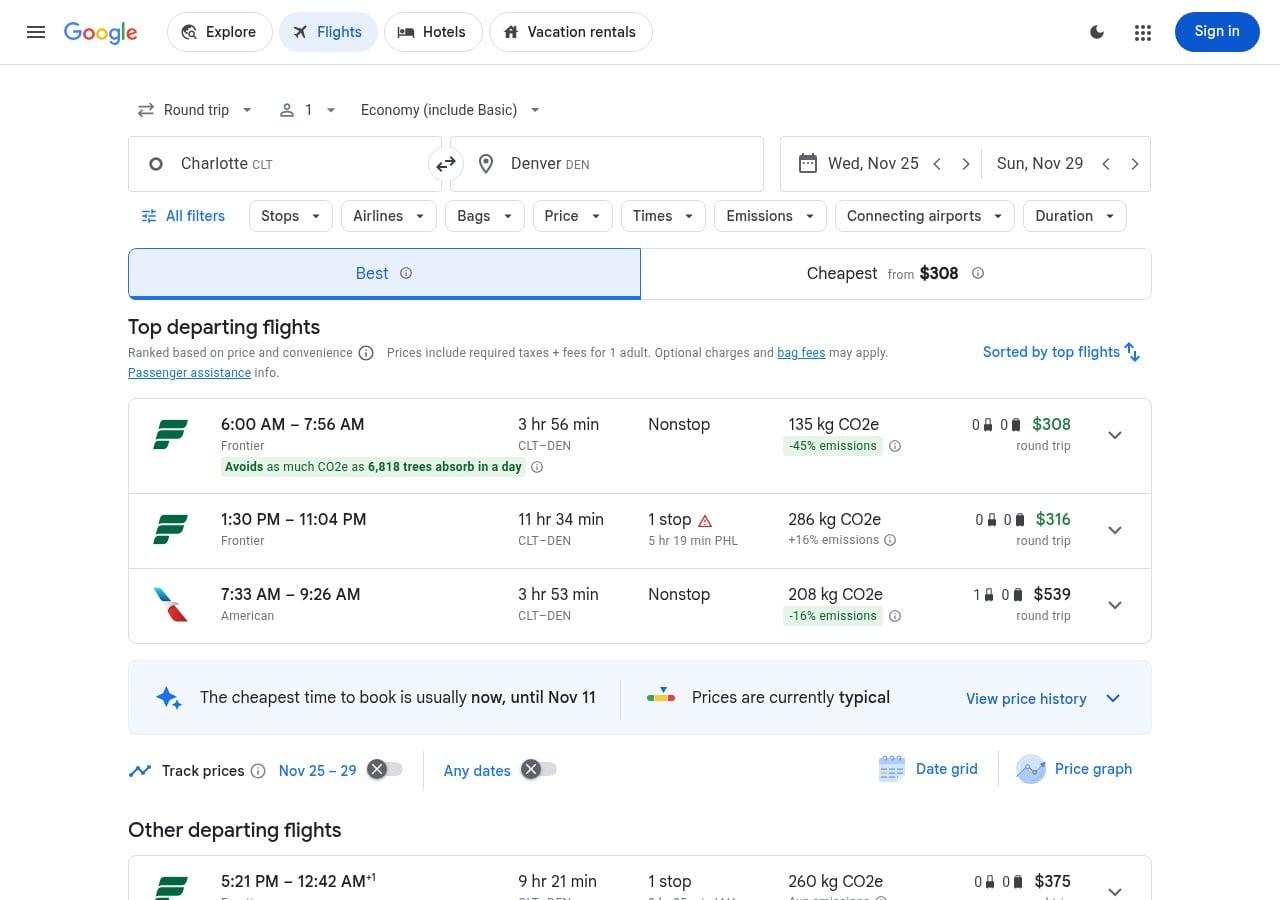
One thing to know about reading these prices. Google shows round trip prices as the total for both flights, so $308 is there and back, not each way. If you set your max thinking per leg, Hermes will never ping. Write “round trip total” in the ask like I did.
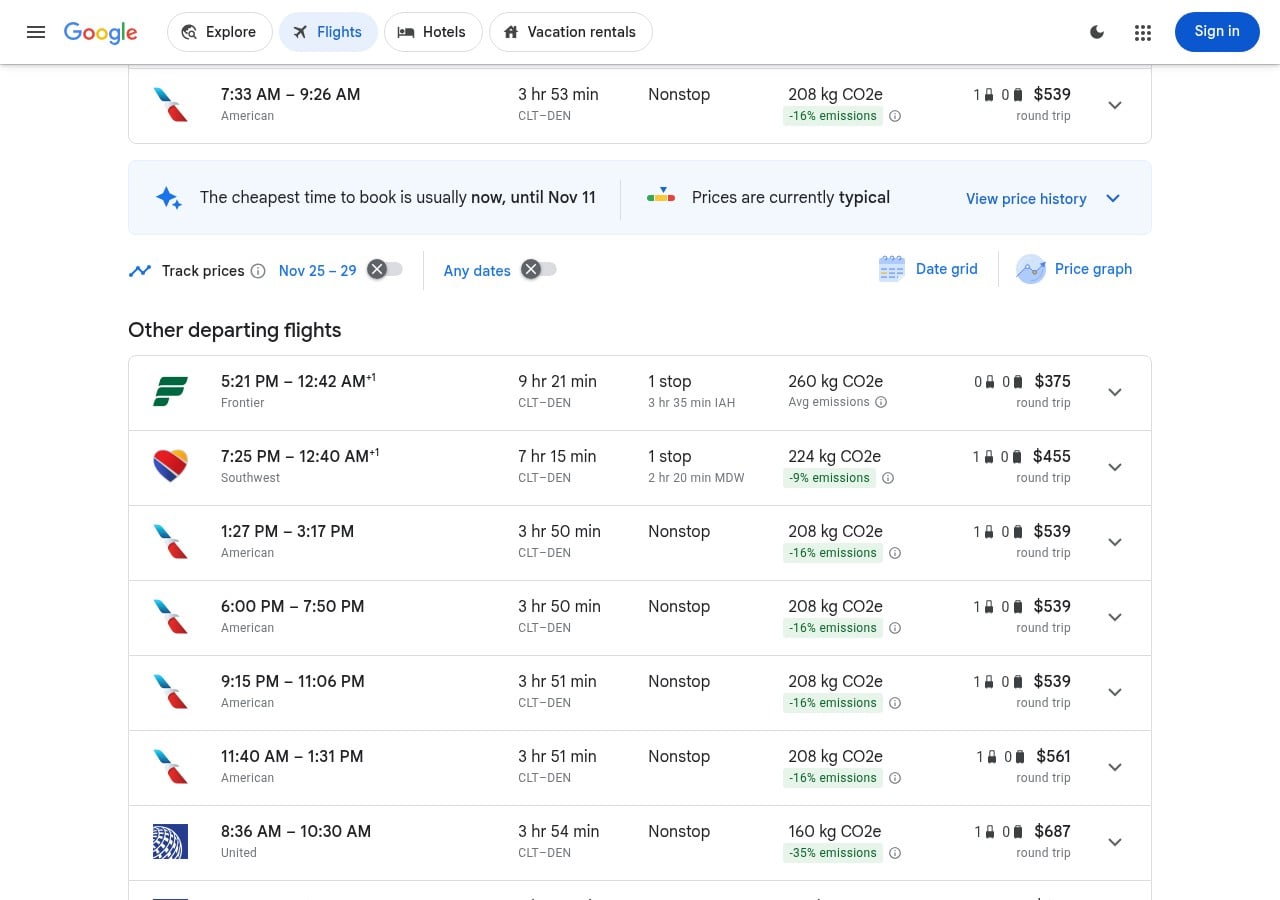
The bigger catch is bags. That $308 Frontier fare includes zero carry-on bags. Scroll down and the cheapest fare with a carry-on included was $455 on Southwest with a stop in Chicago, and the cheapest nonstop with a carry-on was $539 on American. If you’re bringing a bag, a $250 basic fare may not be the deal it looks like. You can add a line to the ask: only count fares that include a carry-on, or only nonstop flights. Hermes will compare against that instead.
A couple of tips once it’s running. As your travel week gets closer, you can ask Hermes to check twice a day instead of once. If your dates are flexible, ask it to also check Tuesday out or Monday back, since a day either side can change the price over a holiday. And when it pings, the next step is yours. Open the link, check the bags and times, and book it yourself if it still looks right. Fares can move between the ping and when you look, so treat it as a heads up, not a held seat.
What I learned
A flight price watch is just a daily check with a rule: this route, these dates, under this number, tell me. You set it up by asking Hermes in plain English, and it uses its built-in price monitor and scheduler to do the checking. The two things that trip people up are reading round trip prices as each way, and setting an alert on a basic fare that doesn’t include the bag you’re bringing. Pick a number below today’s cheapest, say what has to be included, and let Hermes do the refreshing for you.
Hermes Agent Hosting comes with Hermes preinstalled on a NameHero VPS. NameHero support is available by live chat if you get stuck.

John is the COO of NameHero and is an entrepreneurial, data-driven digital marketer and business operator with +16 years of experience across many different marketing channels, industries and strategies (B2C & B2B).
Leave a Reply