
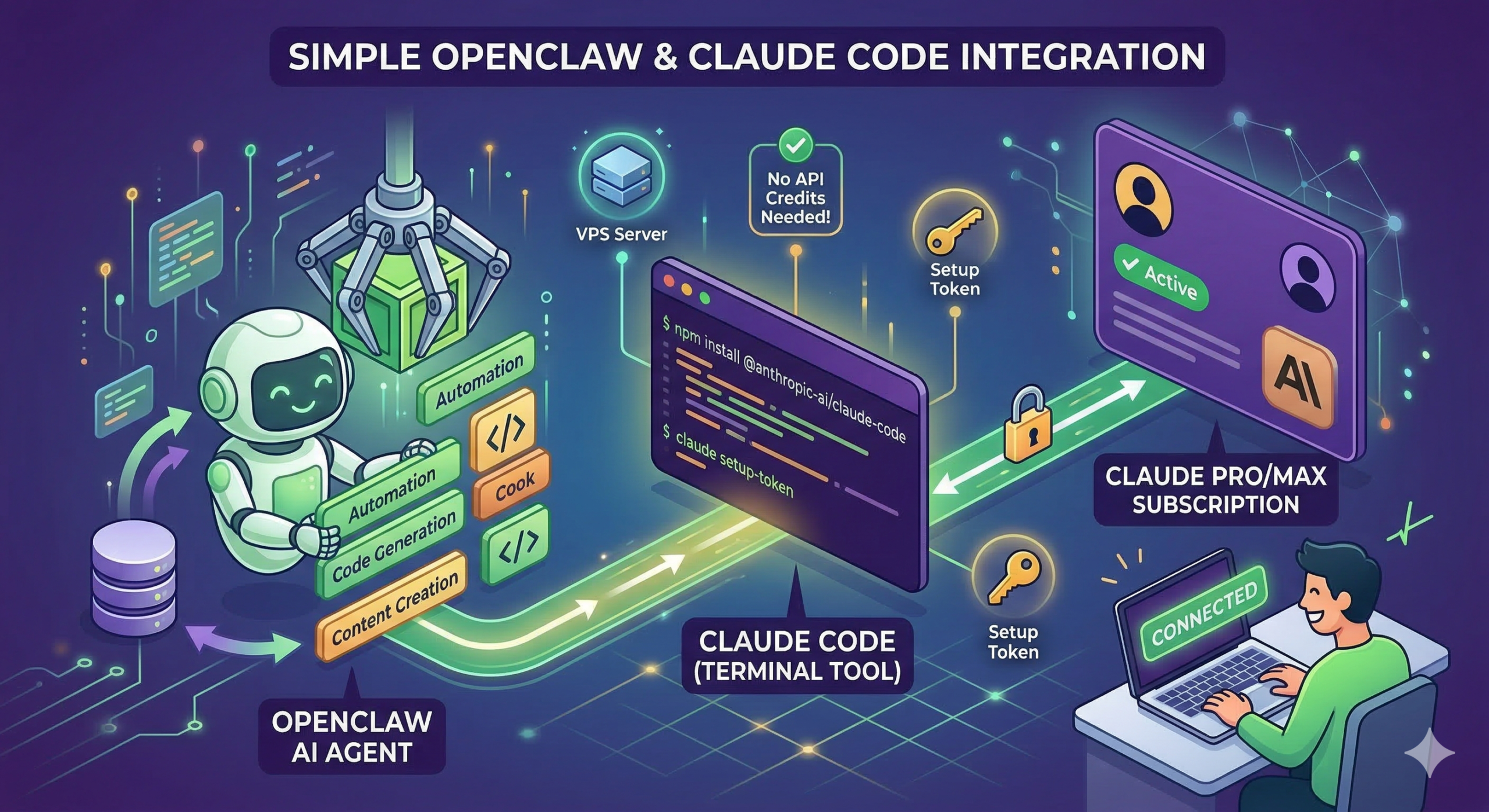
A lot of people overcomplicate or misunderstand how to best get setup with OpenClaw. I know because I was one of those people and I burned through $200 in Claude API credits while barely doing anything.
You can connect OpenClaw directly to your Claude Pro or Max subscription and start running your agent immediately, with no credits or API needed. You simply need to setup Claude Code.
What Claude Code Is Actually Doing Here
Claude Code is a tool that runs directly in your terminal that is going to help everything talk to each other. It acts as a bridge between:
- your Claude subscription
- your local (or VPS) environment
- your OpenClaw agent
Instead of sending API requests with a key, OpenClaw uses an authenticated session tied to your Claude account. That’s what the setup token represents that we’ll generate below.
Step-by-step: Connect OpenClaw to Claude
Once you’ve purchased your OpenClaw Hosting VPS from NameHero, simply SSH in to your new server, login as root, and follow the instructions below.
1. Verify your Claude Subscription & Install Claude Code
Make sure you have:
- an active Claude Pro or Max subscription (via claude.ai)
If not, go grab one. I always say it provides more value than Netflix or Spotify so it’s worth it.
Now you’re ready to install Claude Code:
npm install -g @anthropic-ai/claude-codeIf you run into any errors about this command, you may need to update some packages and install Node.js + npm first:
sudo apt update
sudo apt install -y nodejs npm
You should not run into this problem with a NameHero OpenClaw hosting plan though as we these come auto-installed with your instance!
2. Select Claude Account With Subscription & Follow Prompts
Within the setup, you’ll be asked which mode to select, make sure to select the first one seen here:

After that, it will ask you to connect via a link to your browser and tie it all together:
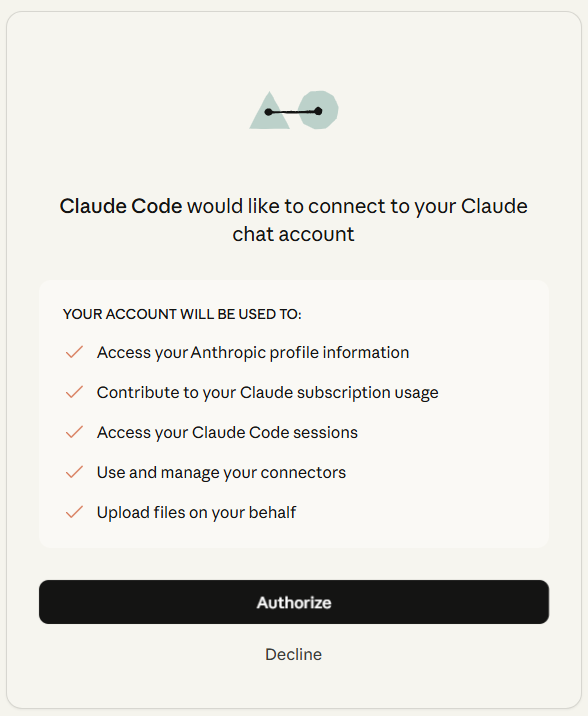
Once you click “Authorize”, you’ll get an authentication code that you need to then go back and paste into your Terminal. Once pasted, you should see this:

3. Finalize Setup:
Continue through the prompts:
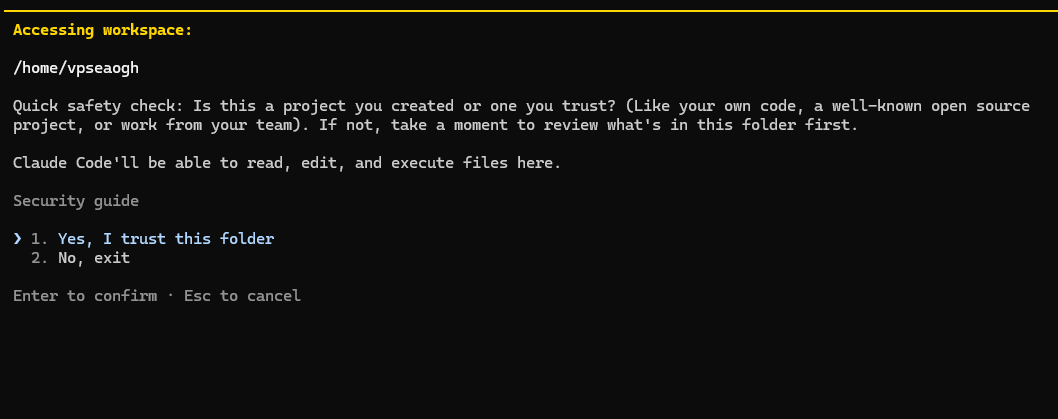
Once you are greeted with the lovely Claude logo in the Terminal and the kind welcome message, you know things are going well.
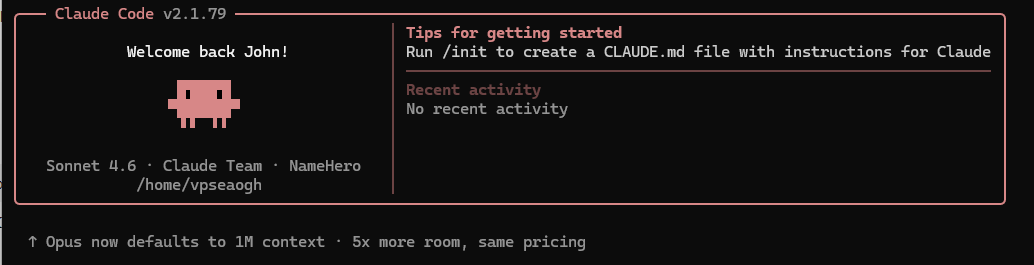
This means your install of Claude Code was successful and now we need to exit back to Terminal to do the final command. Hit CTRL + C twice to exit.
Now run the following command:
claude setup-tokenYou will be asked to authenticate via browser one more time and then finally it will give your OAuth token in yellow within the Terminal. This is the only time you will see it so make sure you save it somewhere safe.
4. Start OpenClaw’s Onboarding
Now that we have our setup token, we are ready start OpenClaw. Luckily with NameHero, it’s already install so we just have to call the onboarding / setup.
openclaw onboardDuring the onboarding, make sure to select Anthropic as the model and Anthropic token (paste setup-token).
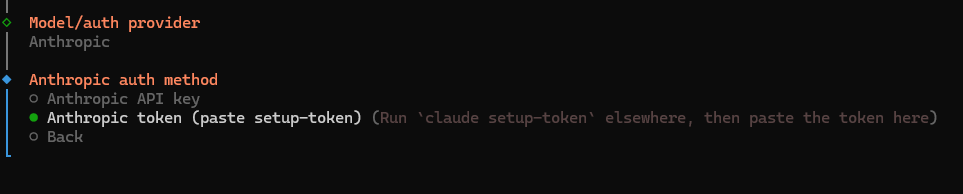
That’s It!
Now you have one of the best models under the hood of your OpenClaw AI agent. If you are still open the fence about who to use for OpenClaw Hosting, give ours a shot!

John is the COO of NameHero and is an entrepreneurial, data-driven digital marketer and business operator with +16 years of experience across many different marketing channels, industries and strategies (B2C & B2B).
John good write up but quick question is this method still working after Anthropic cracked down on third party OAuth access in January 2026? I’ve seen a lot of people say accounts got suspended for using subscription tokens outside of Claude Code. Trying to figure out if API key is the safer route or if this is still fine for personal use. Don’t want to risk my main account. I’d be using it to read works emails and draft replies but not send, looking to spin this up on a VPS from Namehero.
Hey Will, yes, I’ve been using it on two instances myself and with regular personal use it’s been fine. I have seen claims on X a few weeks ago but haven’t seen anything widespread recently.