
I wanted Hermes to call the vet and book an appointment for my dog because they don’t have online scheduling. This was a fun tutorial to do and can be applied to many different scenarios where a phone call may be required vs doing it online.
So in this walkthrough I create a custom voice with ElevenLabs Instant Voice Clone, connect that voice to Hermes, and prompt my agent to call the vet and book an appointment for my dog. You will get the signup, the clone clicks, the Hermes wiring, and a pasteable prompt. Hermes should confirm with you before it places any real call.
Hermes is running on a NameHero VPS for this.
What we’re doing
ElevenLabs is a voice service. You type text and it speaks, or you clone a short recording of your own voice so later speech sounds like you. Hermes already knows how to use ElevenLabs for spoken replies when you add your ElevenLabs API key and pick your voice.
Phone calling is a separate piece. Hermes has an optional telephony skill that can own a Twilio number and place outbound AI calls through providers like Vapi or Bland. For a live booking call that should sound like your ElevenLabs clone, the clean documented path is Twilio plus Vapi with your ElevenLabs key synced so the clone shows up as a voice. Bland is easier for a first outbound AI call, but it uses Bland voices by default, not your clone.
What you’ll need
- Hermes already running on a NameHero VPS, with a working AI key so Chat can think. If you are still on the first hello, start with Your first conversation with Hermes. If Chat says it needs a brain, see Why does Hermes need a key from OpenAI or Anthropic?.
- A free ElevenLabs account at elevenlabs.io, plus about 10 seconds of clean audio of your voice (a minute or two is better if you have it)
- A phone provider for outbound calls: Twilio plus Vapi if you want the conversational call in your ElevenLabs voice, or Bland if you only want the easiest first AI call (we’ll do this in a later tutorial)
- The Hermes dashboard in a browser or connected to Telegram/WhatsApp
Ask Hermes first
Ask Hermes: I cloned my voice in ElevenLabs Instant Voice Clone. Here is my ElevenLabs API key and my voice_id. Save the key for Hermes TTS, set the TTS provider to elevenlabs with that voice_id, install the official telephony skill if it is missing, and tell me what Twilio and Vapi (or Bland) details you still need before you can place a call. Do not dial anyone yet. When phone is ready, I will ask you to call my vet and book a checkup for my dog, speaking in my cloned voice, and you must confirm the script and the number with me before you dial.
If Chat is working, Hermes can walk the wiring and tell you what is still missing. Paste keys only in a private session on your own server. If Hermes says a key or skill is missing, fix that first, then come back to the vet ask.
Walk through it
Start on ElevenLabs. Sign up free at elevenlabs.io, verify your email if it asks, then open Voices. You land on Explore with a big + Create Voice button.
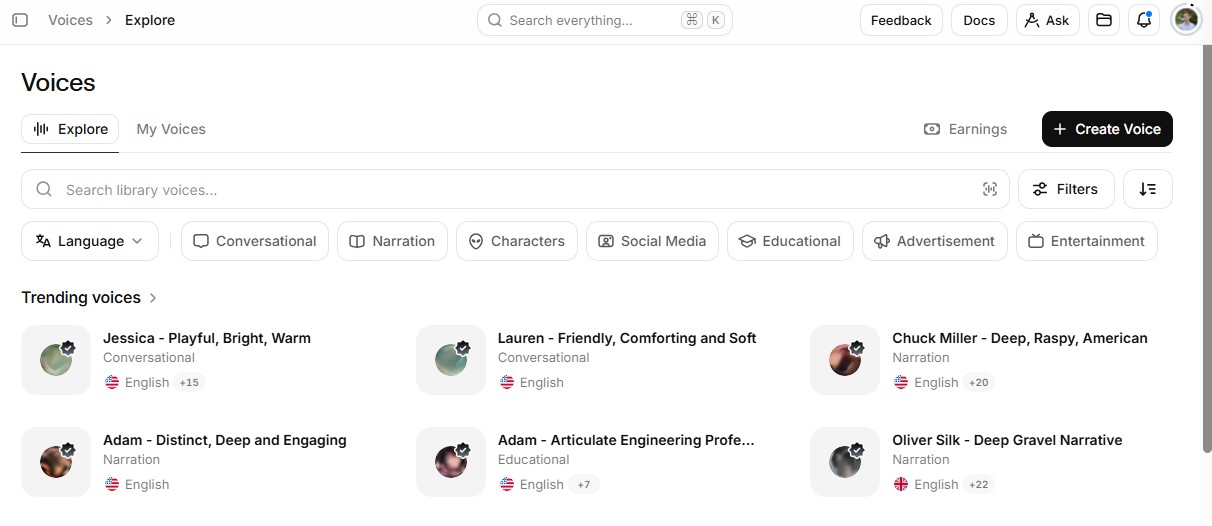
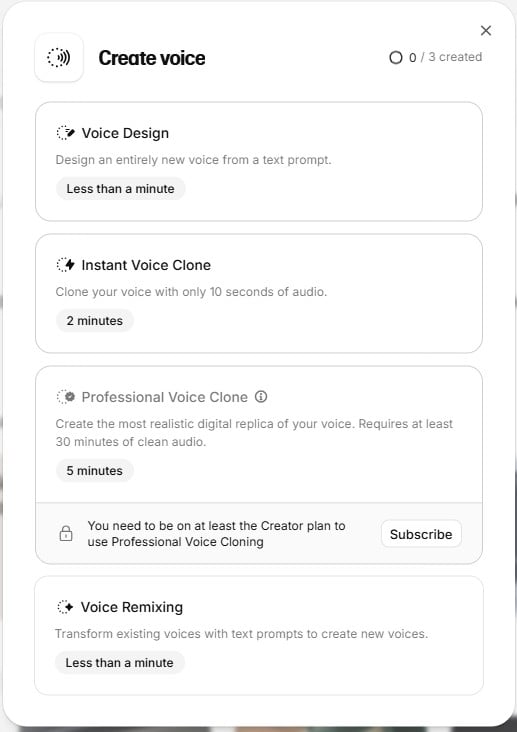
Click + Create Voice. Choose Instant Voice Clone. The modal says you can clone with about 10 seconds of audio. That is enough to start. Professional Voice Clone is a longer, paid-tier option. Skip it for this walkthrough.
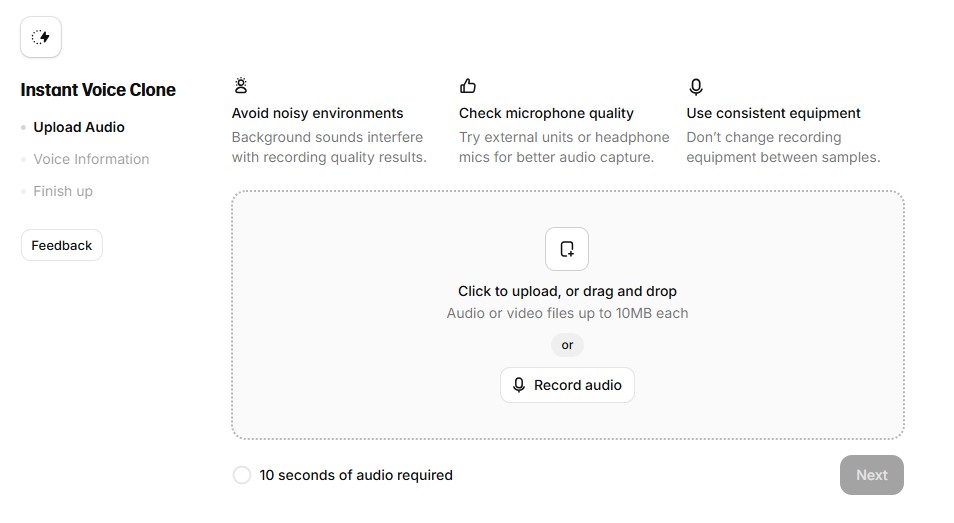
Upload or record a clean sample. Quiet room. One speaker. No TV in the background. The upload step wants at least 10 seconds before Next lights up. Name the voice, confirm you have consent to clone it, and save. Your clone then lives under My Voices, and ElevenLabs gives you a voice_id you will hand to Hermes.
In ElevenLabs, open your profile API keys page and create a key. Keep it private. On Hermes, that key goes in as ELEVENLABS_API_KEY, and TTS should point at provider elevenlabs with your clone’s voice_id. Prefer asking Hermes to set that once Chat works, rather than hand-editing files for sport.
For the phone side, install the official telephony skill from the Skills Hub if Hermes does not already have it. Buy or attach a Twilio number when you want Hermes to own a reusable line. For a two-way booking call in your ElevenLabs voice, connect Vapi, import the Twilio number, and add the same ElevenLabs API key in Vapi’s integrations so your clone syncs into the voice list. Then ask Hermes to place the AI call only after you approve the number and the script.
Here is the kind of vet ask I use once the voice and phone pieces are ready:
Call my vet at [number I approve]. You are booking a routine checkup for my dog [name], about [age/breed if useful]. Prefer mornings next week. If that is full, ask for the next open slot. Speak in my ElevenLabs cloned voice. Confirm the date, time, and any prep instructions back to me in Chat. Do not dial until I say yes to this script and number.
Tip: do a sandbox call to your own cell first.
Further step: once SMS on the Twilio number works, you can also ask Hermes to text you a short summary after the call so the outcome is not stuck in a transcript tab.
What I learned
Your voice and the phone line are two setup steps. ElevenLabs Instant Voice Clone gets you a voice_id from a short recording. Hermes uses that voice when ELEVENLABS_API_KEY and the TTS voice_id are set. A live booking call still needs the telephony skill plus a provider path such as Twilio and Vapi if you want the clinic to hear your clone.
Hermes Agent Hosting comes with Hermes preinstalled on a NameHero VPS. NameHero support is available by live chat if you get stuck.

John is the COO of NameHero and is an entrepreneurial, data-driven digital marketer and business operator with +16 years of experience across many different marketing channels, industries and strategies (B2C & B2B).
Leave a Reply