• Skip to primary navigation
  • Skip to main content
  • Skip to primary sidebar
NameHero® Blog

NameHero® Blog

Web Hosting Tips & Resources From NameHero

  • AI Agents
    • OpenClaw
    • Claude Code
    • n8n
    • Hermes Agent
    • Open WebUI
    • Docker
  • Hosting
    • Web Hosting
    • WordPress Hosting
    • WooCommerce Hosting
    • Enterprise Hosting
    • Email Hosting
    • HeroicGuard
    • GPU Hosting
    • Website Builder
  • VPS
    • Managed VPS
    • Unmanaged VPS
    • Flex VPS
  • Reseller
  • Gaming
  • Domains
  • Account
  • Blog Home
  • Categories
  • Authors

How To Have Hermes Summarize A PDF In 3 Bullets

John Kirkpatrick

Published on: September 9, 2026

Categories: Hermes Hosting 0

NameHero branded cover: Have Hermes summarize a PDF in 3 bullets

I wanted Hermes to take a PDF that showed up as email and hand me three bullets I could use. A utility bill. A neighborhood newsletter. Something short enough that I did not have to open the whole file.

There are a few different ways to do this… you can actually setup your Hermes bot with it’s own email inbox but I’m going to assume for simplicity’s sake we will just upload it to Hermes. So our steps are: get the PDF onto Hermes, open Chat, and ask for exactly three bullet points. That is the path I am teaching here.

What we’re doing

This is one job only: put a PDF where Hermes can read it, then ask Chat for exactly three clear bullets.

Hermes is running on a NameHero VPS for this, so it stays on when my laptop sleeps.

What you’ll need

  • Hermes already running on a NameHero VPS, with a working AI key so Chat can think. If you are still on the first hello, start with Your first conversation with Hermes.
  • A browser open to the Hermes dashboard
  • A PDF Hermes can reach. Use the FILES page Upload / Drop / Choose files UI, or put the file under a path like /opt/data/… on the server.

Walk through it

First, get the PDF onto Hermes. On the left of the dashboard, open FILES. You should see Upload, Drop files, and Choose files for the working folder (ours showed /opt/data). That is the beginner attach path when Chat does not offer a paperclip.
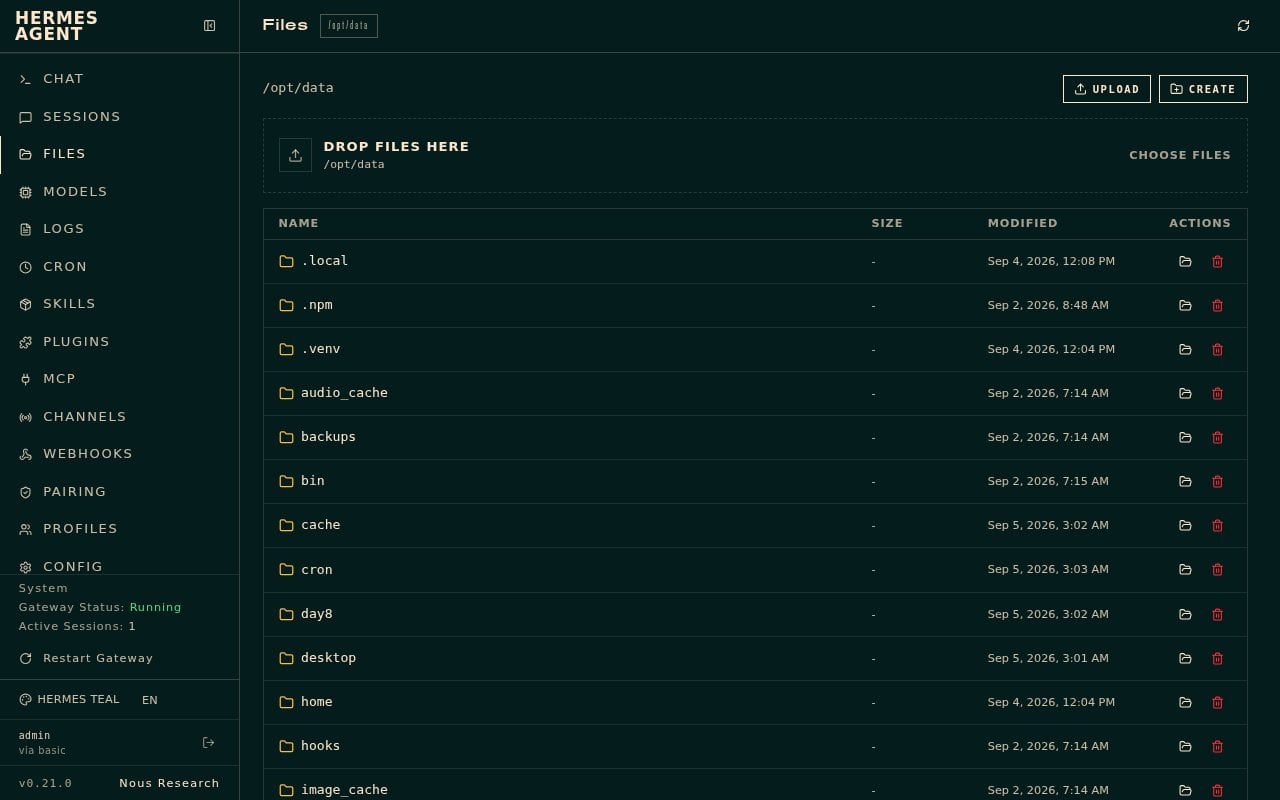
Hermes FILES page showing Upload, Drop files, and Choose files

Then open Chat. If the first load says session not found, click New chat. You should see a ready status and your model badge live.
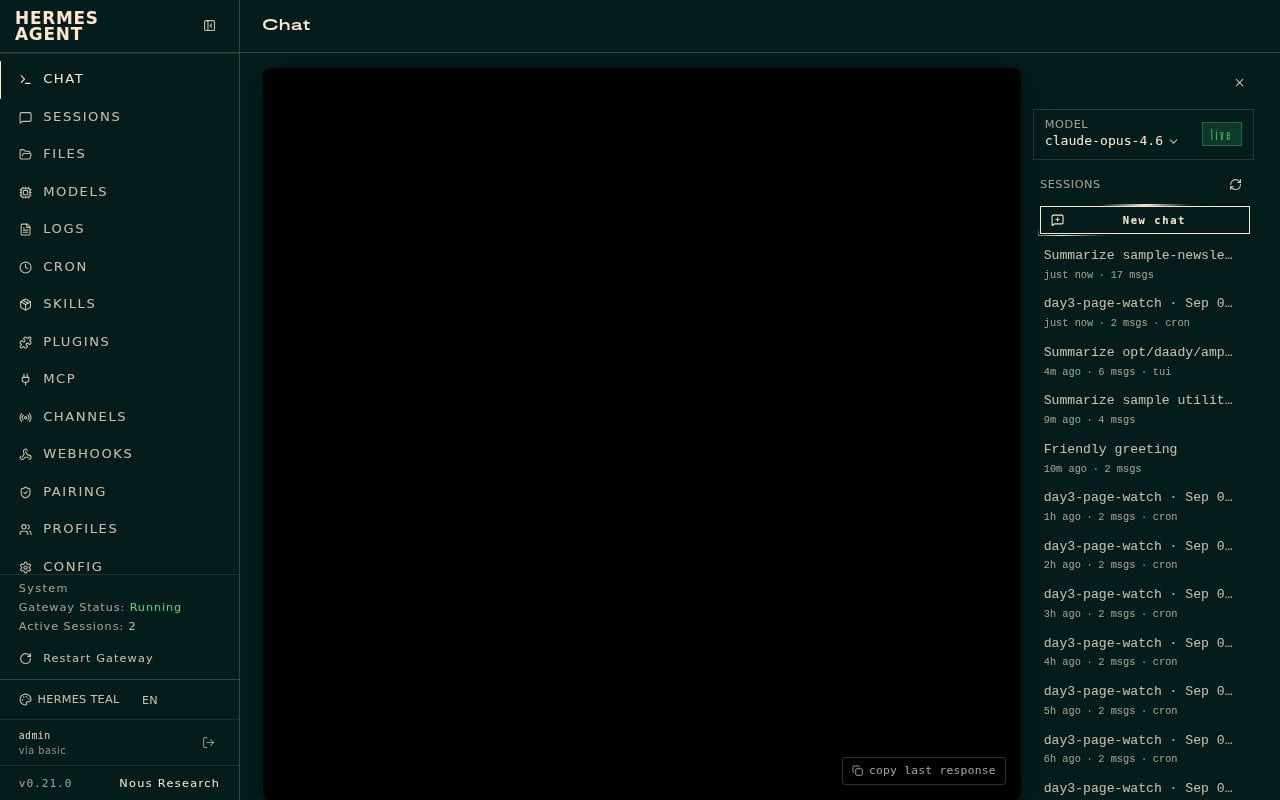
Hermes Chat New chat screen ready with model badge live

I typed this prompt with the bill path at the end:

Summarize /opt/data/day8/sample-utility-bill.pdf in exactly 3 bullet points.
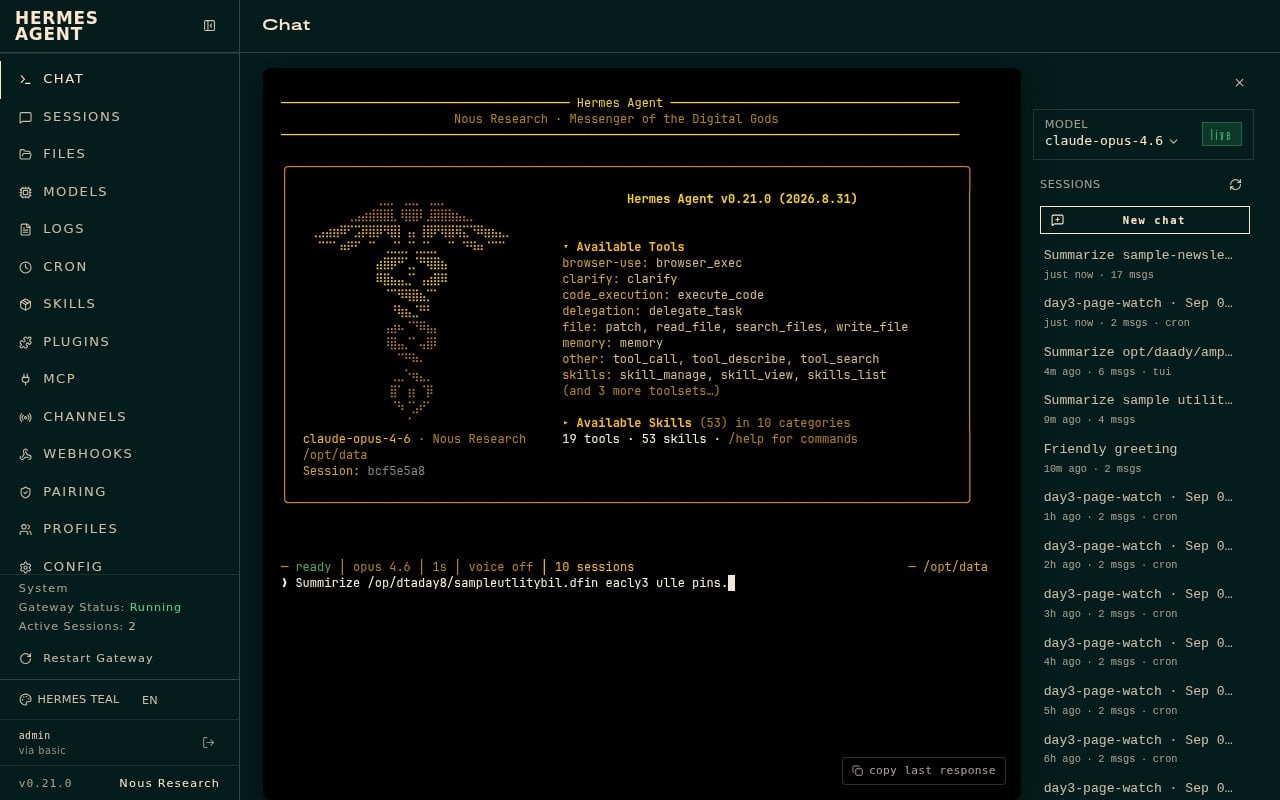
Hermes Chat prompt asking to summarize a utility bill PDF in exactly 3 bullet points

Chat showed a short tool trail. It searched for the bill file, then read it. Status came back ready in about fourteen seconds with exactly three bullets.

What Hermes produced
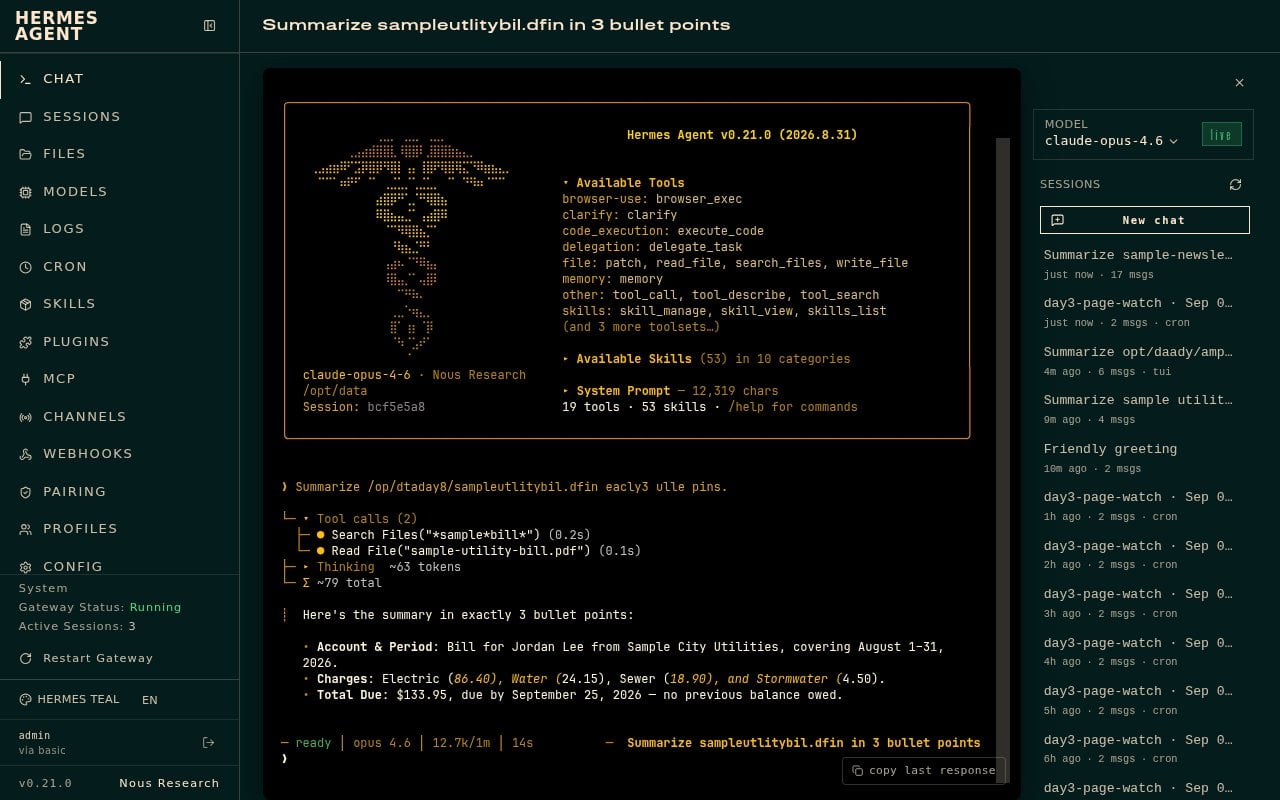
Hermes Chat reply with three utility bill summary bullets

Here is what Chat gave me.

Here’s the summary in exactly 3 bullet points:

  • Account & Period: Bill for Jordan Lee from Sample City Utilities, covering August 1–31, 2026.
  • Charges: Electric (86.40), Water (24.15), Sewer (18.90), and Stormwater (4.50).
  • Total Due: $133.95, due by September 25, 2026 — no previous balance owed.

What I learned

A PDF summarize ask is plain English: tell Hermes which file, and ask for exactly three bullet points. Hermes reads the document and hands you a short recap you can act on, like who the bill is for, what the charges are, and when it is due.

How you do it: upload the PDF on the FILES page (or place it under a path Hermes can see), open Chat, start a New chat if you need one, and paste a prompt that names the file and says exactly 3 bullet points. Wait for the reply in the chat window.

One gotcha: Hermes has to be able to reach the file. If the PDF is only in your email inbox and Email is not configured, Chat cannot pull it from there yet. Put the file on the server first. Live inbox wiring (skills like email-inbox-triage / himalaya) is a separate setup, and it was not demoed on this box.

Hermes Agent Hosting comes with Hermes preinstalled on a NameHero VPS. NameHero support is available by live chat if you get stuck.

John Kirkpatrick

John is the COO of NameHero and is an entrepreneurial, data-driven digital marketer and business operator with +16 years of experience across many different marketing channels, industries and strategies (B2C & B2B).

Related Posts

Your First 10 Minutes with Hermes (It’s Already on the Server)

Order a NameHero Hermes VPS, paste your own AI key, and have the first conversation. No extra install. If you can paste a paragraph, you can do this.

Text Hermes from WhatsApp

Connect WhatsApp to Hermes with a QR code so you can text your assistant from your phone. Self-chat, one number, no extra apps.

How To Use Hermes To Watch A USPS Package Until It Arrives

Ask Hermes on a NameHero VPS to watch a USPS tracking number and only ping when it is out for delivery or delivered.

How To Use Hermes To Watch An OpenSea Floor Price

Ask Hermes on a NameHero VPS to check an OpenSea collection floor on a schedule, with optional under-price notes.

Reader Interactions

Leave a Reply Cancel reply

Your email address will not be published. Required fields are marked *

This site uses Akismet to reduce spam. Learn how your comment data is processed.

Primary Sidebar

Follow & Subscribe

Exclusive promos, content and more!


Most Popular Posts

NameHero’s Recommended WordPress Plugin and Theme Setup

WordPress Hosting vs. Web Hosting – What’s The Difference?

How To Increase The InnoDB Buffer Pool Size

How To Fix A Stuck All-in-One WP Migration Import

How To Add A Subdomain In Cloudflare

Top Categories

  • WordPress
  • WordPress Tutorials
  • OpenClaw Hosting
  • Enterprise Hosting
  • WooCommerce
  • Web Hosting
  • Resellers
  • Website Security
  • Website Development
  • Website Performance
  • VPS Hosting
  • SEO Tips
  • Announcements
  • Domain Registration
NameHero

NameHero® proudly provides web hosting to over 40,000 customers with 99.9% uptime to over 750,000 websites.

  • Master Card
  • Visa
  • American Express
  • Discover
  • Paypal
Products
  • Web Hosting
  • Managed VPS Hosting
  • Unmanaged VPS Hosting
  • Flex VPS Hosting
  • WordPress Hosting
  • WooCommerce Hosting
  • Reseller Hosting
  • Enterprise Hosting
  • GPU Hosting
  • Email Hosting
  • HeroicGuard
  • Domains
  • Website Builder
  • AI Agent Hosting
Help & Support
  • NameHero Blog
  • NameHero Gaming Blog
  • Support
  • Help Center
  • Migrations
  • Affiliates
  • Gaming Affiliates
  • Call 1-855-984-6263
Company
  • About Us
  • Contact Sales
  • Reviews
  • Uptime
  • We're Hiring

Copyright © 2026 Name Hero, LLC. All rights reserved.
NameHero® is a registered trademark.

  • Privacy Policy
  • Terms of Use
  • Acceptable Use Policy
  • Payment Policy
  • DMCA