
I can already ask Hermes a quick question in Chat. What I wanted next was email that belonged to the agent, not to my personal Gmail.
So in this walkthrough I set up AgentMail, connect it to Hermes, and send a real message from an address like [email protected]. You will see why an agent needs its own inbox, what MCP means in plain English, and the exact ask that made Hermes send mail on our NameHero VPS.
Hermes is running on a NameHero VPS for this, so it stays on when my laptop sleeps.
What we’re doing
AgentMail is email built for AI agents. Each inbox is a real address the agent can send from and receive to. That matters when Hermes needs to catch a confirmation code, reply to a vendor, or keep mail out of your personal inbox. We are walking through the manual way of setup but if you have your Hermes already setup then chances are you can just ask it to set it up for you.
We connect AgentMail through MCP. MCP is a plug-in tool board Hermes loads at startup. Instead of guessing API calls, Hermes gets typed tools like create inbox and send message.
What you’ll need
- Hermes already running on a NameHero VPS, with a working AI key so Chat can think. If Chat still needs a brain, see Why does Hermes need a key from OpenAI or Anthropic?.
- A free AgentMail API key from console.agentmail.to. An API key is a long password for AgentMail. No card required for the free start. NameHero never sees this key.
- A way to edit Hermes config on the VPS (dashboard terminal or Files). We will add a small MCP block and put the key in the Hermes
.envfile. - An address you control for the first test send. I used
[email protected].
Walk through it
Sign up at AgentMail and create an API key in the console. Copy the key somewhere safe. Do not paste it into a blog post or a screenshot.
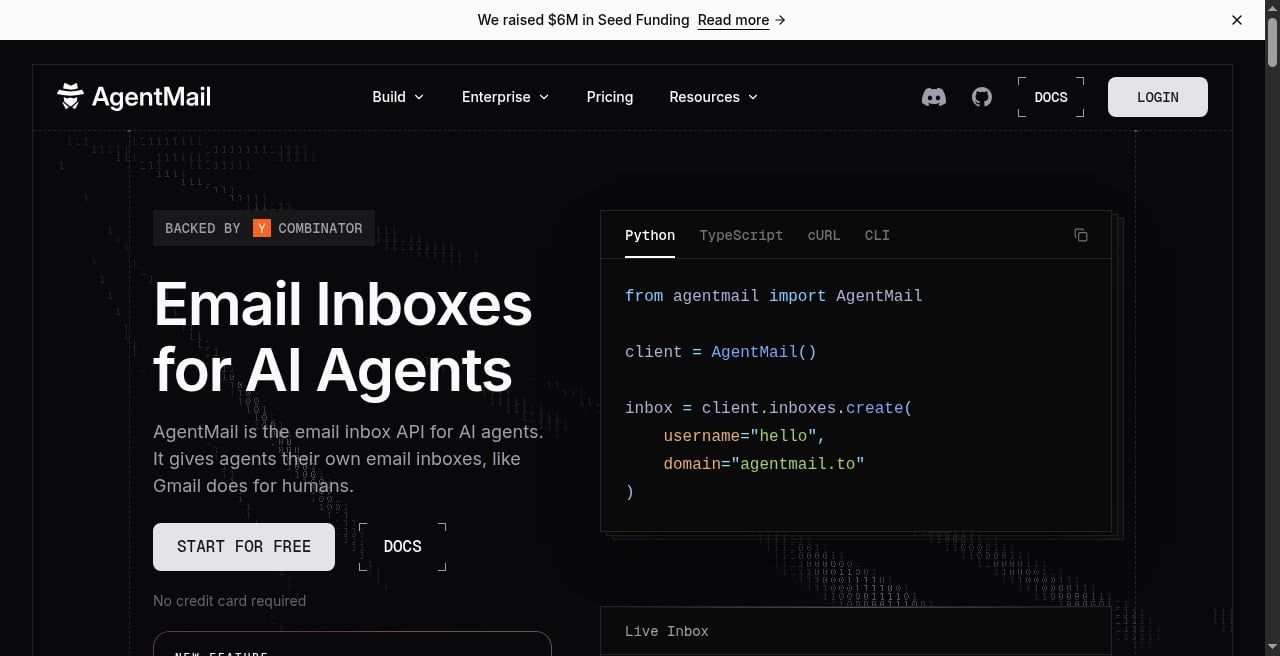
On the Hermes server, put the key in the Hermes environment file as AGENTMAIL_API_KEY. Then open config.yaml and add this MCP block (or append it at the end if the file is mostly comments):
mcp_servers:
agentmail:
url: "https://mcp.agentmail.to/mcp"
headers:
x-api-key: "${AGENTMAIL_API_KEY}"
That ${AGENTMAIL_API_KEY} line tells Hermes to read the key from the environment file. Restart Hermes after you save, so it loads the new tools. On our test that meant restarting the Hermes container, then checking Chat again.
I asked Hermes whether AgentMail tools were available. It said yes and listed tools including create_inbox, list_inboxes, and send_message. On this version it reported 26 AgentMail tools total. You only need the create, list, and send ones for a first win.
Next I created an inbox for the tutorial and named it Hermes NameHero. AgentMail gave us [email protected]. The random words are normal. That is the agent’s address, not yours.
For a quick check, ask Hermes to list inboxes:
Using AgentMail, list my inboxes. Keep it short.
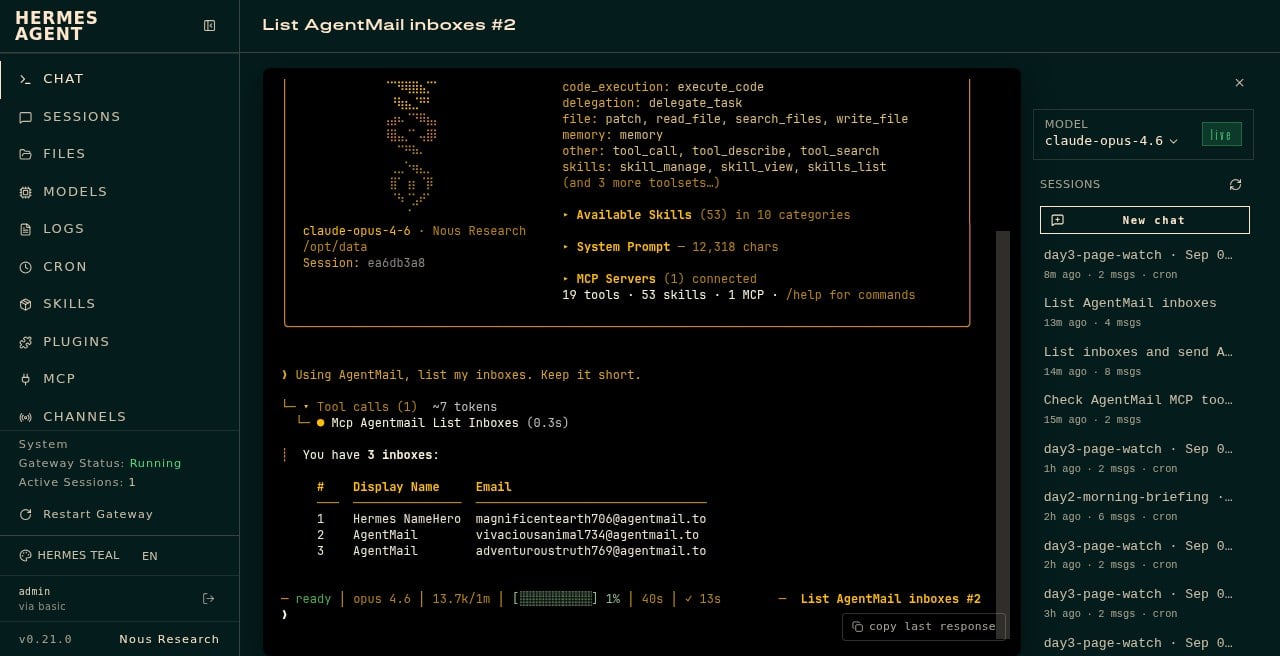
Ours came back with three inboxes, including the Hermes NameHero one.
Then I asked Hermes to send a real email from that address to [email protected]. First I used a CLI one-shot with subject Hermes AgentMail test from NameHero VPS. That message landed in my inbox. In Chat I ran the same kind of send again for the screenshot:
Send an email from [email protected] to [email protected] with subject Hermes AgentMail dashboard check and a short body saying this is a dashboard check on the NameHero Hermes VPS. Confirm when sent.
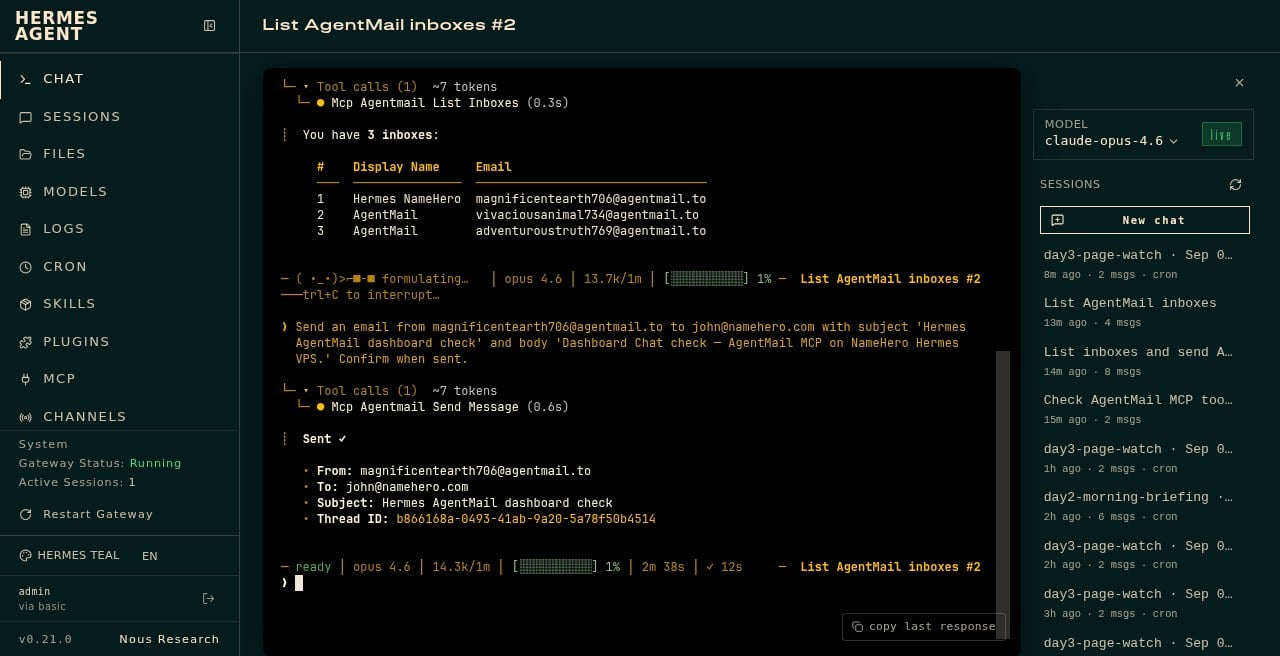
Hermes answered with Sent, plus the from, to, and subject lines. That is the whole proof. Hermes can talk to the outside world by email without borrowing Gmail.
What you can do with it
- Give Hermes an address for signups and verification codes so those messages never hit your personal mail.
- Ask Hermes to draft and send a short outreach note, then check the thread for replies.
- Keep agent mail separate when you are testing, so a messy experiment does not clutter the inbox you use for real work.
Receiving a reply and having Hermes summarize it is the natural next step. I did not wait on a vendor reply for this article. The send path is what we proved live.
What I learned
AgentMail gives Hermes its own email address. MCP is the plug-in board that loads those email tools into Hermes. You add a free API key, a small block in config.yaml, restart, then ask Chat to create an inbox and send.
How you do it: key in .env, MCP block pointing at https://mcp.agentmail.to/mcp, restart Hermes, then a plain English send ask in Chat.
One gotcha: the Email line on Hermes status can still say not configured. That line is the older IMAP style setup. AgentMail can work anyway through MCP. If tools are listed and a test message lands, you are done.
Your agent gets an inbox. Your Gmail stays yours.
Hermes Agent Hosting comes with Hermes preinstalled on a NameHero VPS. NameHero support is available by live chat if you get stuck.

John is the COO of NameHero and is an entrepreneurial, data-driven digital marketer and business operator with +16 years of experience across many different marketing channels, industries and strategies (B2C & B2B).
Leave a Reply