


When you sign up for a web hosting service, you should also be able to create a custom email domain for your website. However, if you’re a beginner, you might be wondering: what is an email domain?
An email domain enables you to establish credibility with customers and reinforce your brand. Better yet, it’s easy to set up a custom email address for your business when you sign up for a NameHero hosting plan.
In this post, we’ll first answer the question: what is an email domain? Then, we’ll discuss the benefits of creating a custom email address and show you how to do it. Let’s jump right in!
What Is An Email Domain?
When you create a website, you’ll need to choose a domain name that represents your content. This looks something like “www.myfoodblog.com”. The “.com” portion of the web address is called a Top Level Domain (TLD).
There are plenty of TLDs you can use, like .net or .org. However, popular options like .com can help you establish credibility and appear more trustworthy.
The middle part of the domain name (known as the root domain) usually contains descriptive terms or keywords that align with your business or niche.
You can purchase a domain name through web hosting services, or use a domain registrar. For instance, NameHero offers a free domain search tool where you can browse domains by industry:
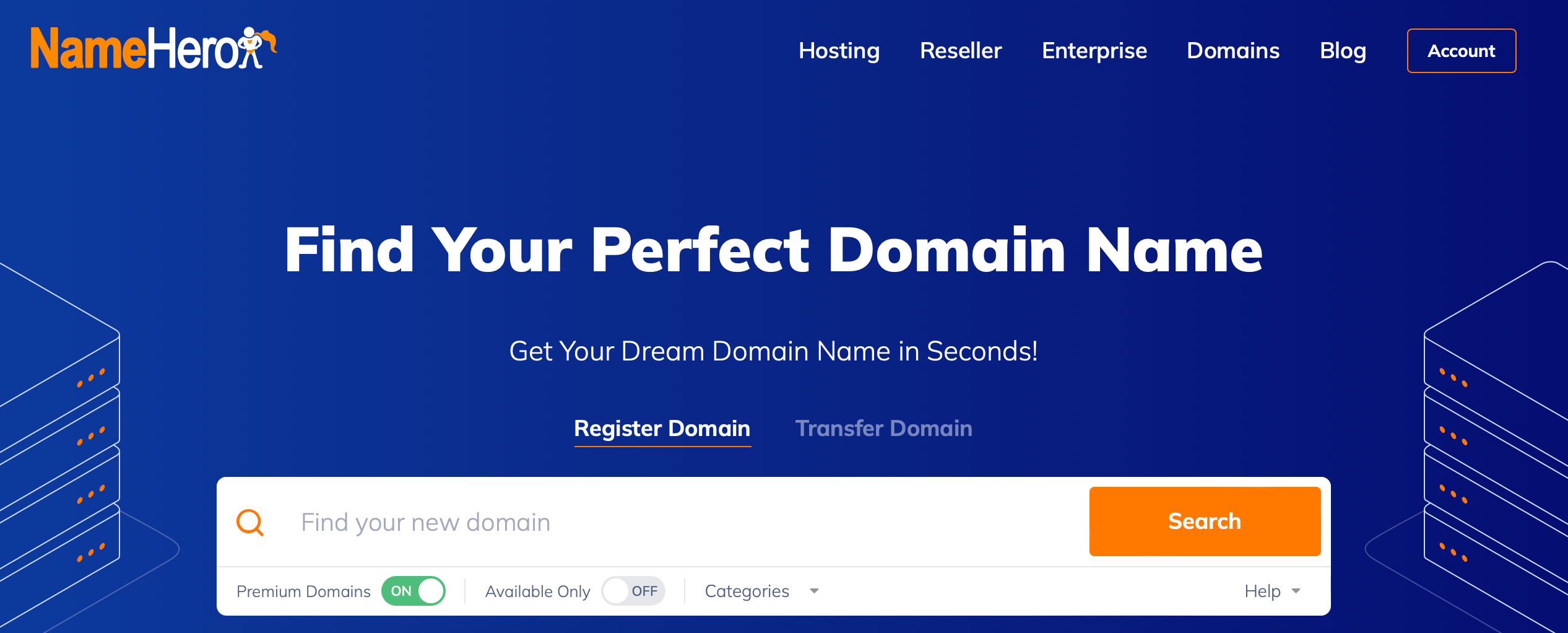
You can also filter the results by available domains or premium domain names. Once you find a domain name that you like (and that’s available), you can go ahead and purchase it through NameHero. You can even add privacy protection to hide ownership details.
However, domains can also be used to host emails. This means you can set up email accounts that are linked to your website name.
So, if you purchase a website domain name like “www.myfoodblog.com”, you can send emails from an email domain like “[email protected].”
In general, it’s best to stick to domain names that are short, memorable, and easy to type. This makes it easier for customers to remember your email address.
Why Should You Consider a Custom Email Domain for Your Business?
Although you can send emails from generic email accounts (like Google Workspace), many businesses prefer to set up a custom email domain that is linked to the company website.
Here are some of the benefits of custom email domains for businesses:
- You can create multiple email addresses for different employees or departments. This is useful when customers need to get in touch with a particular person at the company or reach out to a specific department like support or sales.
- A custom domain can improve the User Experience (UX). Customers might get a little confused if they have to send a message to an email address that’s different from your website address.
- With a professional email address, it can be easier to establish credibility and increase trust with customers.
- Typically, a custom email domain is much safer compared to generic or free email accounts. For example, many email hosting providers employ email authentication protocols to reduce phishing attacks, email fraud, and email spam.
- Custom email domains that use your company name can also be more reliable. In the event of typos in the email domain, the catch-all function can redirect messages to the main inbox.
As you can see, custom email accounts can help improve email deliverability, establish credibility, and better protect your business from fraud.
How to Get a Custom Email Domain (In 3 Steps)
Now, let’s look at how to set up your own email domain. Although you can use many web hosting providers to do this, we’re going to show you how to create your email account with NameHero.
1. Select A Email Hosting Plan from NameHero
As we discussed earlier, you can set up email accounts with free email hosting services like Gmail. However, it can be better for your company to create a custom email domain that aligns with your website name for a polished and professional look.
The easiest way to achieve this is to sign up for a plan with a web hosting provider because you can have your domain, web hosting and email all in one place!
Selecting an email hosting plan is easy, we would recommend going with a Plus or Turbo plan to make sure you have enough space to never have to worry about deleting emails or attachments down the line.
2. Get The Perfect Domain Name
Start the purchasing process with selecting your domain name. If you already have one, you can simple update the MX records after purchase just select the “Use Your Own” option in the checkout flow. You can also transfer an existing domain name to NameHero if you wish to further consolidate your services for easier management, but not required. Instructions on how to update the MX record will be sent via email after purchase.
If you don’t have a domain yet, you can find one during this part of the process and check it out with your email plan.
You’ll find the price of the domain name next to the Add to Cart button. Beneath the price, you can see how long the domain name is valid for. Typically, you’ll need to renew it every year, but NameHero enables you to purchase a domain for two years or longer:
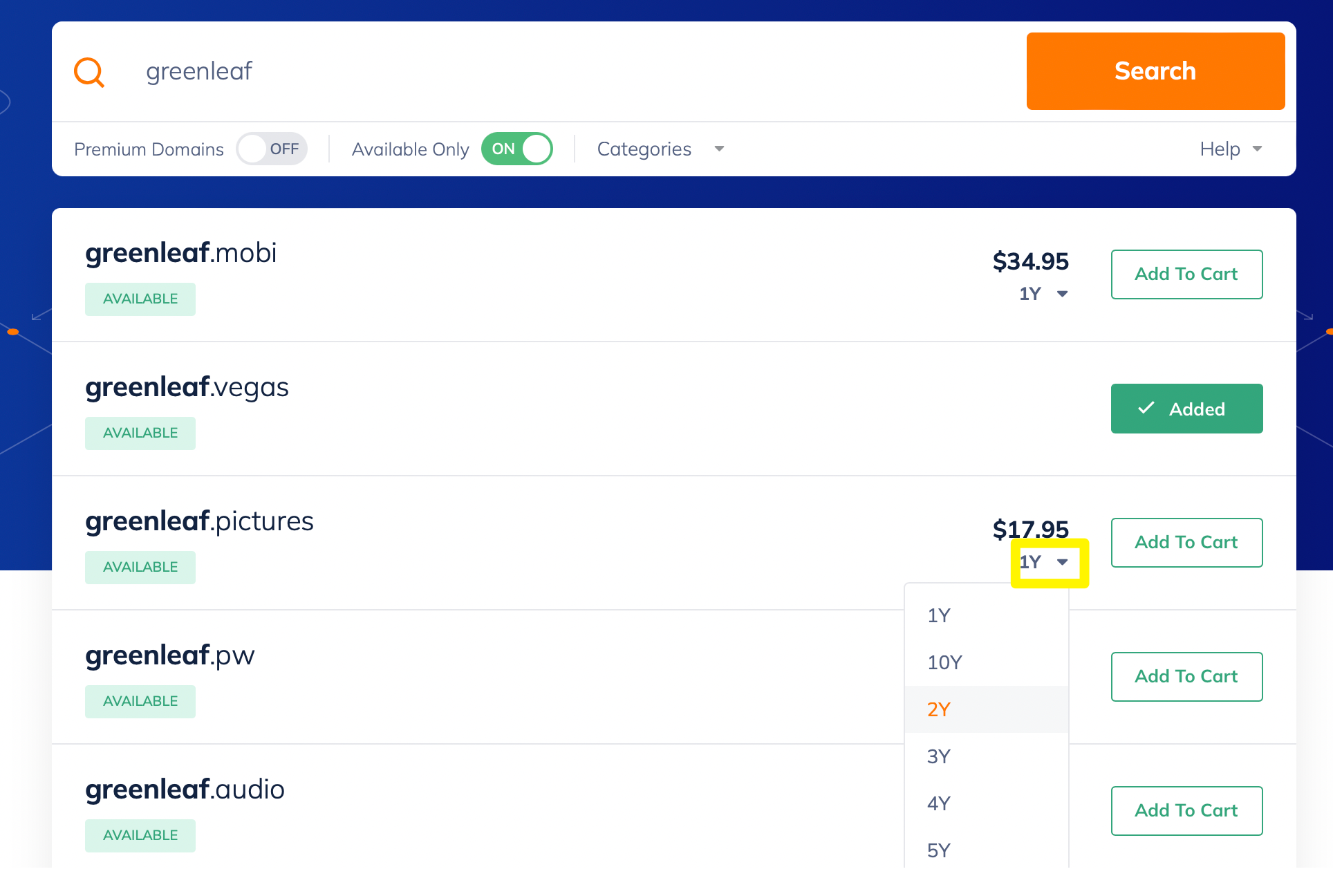
When you’re ready, go ahead and add the domain to your shopping cart. Before you proceed with your purchase, you might want to include add-ons like DNS management, email forwarding, and ID protection.
3. Complete Purchase & Finalize Setup For Your Email
Once you’ve completed your purchase, simply wait for email instructions on how to connect your domain to your email hosting plan. It may involve updating MX records depending on where your domain is hosted which is a simply settings update.
If your email is currently hosted elsewhere, open a support ticket and our team will assist in getting your old inbox migrated to your new email hosting plan with NameHero.
After the MX record is updated (if applicable), you’ll be able to access your email immediately via a link to our Webmail Client, HeroicMail. Additional instructions on how to setup your email on your mobile device, or any device with Internet will also be provided.
Conclusion
If you have a small business, it’s a good idea to set up a custom email domain that is linked to your website. This way, you can create consistency for customers, reinforce your brand, and appear more trustworthy. What’s more, it’s super easy to set up an email address with certain hosting providers like NameHero.
To recap, here’s how to get a custom email domain for your business:
- Pick the right NameHero email hosting plan for your business
- Select the perfect domain in the checkout process
- Complete purchase and finalize setup
Do you have any questions about how to choose a domain name for your email or website?Let us know in the comments below!

Sophia is a staff writer at WordCandy.co, where she produces quality blog content for WordPress plugin and theme developers, hosting providers, website development and design agencies, and other online businesses.
Leave a Reply