


Are you looking for an email host to manage your inbox? Gmail and Apple Mail are two of the most popular email hosting solutions. However, you might not know which to choose.
That’s why it’s important to know the differences between Gmail vs Apple Mail, and what makes them better suited to different users. For example, Gmail offers more compatibility with other platforms (and extensive customization options). Meanwhile, Apple is great if you have multiple email accounts and want strong security features.
In this post, we’ll first explain what email hosting is. Then, we’ll compare Gmail and Apple Mail across five key areas. Let’s jump right in!
What Is Email Hosting?
Email hosting involves renting an email server (or part of a server) to send, receive, and store emails. Naturally, you can find free email clients. However, many businesses prefer to use premium email hosting providers.
In this scenario, you can often access advanced features like a custom email domain and multiple email accounts. Additionally, a quality email client will provide backup capabilities, sufficient storage space, and top notch email security features (like spam filtering).
There are many ways to get started with email hosting. If you’re launching a new business, you can purchase a web hosting plan from a reputable hosting provider like NameHero:

A web host will store important files so that your website is accessible on the internet. Better yet, some web hosts (like NameHero) also offer free domains with certain hosting plans. You can also access automatic WordPress installations, a free SSL certificate, and free email accounts.
Alternatively, you can set up email hosting by purchasing a domain name to represent your website. NameHero’s free domain search tool allows you to find out if your desired domain is available:
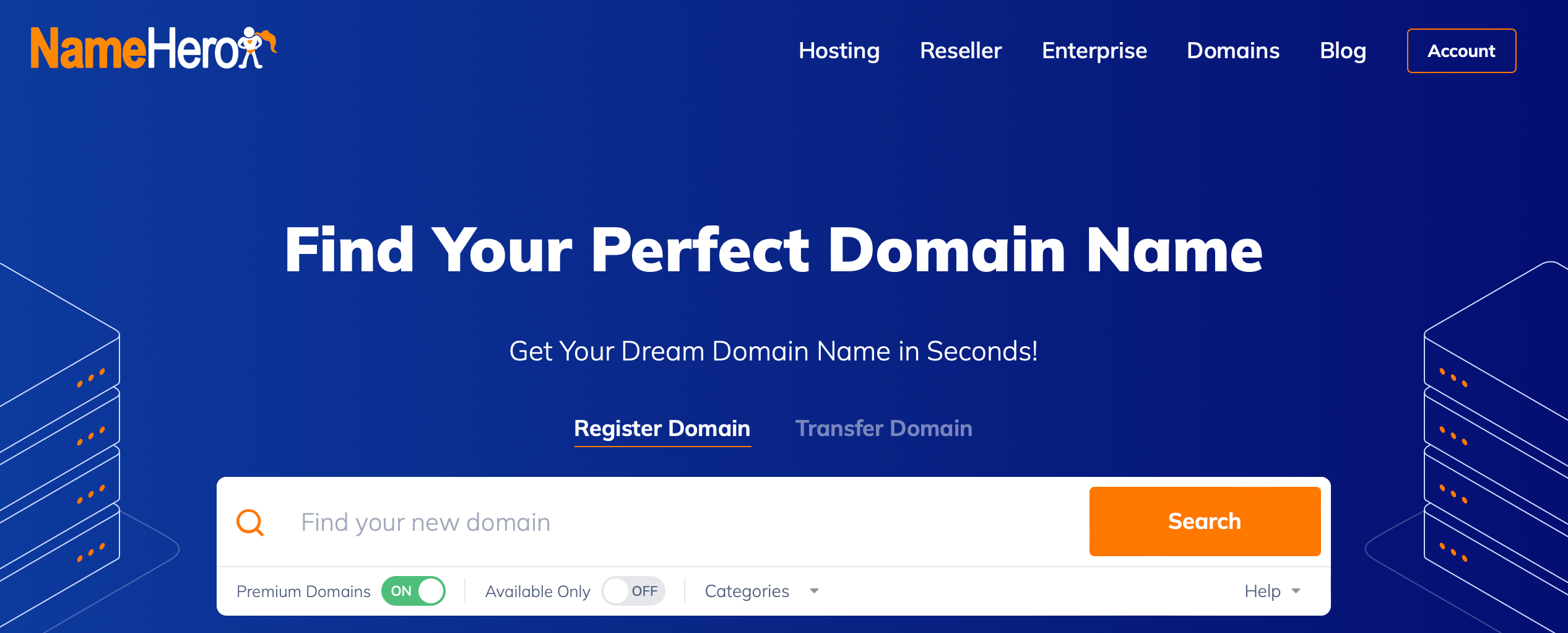
And, you can filter the results by industry and availability. Plus, you can search for specific top level extensions if you have an idea of what you might like.
Gmail vs Apple Mail: 5 Factors Compared
Now that you know a bit more about email hosting, let’s dive into this Gmail vs Apple Mail comparison. In this section, we’ll put five key factors head-to-head.
1. Security
One of the most important factors to consider when deciding between a Gmail account and the Apple Mail app is security. First off, Gmail uses industry-leading encryption so that all messages you send and receive are safe and secure.
You’ll also find protection against phishing attacks, and Gmail boasts a 99.9 percent success rate in stopping spam, malware, and dangerous links from reaching your inbox. Plus, Gmail supports advanced spam filtering, two-factor authentication, and Confidential Mode (to set expirations or require verification from recipients).
If we take a look at Apple Mail, you’ll find that some of the security features are similar. Like Gmail, you can access an ad-free inbox, phishing and spam protection, two-factor authentication, and encryption to keep your messages secure.
However, if you upgrade to a paid plan, you can also use the Hide My Email service. This enables you to disguise your real email address so that there’s less risk when sending and receiving emails from unknown users.
2. User Interface and Experience
To simplify email management, it’s best to choose an email client that offers a clean user interface (UI). The goods news is that both Gmail accounts and iCloud Mail provide organized, clutter-free environments.
If you set up a Gmail email address, you’ll get access to a tabbed inbox to sort messages into specific categories (like social, promotions, forums, etc):
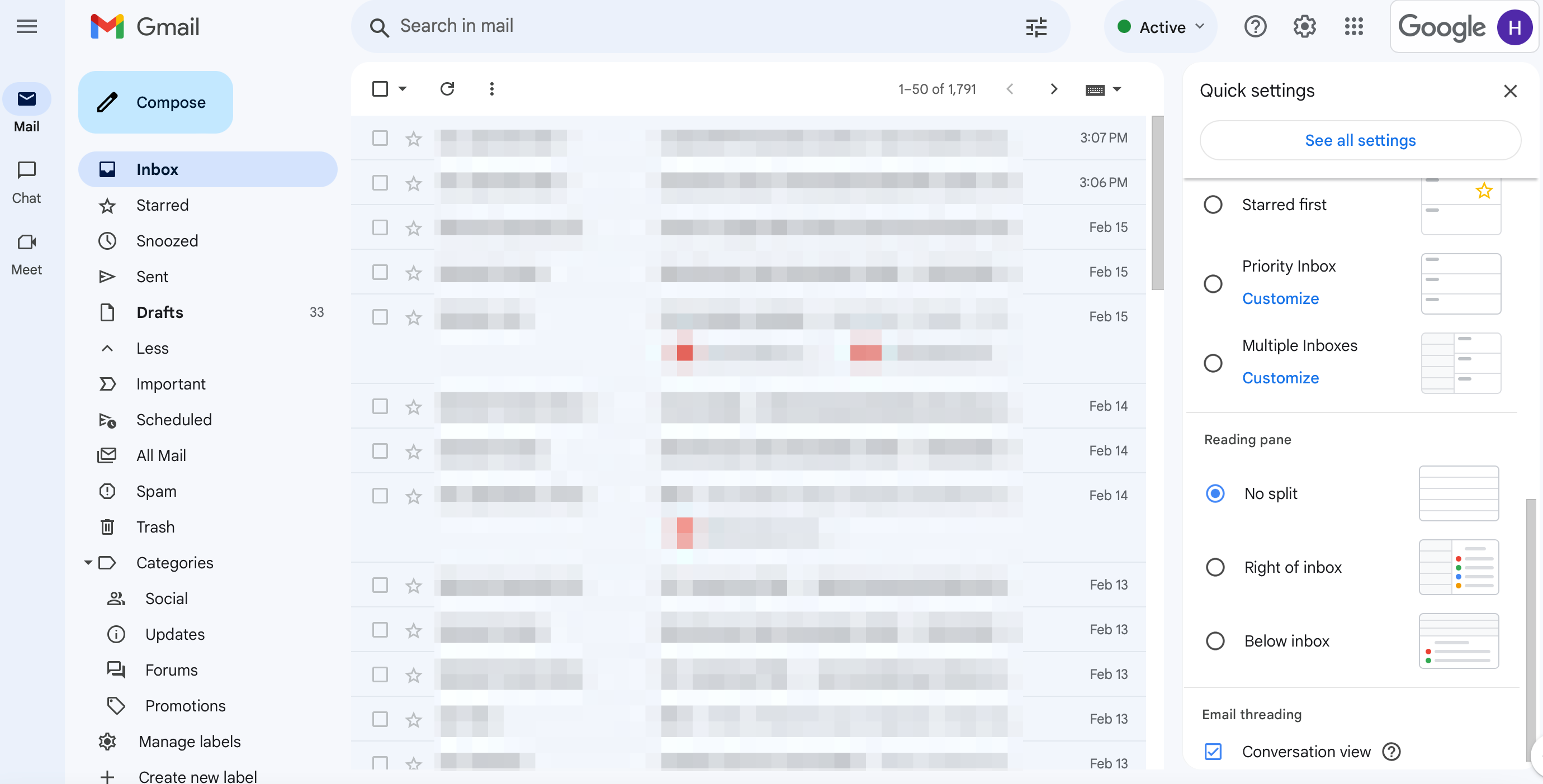
The interface also supports quick actions like Smart Compose, Smart Reply, and emoji reactions (in the Gmail mobile app).
Plus, Gmail provides nudges to help you stay on top of your workload. And, you can switch between different accounts easily (even from different email providers).
Similarly, Apple gives you access to a minimalist interface with a unified inbox which consolidates multiple accounts:
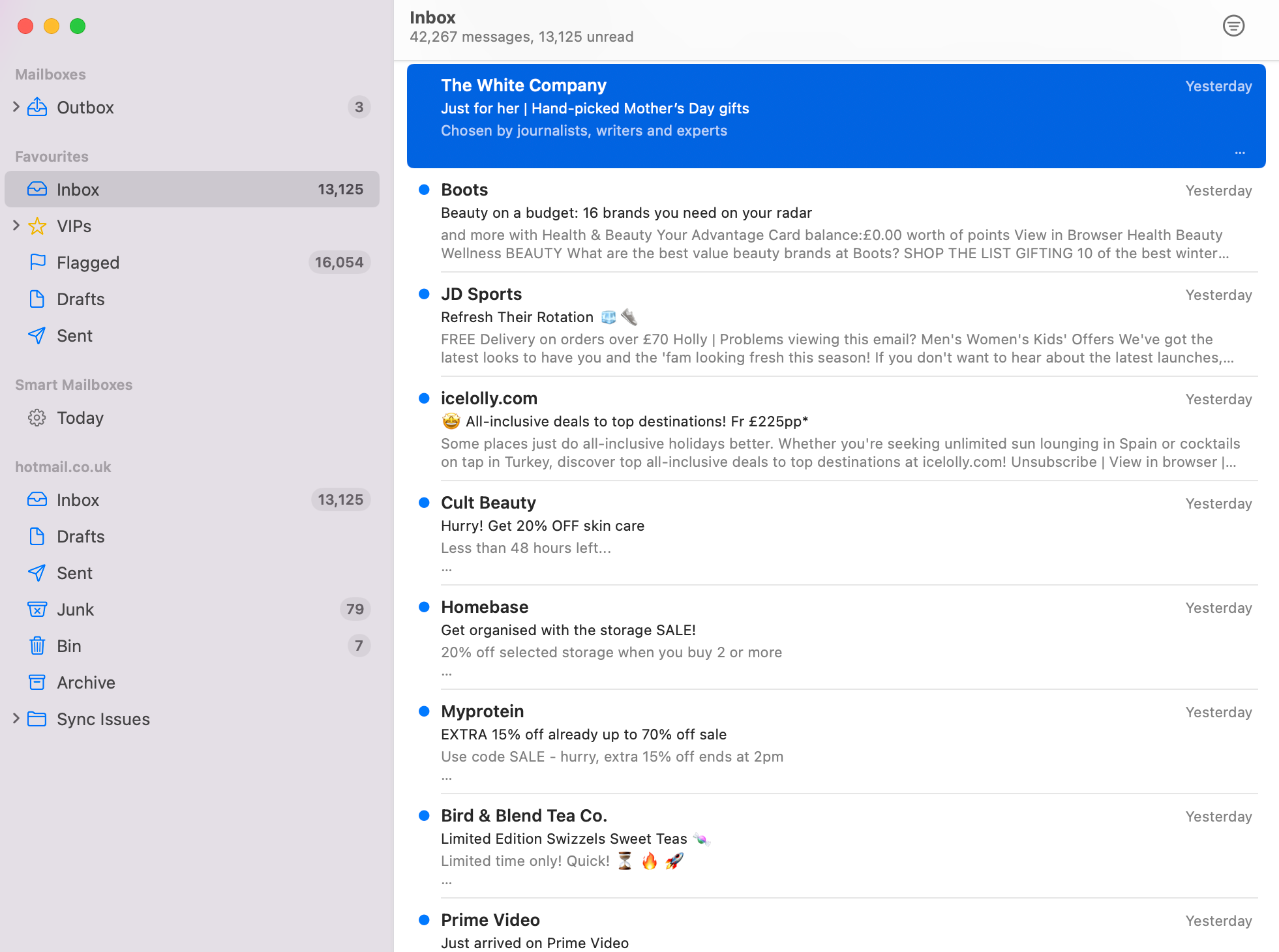
So, for example, you can have your Outlook account sit beside your Gmail account and they’ll both look identical.
Better yet, Apple provides some helpful features to sort and manage your inbox. For example, you can configure a VIP inbox, set email reminders, and create customizable notifications. And, if you use the Apple Mail app, you can use gesture controls (swipes) for quick actions.
3. Key Features
Since both Apple Mail and Gmail are quality email hosts, you can expect to find some similar features. For instance, both support standard email functions, email folders, spam filtering, and POP and IMAP protocols (for email connectivity).
Additionally, you’ll get access to comprehensive search capabilities so that you can quickly find emails using keywords, dates, or sender filters. And, both email hosts have strong integrations.
For example, Gmail works well with the other apps in Google Workspace. Meanwhile, Apple Mail connects up with the rest of the Apple ecosystem, making it convenient if you have multiple Apple devices.
However, the email hosts differ in terms of storage. With Gmail, you’ll get 15 GB free storage across all Google services. But, Apple Mail only supports 5 GB free iCloud storage. But, both solutions allow you to purchase extra storage space if you need it.
What’s more, Gmail gives you the option to customize the appearance of your inbox using themes. Or, you can change the density, reading pane, and email threading options. However, Apple Mail only lets you switch between light and dark modes.
Lastly, Gmail presents more artificial intelligence (AI) features including Smart Compose, which gives you access to AI-powered suggestions as you write. And, you can even use AI to prioritize emails. On the other hand, Apple Mail utilizes AI via Siri integration and smart searches.
4. Cross-Platform Compatibility
Another key factor to consider when choosing an email account service is cross-platform compatibility. With this in mind, Gmail is a great option for most users since it’s accessible on any device, all web browsers, or available via the Gmail app.
On the other hand, Apple Mail is only accessible on macOS and iOS devices to use on desktop, iPhones, and iPads. But, it’s important to note that it can integrate with other email services like Gmail.
5. Pricing
Both Gmail and Apple Mail offer a free email service, although the storage is capped and you might lack advanced features (like Hide My Email for Apple and smart replies for Gmail). But, you can pay to upgrade to premium email services.
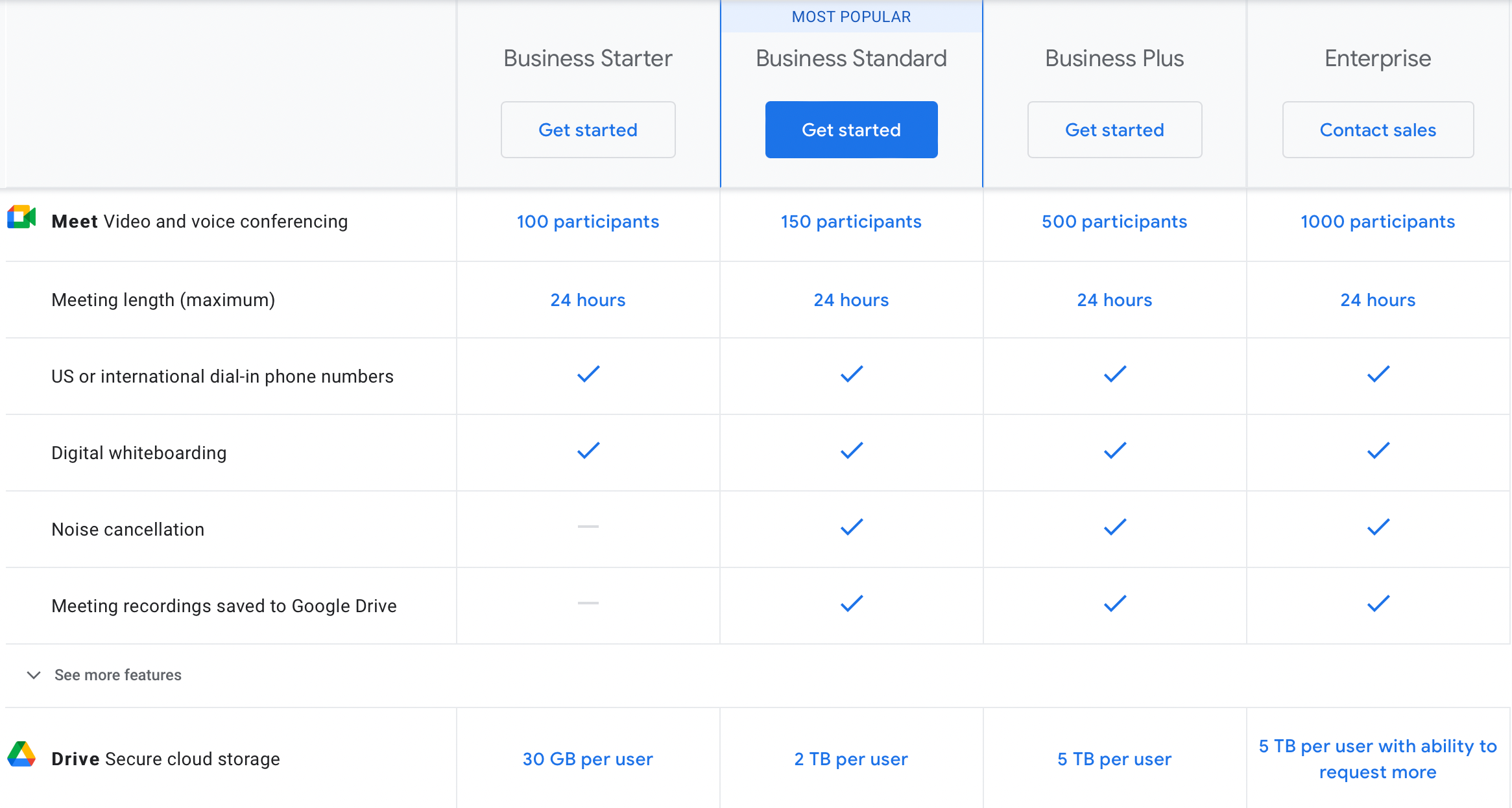
If you want more from Gmail, prices start at $6 per user per month (with 30 GB storage per user):
Or, if you’re using Apple Mail, the cheapest upgrade is iCloud+ with 50 GB storage which costs just $0.99 per user per month:
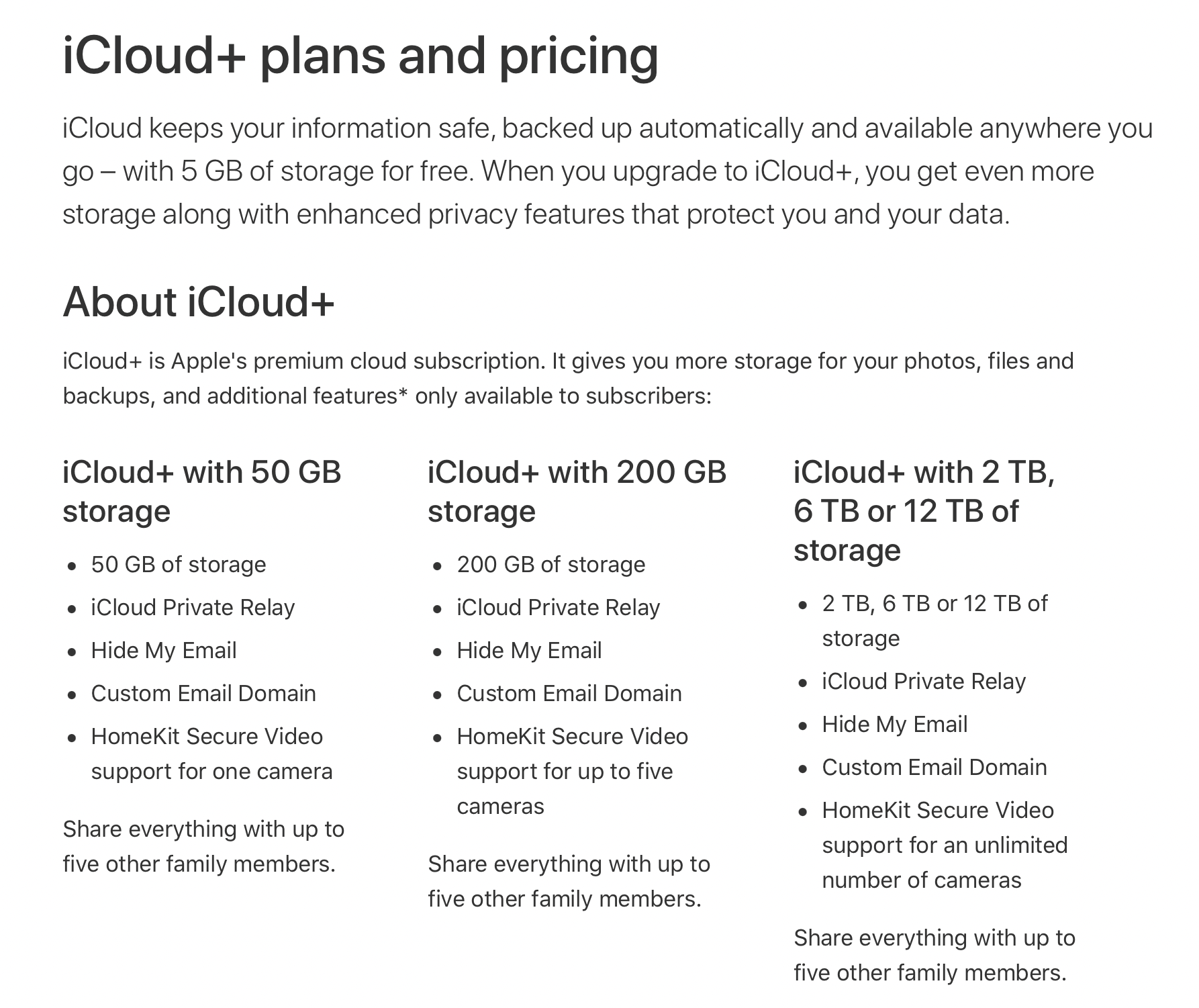
But, you can also purchase more storage (200 GB, 2 TB, 6 TB, and 12 TB).
An Alternative to Gmail and Apple Mail
Although Apple Mail and Gmail are great options, you might like to consider an alternative. For example, you might need more storage, a custom email domain, or a support staff to contact whenever your emails aren’t getting delivered or you’ve had enough with spam!
If this is the case, NameHero makes an excellent option. Even with the most affordable solution, you’ll get 50 GB storage, 10 email accounts, and the ability to view/send email from any device. Best of all, with superior spam protection and up-to-date email authentication protocols, you can improve email deliverability.
NameHero’s email hosting is the perfect compliment to an award-winning website performance. This way, you can manage all your email accounts, domains, and resources from a single hub. Meanwhile, you can create a unique email address that matches your website name, which is a great way to boost professionalism and increase trust with customers.

Better yet, NameHero’s web hosting packages make an excellent option for beginners since you can access tons of essential tools out-the-box. For instance, all WordPress plans come with unlimited storage, free SSL certificates, free caching, and 24/7 security monitoring.
Conclusion
If you’re looking for an email hosting service, you might be considering Gmail or Apple Mail. While both provide standard email functions, search capabilities, and spam filtering, there are some differences between them.
For instance, Apple only works on macOS and iOS devices while Gmail is compatible with all devices and browsers. Additionally, Apple provides excellent security features (like encryption and two-factor authentication), but Gmail provides more free storage and extensive customization options.
NameHero can offer the best of both worlds and if you plan on hosting a website and domain, you can do it all under one roof. Do you have any questions about how to choose between Gmail vs Apple Mail? Let us know in the comments section below!

Sophia is a staff writer at WordCandy.co, where she produces quality blog content for WordPress plugin and theme developers, hosting providers, website development and design agencies, and other online businesses.
How can I transfer all my apple mail to GMAIL?
Can I use the same user ID on both?
What happens when I delete my apple mail?
Appreciate help!
I had an email service for my wife and I for almost 20 years. It worked fine until December 2024 when it became very erratic. My wife was finding it difficult to access email using Apple Mail and even using webmail did not work well. Since we were coming to the end of a contract year, I cancelled with the then host and switched to BlueHost. It was a difficult change and never worked well. My wife and I traveled on a cruise into the Amazon with limited continuity but I am very bothered by the poor service. Recently I realized that a lot of mail was backed up the in outgoing mail.
This is my desired characteristics:
Compatible with Apple Mail
Custom Domain name; have used thetripps.net since 2003 or earlier
Do not want spam filter. Will filter spam at my end
Will not place my email list on host to filter incoming email
Do not want host to sort mail
This is for mail only. No web pages.
Can you provide this type of service? If so have soon can I make the switch?