

As a Microsoft Edge user, have you ever seen the ‘INET_E_RESOURCE_NOT_FOUND’ error pop up on your screen?
This error typically means a website’s resources (such as images or videos) cannot load on your browser.
It’s a standard browser error that many Microsoft Edge users have reported encountering. The good news is that users can fix this issue with simple solutions that don’t require complex technical knowledge.
In this quick guide to the ‘INET_E_RESOURCE_NOT_FOUND’ error, I’ll share five easy ways you can fix it right away.
- What Causes The “INET_E_RESOURCE_NOT_FOUND” Error?
- How Can I Fix The INET_E_RESOURCE_NOT_FOUND Error (Five Easy Ways)
- Conclusion: Final Thoughts
- Check Out NameHero For All Your Hosting Needs
What Causes The “INET_E_RESOURCE_NOT_FOUND” Error?
The “INET_E_RESOURCE_NOT_FOUND” error can show up on your screen for many reasons, including issues with your network connection, browser settings or DNS sesrver.
A faulty update or corrupted browser files can also sometimes cause it.
Will a private browsing session fix the inet_e_resource_not_found error code?
A private browsing session like Incognito mode does not typically fix the INET_E_RESOURCE_NOT_FOUND error.
Incognito won’t be the fix here because the error is not caused by your browsing history or cache but rather by a network issue or a browser-specific problem.
Will this error show up on other browsers?

The “INET_E_RESOURCE_NOT_FOUND” error is an issue that can occur on any browser. But it’s known to be showing up majorly for Edge users.
Note: Since this error primarily appears for Microsoft Edge browsers, open the same website on a different browser, such as Google Chrome or Firefox. If the site loads just fine, you’ll know right away that it’s an issue with your Edge browser.
How Can I Fix The INET_E_RESOURCE_NOT_FOUND Error (Five Easy Ways)
#1. Restart Your Router
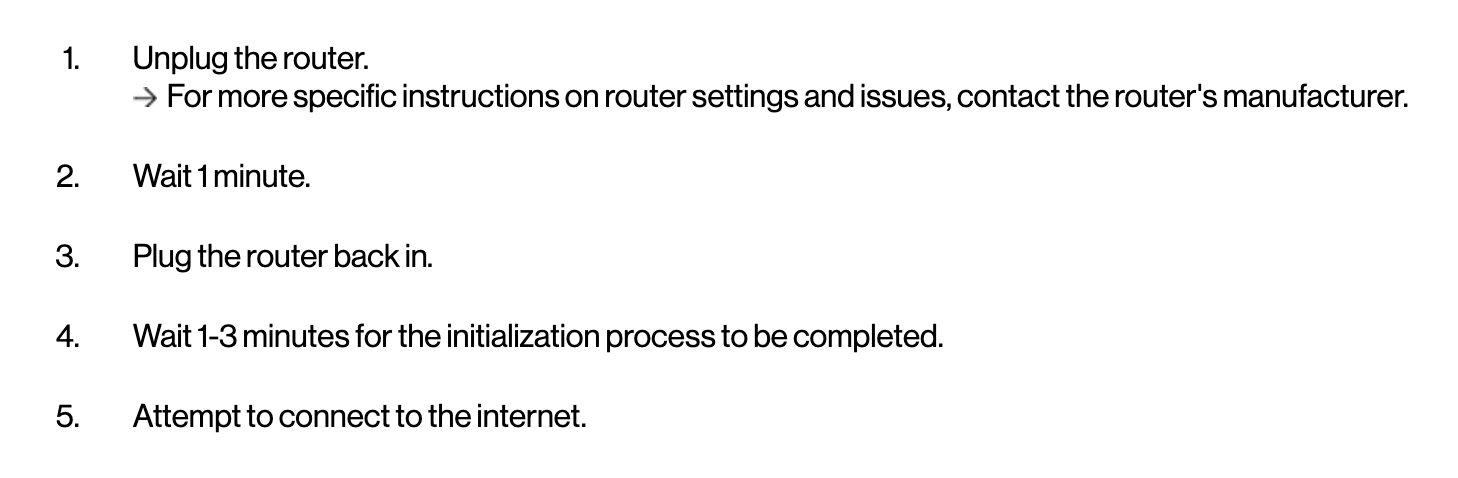
One of the most straightforward solutions to fix this error code is to restart your router. Resetting your router can help refresh your connection and clear any temporary glitches that could be causing the error. Most router manufacturers offer advice similar to the steps below.
- Locate the power button. (Usually found on the back of your router)
- Press and hold the power button until the router turns off. Most router manufacturers typically recommend that you wait 30 seconds.
- Turn the Router back on and check if the error message persists.This above fix might seem obvious to most, but you’d be surprised how many times a router reset fixes browser error codes!
#2. Disable The TCP Fast Open feature On Edge
Microsoft Edge browsers used to offer turning off the ‘TCP Fast Open’ feature.
Here’s how you can disable the TCP Fast Open Feature
- Open your Microsoft Edge browser and type “about flags” in the address bar.
- Scroll down to “Networking” and uncheck the box next to “Enable TCP Fast Open.”
- Close and reopen Microsoft Edge to apply the changes.
Note: Newer versions of Microsoft Edge browser do NOT offer the abovementioned solution of enabling TCP fast open in the about:flags section. If you’re on the newest version of Microsoft Edge, I suggest you skip this one and try the other solutions mentioned below.
#3. Flush The DNS Cache
Flushing the DNS cache can help clear any corrupted DNS data that might be causing the INET_E_RESOURCE_NOT_FOUND error.
Check out the steps below to flush the DNS cache for a Windows OS
- Open the Command Prompt – Type “ipconfig /flushdns,” and press ‘Enter’.
- Check if the error persists.
How To Flush DNS Cache for MAC OS
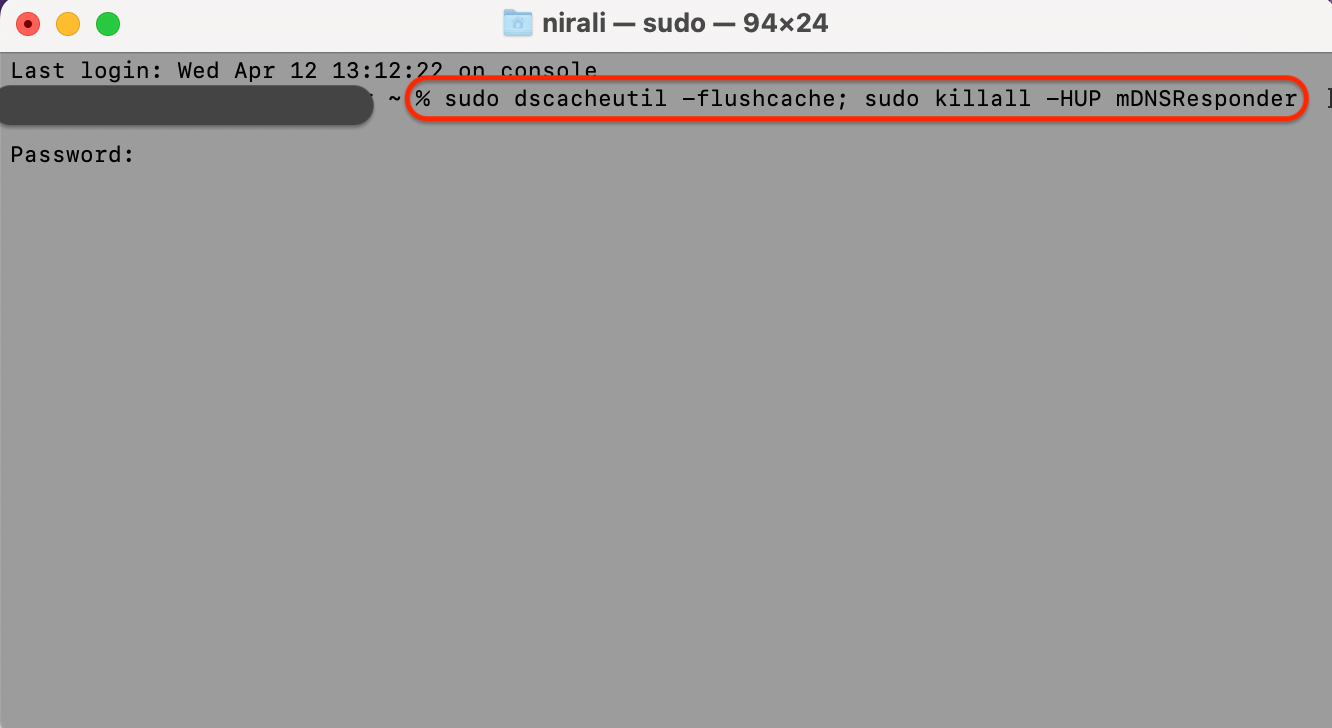
- For MAC users, open the terminal window.
- Next, type “sudo dscacheutil -flushcache; sudo killall -HUP mDNSResponder” and press enter.
- It will ask for your password and clear the cache.
Check out the screenshot below for a quick visual aid for flushing the DNS cache for a MAC user.
#4. Uninstall (And Reinstall) Microsoft Edge
If flushing the DNS does not work, another solution is to try uninstalling and reinstalling Microsoft Edge.
Here’s how you can uninstall and reinstall the Microsoft Edge browser
- Press the Windows Key + X on your keyboard and select “Apps and Features.”
- Locate Microsoft Edge and then click ‘Uninstall.’
- Restart your computer to complete the uninstallation process.
- Download and install Microsoft Edge from the official Microsoft website.
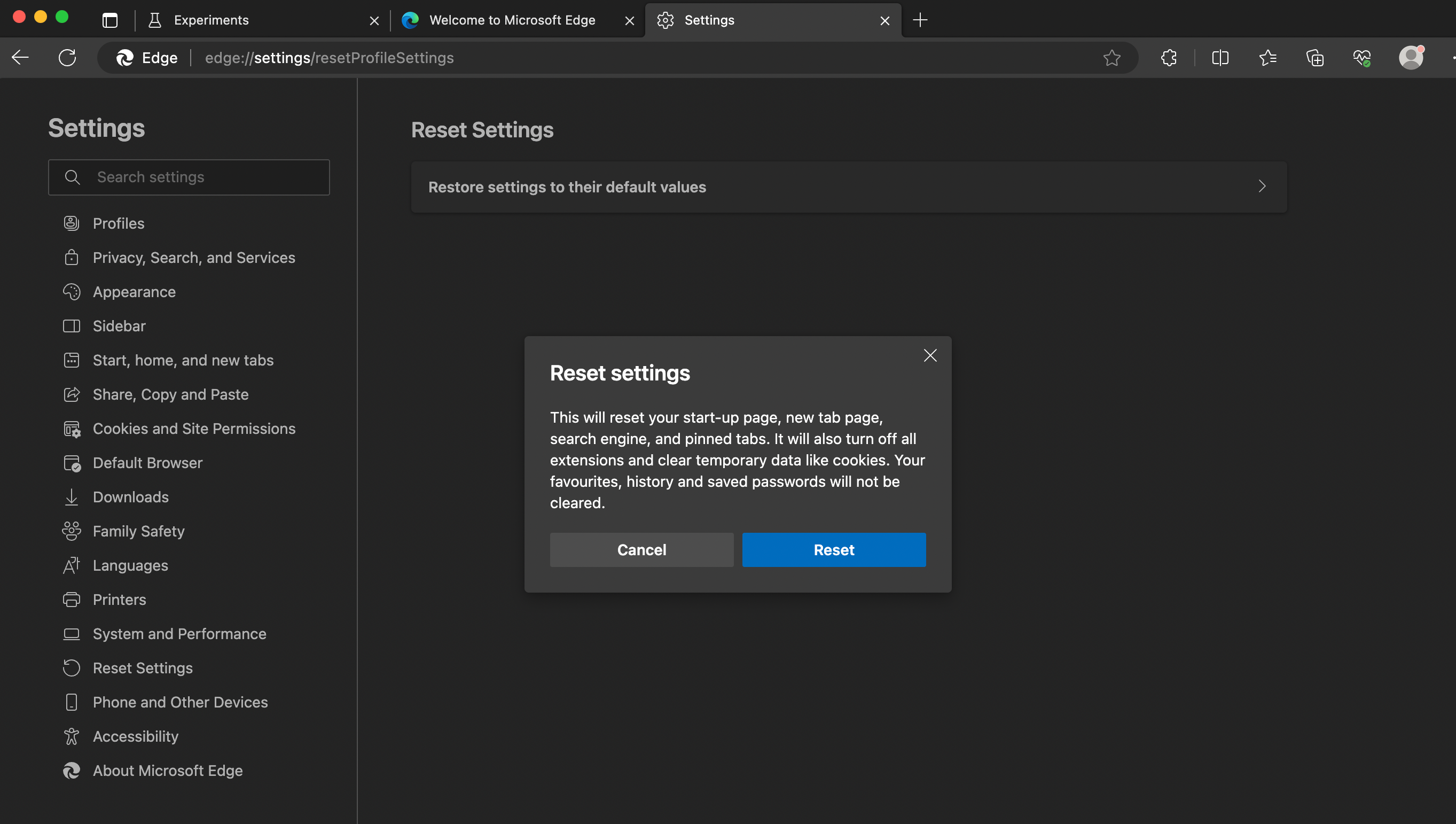
Note: Don’t want to uninstall and reinstall browsers? Try resetting your Microsoft Edge browser. Once you select reset settings, all your temporary browser data will be deleted, browser extensions will be disabled, and you can get a clean start with factory settings. Check if the error message persists.
#5. The Last Option — Reset Netsh
If none of the above methods work for you, try resetting the Netsh configuration on your computer.
One quick thing to note? I’d suggest that you try this last method (netsh int ip reset) only if you’re familiar with and confident making changes in the command prompt of your device.
Follow the steps below to reset netsh:
- Open the Command Prompt. And make sure you’re logged in from the admin account.
- Type “netsh winsock reset” and press Enter.
- Ensure you wait for the command to finish executing it, then restart your computer.
- Check if the error has disappeared or persists.
Conclusion: Final Thoughts
The “INET_E_RESOURCE_NOT_FOUND” error can be frustrating, but it is not a rare problem, especially for Microsoft Edge users. There are many easy ways to fix this error code that doesn’t require any technical expertise.
Restarting your router, disabling TCP Fast Open on Microsoft Edge, flushing your DNS cache, and resetting Netsh are all solutions that you can try. If nothing works, I suggest that you can contact the website admin where this error pops up. They might be able to resolve it from their end.
Check out this quick step-by-step guide to resolve the DNS_PROBE_FINISHED_NXDOMAIN ERROR message. If you require help with any other SSL errors, check out our ultimate guide to fixing SSL certificate errors.
My pro-tip? It always helps to install a backup browser if you get a browser-specific error code like this one. I hope this guide helps you and gets you back to browsing quickly!
Check Out NameHero For All Your Hosting Needs
While you’re here, check out our web hosting plans for your website or blog. NameHero provides businesses worldwide with server hosting services at a fraction of the cost you might be currently paying!
With features like free SSL certificates, daily backups, and unlimited storage, you can be confident that your website is in good hands. Click here to learn more!

Nirali has over a decade of experience working in marketing with startups in a variety of sectors, including e-commerce, ed-tech, and SaaS. She has a keen understanding of the unique challenges and opportunities facing early-stage companies and a track record of developing effective content strategies that drive growth and engagement.
Leave a Reply