


Website builders offer a quick and easy way to launch professional websites, including blogs. But which is the best one to use?
Since WordPress is arguably the most powerful blogging platform, it’s a good idea to opt for a website builder that supports it. You’ll also want to look for a tool that provides stunning blog templates, SEO features, and even an AI writer to generate blog posts in seconds.
In this article, we’ll discuss key blogging features to look for in website builders. Then, we’ll present the best tool for the job, and show you how to start your blogging journey today. Let’s get to it!
Key Blogging Features to Look for in Website Builders
Here are some key features to look out for when choosing the right blogging platform:
- User-friendly interface. Your preferred blogging platform should make it easy to create and manage content. Ideally, it will have an intuitive drag-and-drop editor so you won’t need any technical knowledge to build your blog.
- SEO tools. If you want your blog posts to rank in the search engine results, you’ll need in-built SEO tools like meta tags and sitemaps. You can also find website builders that let you optimize individual posts based on relevant keywords.
- Blog templates. Most website builders come with pre-ready templates to help you achieve professional website designs. However, make sure that yours includes blog-specific templates that display your posts nicely.
- Marketing integrations. The best blogging platforms make it easy to grow your audience by offering integrations with email marketing tools, social media platforms, analytics services, and more.
- Customization options. You want to create a blog that reflects your brand identity. Therefore, you’ll need the ability to adjust the layout and design (e.g. fonts, colors, etc) without coding knowledge.
- Monetization features. Once you’ve established an audience, you might want to make money from your content. This means you’ll need a blogging platform that supports popular monetization methods like memberships, subscriptions, affiliate marketing, donations, and more.
Some blogging platforms offer a free plan with a premium version. Paid plans typically include tons of extras including email accounts and custom domain names.
While it may tempting to go for the cheapest solution, you’ll want to prioritize value over money. A powerful website builder can be a good investment if you’re planning to turn your blog into a profitable business venture.
Which Is the Best Website Builder for Blogging?
You can find beginner-friendly website builders that let you set up simple blogs, including Wix and Squarespace. However, these platforms aren’t built specifically for bloggers, so they might lack dedicated blogging templates, tools, and integrations.
If you’re serious about launching a personal blog, growing an audience, and eventually monetizing your content, you’ll need a robust blogging platform like WordPress. This is free software that powers over 40 percent of websites on the web.
While WordPress is highly customizable, it comes with a rather steep learning curve for complete beginners. That’s why we recommend opting for a WordPress website builder like HeroBuilder:
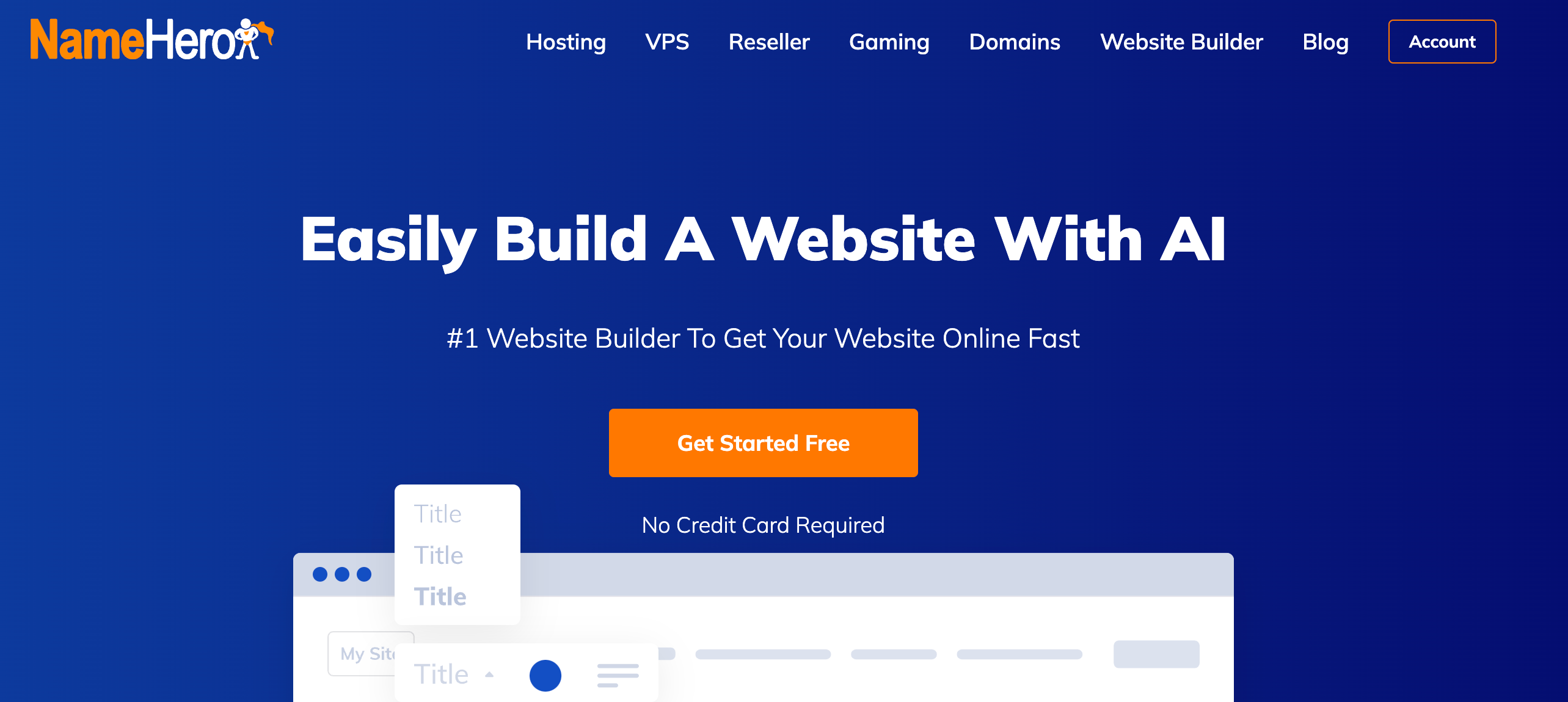
This way, you get the best of both worlds. You’ll have access to an intuitive flexible website builder while leveraging the full power of the WordPress platform.
Although you can use WordPress to create business sites or an ecommerce store, the software was originally designed for blogs. This means it comes with useful features like archive pages, post recommendations, a search feature, RSS feeds, tags and categories, and more.
You can extend the base functionality of WordPress using plugins. For instance, you could install a form plugin to create opt-in forms for your subscribers. Or, you could use an SEO plugin to improve keyword optimization and content readability.
By combining WordPress with HeroBuilder, you can set up your site instantly. HeroBuilder hosts your blog on NameHero’s LiteSpeed web servers for ultimate performance. You can also connect a custom domain name or purchase one here.
You can use HeroBuilder for free for up to four days. During this time, your blog will be hosted on a NameHero subdomain.
When you purchase a premium plan, you’ll unlock full access to WordPress and your blog. You’ll also benefit from a suite of security features, including an SSL certificate, as well as offsite backups and custom email accounts.
How to Build a WordPress Blog (In 3 Steps)
HeroBuilder is a great choice since it streamlines the WordPress website creation process. Here’s how to create your blog with this builder.
1. Complete the HeroBuilder Setup
HeroBuilder is an AI website builder that’s capable of generating a blog for you within minutes.
Once you’ve created an account, you’ll have to provide some details about your WordPress blog, including its name and industry (or niche). Ideally, your blog’s name should match your custom domain name to ensure consistency and improve brand recognition.
You’ll also want to select your goals. In this case, you can select the Publish a blog box. However, you might also want to get email subscribers or grow your traffic:
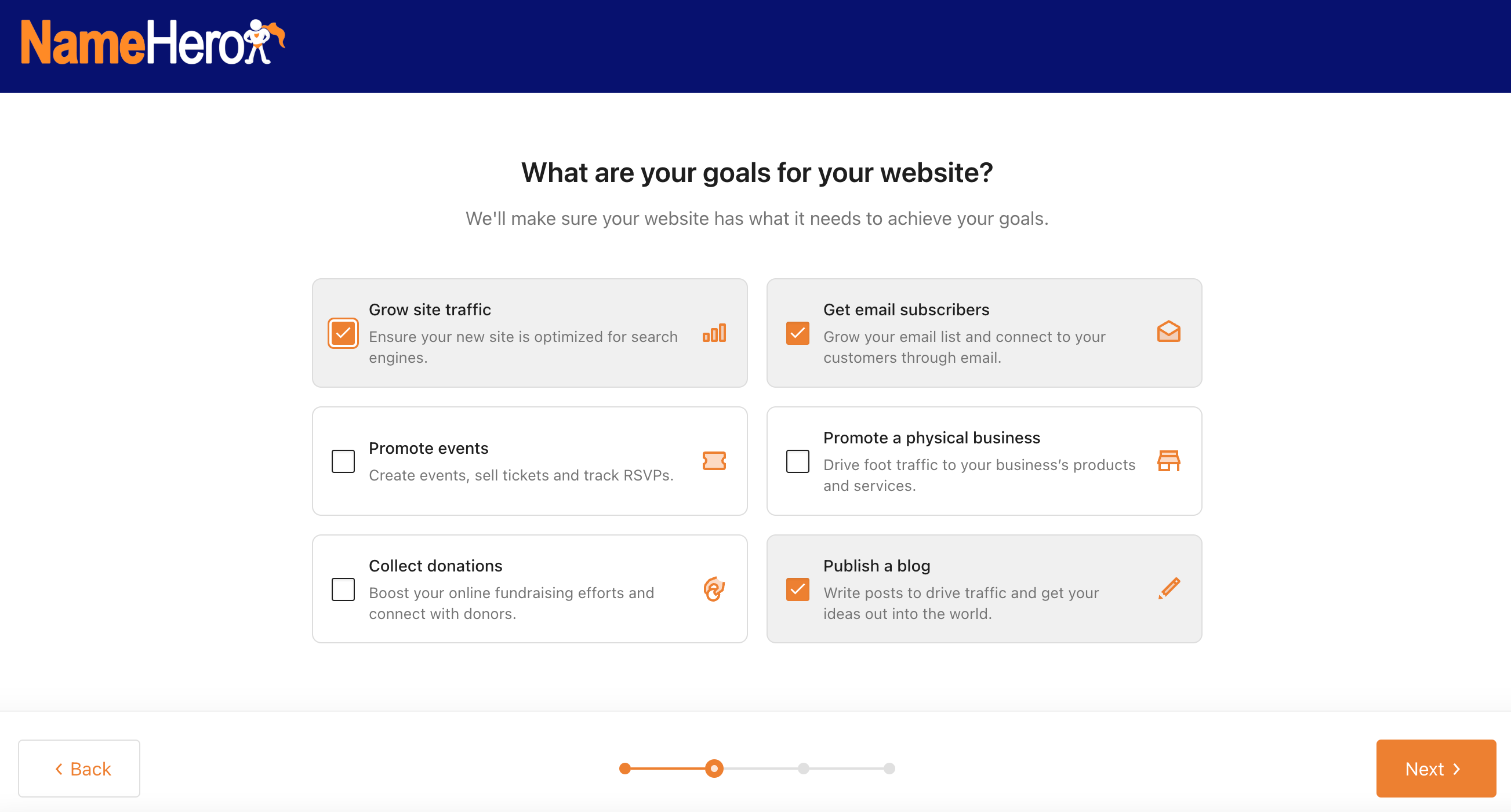
HeroBuilder will then present a tailored collection of pre-built website templates for your blog:
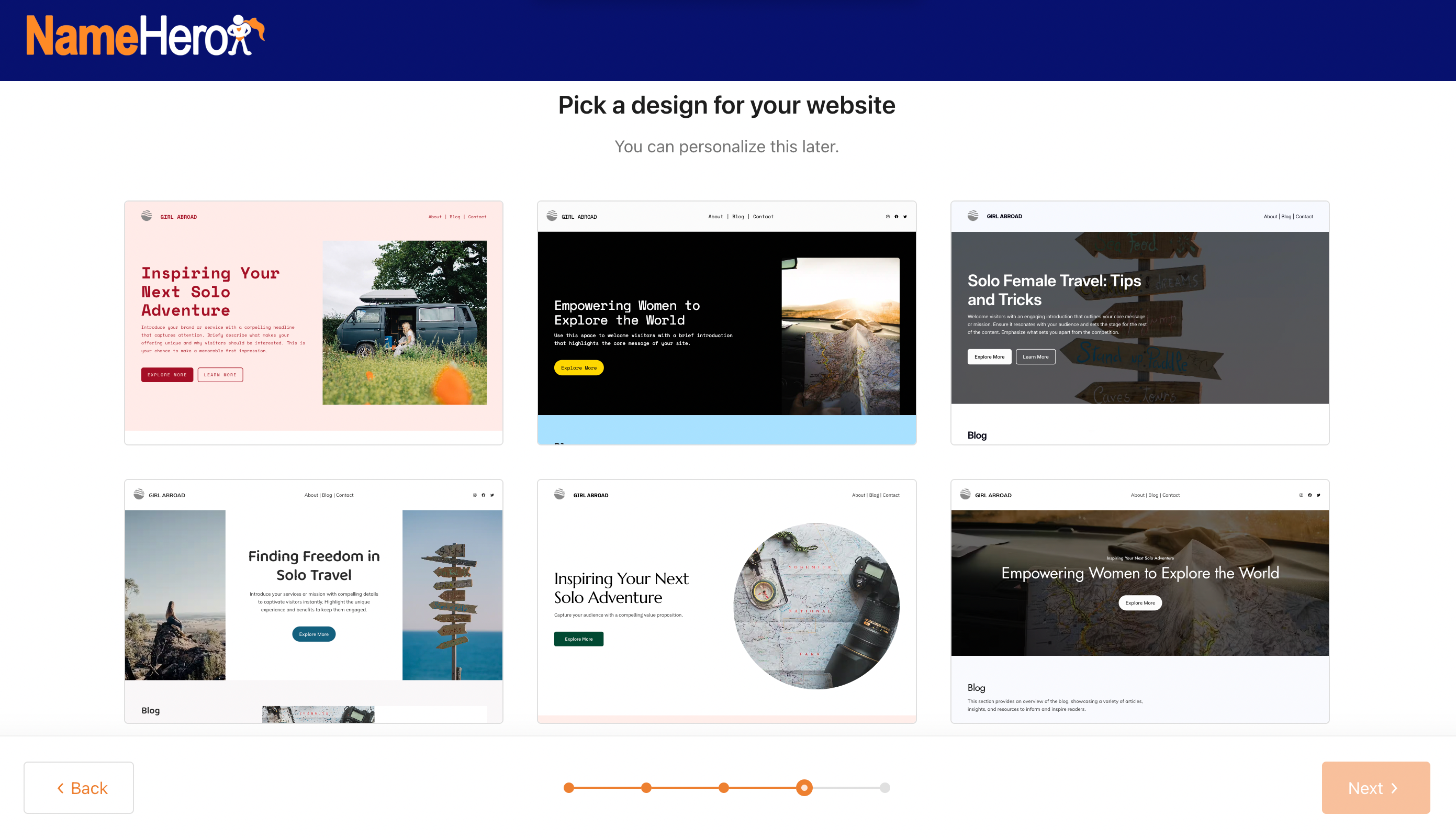
Once you’ve chosen a template, you can select the pages you want to add to your website. Besides the main blog page, you can add an About, Contact, and other key pages:
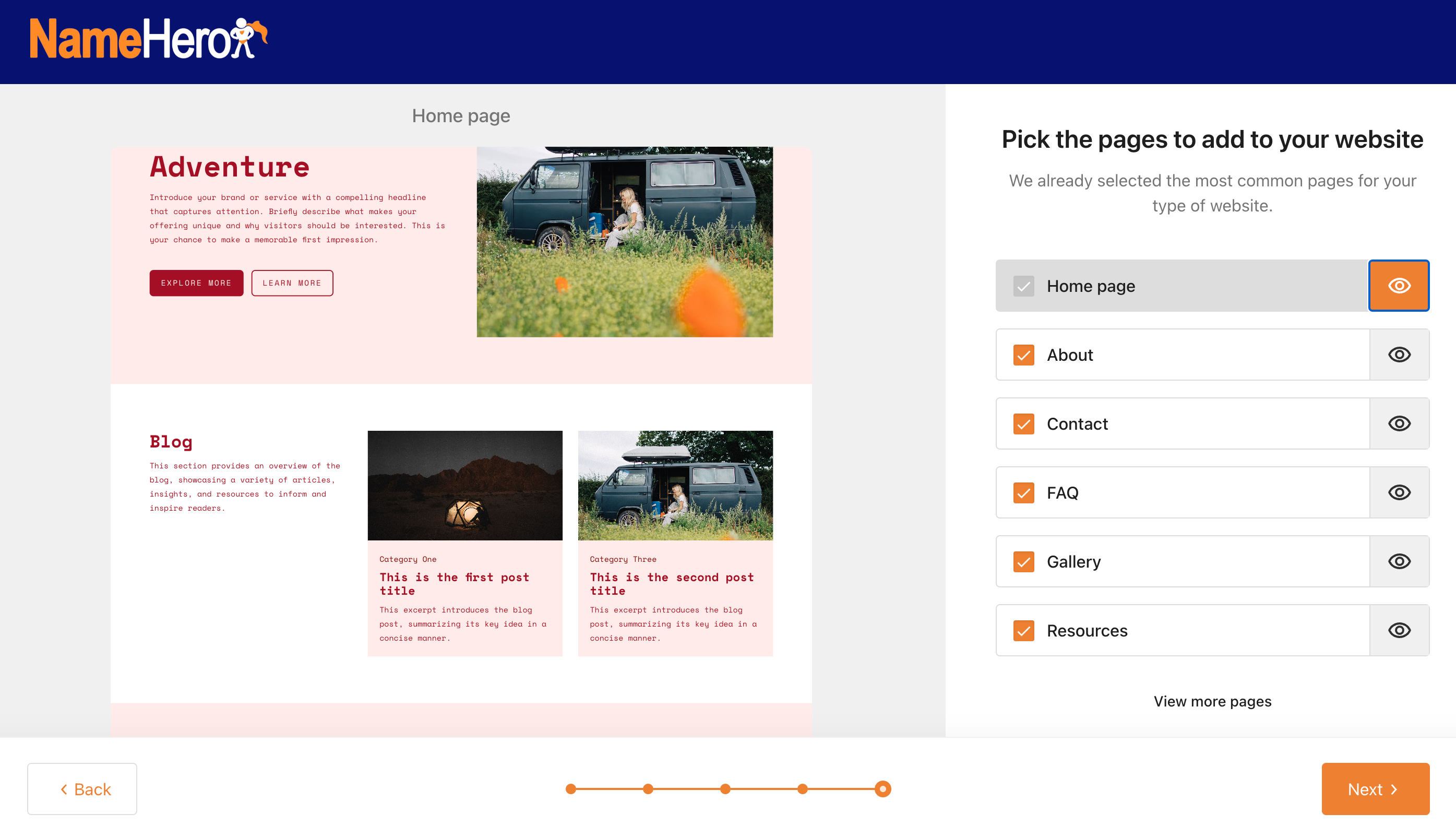
Finally, HeroBuilder asks you to describe your blog and select the tone for your website (e.g. inspirational, friendly, etc).
It will then generate your website based on your selections and responses.
2. Customize Your WordPress Site
The good thing about WordPress is that you can make tons of customizations without coding knowledge.
HeroBuilder opens your homepage in the WordPress Site Editor. Here, you can insert your own images, edit text directly in the editor, re-order items, and remove elements.
You can also add new blocks (like buttons, forms, etc) by clicking on the + icon.
If you want to change the appearance of an existing block, simply highlight it on the page and access the Block settings on the right-hand side:
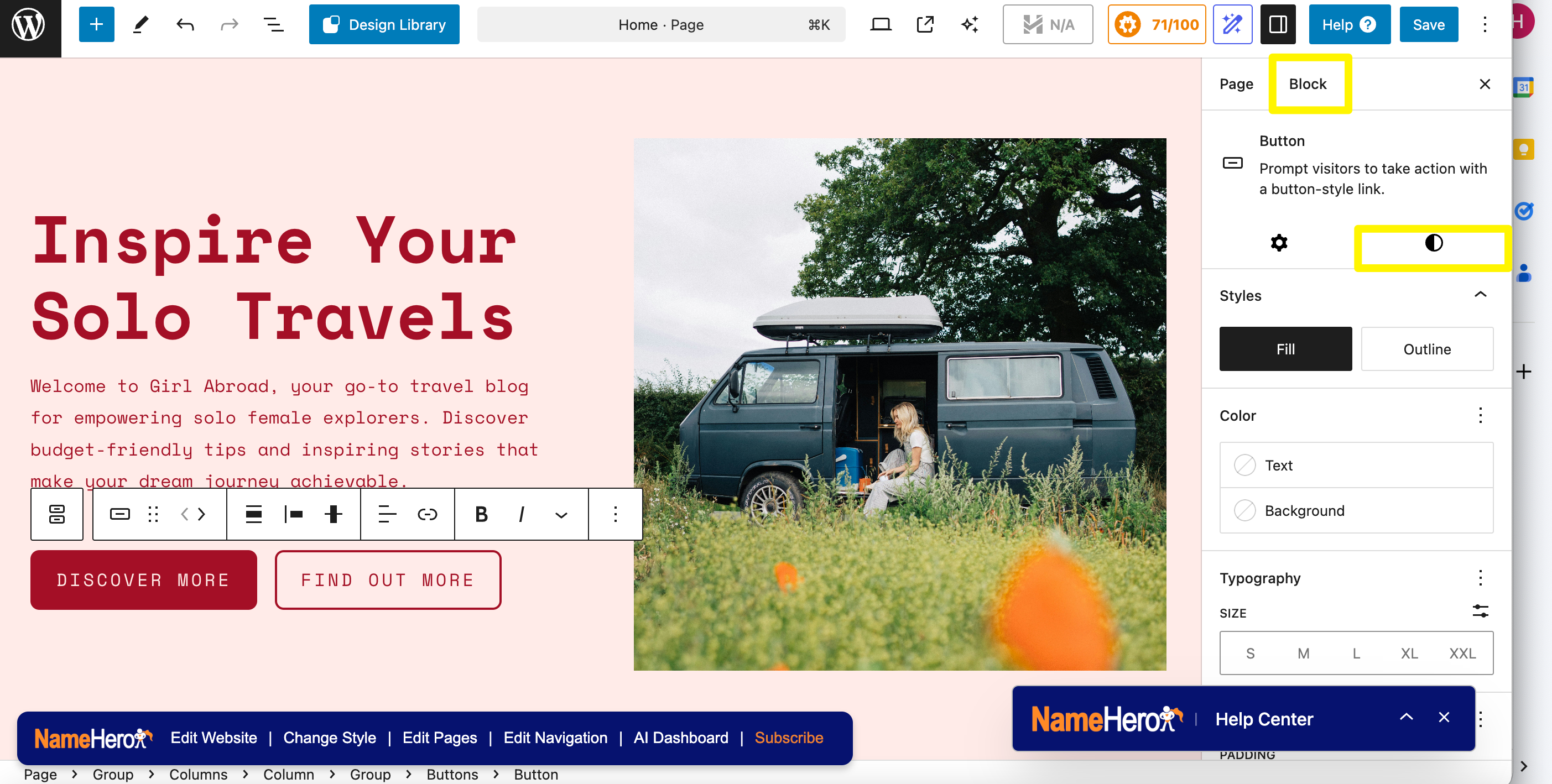
Switch to the Style tab to adjust the colors, fonts, dimensions, and more. When you’re done, save your charges.
Then, navigate to the admin dashboard by clicking on the WordPress logo in the top left-hand corner. Here, you can install plugins, add new pages, upload images, and update your blog settings.
If you go to Pages, you can find the Blog template that you might like to edit. But first, you’ll need to add some blog posts.
3. Add Your Blog Posts
From the WordPress dashboard, head to Posts > Add New Post. This will launch the Block Editor, which works like the Site Editor.
Write your post title and start populating the page with blocks. You’ll need to insert a paragraph block to start writing your post. You can also use lists, quotes, images, and more.
If you’re not a confident writer or need some post ideas, you can use HeroBuilder’s AI features, which you can access from the top of the editor. Here, you can enter your demand, or use suggested prompts:
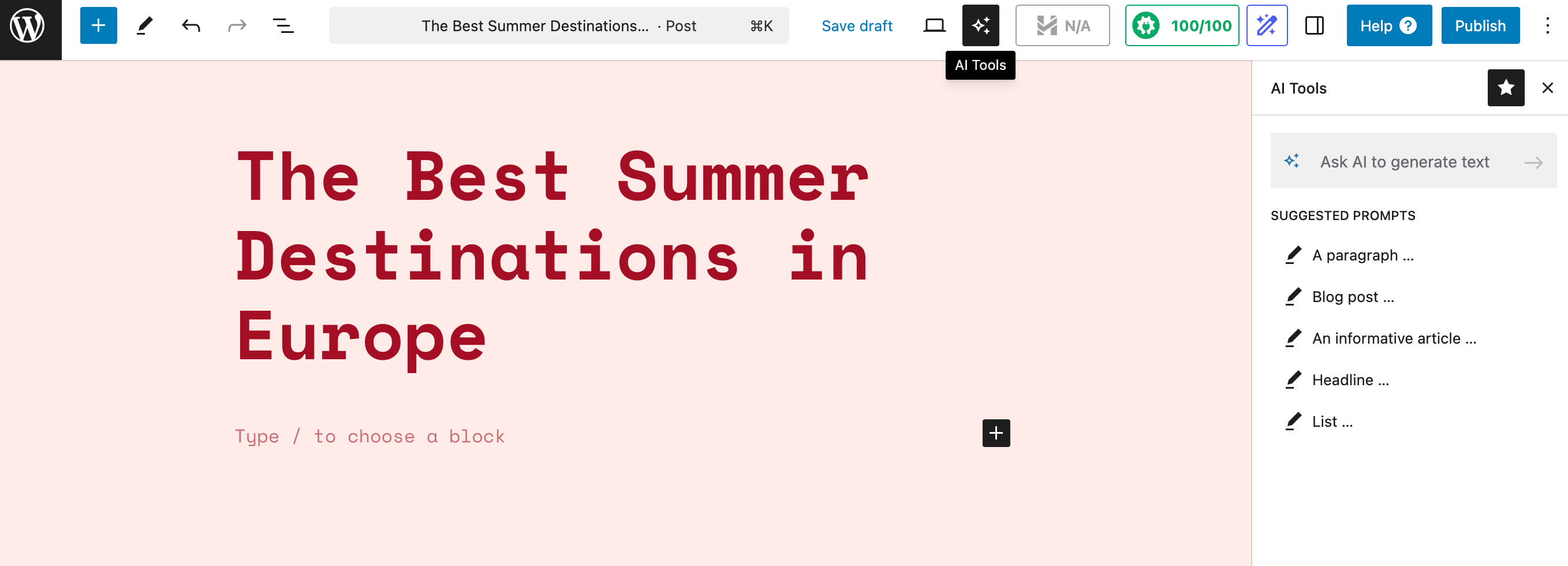
Then, determine where exactly you’d like to implement the content (e.g. top or bottom of the page). You can also use the AI tools to edit the content. For instance, you might like to make it shorter or longer, or simplify the language:

Note that HeroBuilder installs the AIOSEO plugin to optimize your blog posts for search engines. If you scroll to the bottom of the editor, you can preview the post snippet in search results, insert title tags, write a meta description, and enter a focus keyphrase:
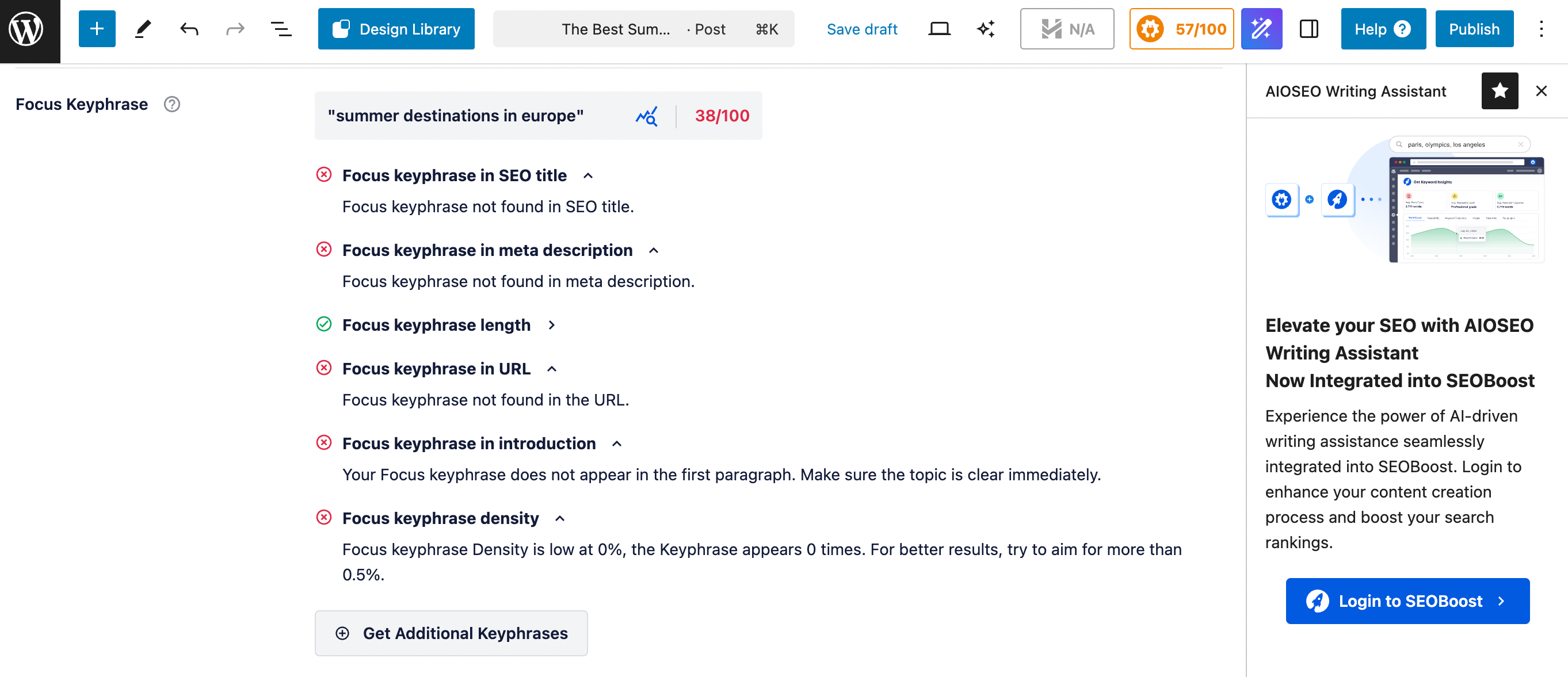
The tool also gives you real-time SEO suggestions and recommendations to improve the quality of your content.
When your post is ready, hit the Publish button. Alternatively, you can save the draft and return to it later.
Remember to use categories and tags to organize your posts. You can create these taxonomies by navigating to Posts > Categories (or Tags).
Then, when you’re working on a post, simply assign it a category from the settings panel in the Block Editor.
Conclusion
WordPress is a powerful blogging platform but it takes a while to master. A website builder like HeroBuilder offers an easier and faster way to create and manage a WordPress blog. You’ll also get access to AI blogging tools, web hosting, and SEO features.
HeroBuilder uses AI to generate a blog for you, based on your needs and preferences. You can then customize the look of your blog with the WordPress Site Editor and start working on your posts. HeroBuilder’s AI writing assistant will help you create and edit your text.
Do you have any questions about the best website builder for blogs? Let us know in the comments below!

Sophia is a staff writer at WordCandy.co, where she produces quality blog content for WordPress plugin and theme developers, hosting providers, website development and design agencies, and other online businesses.
Leave a Reply